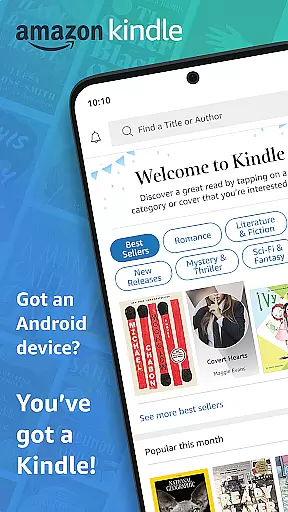
Amazon Kindle is the ultimate reading companion that transforms your mobile device into a portable library. With millions of books, magazines, newspapers, comics, and manga at your fingertips, you can read anytime, anywhere. Whether you're commuting or relaxing at home, Kindle ensures you always have something to read.
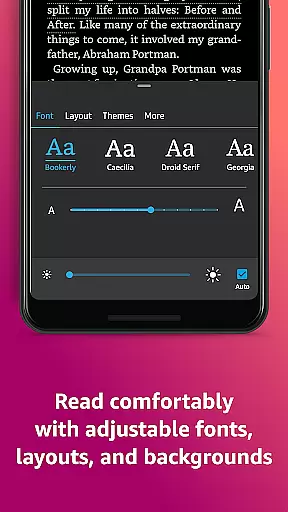
The app goes beyond simple reading by offering advanced customization options and helpful features. You can personalize text size, font type, margins, and more to create the perfect reading experience. Built-in tools like dictionary lookup, X-Ray, and Wikipedia integration make it easy to dive deeper into content. Kindle also supports seamless syncing across devices, audiobook integration, and reading progress tracking.
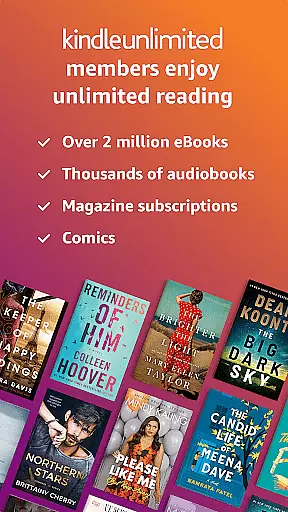
Kindle Unlimited subscribers enjoy unlimited access to over 1 million titles, while Amazon Prime members get additional benefits. The app's comprehensive features make it ideal for avid readers who want flexibility and convenience in their reading habits.
Amazon Kindle offers an impressive array of features designed to enhance your reading experience. The app provides extensive customization options including text size adjustment, font selection, margin control, and orientation preferences. Readers can choose between traditional page-turning or continuous scrolling modes.
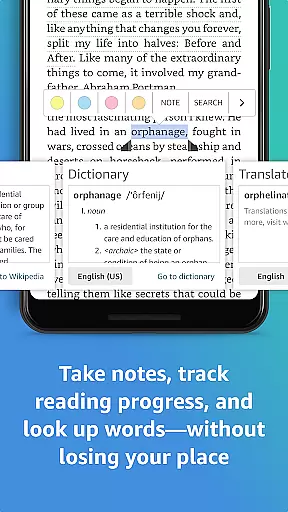
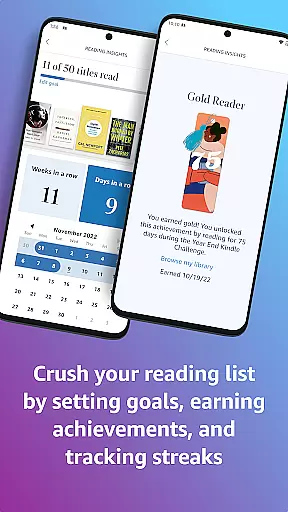
Built-in research tools allow users to instantly look up words, characters, and concepts without leaving the book. The X-Ray feature provides detailed information about characters and topics, while the built-in dictionary and Wikipedia integration offer quick definitions and explanations. The app also tracks reading progress with real-time statistics including percentage completed and time remaining.
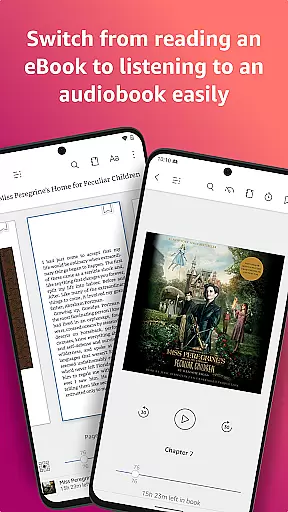
Advanced navigation features include Page Flip for easy browsing, bookmarking capabilities, note-taking functions, and automatic syncing across devices. The app supports high-definition image zooming for visual content and seamlessly integrates with Audible for audio versions of books. These comprehensive features create a versatile reading environment suitable for various preferences and needs.
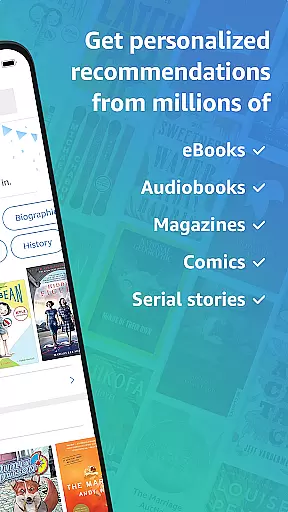
When it comes to digital reading, the size and authenticity of an e-book library are crucial factors for avid readers. Amazon Kindle boasts an extensive collection of millions of books, including bestsellers, magazines, newspapers, comics, and manga. This vast repository ensures that users have access to a diverse range of reading materials across various genres, from romance and science fiction to nonfiction and self-help.
Copyright authenticity is another cornerstone of the Kindle experience. Every title in the Kindle library is legally licensed, giving readers confidence that their purchases support the original authors and publishers. The platform's commitment to copyright compliance extends to its seamless integration with Amazon's ecosystem, which means users can trust the legitimacy of every book they download or purchase.
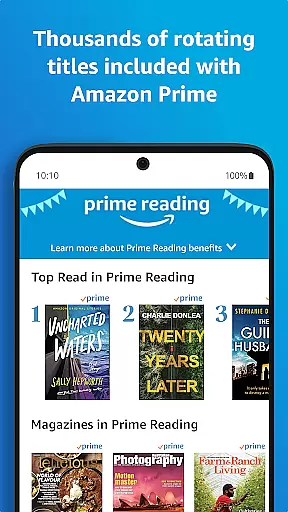
The app also offers Kindle Unlimited, a subscription service that provides members with unlimited access to over a million titles. This service not only expands the available library but does so while maintaining strict adherence to copyright laws. Additionally, Amazon Prime members enjoy exclusive access to thousands of books, magazines, and comics, further enhancing the value proposition for subscribers.
For those who wish to sample before they buy, the Kindle app allows users to read a sample of any book directly within the app. This feature enables potential buyers to make informed decisions about their purchases, reinforcing the credibility of the library's offerings. With these comprehensive resources at their fingertips, readers can indulge in their passion for literature without ever questioning the authenticity of their digital library.
Format compatibility is a key consideration for any e-reader application, and Amazon Kindle excels in this area by supporting a wide array of file formats. Whether you're downloading books directly from Amazon or sideloading files from other sources, Kindle ensures that your reading material will display correctly. The app supports popular formats such as AZW, AZW3, TXT, MOBI, and PDF, making it versatile for different types of content.
In addition to native format support, Kindle provides conversion tools that allow users to convert other file types into a readable format. This flexibility ensures that no matter where your e-books come from, you can enjoy them on your Kindle app without worrying about compatibility issues. For instance, if you have EPUB files, you can easily convert them using Amazon's online tools before sending them to your device.
Another advantage of Kindle's format compatibility is its ability to sync across devices. Regardless of the original file format, once a book is added to your Kindle library, it becomes accessible on all your registered devices. This cross-device synchronization maintains consistent formatting, ensuring that whether you're reading on a phone, tablet, or dedicated e-reader, the text appears as intended.
Furthermore, the Kindle app enhances format compatibility with features like adjustable text settings. Users can customize font sizes, styles, margins, and orientations, regardless of the original file format. This adaptability ensures that every book is readable and comfortable, providing a personalized reading experience that transcends the limitations of individual file types.
User-friendly interface
Extensive book selection
Cross-device syncing
Customizable reading options
Integrated research tools
Requires Amazon account
Limited free content
Subscription fees apply
Occasional sync issues
Storage space needed

The Bible Audio Guide
 4.80
4.80
Plan of Life that Saint Josemaría recommended
4.80
WebNovel - Read Solo Leveling novel and comic
4.10
Bible Study App with Audio Book, Verse of the Day, and Devotionals.
4.80
Werewolf novels & romance stories in audiobooks for book lovers! Werewolf storie
4.60
Learn Electricians' Handbook PRO complete guide beginners to advance.
4.40
"Do you like green eggs and ham?"
4.70
Daily thoughts, meditations, and prayers for living a sober life in recovery.
4.90
Liturgy of the Hours and Mass for every day of every year. No Internet needed!
5.00
“I am the Lorax. I speak for the trees.”
4.80
The favorite Christmas story comes to life!
4.80
A lightweight reader for comics and mangas files (.cbr, .cbz, .cbt, .pdf, ...)
4.80
Contains the 365 daily readings and everything other thing needed for catholics
4.70
7 Languages, Google, Wiki, Vocabulary.com, Cambridge & Urban Dictionary!
4.50
Master AKC Rally signs with in-depth hints, diagrams, and expert guidance.
4.50
Essential Technical Rescue Field Operations Guide 6, the Industry Standard Guide
4.20
Zerobooks Light Novel Reader by GOLDENAGATO
4.20
"BIG A, little a. What begins with A?"
4.10
A guide for the Court of Atonement spiritual healing process.
4.1



User Reviews