
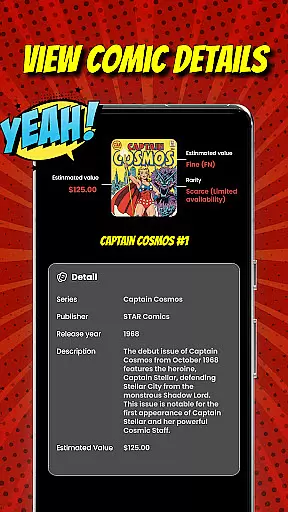
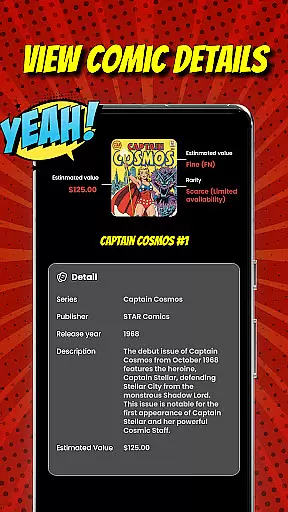
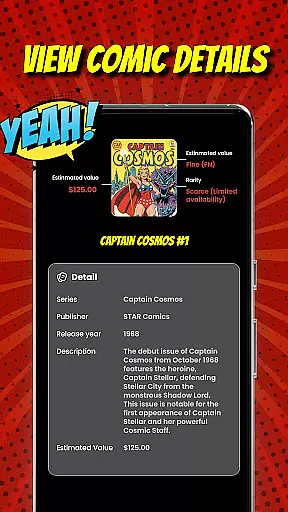
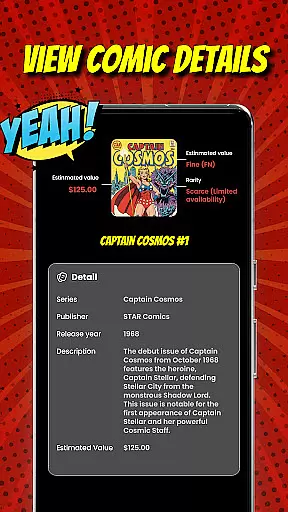
Comic Scanner is a revolutionary app designed specifically for comic book enthusiasts and collectors. The app's core functionality lies in its ability to instantly identify comics through AI-powered image recognition. By simply taking a photo of a comic cover, users can retrieve detailed information including title, issue number, condition, rarity, and estimated market value.
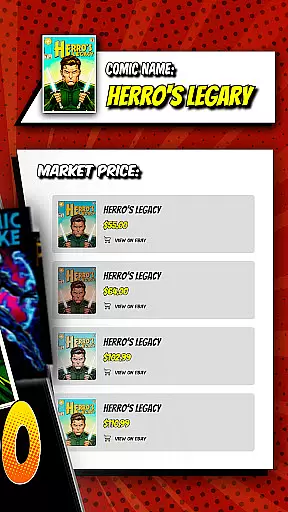
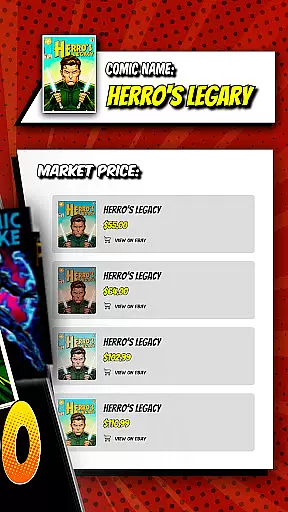
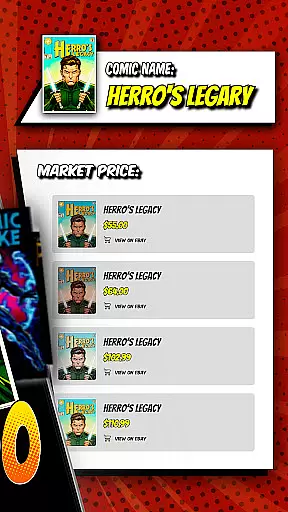
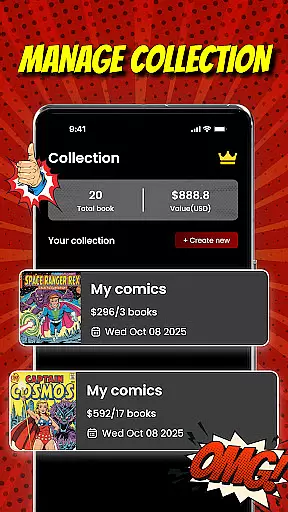
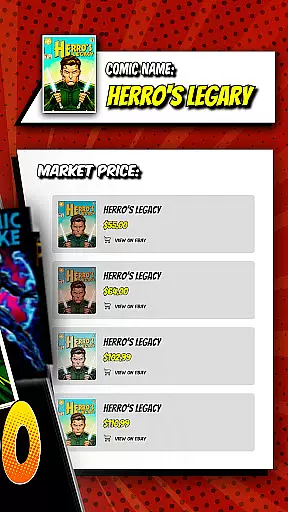
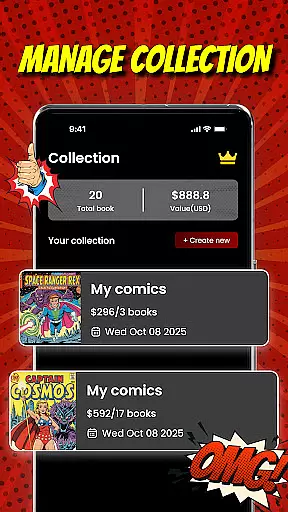
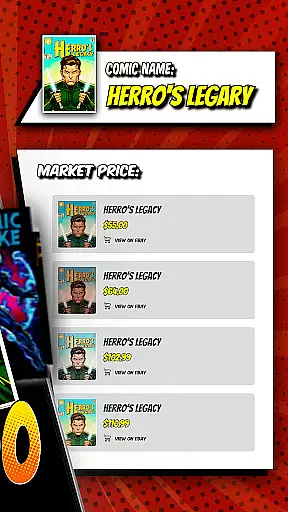
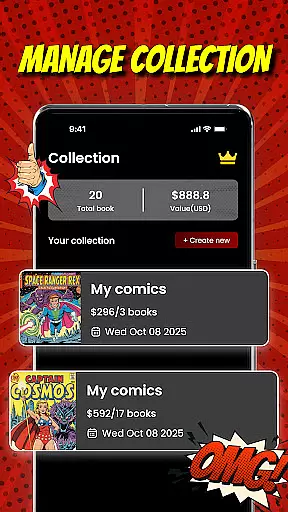
Beyond identification, Comic Scanner offers comprehensive collection management tools. Users can organize their entire comic library digitally, categorizing by series, publisher, or genre while tracking the total value of their collection. The app also provides real-time market valuation based on current sales data and trends, making it an essential tool for buying, selling, and trading decisions.
This application proves particularly valuable during comic conventions or store visits where quick valuation can inform purchasing decisions. The combination of AI recognition, market analysis, and collection management creates a powerful tool that enhances both casual collecting and serious investment strategies in the comic book market.
Comic Scanner distinguishes itself through several innovative features that cater to comic collectors' specific needs. The app's AI Comic Recognition technology employs advanced machine learning algorithms to analyze cover art and extract crucial information with remarkable accuracy. This feature saves countless hours that would otherwise be spent on manual research and cataloging.
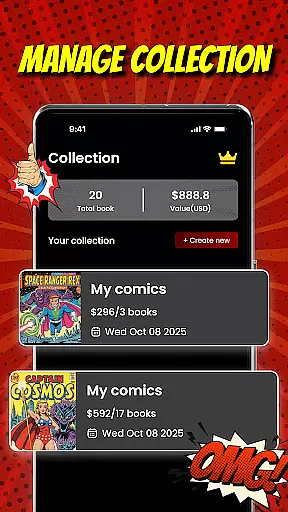
The Collection Organizer goes beyond basic inventory management by allowing users to create detailed digital libraries. Each entry can be enhanced with custom tags, notes, and condition ratings, while the system automatically calculates the collection's total value. The Personal Dashboard provides visual analytics, showing value trends and growth projections over time.
Additional features include the built-in marketplace for buying and selling, condition assessment tools, and rarity evaluation metrics. These components work together to create a comprehensive ecosystem for comic collectors, offering both practical utility and strategic insights into the comic book market.
Comic Scanner offers an extensive digital library that caters to a wide array of comic enthusiasts. With its AI Comic Recognition feature, users can effortlessly scan and add comics to their personal collection, making it easy to manage large volumes of issues.
The app's capability to automatically identify titles, issue numbers, and other critical details ensures that users can quickly build a comprehensive library. This feature is particularly beneficial for collectors who wish to catalog hundreds of issues without the hassle of manual entry.
Moreover, Comic Scanner supports a diverse range of comic genres and series, allowing users to explore everything from vintage classics to modern indie series. The app's vast compatibility ensures that no matter what type of comic you're passionate about, you can include it in your digital archive.
By providing tools to categorize comics by series, publisher, or genre, Comic Scanner enhances the user experience, making it simple to organize and navigate through an expansive collection. This functionality not only saves time but also enriches the joy of comic collecting by keeping all valuable editions systematically arranged and easily accessible.
Authenticity and proper licensing are crucial for any collector, and Comic Scanner excels in these areas. By leveraging advanced AI technology, the app ensures that each comic book's details are accurately recognized and recorded, thus maintaining the integrity of the user's collection.
Comic Scanner provides condition and rarity insights, which play a significant role in verifying the authenticity of a comic. These insights help users understand how factors like preservation and demand affect the comic's value, ensuring that collectors have trustworthy information at their fingertips.
In addition to individual comic verification, Comic Scanner also facilitates connections with other collectors, creating a community where authentic and legally-owned comics can be showcased or sold. This interaction within a trusted network further reinforces the legitimacy of transactions and exchanges.
With clear terms of use and a robust privacy policy, Comic Scanner establishes a secure environment for managing valuable comic assets. Users can confidently grow their collections, knowing that their digital archive is protected and that they are part of a legitimate ecosystem that respects intellectual property rights and promotes lawful trading practices.
AI-powered scanning
Real-time valuation
Comprehensive organizer
Marketplace integration
Detailed analytics
Premium subscription
Occasional errors
Limited database
High system requirements
Steep learning curve

TMOLector is an app to read all kinds of manga and stories!
 4.50
4.50
Comic reader app: open ZIP, RAR, CBZ, CBR, and PDF files
3.00
MangaRise - Your Manga and Manhwa Companion
3.90
Read officially manga titles from Japan including Attack on Titan
3.80
The most powerful and fast image/comics viewer.
4.10
Free Comic Book Collection Management & Price Guide
4.60
This application will enable donated users only function in Perfect Viewer.
4.90
Read latest manga with this minimal reader with NO ADS.
4.30
A gathering place for a massive collection of genuine comics.
4.50
Read and track manga across the web with ease
4.90
Official from Japan
4.80
Comic Book Identifier Value - Scan comics & prices. Your comic book price guide!
4.50
The largest manga, comics, and manhwa community with millions of fans!
4.50
The anime tv for fans Sud and Dub
4.20
Read webcomics & webnovels
4.20
Toomics is a premium comic service with every genre for all readers to enjoy!
4.00
Instantly create comic-style art with AI.
3.90
AsuraScans read manga, manhua, manhwa, and webtoon
3.90
Anime TV App: Watch all anime online,anime tv subtitles online with big anime tv
3.80










User Reviews