
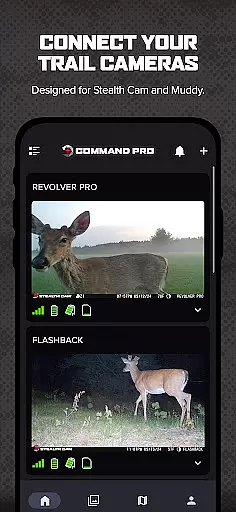
COMMAND PRO is a comprehensive trail camera management application designed for outdoor enthusiasts who use Stealth Cam and Muddy cellular trail cameras. The app provides users with the ability to remotely view, share, analyze, and configure their trail cameras with ease. One of its standout features is the integration of AI subject recognition combined with weather and solunar data, allowing users to identify patterns in game movement like never before.
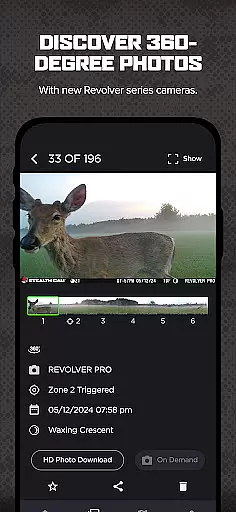
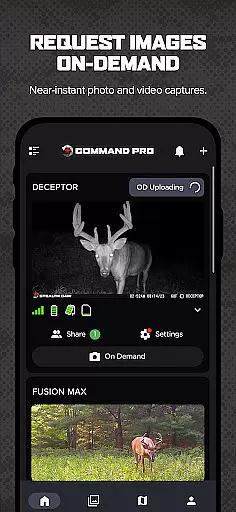
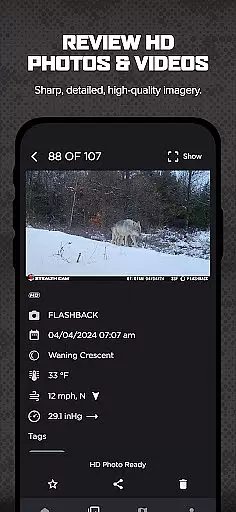
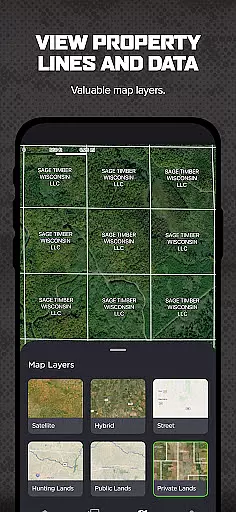
The app supports advanced capabilities such as requesting near-instant high-definition photos and videos through its On-Demand feature, which enhances remote monitoring. Additionally, it offers panoramic 360 and 180-degree photo review for compatible Revolver series cameras, along with advanced mapping options including property lines and hunting land maps. These features make COMMAND PRO an essential tool for scouting and hunting, providing users with powerful insights and convenience.
COMMAND PRO boasts a wide array of features tailored for efficient trail camera management. Users can quickly set up and activate their cameras directly through the app, streamlining the initial setup process. The app allows access and monitoring of all Stealth Cam and Muddy cellular trail cameras, enabling users to manage cellular data plans and billing seamlessly within the interface.
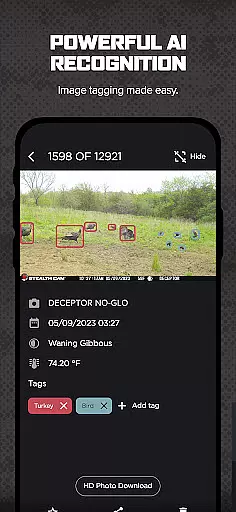
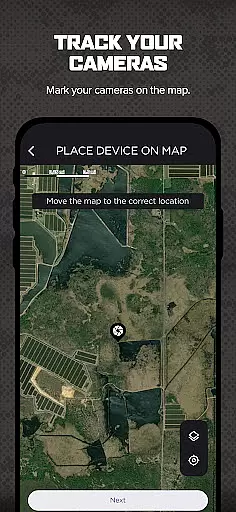
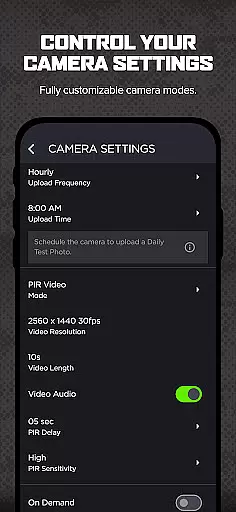
Advanced functionalities include AI-driven or manual tagging of images, downloading, reviewing, saving, and sharing high-definition photos and videos. Users can also take advantage of sophisticated mapping layers that allow them to manage cameras and settings directly from the map screen. Other notable features are setting transmission times, creating camera groups for better organization, and sharing view-only access with other users. Enhanced filtering options by AI tags, weather, solunar data, and time of day provide deeper insights into game behavior.
Gameplay realism in COMMAND PRO is achieved through its advanced AI-driven tagging and image recognition system. This feature allows users to accurately identify and tag subjects captured by trail cameras, enhancing the authenticity of the hunting experience.
The app's integration with weather and solunar data adds another layer of realism. By analyzing these environmental factors alongside captured images, users can spot patterns in game movement that align with real-world conditions, making each scouting session more productive and lifelike.
COMMAND PRO also supports high-definition photos and videos from Revolver series cameras, providing crisp, detailed visuals. The ability to request near-instant media with On-Demand functionality ensures that users receive timely updates, further bridging the gap between virtual monitoring and on-site experiences.
COMMAND PRO offers an intuitive control scheme designed for ease of use. The quick camera setup and activation process streamline the initial configuration, allowing users to get their trail cameras up and running swiftly.
Managing cellular data plans and billing directly within the app simplifies administrative tasks. Users can easily access all their Stealth Cam and Muddy cellular trail cameras, ensuring seamless monitoring without navigating complex menus or settings.
Advanced mapping layers and the ability to manage cameras from the mapping screen enhance user interaction. With features like setting transmission times and creating camera groups, COMMAND PRO provides a straightforward yet powerful interface that caters to both novice and experienced hunters alike.
User-friendly interface
AI-powered image tagging
Remote HD photo capture
Advanced mapping tools
Comprehensive camera control
Subscription fees apply
Limited to specific cameras
Requires cellular connectivity
High data usage
Complex setup for beginners

Online app with multiple arenas! Live PvP multiplayer grand slam sports league.
 4.60
4.60
Exploring Football from a Unique Perspective
4.10
NEOGEO's masterpiece game is now available in the app!
4.20
Coach a franchise of NFL PA licensed pro football players to gridiron glory
4.60
Build your football city, train your team— no ads, no in-app purchases!
4.5
Advanced Shotgun Shooting Simulator: Skeet, Trap, Sporting and Bird Hunting
4.20
Battle, grow, and conquer in an epic fight to become the boss!
4.30
Play football like it's 1987! Classic retro arcade action and franchise mode.
4.60
Master the arrow art in archer duels
4.50
Establish a stable of talented boxers to take on the world.
4.80
NBA-licensed Streetball Game
4.70
Modern arcade style pool game with single player, Relaxed game of 8 ball.
4.60
Trick cliff dive backflips, stunts & doubles! Unparalleled real physics!
4.50
Out of the Park Baseball Go is a strategy & sports gaming fan’s dream come true.
4.40
Play the 3 classic Duck Life games like you've never seen them before!
4.10
A classic reborn, now into Season 3!
4.00
Pixel Cup Soccer is a retro-style arcade game, just the fun part of soccer!
4.00
Raise your duckling into a champion racer in this addictive pet & adventure game
3.90
Rediscover the joy of the original Backyard Baseball 1997
3.70




User Reviews