
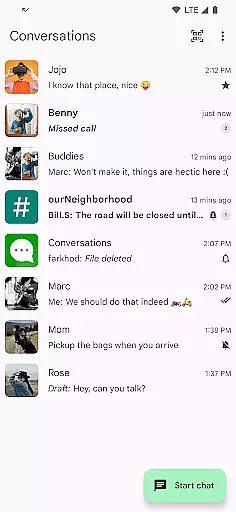
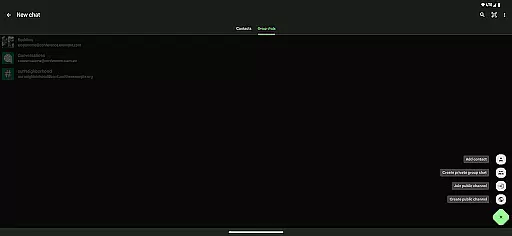
Conversations is a feature-rich Jabber/XMPP client designed specifically for Android users who prioritize secure and reliable communication. This open-source application supports end-to-end encryption by default, ensuring that your conversations remain private and secure. With built-in support for multimedia sharing, group chats, and location sharing, it provides a comprehensive communication solution.
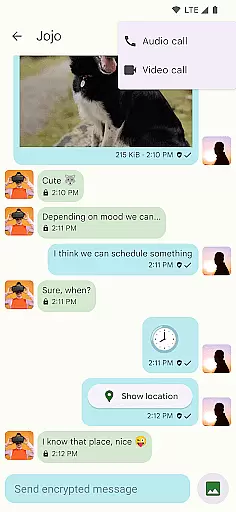
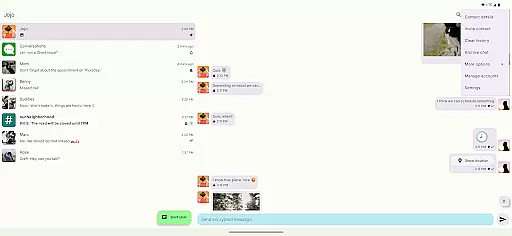
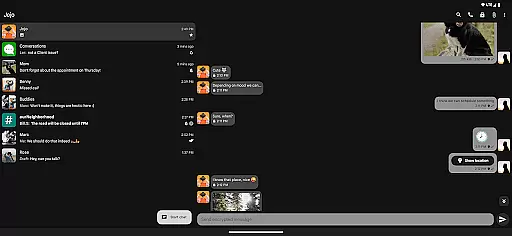
The app stands out with its user-friendly interface that adheres to Material Design 3 guidelines, offering a visually appealing experience while maintaining optimal functionality. Whether you need to make encrypted audio/video calls or simply want an intuitive messaging platform, Conversations delivers a complete package that connects seamlessly with modern Jabber, XMPP, and Snikket servers.
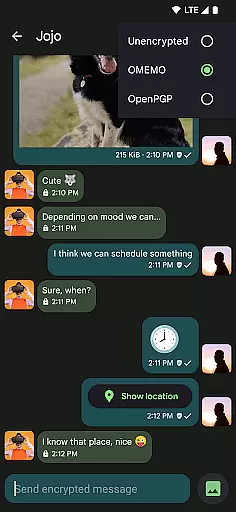
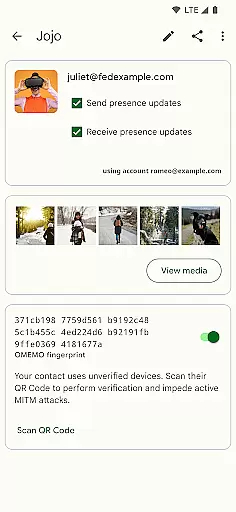
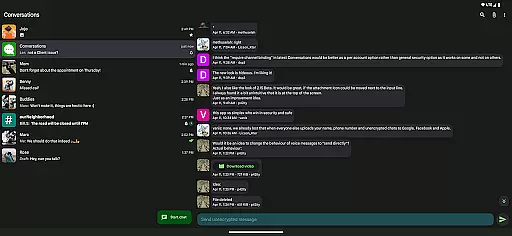
Conversations offers an impressive array of features that cater to both security-conscious and regular users. The app supports advanced encryption protocols like OMEMO and OpenPGP, ensuring that all your communications are protected from unauthorized access. Additionally, the built-in support for file sharing, voice messages, and emoji reactions makes it versatile for various communication needs.
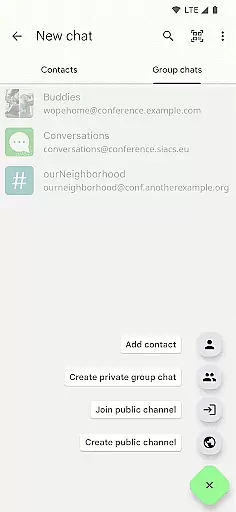
One of the standout functionalities is its ability to synchronize with desktop clients such as Gajim and Dino, providing a unified messaging experience across devices. The app also excels in privacy, requiring minimal permissions and offering features like machine-in-the-middle detection via channel binding. With low battery consumption and adherence to established protocols, Conversations ensures a smooth and secure user experience without compromising on usability or design.
Real-time messaging speed and reliability are crucial for any communication app, ensuring messages are delivered instantly and consistently. Conversations (Jabber / XMPP) excels in this area by leveraging the robust XMPP protocol, which is known for its efficiency and dependability.
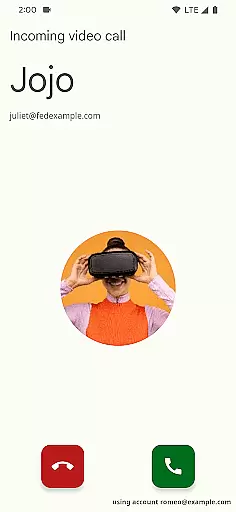
This app supports advanced features like end-to-end encryption with OMEMO or OpenPGP, ensuring that your communications remain private and secure while maintaining high-speed transmission. The use of DTLS-SRTP for encrypted audio and video calls further enhances the reliability of multimedia exchanges.
Users benefit from an intuitive UI that follows Android design guidelines, making the experience not only fast but also user-friendly. With message synchronization across desktop clients like Gajim and Dino, users can seamlessly transition between devices without missing a beat.
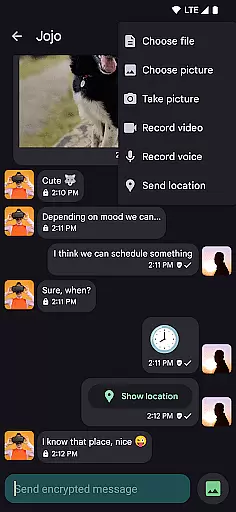
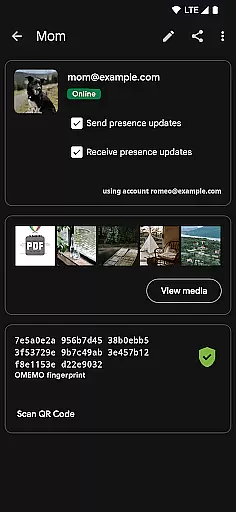
Media sharing support is essential for modern communication apps, allowing users to exchange various types of content effortlessly. Conversations (Jabber / XMPP) offers comprehensive media sharing capabilities, including images, files, and even location data.
The app enables users to send and receive different kinds of files, enhancing collaborative efforts and personal interactions. Features such as emoji reactions and voice messages add a layer of expressiveness to conversations, making them more engaging and dynamic.
With built-in support for high-resolution contact photos and synchronized avatars, Conversations ensures that media elements are displayed crisply and consistently across all devices. This attention to detail enriches the overall user experience, providing both functionality and aesthetic appeal.
User-friendly interface
End-to-end encryption
Low battery usage
Multi-account support
Desktop synchronization
Requires compatible server
No iOS version available
Limited customer support
Advanced features may overwhelm new users
Some features depend on server capabilities

Identify unknown numbers, block spam calls, customize calls with cool themes.
 4.60
4.60
Our Black Friday sale is here. Unlock special discounts on Proton Mail now.
4.30
At select facilities, you now have an easy way to video visit your loved ones!
3.30
This app enables the phone to receive and send FT8 traffic!
3.80
Messenger, an MMS & SMS messages app with Blockers, Driving mode & Private box
4.60
TeamSpeak - Secure Chat for Gaming & Business
3.10
Use this SMS app standalone or as a TREK: Total Interface companion.
4.30
Weargram is an unofficial Telegram Client for Wear OS.
3.50
Fast internet with AI, Adblock & VPN. Browse on a safe, incognito web browser.
4.70
FolderSync enables easy sync of files between cloud storage and Android devices.
4.60
Say “hello” to privacy.
4.60
Connect and browse the internet with a fast VPN proxy server and IP blocker.
4.50
Manage your mobile phone plan, check unlimited 5g data usage and track rewards
4.50
Smart and simple anti-wiring application - IMSI-catchers catcher
4.40
Manage your data, talk & text - affordable phone plans & data usage made simple
4.30
Phone Dialer with Caller ID, Address Book & Contacts Manager.
4.30
BiP is a fast, secure, free messaging and HD video calling app!
4.10
SMS Messenger ensures that communication become effortless and accessible.
3.80
Message and video call your family and friends in HD!
3.80



User Reviews