
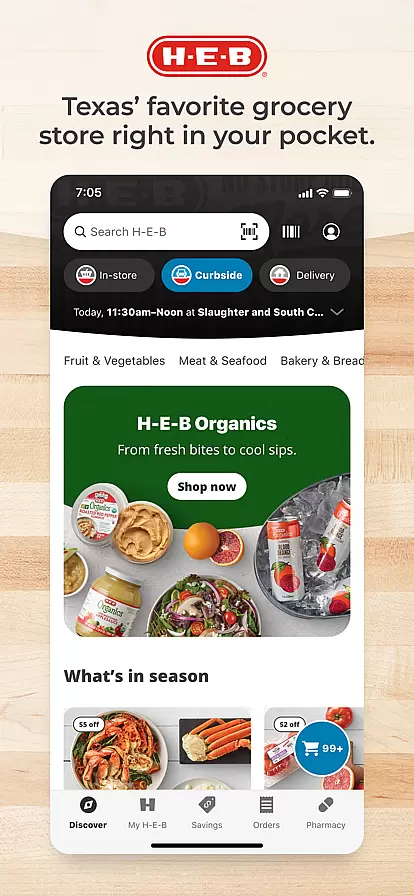
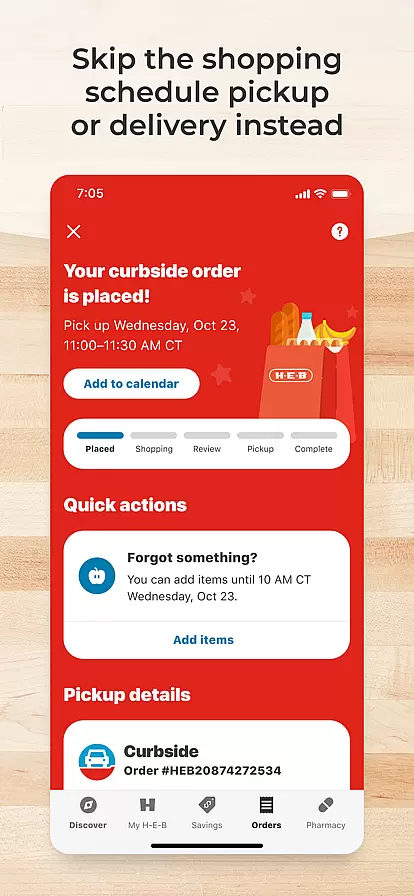
The My H-E-B app is a comprehensive shopping solution designed to save users both time and money. It offers convenient curbside pickup in as little as 2 hours, same-day grocery delivery options, and features like shopping lists and in-store maps for efficient shopping. Users can also manage prescriptions and reorder favorite items easily.
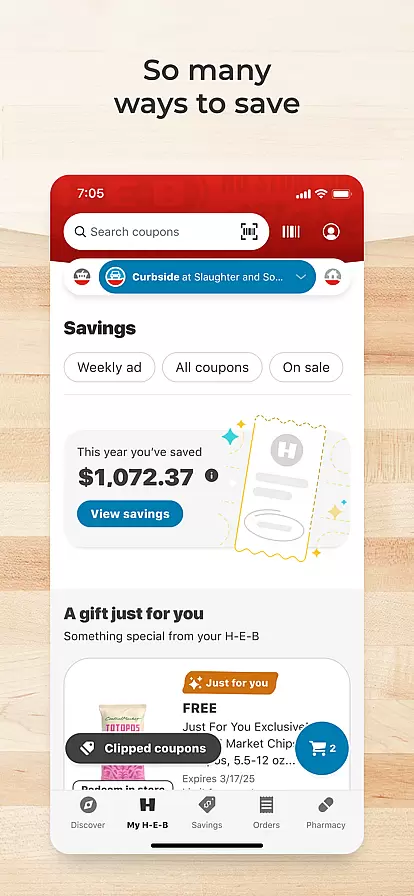
In addition to saving time, the app helps users save money by providing personalized coupons, allowing redemption of digital coupons both online and in-store, and giving access to weekly ads with everyday low prices. The app's extensive selection of fresh food and unique products, along with shoppable recipes, makes meal planning simple and enjoyable.
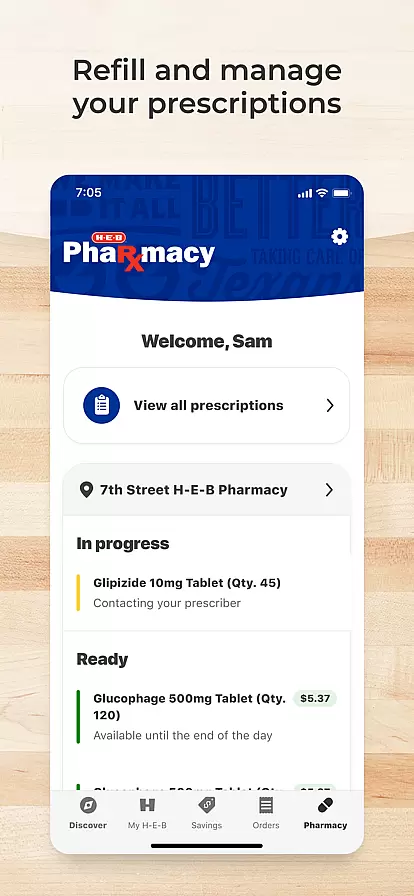
The My H-E-B app stands out with its array of features tailored to enhance the shopping experience. Key functionalities include managing prescriptions, which allows users to handle refills and deliveries for their families efficiently. The app also supports SNAP EBT card payments for pickups and deliveries, making it accessible to more users.
Another highlight is the ability to scan barcodes at home, enabling quick online searches for items. With personalized coupons and digital coupon redemption, users can maximize savings. The integration of shoppable recipes and a wide selection of products ensures that meal planning is effortless, providing a one-stop solution for all shopping needs.
The My H-E-B app provides an extensive selection of fresh food and unique products, catering to diverse customer needs. With well-organized categories, users can easily navigate through the app to find exactly what they are looking for. Whether it's organic produce or specialty items, the app ensures that all products are neatly classified.
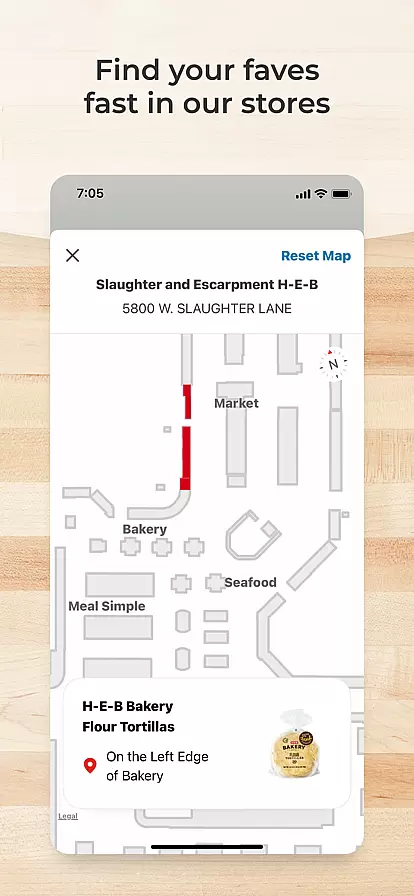
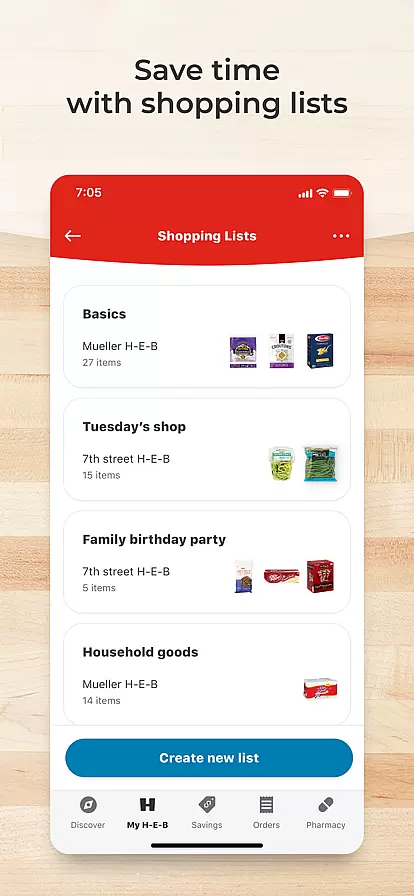
Shopping lists can be created to plan meals and manage other shopping needs efficiently. This feature not only helps in organizing thoughts but also enhances the overall shopping experience by allowing users to quickly locate items using in-store maps. The ability to reorder top items from past orders further simplifies the process, saving valuable time.
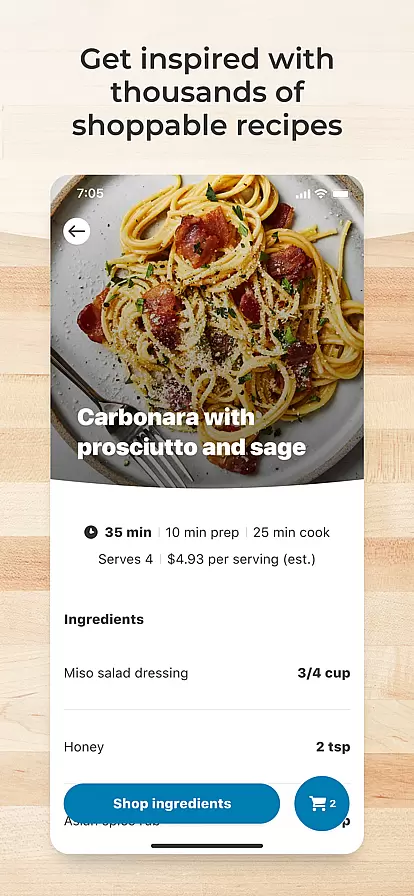
Moreover, the app offers shoppable recipes that make meal planning straightforward. By integrating recipes directly into the shopping experience, users can conveniently add ingredients to their carts. This seamless blend of content and commerce enriches the user journey, making grocery shopping both efficient and enjoyable.
My H-E-B app excels in providing pricing transparency and competitive offers to its users. Personalized coupons tailored specifically for each user ensure maximum savings. These digital coupons can be redeemed both online and in-store, offering flexibility and ease.
Users can browse their storeu2019s weekly ad within the app, keeping them informed about ongoing deals and promotions. This feature allows shoppers to take advantage of everyday low prices, ensuring they get the best value for their money. Clear visibility into pricing structures builds trust and encourages continued use of the app.
In addition to regular discounts, the app supports payment with SNAP EBT cards for pickup and delivery services. This inclusivity ensures that all users, regardless of their financial situation, have access to affordable grocery options. Overall, the app's commitment to transparent and competitive pricing makes it a reliable choice for savvy shoppers.
User-friendly interface
Time-saving tools
Cost-effective solutions
Comprehensive product range
Convenient prescription management
Limited to H-E-B stores
Region-specific services
Occasional delivery delays
Requires internet connection
Some features need account setup

Buy shoes, apparel, and luxury items. Shop and discover the latest sneakers!
 4.40
4.40
Shop daily deals, browse best sellers, and have a laugh along the way.
4.50
The PetSmart App is a great resource for every step of your pet parent journey!
3.40
Shop stores, delivery & pickup
4.80
Shop, Save and Earn | Social Shopping & Savings Deals | Real Money Payouts
4.20
Shop online now, pay later. Flexible payments made to fit your budget.
4.50
Unlock the latest from Nike & Jordan. Shop sneakers & apparel for all athletes.
4.70
A world-leading B2B marketplace
4.40
Tech that takes the season from good to greatness. Shop deals on gifts and more
4.70
Buy fashion, beauty, home, & more! Save with amazing shopping deals & discounts.
4.80
Shop latest fashion trends with fast shipping & thousands of new styles weekly.
4.80
Save money on groceries & more. Choose delivery, pickup or Scan & Go shopping!
4.80
Track all of your packages and online orders in one app - Amazon, FedEx, & USPS
4.70
Affordable prescription eyeglasses, sunglasses, and more eyewear starting at 7!
4.60
Cash back on everything you need! Join now to start earning cash back!
4.60
The deals you love & beyond!
4.50
E-commerce Wholesale Marketplace: Shop and save on all your business supplies
4.40
Save up to 70% on the things you need every day
4.40
Scan receipts, earn gift cards & fetch rewards with CoinOut receipt scanner app.
4.30




User Reviews