
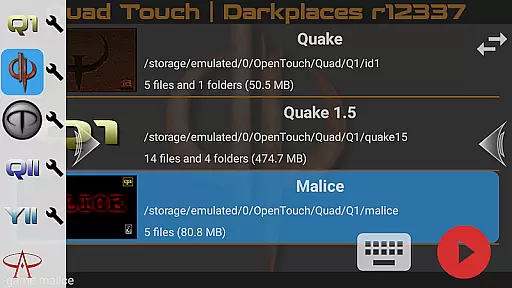
Quad Touch brings the most advanced Quake engines to Android, offering an unparalleled first-person shooter experience. The app supports multiple game engines including DarkPlaces, QuakeSpasm, FTEQW, and more, allowing you to play classic games like Quake, Quake 2, and Hexen 2.
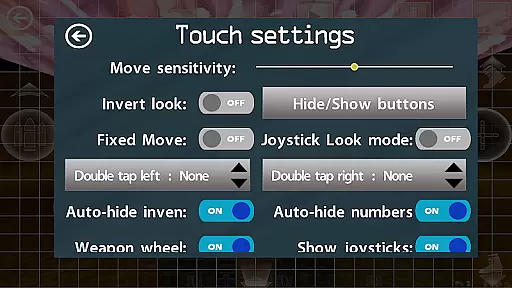
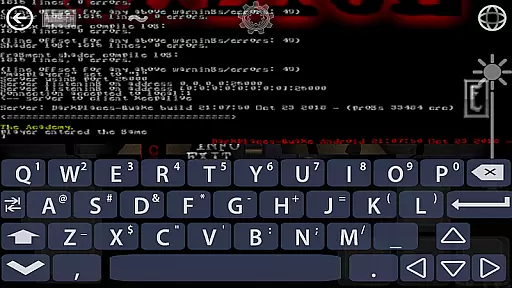
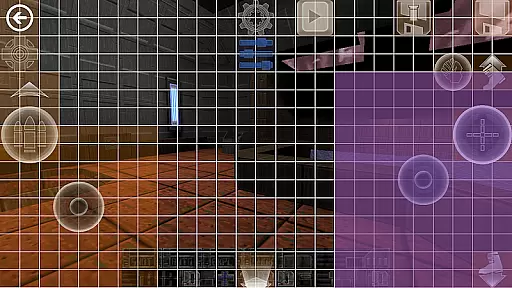
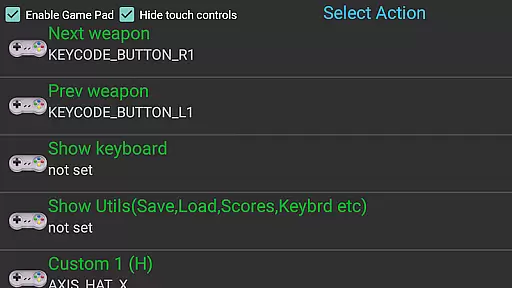
With full gamepad support, built-in keyboard, weapon wheel, and customizable touch controls, Quad Touch delivers a premium gaming experience. It also features gyro aim assist, mod support, and the ability to play official expansion packs, making it a must-have for FPS enthusiasts.
Whether you're a retro gaming fan or a hardcore FPS player, Quad Touch provides the tools to enjoy legendary games on your mobile device with enhanced graphics and modern features.
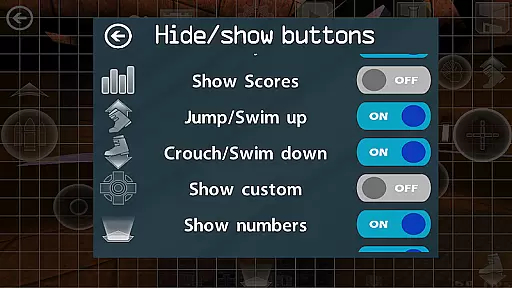
Quad Touch stands out with its comprehensive feature set tailored for FPS gamers. The app includes six custom buttons that can be bound to specific commands, providing flexibility in gameplay. Its weapon wheel and console access for all supported games enhance the overall user experience.
The app is designed for both touch and gamepad controls, featuring fully navigable UI via gamepad and scoped storage compatibility. With support for high-end devices, Quad Touch allows users to play demanding games like WRATH: Aeon of Ruin, provided they have the full version of the game files.
Additional features include importing/exporting settings, playing official expansion packs, and choosing between different game engines for optimal performance and graphics. These capabilities ensure a versatile and customizable gaming experience.
Control responsiveness and latency are crucial factors in action games, determining how quickly and accurately a player's inputs are translated into in-game actions. Quad Touch offers an advanced touch control system specifically optimized for first-person shooter (FPS) games on Android devices.
The app provides highly responsive touch controls with minimal latency, ensuring that every tap and swipe is registered instantly. This responsiveness is vital for fast-paced games where split-second decisions can make or break the gaming experience.
Quad Touch also supports external gamepads, which further enhances control precision and reduces input delay. Players can enjoy a seamless experience whether they prefer touchscreen controls or a physical controller.
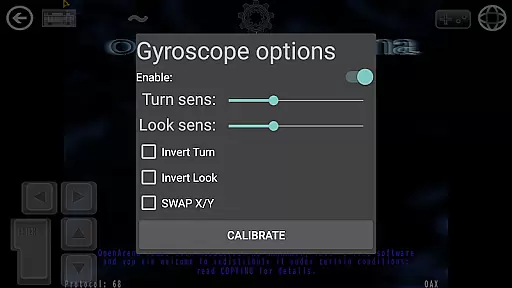
Additionally, features like gyro aim assist leverage the device's gyroscope to offer even more precise aiming capabilities. These combined elements ensure that players have the most accurate and responsive controls possible, significantly enhancing their overall gaming performance.
Combat feedback tightness refers to how effectively a game communicates the results of combat actions to the player through visual, auditory, and tactile cues. In Quad Touch, this aspect is meticulously crafted to provide an immersive and engaging combat experience.
The app integrates various feedback mechanisms such as realistic sound effects, dynamic visual indicators, and haptic responses. These elements work together to give players immediate and clear feedback on their actions during intense combat scenarios.
For instance, when firing weapons or taking damage, players receive instant audio-visual confirmation. The weapon wheel and custom buttons allow users to bind specific commands, providing them with quick access to essential combat functions and ensuring they remain informed and in control at all times.
Moreover, Quad Touch's support for high-end graphics and enhanced engine features means that combat animations and effects are smooth and detailed. This level of detail contributes to a tighter and more satisfying combat feedback loop, keeping players engaged and immersed in the action.
Advanced engine options
Full gamepad support
Customizable controls
Wide game compatibility
Active development
No included game data
High-end device needed
Complex setup
Limited free content
Paid app

Run and jump through the depths of the jungle!
 4.3
4.3
Munch your way through 60 levels and over 140 objects!
4.40
Destiny experience on mobile! Epic Sci-fi RPG Shooter!
4.40
Prove your ninja skills by creeping through the shadows and taking out bad guys
4.40
NEOGEO's masterpiece game is now available in the app!
4.70
Memorize Scripture and climb through a vibrant hand-drawn Bible adventure!
5.00
Fun knockout battle royale, play with your friends!
4.30
This time, the terror has followed you home!
4.60
Action roguelike bullet hell where every choice could make or break your run.
4.80
Become the ultimate expert in deer hunting through intense shooter attacks!
4.90
Arcade Roguelike Survival
4.70
Battle in! Gunship Helicopters vs Tanks! Fast PVP Combat in Modern War Vehicles!
4.70
Agent Shooter FPS action shooter with sniper & cover missions.
4.70
Carjack the open world like it's 1989!
4.50
Die Again - Troll Game Ever A fantastic, goofy, crazy and always makes you laugh
4.50
Rockstar Games brings its biggest release to mobile yet.
4.40
Fast-paced multiplayer fun. 3v3 & 5v5 matches, PvP brawls and battle royales!
4.20
A Naruto game full of 3D competitive action!
4.20
Secret of Mana—the landmark action RPG first released for SNES in 1993!
3.60



User Reviews