
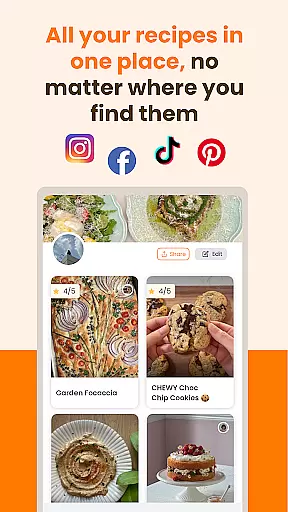
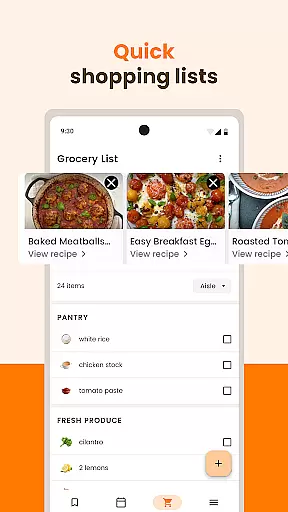
ReciMe is a comprehensive recipe management app designed for food enthusiasts who want to organize their culinary collection in one place. The app allows users to save recipes from popular platforms like Instagram, Pinterest, TikTok, YouTube, and Facebook, while also enabling uploads from various note-taking apps. With its smart grocery list feature, users can efficiently plan their shopping by sorting ingredients either by supermarket aisle or specific recipes.
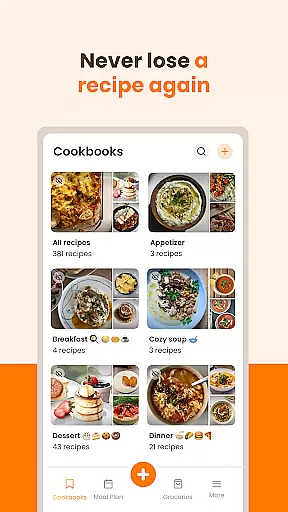
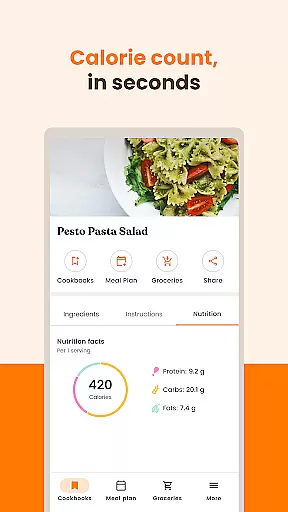
In addition to organization tools, ReciMe offers advanced functionalities such as nutrition calculation, which provides detailed insights into calories, protein, carbs, and fats for every recipe. Users can create personalized cookbooks categorized by meal type, cuisine, or diet preferences. For added convenience, the app supports cloud syncing across multiple devices, including Android, iOS, iPad, and computers, ensuring seamless access to your data wherever you are.
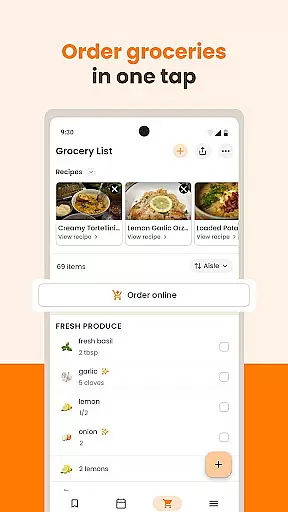
ReciMe's standout feature is its ability to integrate grocery delivery services within the app, available in select U.S. states and Canada. This functionality transforms your shopping list into a hassle-free delivery experience. Whether you're scaling ingredients, converting measurements, or following step-by-step cooking instructions, ReciMe ensures an intuitive and enjoyable cooking journey tailored to modern lifestyles.
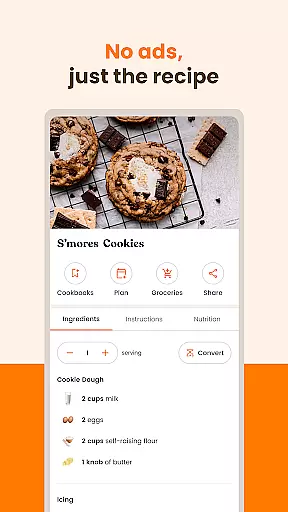
ReciMe distinguishes itself through a robust set of features designed to enhance every aspect of recipe management. One of its core strengths is the ability to import recipes directly from social media platforms and other digital sources. By extracting ingredients and method steps, the app formats them into an easy-to-read layout, making it simple for users to follow along while cooking.
The app goes beyond basic recipe saving with innovative tools like smart grocery lists and nutrition calculators. Grocery lists can be sorted by supermarket sections or individual recipes, streamlining the shopping process. Meanwhile, the nutrition calculator empowers users to make informed dietary choices by breaking down the nutritional content of each dish. Additionally, ReciMe's cookbook creation tool lets users categorize recipes based on meal types, cuisines, or dietary restrictions, offering unparalleled customization options.
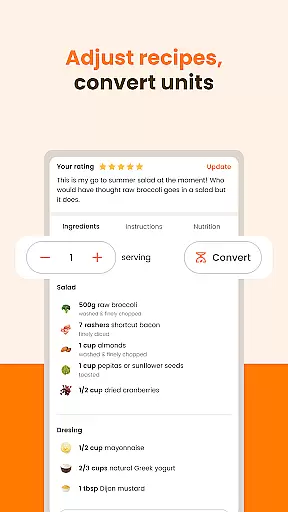
Another notable feature is the app's cross-device compatibility and cloud synchronization. This ensures that all your recipes, grocery lists, and cookbooks are accessible on any device, whether you're using a smartphone, tablet, or computer. Furthermore, ReciMe's integration with grocery delivery services adds a layer of convenience for users in supported regions. With adjustable ingredient scaling, measurement conversions, and step-by-step cooking modes, ReciMe truly stands out as a versatile kitchen companion.
ReciMe offers a unique take on the concept of a store locator by enabling users to save recipes from a variety of sources including Instagram, Pinterest, TikTok, YouTube, and Facebook. This feature is crucial for those who wish to have all their culinary inspirations in one accessible place.
The app's ability to download recipes from social media sites ensures that users can easily retrieve ingredients and method steps in a clear, easy-to-read format. This functionality streamlines the process of finding and storing recipes, making it simpler than ever to locate your digital cookbook entries.
With ReciMe, the value to the user lies in its cloud sync feature which guarantees that all recipes are saved on the cloud and can be accessed across multiple devices such as Android, iOS, iPad, and computers. This means no matter where you are or what device you have at hand, your recipes are always within reach.
One of ReciMe's standout features is the option to turn your grocery list into a delivery service, providing an efficient solution for getting ingredients delivered right to your door. This service is available in participating U.S. states and Canada, offering a convenient alternative to traditional shopping trips.
The app goes beyond simple recipe saving by integrating smart grocery lists that help you shop faster. You can sort ingredients by supermarket aisle or by recipe, ensuring a smooth and organized shopping experience whether you're picking up groceries yourself or opting for delivery.
For users, this translates to significant time savings and increased ease when preparing meals. The ability to adjust ingredient quantities and convert measurements further enhances the preparation process, allowing for precise shopping and cooking experiences tailored to individual needs.
User-friendly interface
Comprehensive recipe import options
Smart grocery list sorting
Detailed nutrition tracking
Cross-device cloud sync
Premium subscription required
Limited delivery regions
Occasional import errors
No offline mode
Ads in free version

Restaurant Reservations
 4.90
4.90
Top restaurants delivered
4.70
Discover. Create. Plate.
4.40
Order ahead. Earn Delicious Rewards.
3.20
Tons of tasty options, ready in an instant! Order for pickup or delivery.
4.70
Good Fortune Awaits with Panda Rewards and the Panda Express® App.
4.70
Order ahead, receive points with qualifying purchase & redeem available rewards.
4.50
Quickly order, pay, reload your Starbucks Card and earn free drinks or food.
4.80
Exclusive deals, mobile ordering & find your nearest BK® restaurant anytime
4.40
Easily Order, Earn Crumbs & Unlock Rewards!
4.80
Fresh sandwiches and boxed lunches for delivery or pickup. Plus, track rewards!
4.80
Order ahead at your favorite restaurants.
4.70
Order from Gopuff and get your essentials delivered in as fast as 15 minutes
4.50
Home baked, made easy! Passionate baking with Mauela Kjeilen @passionforbaking
4.40
Order Beer, Snacks & More 24/7
4.20
Order, Deals & Rewards
4.20
Now it's easier than ever to order, pay and earn delicious rewards.
3.50
Krispy Kreme Mobile Ordering, Loyalty and Hot Light
3.20
My Recipes Your personal recipe collection in one APP. Private, offline, adfree.
4.1




User Reviews