
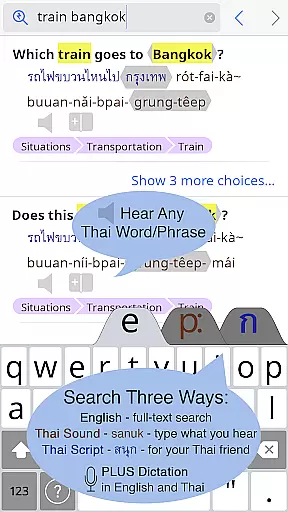
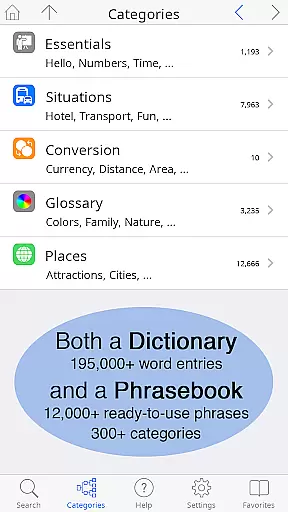
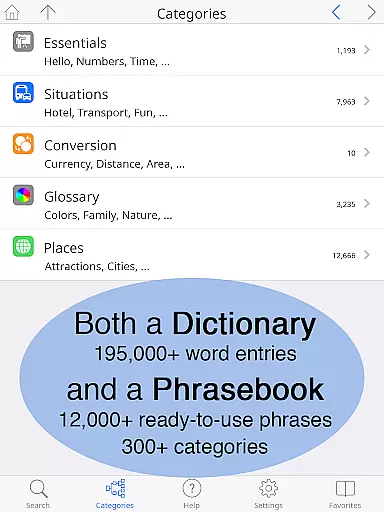
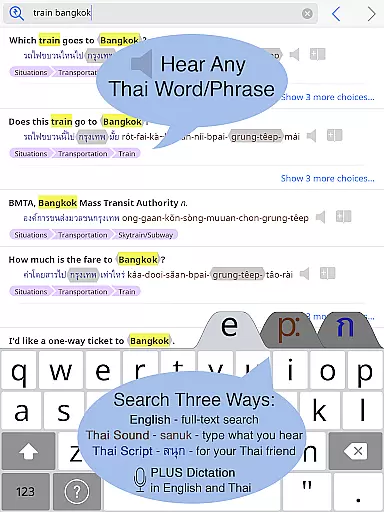
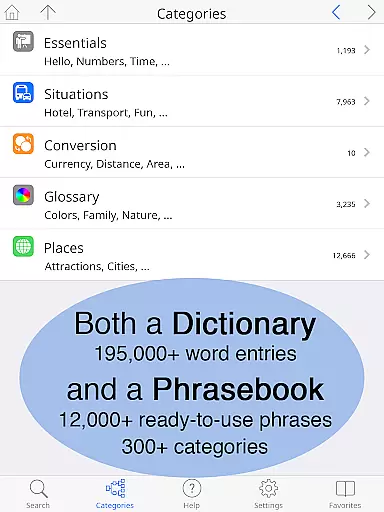
Thai <> English Dictionary is a powerful tool for anyone studying or working with the Thai language. This app contains over 195,000 entries with more than 250,000 translations, making it one of the most comprehensive dictionaries available. It also includes a built-in phrasebook with 300 categories and 12,000 ready-to-use phrases, all fully searchable.
One standout feature is the high-quality native sound recordings for every Thai word, which can be accessed offline. Users can customize their experience with adjustable text sizes, layout options, and 12 different pronunciation guide systems. Whether you're a beginner or an advanced learner, this app caters to your needs by clarifying nuances in word meanings and formality levels using English explanations.
Ideal for travelers, students, and professionals alike, this app ensures that you have all the resources you need at your fingertips without requiring an internet connection. Its robust set of features makes it an indispensable companion for mastering the Thai language efficiently and effectively.
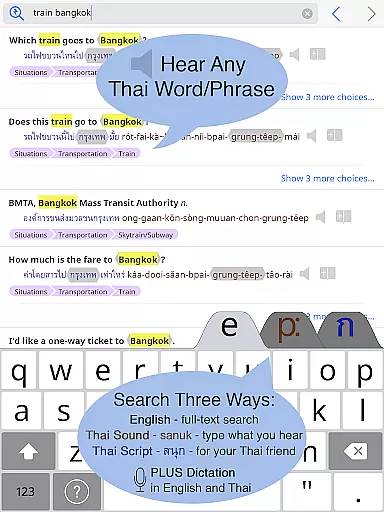
This dictionary app offers an extensive collection of over 195,000 entries with more than 250,000 translations. It includes a built-in phrasebook with 300 categories and 12,000 words, all full-text searchable. The app provides clear native sound recordings for every Thai word, even available offline.
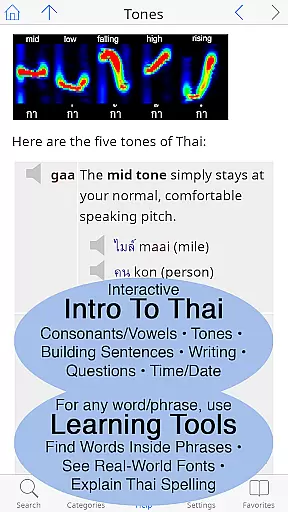
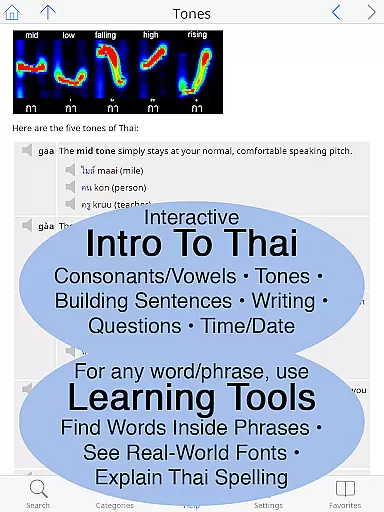
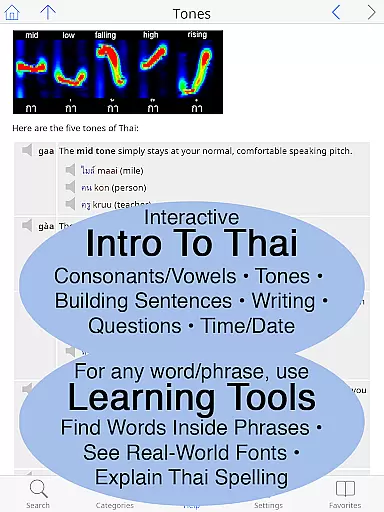
Unique learning tools allow users to touch any word to discover its component parts, see it in multiple fonts, and get a detailed breakdown of pronunciation and spelling. The app supports 12 different pronunciation guide systems and allows customization of text size and layout, making it ideal for both beginners and advanced learners.
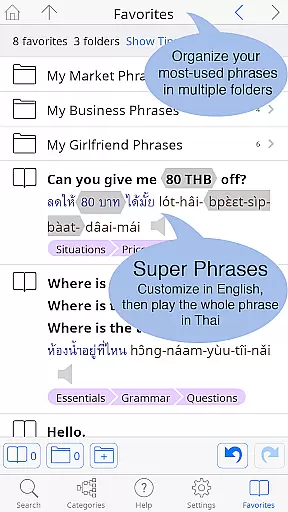
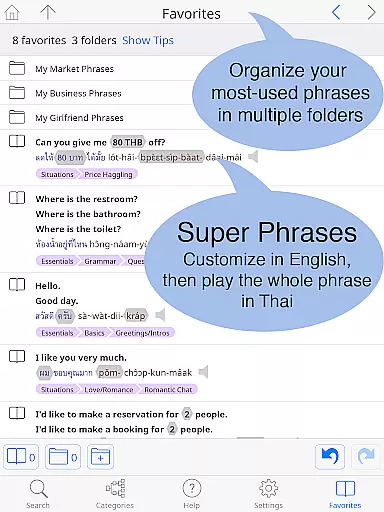
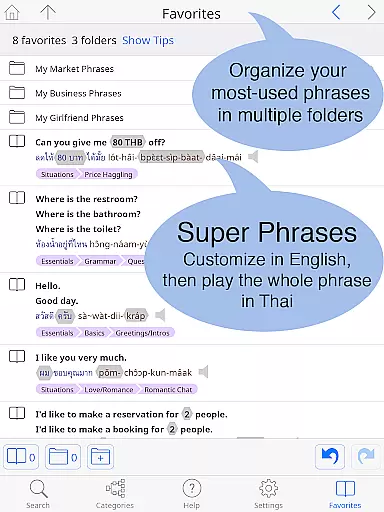
The Favorites feature lets users organize words and phrases into multiple folders. With comprehensive guides to speaking and writing Thai, this app goes beyond a typical dictionary by offering grammar coverage, clickable sounds, and real-world font examples, providing an unparalleled exploration of the Thai language.
When evaluating a digital dictionary, the comprehensiveness of its library and the authenticity of its content are paramount. The Thai <> English Dictionary boasts an impressive collection of 195,000+ entries, with over 250,000 translations, ensuring that users have access to an extensive lexical database. This vast repository is not just about quantity; it's also about quality. Each entry is meticulously crafted by Paiboon Publishing, tailored specifically for learners of the Thai language.
The app goes beyond mere definitions by providing pronunciation guides in 12 different systems, alongside the original Thai script. This dual presentation caters to various learning styles and preferences, making it accessible to beginners and advanced learners alike. Furthermore, the inclusion of crucial Thai classifiers for more than 60,000 noun entries adds another layer of depth, helping users understand the nuances of the language.
Copyright authenticity is equally important, and this app delivers. With full-text search capabilities and customizable phrases, users can trust that the content they access is legitimate and properly licensed. The built-in phrasebook, containing 300+ categories and 12,000+ words, further enriches the user experience by offering practical, ready-to-use expressions for everyday situations.
For a digital dictionary to be truly useful, it must offer seamless format compatibility across various devices and usage scenarios. The Thai <> English Dictionary excels in this regard, providing users with a versatile tool that functions effectively whether online or offline. All entries and sound recordings are stored directly on the user's Android phone or tablet, eliminating the need for a constant internet connection and avoiding data charges.
This offline functionality is particularly beneficial for travelers and those venturing into areas with limited connectivity, such as street markets or remote locations. Users can rely on the app's robust performance without worrying about network availability. Additionally, the app supports high-quality sound recordings for every Thai word, which can be played back at normal speed or slowed down to 2x/4x without altering pitch, enhancing the learning experience.
Another standout feature is the customizable layout, allowing users to adjust text size and choose between standard or big-key Thai keyboards. This flexibility ensures that the app remains user-friendly and accessible to individuals with varying visual needs and typing preferences. Whether you're studying Thai intensively or require occasional translations, the Thai <> English Dictionary offers unparalleled format compatibility and usability.
Extensive entries
Offline access
Customizable layout
Native recordings
Unique learning tools
Limited to Android
No iOS version
Premium price
Large file size
Complex interface

“There was one last piece of cake. My little sister said ‘Me too!’”
 4.00
4.00
A guide for the Court of Atonement spiritual healing process.
4.5
Discover Stars and Planets: Live Map Shows Current Constellations in Full Detail
4.70
Bible Spiritual Companion
4.40
My Bible offers a comprehensive app by providing offline access, daily verses.
4.80
Identify birds of North America by call or picture | Bird Identification
4.20
Calculate, Knowledge, Homework
4.40
A Comprehensive Restoration of Sacred Scripture
4.50
Learn to tie more than 200 knots in 3D!
4.90
Flora of Virginia Project (www.floraofvirginia.org)
5.00
"When tweetle beetles fight, it's called a tweetle beetle battle."
4.90
“I am the Lorax. I speak for the trees.”
4.80
The favorite Christmas story comes to life!
4.80
Personalized Chat with Bible
4.80
King James Bible read offline, AI Priest, Bible Quiz, Guiding Prayers & Plans
4.80
8 Dr. Seuss short stories in 1 app!
4.70
7 Languages, Google, Wiki, Vocabulary.com, Cambridge & Urban Dictionary!
4.50
CleverBook Pro makes the popular guide for the game even better!
4.00
ISAIAH EXPLAINED with Avraham Gileadi Ph.D.
4.00




User Reviews