
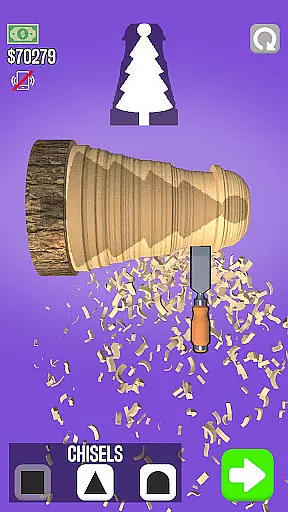
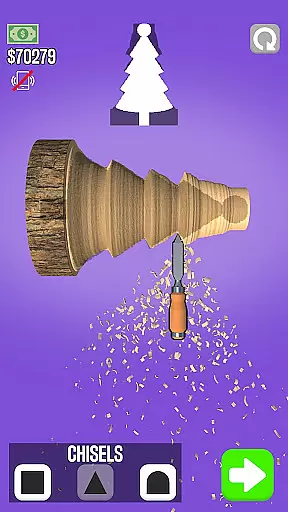
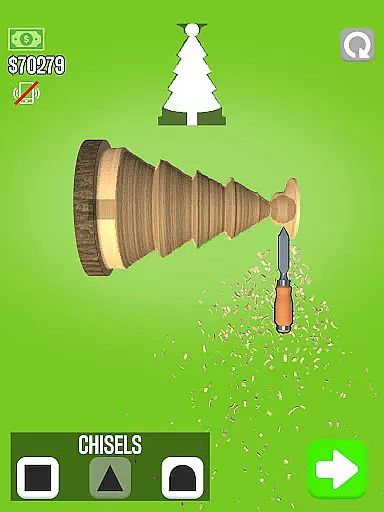
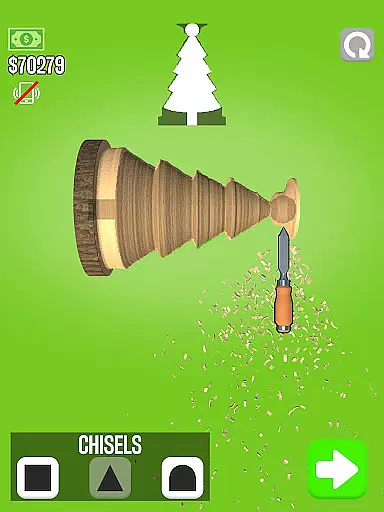
Woodturning is a top-rated simulation app that allows users to experience the art of woodturning. This app provides an immersive environment where users can transform a simple piece of wood into intricate designs and shapes. With realistic physics and intuitive controls, it's perfect for both beginners and experienced woodworkers looking to hone their skills in a virtual setting.
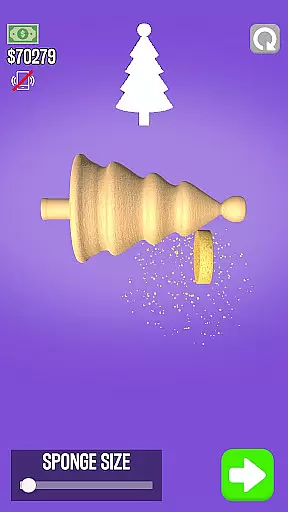
The app features various customer orders that challenge users to create specific items. Users can cut, carve, polish, paint, and even add stencils to their creations, mimicking real-world woodworking processes. By completing these tasks, users earn money that they can use to upgrade their virtual workspace, making it an engaging experience for those interested in craftsmanship and design.
Woodturning offers a rich set of features designed to simulate the authentic experience of woodturning. The app includes a variety of tools such as lathes, chisels, and polishers, each with realistic feedback and effects. Users can choose from different types of wood and experiment with various shapes and designs, providing endless possibilities for creativity.
In addition to its core simulation features, Woodturning also incorporates role-playing elements. Users start with a basic room setup and can progressively enhance their environment by earning in-app currency through successful project completions. This adds a layer of progression and achievement, keeping users motivated and engaged over time.
In Woodturning, the economic system is designed to provide a realistic and engaging experience. Players start with basic tools and earn money by completing customer orders.
The game simulates a woodworking business where players must manage resources efficiently. As you progress, you can improve your workshop, buy better tools, and take on more complex projects.
This dynamic feedback loop ensures that every decision impacts your business growth. The more you invest in your workshop, the more profitable your projects become.
Players learn valuable business skills while enjoying the creative process of woodturning. This depth makes the simulation both educational and entertaining.
Resource management in Woodturning requires careful planning and execution. Players must choose which projects to take on based on available materials and tools.
The game challenges you to balance quality with efficiency. You need to decide when to spend money on better equipment and when to save for future upgrades.
Each project presents unique resource challenges. Some require specific tools or materials, while others demand more time and skill.
This balanced approach to resource management creates an engaging gameplay experience. Players must strategize to succeed in their woodworking business.
User-friendly interface
Realistic woodturning simulation
Variety of tools and materials
Engaging progression system
High replay value
Limited free content
Some features require in-app purchases
Occasional performance issues
Steep learning curve for beginners
Ads between sessions

 3.50
3.50
Build rockets, airplanes, and more and explore highly detailed 3D planets.
4.30
Manage the Shelter in Seoul, devastated since the nuclear explosion.
4.70
Mystical Mixing: little alchemy meets tiny wings spiced with potion permit magic
4.80
Be a miner: Mine cash in this idle clicker simulator game as gold digger tycoon.
4.50
Manage your own supermarket. Order products and expand your store simulator game
3.90
40+ original, licensed construction vehicles, over 60 jobs, USA setting.
3.90
Cause chaos as a mischievous kitty in this hilarious cat simulator!
4.50
Nail salon combining crayola nail art at the halfway of fashion and beauty care.
4.30
Make a Wizard's journey to find the Philosopher's Stone in an Incremental RPG!
4.80
Smash solar systems, orbit planets, and destroy in this universe simulation game
4.70
Design a subway map for a growing city.
4.60
Pro Wrestling Team Management Sim, Face off with fearsome foes!
4.50
Draw the image and color in the spaces to create the complete picture
4.50
Make 'em move!
4.30
Fly around the world with Aerofly FS Global Flight Simulator
4.30
It’s not a bug, it’s a feature
4.20
Cook in the kitchen, Serve food: Manage the dash fever in my restaurant games!
4.20
Rediscover your engineering creativity in this bridge building masterpiece.
4.10











User Reviews