
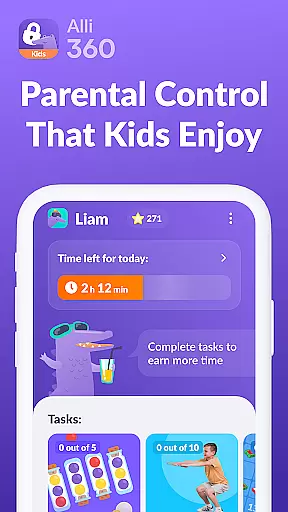
Alli360 by Kids360 is a parental control app designed to help parents manage their children's screen time effectively. The service allows setting specific time limits on entertainment apps and games, ensuring healthier digital habits for teenagers. Parents can create schedules for school hours and bedtime, blocking access to selected apps during these periods.
The app provides detailed usage statistics, showing how much time teens spend on their smartphones and which applications are most frequently used. It ensures essential communication apps remain accessible at all times, maintaining family safety. Alli360 operates transparently and requires explicit consent from the child for installation, with strict adherence to GDPR policies for data protection.
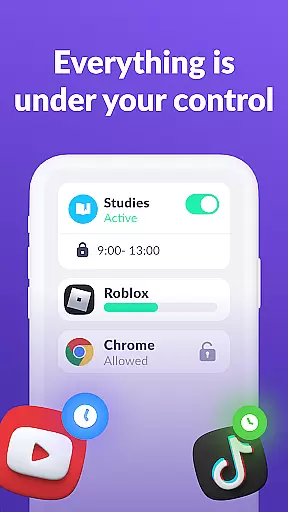
Alli360 offers several key features that make it an effective parental control tool. The Time Limit function lets parents set restrictions on specific apps, while the Schedule feature enables blocking during school or rest hours. The List of Applications option allows complete blocking or limiting of selected apps.
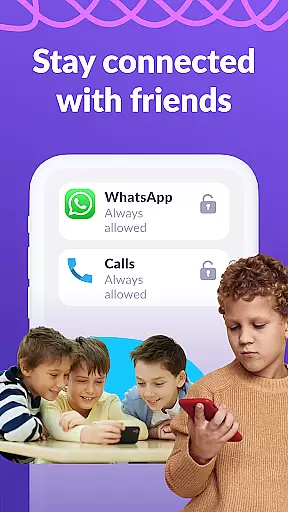
Parents can monitor Time Spent on the smartphone through detailed analytics, helping identify potential overuse patterns. The Always Keep in Touch function ensures vital communication apps remain accessible. The app implements various Android permissions like Accessibility services and Usage access to enable its tracking and limiting capabilities, while Device admin apps permission protects against unauthorized removal.
When it comes to parenting applications, the credibility of content and expert validation are paramount. Alli360 by Kids360 demonstrates a strong commitment to these principles. The app is designed with family safety in mind, ensuring that all features align with professional parental control standards.
The application provides reliable tools for setting time limits on entertainment apps and games, which have been thoughtfully crafted based on expert recommendations. These include scheduling options for school and rest times, allowing parents to create a balanced routine for their children's device usage.
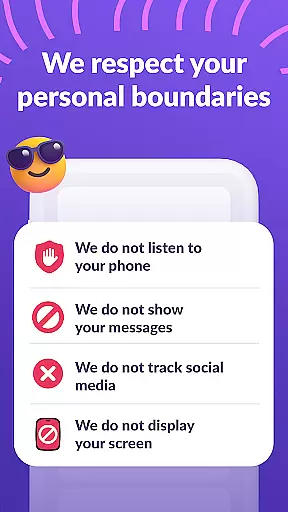
Alli360 operates transparently, making it impossible to install without the child's knowledge. This approach respects user privacy while adhering strictly to legislation and GDPR policies. Parents can trust that personal data is handled responsibly.
Furthermore, the app offers 24-hour support for technical issues, reinforcing its reliability. With expert-validated features and transparent operations, Alli360 ensures parents have peace of mind when managing their teen's smartphone use.
Growth tracking accuracy is essential for understanding how children interact with their digital devices. Alli360 excels in this area by providing precise monitoring tools that help parents track their teen's smartphone usage effectively.
The app allows parents to see exactly how much time their children spend on various applications, offering detailed insights into usage patterns. This feature helps identify which apps are most used and may require time management interventions.
Through specific permissions like Usage access and Accessibility services, Alli360 collects accurate statistics about application uptime. This ensures that the data presented to parents is both reliable and actionable.
Additionally, the app includes an always-available option for communication apps, ensuring that important contacts remain accessible. By combining these features, Alli360 delivers accurate growth tracking that empowers parents to make informed decisions about their child's digital habits.
Effective time management
Transparent operation
Detailed usage reports
Essential apps always accessible
GDPR compliant data protection
Requires child's consent
Limited free features
Android only support
Needs multiple permissions
Subscription required for full features

SENSORYSOOTHE and SENSORSAFE: Making car seats smarter and families safer.
 4.70
4.70
Daily Routine & Timer for kids, ADHD, & Autism
4.80
Discover fun videos, kids songs, bedtime stories and games
3.60
All-in-one pregnancy app, contraction timer, kick counter & due date calculator
4.40
Magic chalkboard coloring and drawing!
4.20
Real-time family location with consent, check-ins & SOS—private by default.
4.40
A simple way to track your baby’s breastfeeding, diaper changes, sleep patterns.
4.90
3D Baby size, Fruit comparisons, Smart Checklist, Trending Names & Training.
4.90
GPS tracker app: Simple GPS phone tracker for fast family location tracking
4.60
Track Pregnancy, Baby Feeding, Sleep, Diaper Changes, Postpartum Health & More!
4.80
Pregnancy+ App has helped 80m moms track their pregnancy with info & support!
4.80
FamilyAlbum helps you share, save, and remember your child's special moments.
4.80
Sleep better with white noise app! Discover rain sounds, fan noise and more.
4.70
GPS phone tracker: find kids on map. Location tracking and parental control.
4.50
App/Game blocker & GPS tracker
4.50
Keep track of your stored breastmilk
4.40
Cherish every beat - capture your baby's heart sounds with our app
4.30
The 10 development leaps of your baby | newborn milestones & leap days tracker
4.10
Parental Control including Screen time control, GPS tracking, App/Game blocker.
3.90







User Reviews