
Ballistic X is a specialized mobile application designed for shooting enthusiasts who want to improve their precision and streamline the process of zeroing their rifles. The app offers an intuitive interface that allows users to calculate shot groups and make necessary adjustments through its core ATZ (Adjustment To Zero) feature. Whether you are working with MOA/MIL or INCH/CM measurements, Ballistic X provides seamless compatibility with various targets, including steel ones.
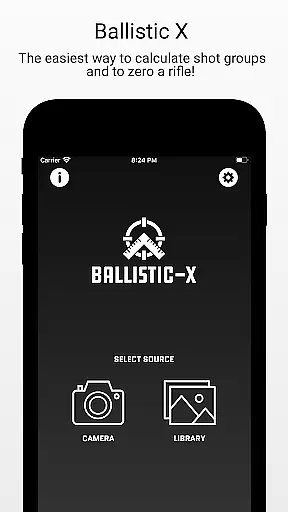
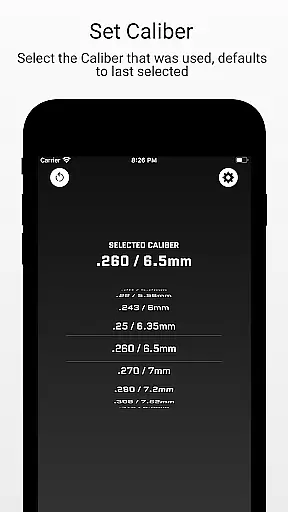
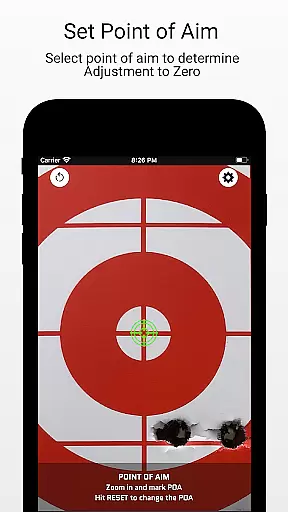
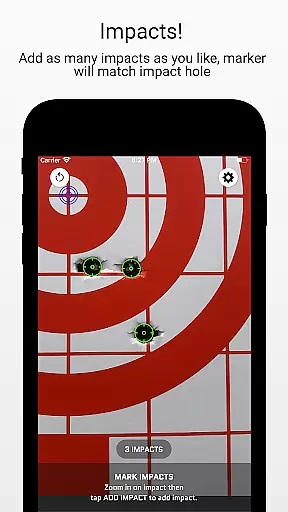
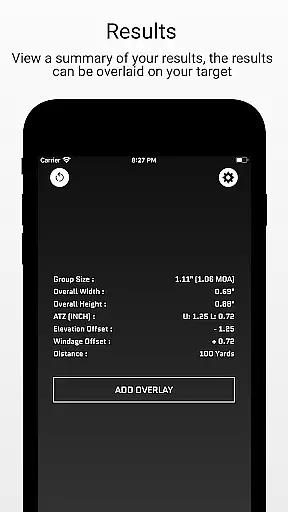
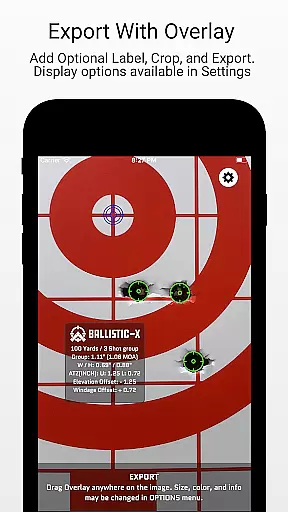
The app's workflow is straightforward yet effective. Users can capture images of their targets directly within the app or import them from their photo library. By marking reference points and inputting essential data such as distance and caliber used, shooters can receive precise calculations and visual overlays that aid in load development and accuracy improvement. Additionally, Ballistic X supports optional cloud syncing across multiple devices, ensuring your settings and data are always accessible wherever you go.
For those seeking advanced functionalities, Ballistic X offers an Advanced Toolkit available via in-app purchase. This toolkit includes professional-level features like Mean Radius, Circular Error Probable (CEP), Radial Standard Deviation (SD), and more. These tools provide deeper insights into shooting performance and allow exporting data for further analysis. With its community-driven approach and commitment to customer service, Ballistic X stands out as a valuable companion for both amateur and professional shooters looking to elevate their skills.
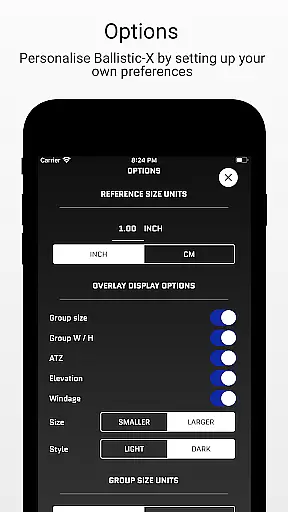
Ballistic X boasts a range of features tailored specifically for shooters aiming to enhance their precision and efficiency. One standout feature is the ATZ (Adjustment To Zero) functionality, which dynamically assists users in adjusting their turrets at any range. This saves both time and ammunition by providing accurate zeroing without extensive trial and error. The app also supports customizable units of measurement, allowing users to work comfortably with either MOA/MIL or INCH/CM preferences.
In addition to its core capabilities, Ballistic X offers useful data labeling options that facilitate load development. Users can mark points of aim and impacts on their targets, add overlays, crop images, and export or share their results effortlessly. For those interested in more detailed analyses, the optional Advanced Toolkit unlocks pro-level features such as Mean Radius, Circular Error Probable (CEP), Radial Standard Deviation (SD), Vertical SD, Horizontal SD, Mean Windage, and Mean Elevation calculations. These advanced metrics provide comprehensive feedback on shooting performance.
Another notable aspect of Ballistic X is its optional cloud-syncing feature, enabling users to maintain consistency across multiple devices by signing in. While not mandatory for using the app, this feature ensures that all personalized settings and progress are readily available wherever you choose to shoot. With its combination of essential tools and advanced options, Ballistic X caters to a wide spectrum of shooters, from beginners to seasoned professionals seeking data-driven improvements in their craft.
Ballistic X offers an unparalleled level of gameplay realism and physics accuracy tailored specifically for shooting enthusiasts. The app's meticulous attention to detail ensures that every calculation, from shot group measurements to zeroing your rifle, mirrors real-world ballistic behaviors.
The application employs advanced algorithms to simulate the precise adjustments needed for different calibers, ranges, and environmental conditions. This scientific approach guarantees that users experience authentic feedback when adjusting their optics based on ATZ calculations or analyzing shot groups.
By providing options like MOA/MIL and INCH/CM, Ballistic X caters to both metric and imperial system users, ensuring a seamless transition from virtual settings to actual field conditions. Its compatibility with various targets, including steel ones, further enhances its versatility and reliability as a training tool.
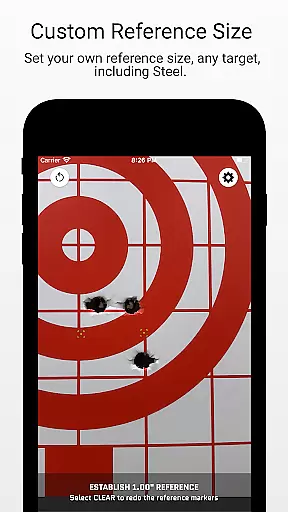
The control scheme in Ballistic X is designed with user-friendly intuitiveness at its core, making it accessible even for those new to ballistic apps. With a simple yet powerful interface, shooters can easily navigate through features such as marking points of aim, designating reference sizes, and inputting distances without any steep learning curve.
Customization plays a significant role in enhancing this intuitiveness; users have the flexibility to tailor their experience via the Options Menu according to personal preferences. Whether you're adjusting turrets using ATZ or exporting data for further analysis, each action within the app follows logical steps that mimic natural workflows on the range.
This thoughtful design not only simplifies complex tasks but also empowers users by giving them full control over their shooting development processu2014all while maintaining precision and accuracy expected from professional-grade tools.
User-friendly interface
Accurate ATZ feature
Customizable units
Advanced Toolkit available
Cloud syncing option
Premium features costly
Limited free version
Device compatibility issues
Learning curve for new users
Occasional bugs reported

A classic reborn, now into Season 3!
 4.00
4.00
Play fun baseball with doodle-style characters and hit massive home runs!
4.4
Exploring Football from a Unique Perspective
4.10
Beat against 8 ball masters from around the world.
4.40
Establish a stable of talented boxers to take on the world.
4.80
Push your skills, express your style, or just enjoy the ride.
4.60
The classic Backyard Football 1999 is now enhanced to run on modern systems!
4.40
Manage your lineup of NBA and WNBA stars on the go with the NBA 2K26 MyTEAM app.
4.50
The Hudl app helps coaches and athletes win using video.
3.70
Soccer mini games! Play career mode: Score & be the next soccer superstar!
4.70
Quick-fire archery duels! Play the most realistic 3D archery game now!
4.70
Extreme bike tricks at your fingertips!
4.50
Build, manage & coach your NFL dream team in this American Football sports game!
4.40
Master your shots and climb the ranks in the ultimate golf game!
4.30
Recruit and train players to form a winning team!
4.10
Play eFootball™ with users around the world!
4.10
Raise your duckling into a champion racer in this addictive pet & adventure game
3.90
An easy-to-use app for sports team communication and logistics
3.20
Run the ball into the endzone in AR.
4.5




User Reviews