
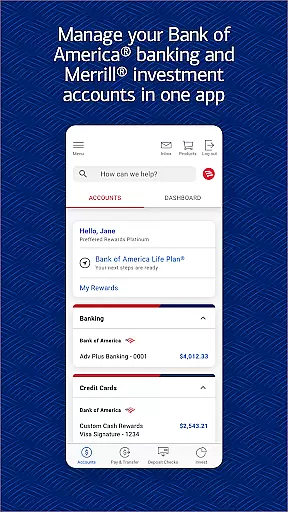
Bank of America Mobile Banking is a comprehensive financial management tool designed specifically for U.S.-based customers. The app allows users to conveniently and securely manage their checking, savings, credit card, loan, and investment accounts in one place. With features like account balance monitoring, transaction reviews, and customizable alerts, it provides complete control over personal finances.
The application stands out with its advanced functionalities such as Zelle® integration for seamless money transfers, secure check deposits through photo capture, and Erica, the virtual financial assistant that helps automate routine tasks. Users can also trade stocks, ETFs, and mutual funds directly within the app while accessing real-time market data. Additionally, tools for budgeting, savings goal tracking, and FICO® credit score monitoring make this app an all-in-one solution for managing financial health.
Whether you're paying bills, monitoring investments, or planning future savings, Bank of America Mobile Banking offers practical solutions tailored to modern banking needs. Its robust security measures, including Touch ID®/Face ID® support and instant fraud notifications, ensure peace of mind while conducting sensitive transactions.
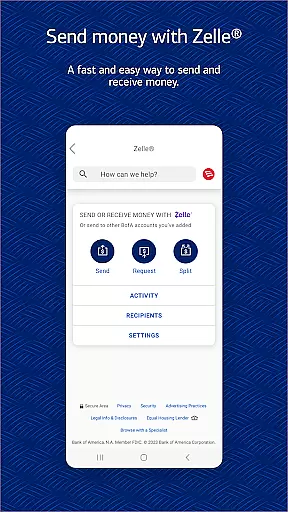
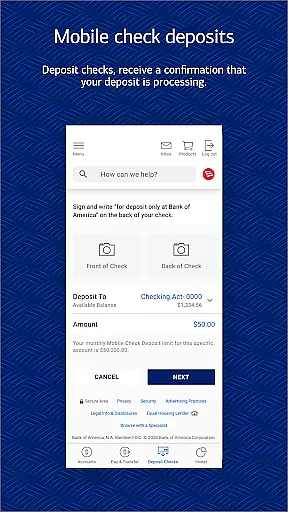
Bank of America Mobile Banking boasts an impressive array of features designed to simplify everyday banking tasks. One standout capability is the integration of Zelle®, which enables users to send and receive money instantly using just a U.S. mobile number or email address. This feature eliminates the hassle of traditional bank transfers and ensures quick access to funds. Furthermore, the app's check deposit function allows users to deposit checks simply by taking photos, providing unparalleled convenience without requiring a visit to the bank.
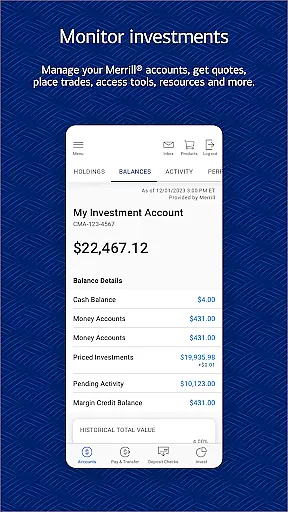
Another key highlight is Erica, the virtual financial assistant. Erica uses AI technology to help users locate specific transactions, set up bill payments, and deliver personalized financial insights. These proactive alerts assist users in staying on top of their financial activities. For investors, the app offers extensive tools to trade stocks, ETFs, and mutual funds, along with access to live market updates and news. This makes it easier than ever to manage investment portfolios directly from a mobile device.
Beyond these core functionalities, the app includes powerful budgeting and savings tools. Users can categorize expenses, compare spending against income, and establish savings goals—all within a user-friendly interface. The inclusion of FICO® credit score tracking further enhances its utility by helping users understand the factors influencing their creditworthiness. Together, these features create a holistic banking experience that caters to both casual users and serious investors alike.
In the realm of mobile banking, security is paramount, and the Bank of Americau00ae Mobile Banking app excels in providing robust protection for your financial data. The app employs advanced encryption protocols to safeguard your account information from unauthorized access.
Users can enable biometric authentication methods such as Touch IDu00ae or Face IDu00ae for an added layer of security, ensuring that only you can access your accounts. Additionally, the app actively monitors for any suspicious activity on your accounts and promptly notifies you if potential fraud is detected.
The Mobile Banking Security Guarantee further reinforces user confidence by absolving them of liability for fraudulent transactions when reported promptly. This comprehensive approach to security empowers users to manage their finances with peace of mind, knowing their funds and personal information are protected against modern cyber threats.
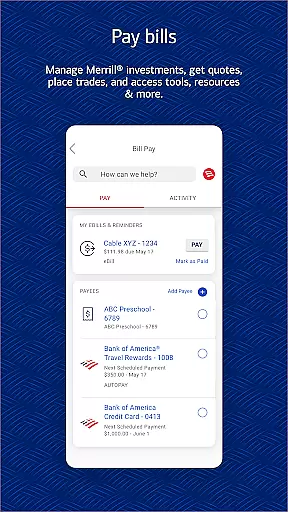
A seamless transaction experience is at the core of the Bank of Americau00ae Mobile Banking app's functionality. Users can effortlessly transfer funds between their Bank of America and linked Merrill accounts, pay bills, and even send or receive money using Zelleu00ae via a U.S. mobile number or email address.
The Check Deposit feature offers unparalleled convenience by allowing users to deposit checks simply by taking photos of them. This eliminates the need for physical branch visits and provides immediate confirmation that your check is being processed.
Moreover, Erica, your virtual financial assistant, streamlines transactions by enabling users to perform tasks like paying bills through simple voice commands. These features collectively ensure that all financial transactions are executed swiftly, securely, and with minimal effort, enhancing the overall user experience.
User-friendly interface
Comprehensive account management
Secure transactions
AI-powered financial assistant
Real-time market data
Limited to U.S. customers
Requires registration for some features
Occasional bugs reported
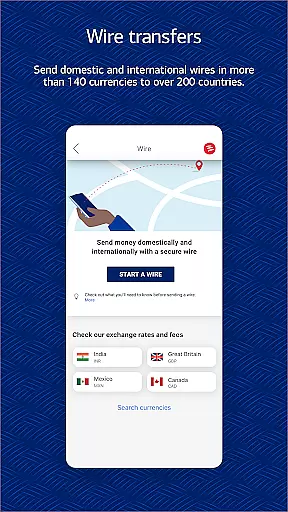
No international money transfers
Premium services may incur fees

Companies owe you money.
 4.80
4.80
Debt pay off. Build credit history. AI budget tool. Loan offers.
4.60
PayMe helps you claim money from settlements on companies that harmed you.
4.80
Easily invest, save, and plan—all in one app.
4.60
Get up to 500, get paid early, earn interest and find work with no hidden fees.
4.40
Manage budget, save money, or file tax. Build, track & improve your credit score
4.40
Insurance that's quick and easy to buy and use—anytime, anywhere.
4.60
Make Real Cash by Playing Games! Fetch Playful Rewards, Win & Triumph
4.50
Venmo is the fun and easy way to pay and get paid.
4.10
BA Financial Calculator PRO – Perfect for CFA/FRM/CPA and finance professionals
4.90
Secure, simple money transfer app. Send money to Mexico and worldwide fast.
4.80
Pay rent on your schedule.
4.70
Money transfer made easy. Send money to friends and family with great rates.
4.70
Money App - Earn Cash back, Fast Cash Advance, Personal Loan Offers, Banking
4.70
Currency Converter (200+ currencies) with live exchange rates and offline mode.
4.70
All your crypto & stocks in one secure and trusted app.
4.40
The PayPal app is the secure way to send and receive money, shop and pay in 4.
4.20
View BSC Transactions for multiple accounts
3.90
Bank better with our new app
3.80





User Reviews