
Beauty Camera Selfie Makeup is a comprehensive photo editing application designed to enhance your selfies and videos with professional-level tools. The app offers an array of features including makeup filters, beauty effects, and virtual makeover options that cater to both casual users and beauty enthusiasts. With its intuitive interface, the app allows you to smooth skin, remove blemishes, and apply stunning visual effects effortlessly.
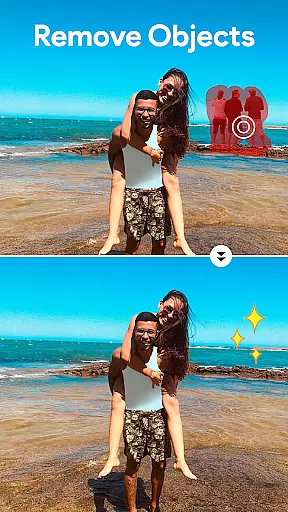
One of the standout features of Beauty Camera Selfie Makeup is its AI-powered object remover, which helps eliminate unwanted elements from your photos. Additionally, the app provides creative tools like background removal and high-quality photo collage creation, enabling users to personalize their images with ease. Whether you're looking to try out new hairstyles or experiment with different makeup styles, this app brings the power of a full photo studio right to your fingertips.
The app's versatility makes it suitable for various scenarios, from enhancing everyday selfies to creating artistic photo collages. By leveraging advanced technology and user-friendly tools, Beauty Camera Selfie Makeup ensures that every user can achieve polished and stylish results, making it an essential tool for anyone interested in photo editing and personal expression.
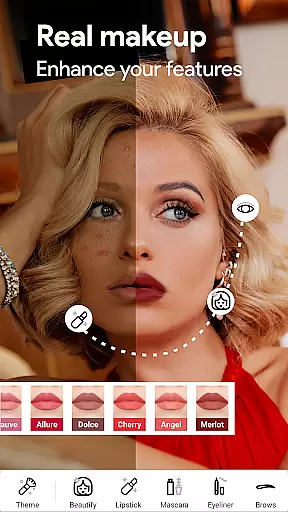
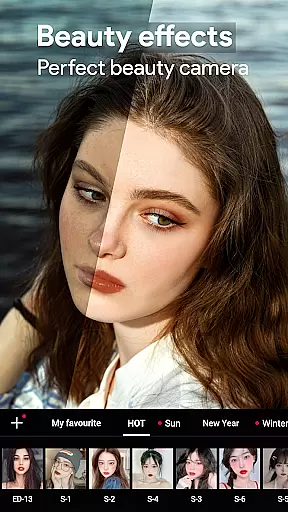
Beauty Camera Selfie Makeup stands out with its diverse set of features tailored to beautify and transform your photos and videos. The Enhanced Makeup Camera Selfie Beauty Filter allows users to instantly improve their selfies by smoothing skin, removing imperfections, and applying attractive beauty effects. This feature ensures that every selfie looks flawless and picture-perfect.
In addition to photo editing, the Beauty Video Camera with Filters and Effects lets users capture stunning videos with captivating beauty enhancements. The Virtual Face Makeup and Editing feature enables detailed customization of facial features, allowing users to experiment with different lip colors, blushes, and eye makeup. Moreover, the Hair Color Changer tool lets you try out trendy hair shades without visiting a salon.
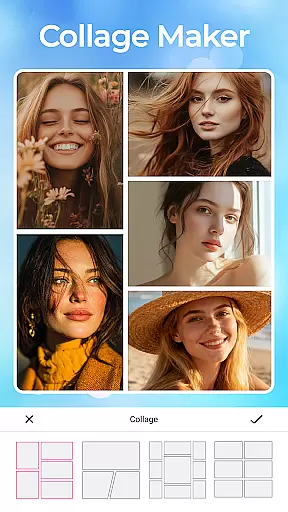
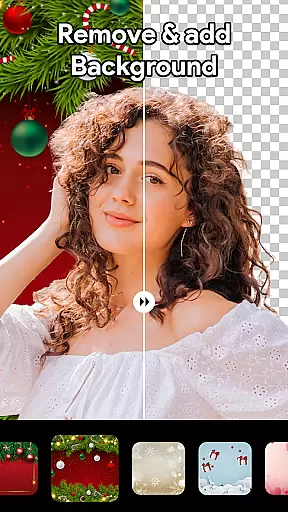
For those seeking professional touches, the app includes a Professional Blur Effect to add an artistic blur to photos, focusing attention where it matters most. The AI Object Remover intelligently eliminates unwanted objects, while the Background Remover in One Click simplifies changing or removing photo backgrounds. Lastly, the High-Quality Photo Collage Maker empowers users to create customized collages, combining multiple photos into unique arrangements.
Beauty Camera Selfie Makeup offers an extensive product database that caters to a wide array of beauty needs. This includes a vast selection of virtual makeup options, allowing users to experiment with different lip colors, blushes, and eye makeup styles.
The app's detailed product information extends to its innovative hair color changer feature, enabling users to try on various trendy shades without visiting a salon. Each hair color option is carefully crafted to provide realistic results, ensuring users can confidently explore new looks.
Beyond makeup and hair, the application provides comprehensive details about its photo editing tools. Users can access descriptions and instructions for features like the AI object remover and background remover, making it easier to achieve desired photo edits.
This depth in product information empowers users to make informed decisions about their beauty choices within the app, enhancing their overall experience and satisfaction with Beauty Camera Selfie Makeup.
Personalization is at the core of Beauty Camera Selfie Makeup's functionality, offering precise customization options tailored to individual preferences. The app's advanced algorithms analyze facial features to suggest the most suitable makeup styles and colors for each user.
Through sophisticated personalization technology, the app enables users to fine-tune their virtual makeup looks with remarkable accuracy. From adjusting the intensity of blush to selecting specific lipstick shades, every aspect of personalization is designed to create authentic and flattering results.
The app's personalization capabilities extend to its beauty filters and effects, which adapt to different skin tones and lighting conditions. This ensures that every selfie or video taken maintains a natural appearance while still benefiting from enhanced beauty features.
By prioritizing personalization precision, Beauty Camera Selfie Makeup delivers a unique and satisfying user experience that helps individuals express their personal style through digital beauty enhancements.
User-friendly interface
Advanced AI features
Versatile editing tools
High-quality results
Regular updates
Premium subscription required
Limited free features
Occasional ads
Heavy on storage
Learning curve for beginners

Blushify is a beauty camera for makeup, face editing, and glowing selfies!
 4.70
4.70
Your Personal Stylist for Smart Shopping, Beauty & Styling Outfits.
4.3
Enjoy convenience wherever you are with the Tune Up, The Manly Salon app.
3.20
Intelligent Beauty calculator tool! Face scale and face symmetry in one app!
3.80
Design your nails, manicure and pedicure with nail paint art and nail idea app
3.90
Your on-demand aesthetician
4.40
Try interesting trending filters allows you switch to a cute girl
4.70
Beauty camera to take nature selfie with photo filter. Photo makeup face editor.
4.50
This barber game allows you to create and design hair styles on diverse people
3.80
Monthly Perfume Subscription
4.70
HD Camera, Selfie Camera, Camera filters, is a fully featured 4K camera
4.60
Wacky mirror filter, waves effect & wavy effect to make your own funny videos.
4.60
DSLR Hd camera capture high quality 4k hd picture with filters and blur editor
4.50
All-in-one solution for independent beauty pros to manage & grow their business
4.30
Glow up with science: cosmetics, ingredients scanner, tracking & face analysis
4.10
Make beautiful Hairstyles for girls with your own hands in little bit of time
4.00
The all new Cosmo Prof app offers exclusive pro products, deals, and training.
4.00
Try On Style with AI: Virtual Dressing Room & Personal Fashion Stylist App
4.00
Beauty/age defining ai coach guides you through the exercises in daily routine.
3.30




User Reviews