
CDisplayEx Comic Reader is a premier comic book reader designed for enthusiasts who want an optimal reading experience. This app supports all major comic formats including .cbr, .cbz, and .pdf, making it versatile for various users. Its efficient loading capabilities ensure that comics are available almost instantly, providing a seamless transition between pages.
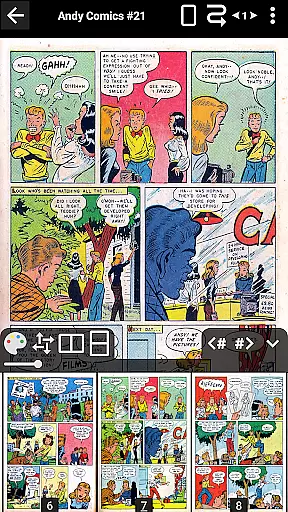
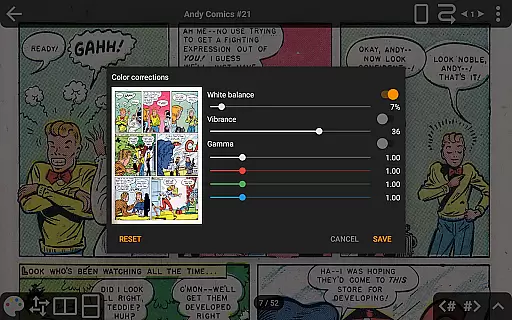
Beyond just reading, CDisplayEx offers advanced features such as continuous page scrolling in both horizontal and vertical orientations, advanced scaling options, and support for bookmarks. The Pro version further enhances the experience by integrating cloud services like OneDrive and Dropbox, offering network file opening without full downloads, and enabling image export functions. With its user-friendly interface and customizable settings, this app caters to both casual readers and hardcore comic aficionados.
One of the standout features of CDisplayEx Comic Reader is its ability to handle multiple comic formats with ease. Whether you're reading standard .cbr files or more complex .pdfs, the app ensures smooth navigation and quick access. The inclusion of Manga support broadens its appeal, accommodating a global audience.
The Pro version unlocks several premium functionalities such as integration with cloud storage solutions like OneDrive, Dropbox, Komga, Kavita, and Mega. Users can enjoy continuous page scrolling, advanced scaling options, and S-Pen support, which are particularly beneficial for those using tablets. Additionally, features like night mode, language selection, and an ad-free environment enhance user comfort and satisfaction.
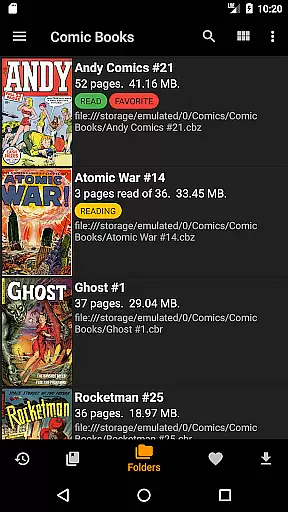
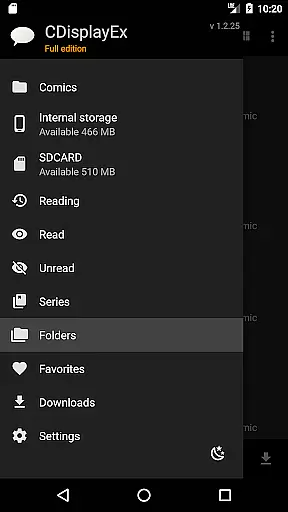
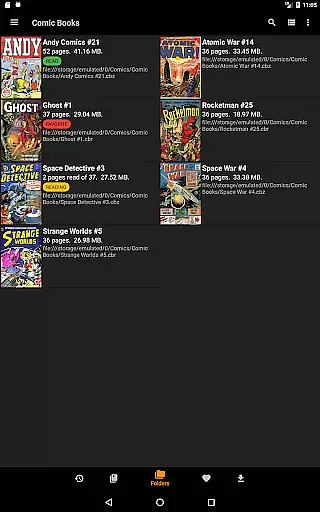
Library management is another strong suit of CDisplayEx. By simply pointing the app to your comic directories, it organizes series efficiently and suggests the next album to read. Integrated search functionality allows for quick volume retrieval, while network share connections enable preloading files onto your device. These comprehensive features make CDisplayEx a top choice for managing and enjoying digital comic collections.
CDisplayEx Comic Reader offers an extensive and versatile comic library that caters to a wide array of preferences. The application supports all popular comic book formats including .cbr, .cbz, and .pdf files, ensuring that users have access to a vast selection of reading material.
The app's integrated library management system allows users to organize their comics by series, making it easy to navigate through large collections. This feature not only enhances the user experience by providing a structured overview of available content but also simplifies the process of finding and continuing series.
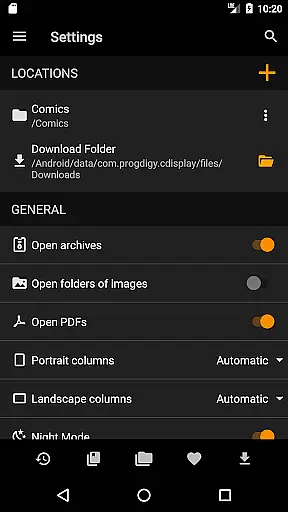
With the ability to connect to network shares and cloud services like Onedrive and Dropbox in its Pro version, CDisplayEx extends the reach of your library beyond local storage. This ensures that readers can enjoy a diverse range of comics from various sources without limitations.
Furthermore, the application's efficient loading and fluid reading experience make it possible to browse through numerous comics with ease. Its advanced page scaling options and continuous page modes contribute to an uninterrupted and enjoyable exploration of the comic library.
Authenticity and proper licensing are crucial for any digital content platform, and CDisplayEx Comic Reader addresses these concerns effectively. By focusing on supporting legitimate file formats and sources, the app ensures that users can trust the content they are accessing.
The application does not directly provide or distribute content but rather empowers users to manage and read their legally acquired comic books. This approach respects copyright laws and promotes responsible consumption of digital media.
In its description, CDisplayEx emphasizes compliance with legal standards by undergoing assessments such as the CASA Level 3 Certification. Although this has affected features like Google Drive access, it demonstrates the app's commitment to operating within authorized parameters.
Additionally, the Pro version enhances content authenticity by enabling connections to verified online repositories like Komga and Kavita. These platforms often ensure that their content is properly licensed, giving readers peace of mind while enjoying their favorite comics.
User-friendly interface
Supports multiple formats
Advanced scaling options
Cloud service integration
Efficient library management
No Google Drive support
Pro version is paid
Limited free features
Occasional bugs reported
Interface may feel dated

Follow your favorite manga and get notifications for new chapters!
 4.50
4.50
A free paradise specially built for comic lovers. When you step into this comic universe full of surprises, it is like opening a door to endless joy. You are immediately immersed in the wonderful world brought by reading and enjoy the infinite charm of reading.
4.5
Find free mangas in Spanish
4.70
Goat sound simulator. This app makes for fun.
4.1
The most powerful and fast image/comics viewer.
4.10
Read your favorite mangas for free
4.50
매일 매일 새로운 네이버 웹툰
4.50
SQUARE ENIX's official Manga app!
4.40
+Not your everyday comic. Everyday.
3.50
This application will enable donated users only function in Perfect Viewer.
4.90
File management and show images, comics and pictures in compressed cbr, pdf file
4.70
Artists wanting to use decent hand reference on the go, this app is for you!
4.70
Instant access to over 30,000 Marvel comics with new issues added every week.
4.70
100k comics, manga & webcomics, including Batman, Invincible, Hellboy & more
4.60
Read latest manga with this minimal reader with NO ADS.
4.30
Become a real PKM Card Maker, create or custom any Poke TCG cards and share them
4.10
Read official webcomics, webtoons, Korean manga & webnovels
3.70
The best app for digital comics - Welcome to Lezhin!
3.10
Read manga, comics, and manhwa
4.5



User Reviews