
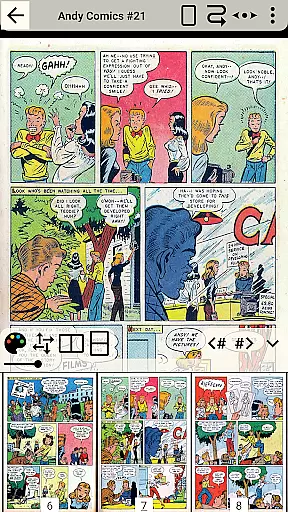
CDisplayEx Comic Reader Lite is a versatile comic book reader designed for comic enthusiasts who value speed and simplicity. This app supports all major comic formats including .cbr, .cbz, and .pdf, making it the go-to choice for reading Manga and other graphic novels. Its instant loading feature ensures that users can enjoy a seamless reading experience without delays.
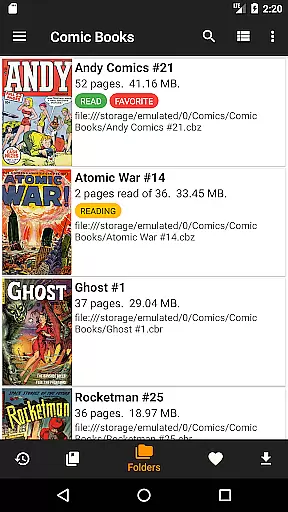
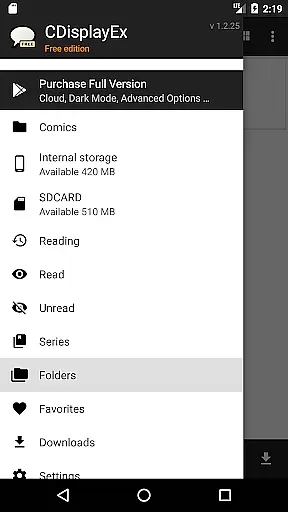
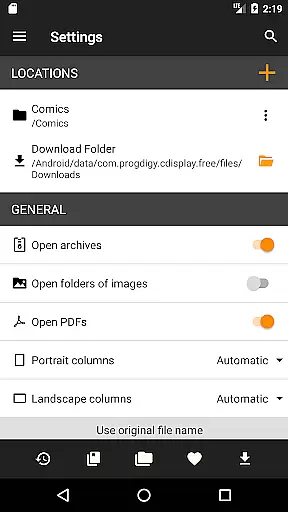
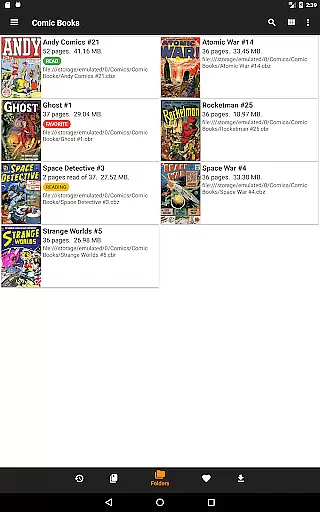
Beyond its core functionality, CDisplayEx offers advanced library management features. Users can browse through their folders to locate comics or take advantage of the integrated library system that organizes comics by series. The app also includes a search function, network share connectivity, and preloading capabilities, allowing users to manage their collections efficiently and access their favorite comics anytime, anywhere.
Whether you're a casual reader or a dedicated collector, CDisplayEx enhances your reading experience by providing comfort, speed, and organization. It's an essential tool for anyone looking to enjoy their comic collection on mobile devices with ease and efficiency.
CDisplayEx Comic Reader Lite stands out with its comprehensive format support, accepting files like .cbr, .cbz, and .pdf, which covers virtually all comic book types. The app's instant loading capability ensures that users can start reading immediately, while its fluid navigation provides a comfortable reading experience. These features make it an indispensable tool for comic lovers.
In addition to its primary reading functions, CDisplayEx offers robust library management tools. Users can organize their collections by series, find specific volumes quickly using the search feature, and even connect to network shares for expanded access. Preloading options allow users to download comics onto their devices, ensuring they have their favorite issues available offline. Such features provide both convenience and flexibility in managing large comic libraries.
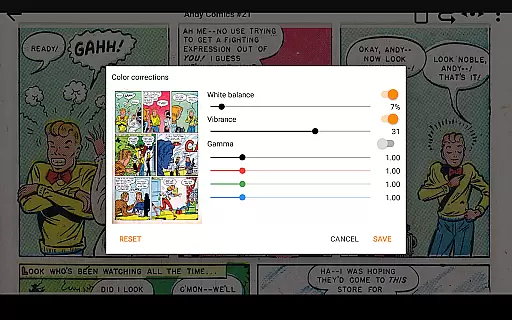
The app's design focuses on user experience, offering intuitive controls and customizable settings. Readers can adjust preferences to suit their viewing habits, whether they prefer single-page or continuous scrolling modes. With these powerful features, CDisplayEx Comic Reader Lite delivers a top-tier reading experience tailored to individual preferences.
CDisplayEx Comic Reader Lite offers an extensive and versatile comic library that caters to a wide array of preferences. The application supports all popular comic book formats including .cbr, .cbz, and .pdf, ensuring that users have access to a vast selection of reading material.
The integrated library management system allows users to organize their collections efficiently. By simply indicating where your comics are stored, the reader automatically groups them by series or suggests the next album to read, streamlining the reading experience.
With its powerful search functionality, users can instantly locate specific volumes within their collection. This feature enhances accessibility and convenience, making it easy for readers to manage large libraries with minimal effort.
Authenticity and proper licensing are crucial aspects of CDisplayEx Comic Reader Lite. The app ensures that all content is accurately represented and respects copyright laws. Users can trust that the comics they access are legitimate and properly authorized for distribution.
By supporting direct file imports from various sources, the app allows users to load their legally acquired comics without restrictions. This approach not only respects user ownership but also encourages compliance with intellectual property rights.
Furthermore, the ability to connect to network shares and preload files ensures that users can access their authenticated content across multiple devices seamlessly. This feature reinforces the app's commitment to providing a secure and reliable platform for enjoying digital comics.
User-friendly interface
Fast loading times
Wide format support
Integrated library management
Network share connectivity
Limited free version features
No cloud syncing
Occasional bugs reported
Ads in lite version
Advanced options require paid upgrade

Alpha Manga is a Japanese manga app where you can read isekai manga.
 4.10
4.10
Dive into creative online comics, short video, graphic novels and web novels!
4.60
Comic reader app: open ZIP, RAR, CBZ, CBR, and PDF files
3.00
Hot-blooded / Romance / Science Fiction All themes, Smart Recommendation + HD Reading
3.10
Find free mangas in Spanish
4.70
Read officially manga titles from Japan including Attack on Titan
3.80
Comic Scanner - Book Value - Identify and sell your comic collection with AI.
3.80
from HipComic: Value Your Comic Book Collection with Just the Snap of a Photo.
3.80
Official from Japan
4.80
Dive into the App for Premium Comics, Webtoons and Manga!
4.80
The pure application on the Manga SWAT website
4.80
Artists wanting to use decent hand reference on the go, this app is for you!
4.70
Free Comic Book Collection Management & Price Guide
4.60
Draw the comics with glow brushes! Easy and relax!
4.40
The fastest and most convenient comic book reader - comics of all formats
4.40
Read comics, manhwa, manga & novels Official webtoons with daily updates
4.30
Become a real PKM Card Maker, create or custom any Poke TCG cards and share them
4.10
Arabic manga reader
4.00
Your key to unlocking manga and webtoons on the go
3.50



User Reviews