
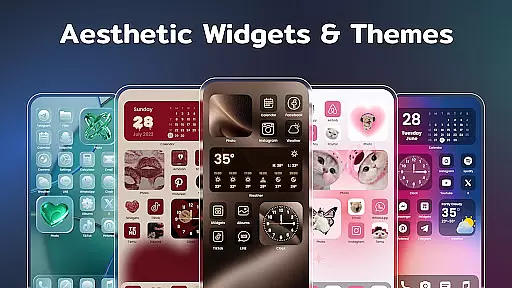
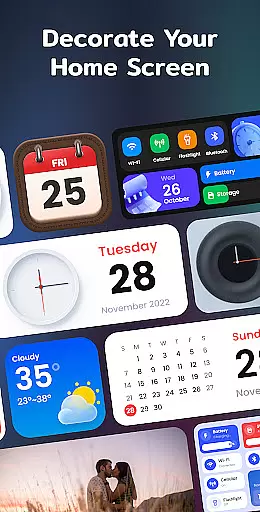
Color Widgets, Theme is a comprehensive lifestyle app designed to enhance your Android device's home screen with customizable widgets and themes. The app offers a wide range of aesthetic options including clock, photo, X-panel, calendar, weather, battery level, Bluetooth status, and event timer widgets. These widgets come in multiple sizes and styles, allowing users to tailor their screens to their unique preferences.
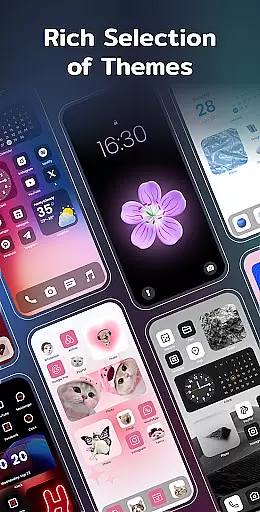
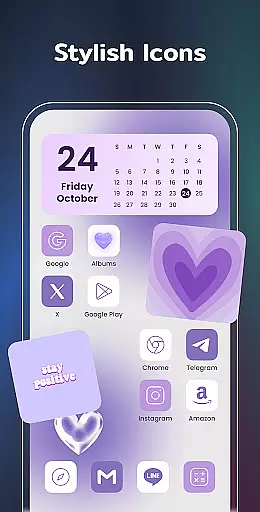
Beyond its diverse widget selection, the app provides stylish themes and custom icons that further personalize the user experience. Whether you're looking to redesign app icons or match widget styles with preset themes, Color Widgets, Theme delivers the tools necessary for crafting a distinctive and functional home screen. Its intuitive design ensures that even those new to customization can easily navigate and apply changes.
The practical applications of Color Widgets, Theme extend to everyday usability. Users can efficiently monitor their phone’s status, manage important events with timers, and enjoy local weather updates. This makes the app not only a tool for personalization but also an essential utility for staying organized and informed on a daily basis.
Color Widgets, Theme stands out with its extensive feature set tailored for personalization enthusiasts. One of the key highlights is the X-Panel Widget, which consolidates shortcuts and vital phone information like date, time, network connection, and battery level onto a single screen. This allows users to quickly toggle settings such as flashlight and Wi-Fi, streamlining device management.
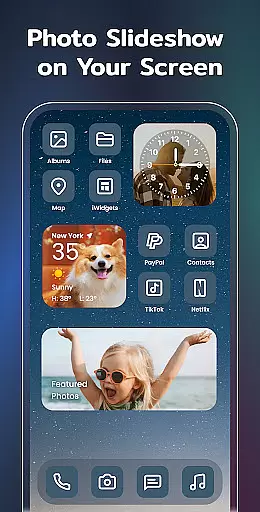
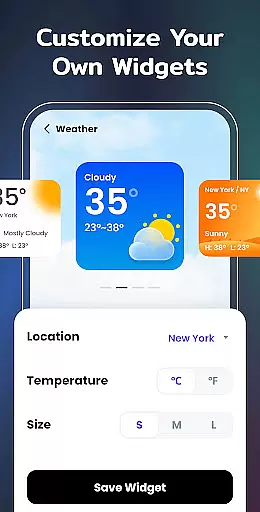
In addition to the X-Panel, the app includes specialized widgets like Photo, Clock, Weather, Calendar, and Event Timer. The Photo Widget decorates your screen with cherished memories through slideshows, while the Clock Widget offers both analog and digital formats in various styles. The Weather Widget provides real-time local weather conditions with an elegant interface, and the Calendar Widget lets you choose between displaying the current date or the entire month in creative styles.
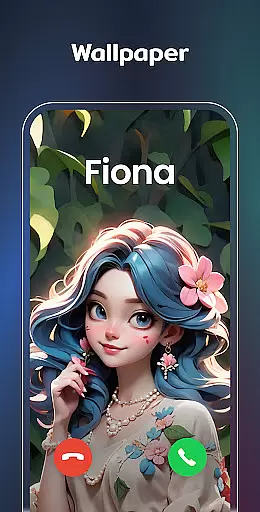
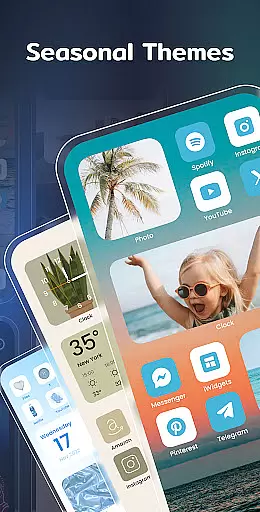
Customization reaches new heights with the app's Exquisite Themes and Custom Icons features. Users can select from preset themes spanning anime, neon, and aesthetic styles, and adjust app icons accordingly. This flexibility extends to wallpapers and widget styles, ensuring a cohesive look across the home screen. With these robust capabilities, Color Widgets, Theme empowers users to create a personalized and efficient mobile environment.
In the realm of mobile personalization, Color Widgets, Theme stands out by offering an extensive range of widgets and themes that cater to diverse lifestyle needs. This application provides users with a comprehensive suite of tools including clock, photo, X-panel, calendar, weather, battery level, Bluetooth status, and event timer widgets. Each widget is designed not only to enhance the aesthetic appeal of your device but also to serve practical functions that align with various aspects of daily life.
The app's dedication to covering a wide array of lifestyle categories ensures that whether you're managing time with elegant clock widgets, tracking important dates with customizable calendar widgets, or monitoring your environment with accurate weather widgets, there's something for everyone. By integrating seamlessly into any Android device, it allows users to tailor their home screens in ways that genuinely reflect their personal lifestyles and preferences.
Moreover, the inclusion of features like custom icons and exquisite themes empowers users to redesign app appearances and create a cohesive look across their devices. With options ranging from anime to neon styles, individuals can craft a digital space that feels uniquely theirs. Such depth in lifestyle category coverage makes Color Widgets, Theme an indispensable tool for anyone looking to infuse personality and functionality into their everyday tech experience.
Color Widgets, Theme prides itself on delivering content that is both authentic and credible, ensuring users receive reliable information through its varied widgets. For instance, the weather widget provides real-time temperature and conditions based on location permissions, granting users access to accurate local forecasts directly on their home screens. This commitment to data accuracy extends across all widget types, establishing trust between the user and the application.
Beyond just providing factual information, the app collaborates with design experts to curate preset themes in different styles such as anime, neon, and aesthetic designs. These themes are crafted under strict quality guidelines, guaranteeing that each visual element adheres to high standards of artistic excellence. Users can be confident knowing they're applying professionally-designed aesthetics to their devices when selecting from these curated collections.
Furthermore, every feature within Color Widgets, Theme undergoes rigorous testing procedures before release, reinforcing the reliability of its offerings. Whether itu2019s setting up event timers for special occasions or customizing app icons for a unique look, users benefit from well-researched functionalities backed by technical expertise. This blend of authentic content delivery alongside expertly curated creative assets positions Color Widgets, Theme as a leader in delivering trustworthy yet stylish mobile customization solutions.
User-friendly interface
Wide variety of widgets
Highly customizable themes
Real-time weather updates
Efficient event management
Requires multiple permissions
Some features may feel redundant
Premium themes cost extra
Occasional performance lags
Limited iOS compatibility

Countdown to Christmas 2025 with festive games & activities in a virtual village
 4.80
4.80
Smart controls for your Ember Smart Mugs
4.10
Easily manage your child's playtime, spending messaging and more.
3.50
The go to app for taking unlimited notes!
4.50
Paranormal Spirit Bell Trigger Device
4.30
Smart home security protection
3.20
Remotely monitor the time and temperature of food cooking on your grill.
4.60
AAA Mobile provides on-the-go access to the services you know and trust.
4.60
Create slime on your phone and enjoy satisfying and relaxing ASMR games
4.50
Made To Order Faves
4.70
Crochet made easy: step-by-step tutorials, beginner patterns & projects
4.60
Zodiac & Horoscope Launcher: Daily Sign Predictions & Astrology
4.40
Earn points with every purchase with Moe Rewards.
4.20
SmartHQ: Your Connected Home Command Center
4.10
Going above and beyond known spirit communication
3.60
Creativity and savings for kids, beginners and experts in arts and crafts
3.50
Duo Watch Face (animated)
4.4
A watch face with transparency and fluid visuals inspired by liquid glass design
4.1
Customize your Wear OS watch with festive Christmas figures and colors!
4.4



User Reviews