
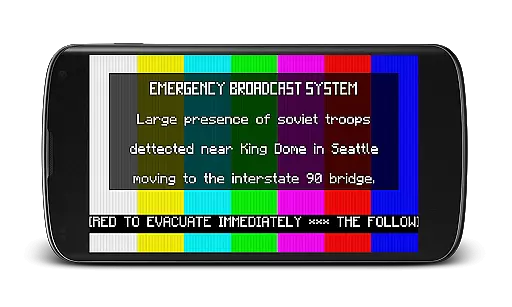
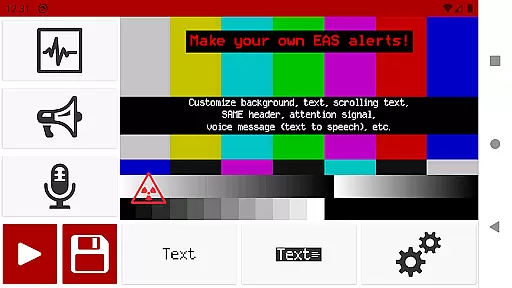
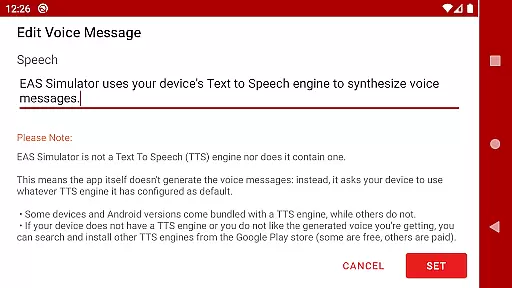
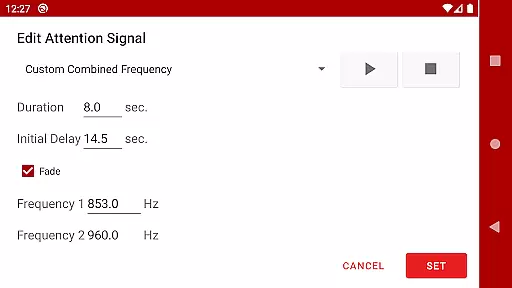
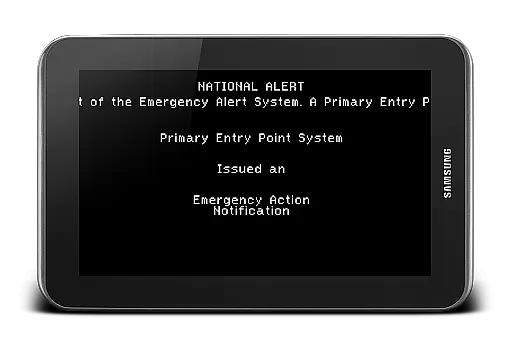
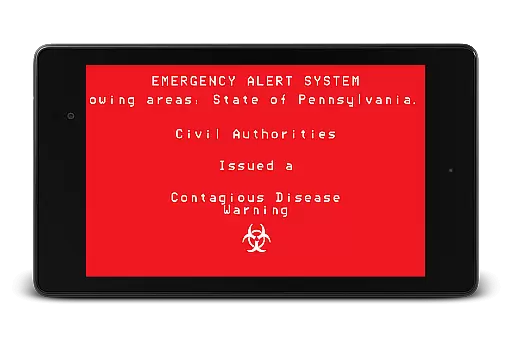
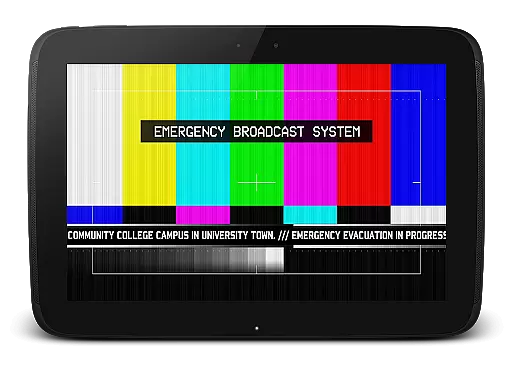
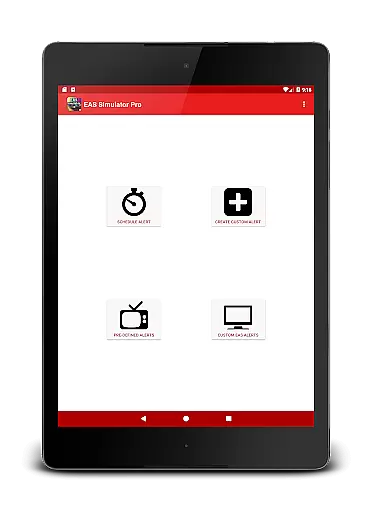
EAS Simulator Pro is an innovative entertainment app that allows users to create and experience realistic Emergency Alert System (EAS) simulations on their Android devices. The app offers a comprehensive alert editor, enabling users to craft custom alerts with various features such as SAME headers, attention signals, and voice messages generated by the device's Text to Speech engine.
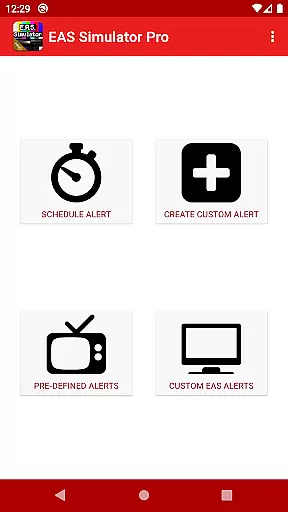
With its extensive library of pre-defined alerts, including real-life natural disasters and fictional emergency scenarios like zombie apocalypses, this app caters to both practical drills and creative role-playing. Users can schedule alerts, export them as videos, and even share with others who have the app. Whether for educational purposes or immersive storytelling, EAS Simulator Pro delivers a unique and engaging experience.
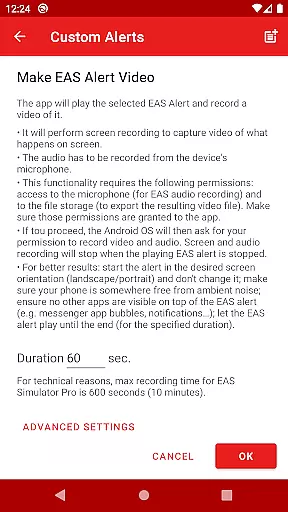
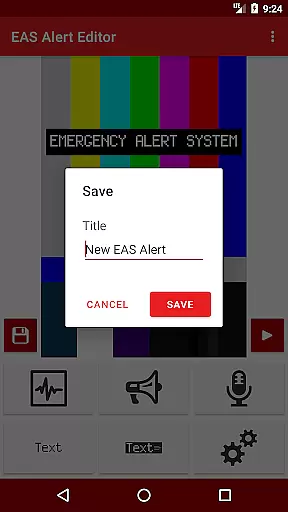
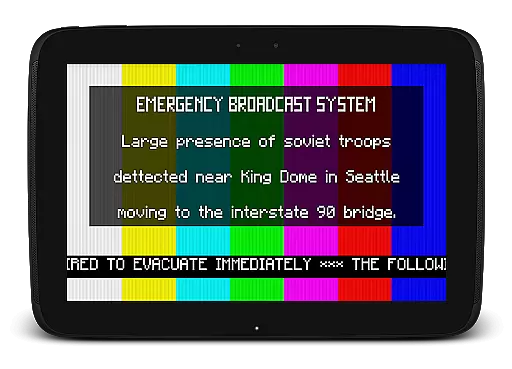
The standout feature of EAS Simulator Pro is its powerful alert editor, which provides full access to create unlimited custom alerts. Users can incorporate realistic elements such as scrolling texts, blinking backgrounds, and authentic EAS sounds. The ability to convert these alerts into video format using screen recording and microphone audio adds another layer of realism.
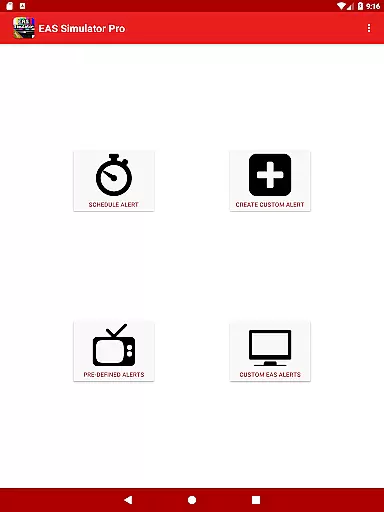
Additional functionalities include scheduling alerts to play at specific times, even if the device is locked, making it ideal for drills or pranks. Pre-loaded alerts cover a wide range of scenarios from natural disasters to thrilling fictional events. Moreover, the app supports importing and exporting alert files, allowing seamless sharing and backup options with other users of EAS Simulator Demo or Pro.
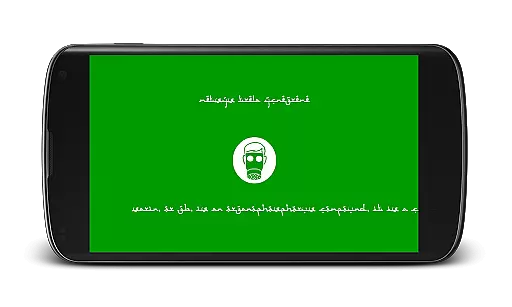
In the realm of digital entertainment, content variety and freshness are paramount to maintaining user engagement. EAS Simulator Pro excels in this area by offering a wide array of pre-defined alerts that cater to both real-life scenarios and thrilling fictional situations. From simulating natural disasters like flash floods and tornadoes to enacting apocalyptic events such as a North Korean nuclear attack or zombie virus pandemics, the app provides an extensive selection designed to captivate users' imaginations.
Moreover, EAS Simulator Pro allows for the creation and saving of custom alerts without limitations, ensuring that content remains fresh and personalized. Users can craft unique Emergency Alert System messages using features like scrolling texts, SAME headers, attention signals, and voice messages generated by their device's Text to Speech engine. This level of customization not only enhances replay value but also encourages creativity among its users.
The ability to schedule alerts adds another layer of variety, enabling users to plan drills or pranks at their convenience. Even when devices are locked, scheduled alerts play automatically if left idle with the screen off, providing an uninterrupted experience. With these dynamic capabilities, EAS Simulator Pro guarantees that each interaction feels novel and engaging, keeping users coming back for more.
User engagement duration and retention are critical metrics for any entertainment application, and EAS Simulator Pro strategically addresses these through its immersive features. By allowing users to simulate realistic-looking Emergency Alert System messages, the app taps into a unique niche that captures interest over extended periods. The thrill of creating mock alerts for various emergency scenariosu2014including natural disasters and fictional crisesu2014keeps users invested in exploring all possible outcomes within the app.
To further enhance user retention, EAS Simulator Pro includes functionalities such as exporting alerts as videos, which leverages screen recording and microphone audio. This feature not only extends the life cycle of created content but also facilitates sharing with friends who may be using either the Demo or Pro versions of the app. Such social interactions contribute significantly to prolonged user engagement by fostering a community around shared experiences.
Additionally, scheduling alerts ensures that users remain connected with the app even when they're not actively using it. Alerts set to play at specific times encourage regular check-ins, while the option to use different Text to Speech voices adds depth to repeated usage. These thoughtful design elements collectively work towards maximizing user engagement duration and retention, making EAS Simulator Pro a standout choice in the entertainment category.
User-friendly interface
Highly customizable alerts
Realistic simulation experience
No ads
Export/import functionality
Requires TTS engine
Video export issues on some devices
Limited automatic playback on newer OS versions
Paid version only
Permissions needed for full functionality

Heroclix search units with multi filter , team builder, collection manager.
 4.40
4.40
Stream over 80 hours of exclusive mashups and remixes by DJ Rehab.
4.2
Stream Movies & TV Series: Original Shows, Family Movies & New Releases Weekly
4.60
Find out if you're on Santa's Naughty or Nice List with this magical scanner!
4.60
SpiritWave is paranormal ITC application.
5.00
Catalog & tracker of your DVD, Blu-ray & Digital Movie and TV Collection Library
4.80
Colorful flows will relax and calm you down, or get you trippy and creative!
4.90
Neon Christmas Tree Animated: Festive Wear OS watch face with fitness info
4.0
Create your Songs. Cover Maker with any Voice, Song Generator
3.30
Fun brain twisting challenge with trending Whirlpool Filter.
4.70
Your Avatar, Endless Fun
4.60
Stream Online TV - Watch Live IPTV Playlist & Channel with Built-In Player
4.50
Triple A is a highly complex, kinetic, and interactive visualizer.
4.50
Geooh GO is the most feature rich geocaching app available today.
4.50
Official KennysGifs Stickers
4.20
A companion app for the game Elite Dangerous
4.10
Realistic Baby Simulator App
4.00
Fool your friends & Family with Fake ultrasound test report
3.60
Journey to the world’s oldest rainforest and meet its Indigenous Custodians.
4.2



User Reviews