
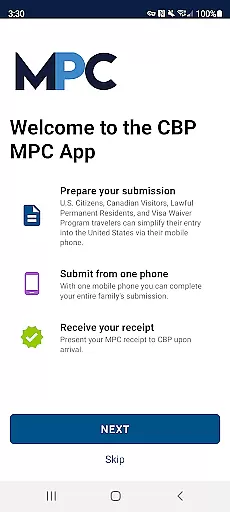
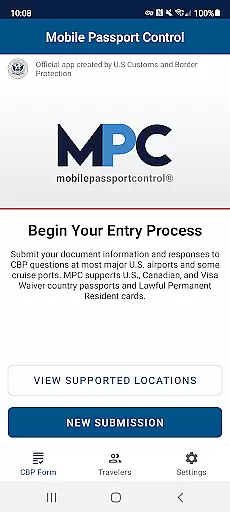
Mobile Passport Control (MPC) is an innovative travel application designed to simplify and expedite the customs process for travelers entering the United States. Developed by U.S. Customs and Border Protection, this app allows eligible users to submit their travel information and answer inspection questions before arriving at select U.S. entry locations. By using MPC, travelers can save time during the CBP inspection process while ensuring compliance with border regulations.
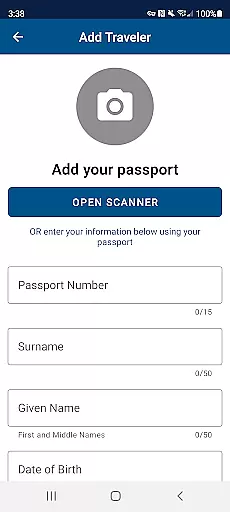
The app's functionality includes creating a primary profile to store traveler information securely, answering official inspection questions, and capturing photos of each traveler in the group. Once submitted, users receive a virtual receipt that guides them through the remaining steps at the border. While MPC does not replace the need for a physical passport, it provides a streamlined digital alternative for document processing at participating airports and entry points.
This app is particularly beneficial for frequent travelers who are U.S. citizens, certain Canadian visitors, lawful permanent residents, or those under the Visa Waiver Program. With its user-friendly interface and secure data handling, MPC ensures a smoother and more efficient border crossing experience, reducing wait times and enhancing convenience for eligible travelers.
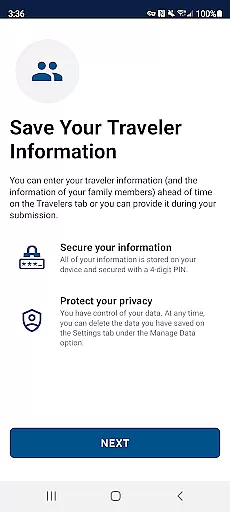
Mobile Passport Control offers a comprehensive set of features designed to enhance the traveler's experience when entering the United States. One of its standout capabilities is the ability to create and save multiple traveler profiles within the app, allowing families or groups to submit their information together from a single device. This feature simplifies the process for frequent travelers who can reuse stored information for future trips, saving time and effort.
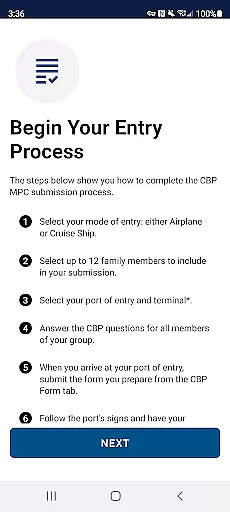
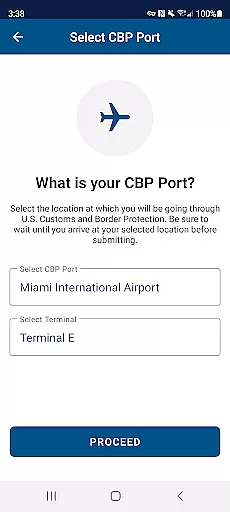
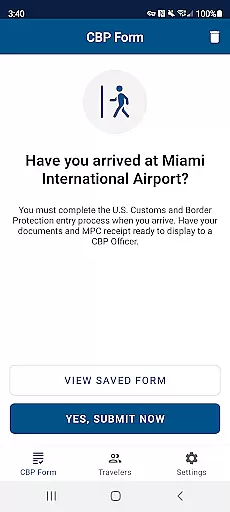
The app also provides step-by-step guidance through the CBP inspection process. Users can select their port of entry, answer official inspection questions, and capture required photos directly within the app. Upon submission, travelers receive a virtual receipt that serves as proof of completion and includes specific instructions for proceeding at the border. This digital receipt system eliminates the need for paper forms and reduces processing times significantly.
Another notable feature is the app's compatibility with select U.S. airports and entry points, offering a modernized approach to border control. While the app does not replace the need for a physical passport, it streamlines document verification and enhances the overall efficiency of the inspection process. Its secure platform and intuitive design make it a valuable tool for eligible travelers seeking a faster and more convenient border crossing experience.
Booking authenticity is a crucial aspect of any travel application, ensuring that all reservations and submissions are legitimate and verified. Mobile Passport Control (MPC) excels in this area by providing a streamlined process for travelers entering the United States.
The app allows users to create detailed profiles containing their travel documents and biographic information, which is securely stored on their device. This ensures that every submission made through MPC is authentic and tied to verified traveler information. By capturing clear and unobstructed photos of each traveler, the app further verifies the identity of users, enhancing the legitimacy of the booking process.
Upon submission at a selected port of entry, CBP processes the information and sends a virtual receipt back to the device. This receipt serves as proof of a successful and authentic booking, guiding travelers on the next steps to take upon arrival.
Price transparency refers to the clarity and openness with which costs and fees are communicated to users. Although Mobile Passport Control (MPC) does not involve monetary transactions, it provides transparency in terms of requirements and processes, which is equally valuable for travelers.
MPC clearly outlines the eligibility criteria and supported entry locations on its website and within the app description. This ensures that users understand where and how they can use the app without hidden surprises. The app specifies that while it streamlines the inspection process, a passport and possibly other travel documents are still required, setting clear expectations for travelers.
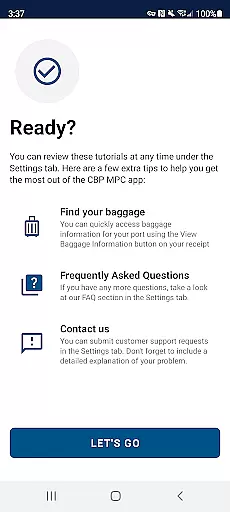
Furthermore, the app details each step of the process, from creating a profile to receiving a virtual receipt. This step-by-step guidance offers transparency in what travelers should expect, reducing uncertainty and enhancing user confidence in the process.
Time-saving
User-friendly interface
Secure data storage
Supports multiple profiles
Reduces paperwork
Limited airport support
Requires internet
Not for all travelers
Photo quality issues
Submission delays

Apply for an electronic travel authorisation (ETA) to come to the UK.
 3.20
3.20
View delays, closures, and weather-related conditions on Missouri state roads.
3.30
View US public land boundary maps on your device.
3.70
MyTSA gives you 24/7 access to info that passengers frequently request from TSA.
4.10
Bus tickets at unbeatable prices with routes across the US. All aboard FlixBus!
4.70
Maps, Wait Times, Park Hours
4.40
Travel light with our easy-to-use mobile app, the perfect flying companion.
4.40
Get real-time traffic, directions, search and find places
4.10
Book now to save with exclusive travel deals on hotels, flights, cars & packages
4.70
Replace your car trips with the world’s largest shared electric vehicle company.
4.90
Frontier’s Android app makes travelling easier than ever before!
4.70
The United app puts valuable travel information in the palm of your hand.
4.70
Discover the power of one-way location tracking. Share your location securely.
4.50
Download now and start earning rewards on hotels, tours, and everything travel.
4.50
Flight booking, hotel booking & more - all in one place with the Southwest App!
4.50
Explore our parks like never before with the completely reimagined Six Flags app
4.30
Navigate your world faster and easier with voice navigation & street view map
4.20
Listen live to pilots and air traffic controllers around the world
3.80
Tide Table Chart provides quick and easy access to high and low tide forecasts.
3.20




User Reviews