
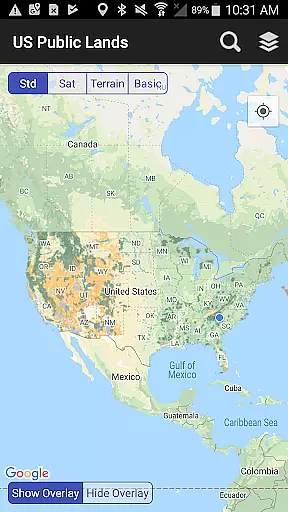
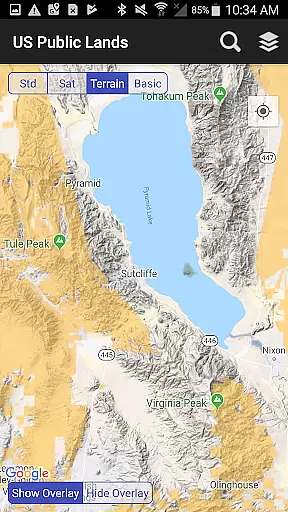
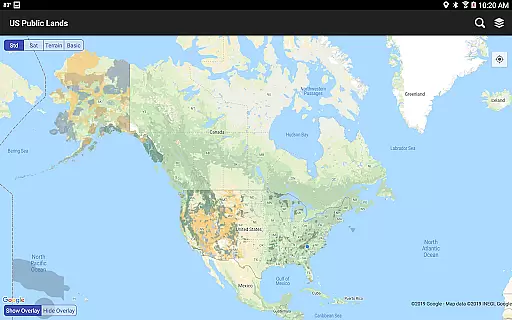
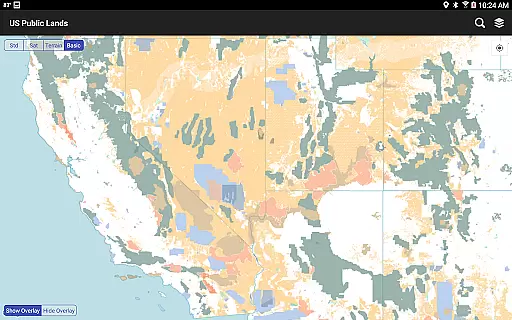
US Public Lands is a comprehensive mapping application designed to help users identify and navigate federal lands across the United States. The app provides detailed offline maps of public lands managed by various federal agencies, including the Bureau of Land Management, US Forest Service, and National Park Service.
With its intuitive interface, users can easily determine which agency owns and operates specific lands, access agency websites for additional information, and utilize built-in search tools to locate cities, states, and points of interest. Whether planning a trip or exploring the great outdoors, this app serves as an essential resource for outdoor enthusiasts and travelers alike.
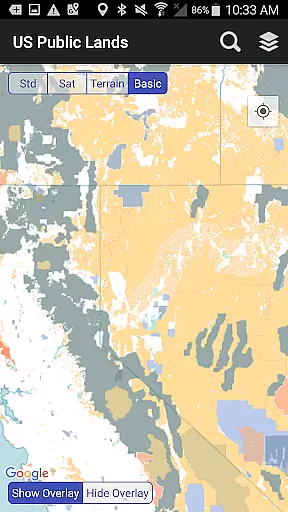
One of the standout features of US Public Lands is its ability to function completely offline. Users can access beautifully colored map layers stored directly on their devices, ensuring reliable navigation even without an internet connection. The app includes layers for major federal agencies, allowing users to create customized maps based on their specific needs.
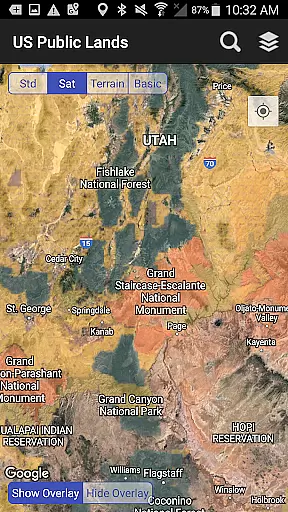
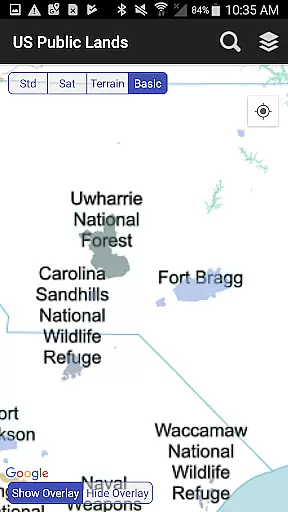
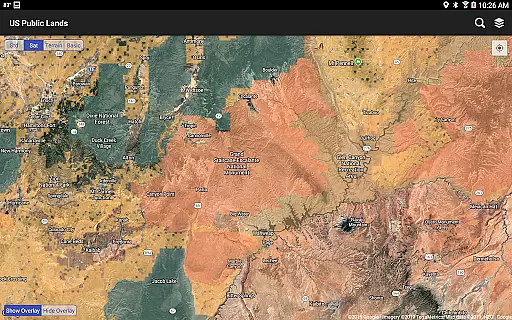
Additional features include a 'Locate Me' function that uses GPS to pinpoint the user's current location, satellite view options for scouting potential camping spots, and quick toggle controls for map visibility. These capabilities make the app particularly useful for boondocking enthusiasts and those seeking dispersed camping opportunities within public lands.
When it comes to exploring public lands across the United States, having accurate and reliable information is crucial for a successful trip. The US Public Lands app ensures booking authenticity by providing users with verified data sourced directly from the Protected Area Database (PAD-US) of the U.S. Geological Survey.
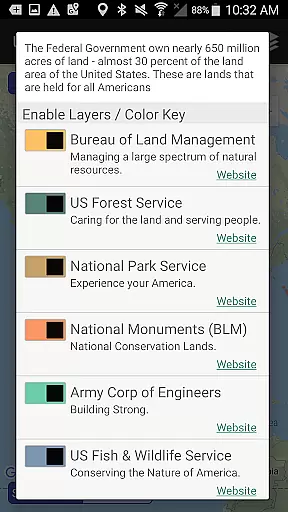
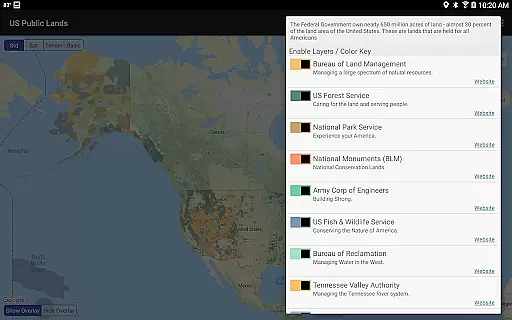
This app offers on-device layers that are individually selectable and beautifully colored, representing properties administered by various federal agencies such as the Bureau of Land Management (BLM), US Forest Service (FS), and National Park Service (NPS). With these detailed maps, users can trust that they are receiving an authentic representation of public land boundaries without needing internet connectivity.
By utilizing this tool, outdoor enthusiasts gain peace of mind knowing exactly which agency owns and operates the land they're on or planning to visit. This level of transparency allows for informed decision-making regarding permits, fees, activities allowed, and limits of stayu2014empowering adventurers to fully enjoy their experience while adhering to local regulations.
For travelers seeking to explore America's vast natural landscapes, understanding associated costs is essential. The US Public Lands app promotes price transparency by offering free access to comprehensive mapping data that would otherwise require physical maps, books, or extensive online research.
All map layers within the application are stored directly on your device, ensuring full functionality even when offline. Users can select from different agencies' land overlays using color-coded toggles, creating custom maps tailored to their specific needsu2014all at no additional cost beyond the initial download.
Moreover, links provided within the app direct users to each agencyu2019s official website where further details about land use rulesu2014including any potential feesu2014are readily available. By consolidating this valuable information into one easy-to-use platform, US Public Lands empowers users to plan their trips confidently, aware of all possible expenses involved in visiting federally managed territories.
Offline functionality
Customizable map layers
Comprehensive agency coverage
GPS location services
Detailed satellite views
No campsite database
Potential accuracy issues
Limited resolution
No private land info
Requires updates

View delays, closures, and weather-related conditions on Missouri state roads.
 3.30
3.30
A packing list app that helps you remember what to pack for a trip.
3.10
Mix of explore game, travel mapping & tracking to memorize everywhere you go
3.60
MyTSA gives you 24/7 access to info that passengers frequently request from TSA.
4.10
Download now and start earning rewards on hotels, tours, and everything travel.
4.50
NEW! Vacation with Ease.
4.60
Walt Disney World Resort maps, wait times, tickets, dining & more.
4.50
The best way to book travel
4.60
Manage your travel on Delta with access to boarding passes, flight info & more.
4.80
Rent the perfect car for wherever you’re going
4.90
Find the perfect vacation rental. Search from over 2 million properties.
4.80
All-in-one delivery and taxi app. Ride, food, & grocery delivery app.
4.80
Get faster fuel rewards, exclusive offers, and helpful tools!
4.70
Maximize your cruise vacation with the Royal Caribbean app
4.70
Flight booking, hotel booking & more - all in one place with the Southwest App!
4.50
Get the app that knows where you’re going - view your flight, check in & more
4.50
The mobile panorama panel. Works offline - worldwide!
4.40
Take your pick from over 5 million accommodation deals from major booking sites.
4.40
Maps Speedometer shows your current speed in any app
3.60




User Reviews