
Moultrie is a comprehensive hunting management application designed to enhance the hunting experience through advanced technology and data-driven tools. Trusted by hunters since 1979, Moultrie offers an integrated ecosystem that includes trail camera management, interactive maps, and environmental tracking features.
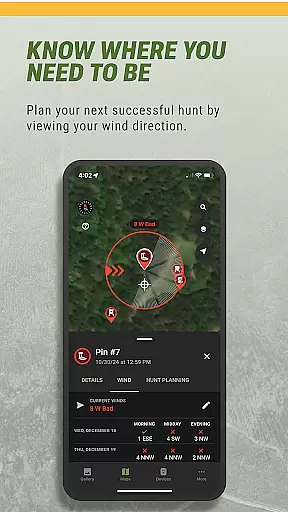
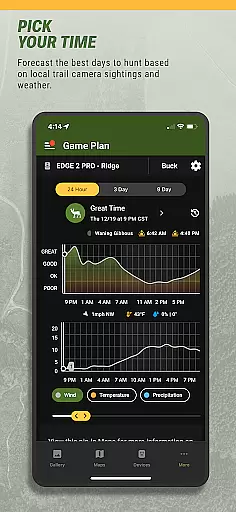
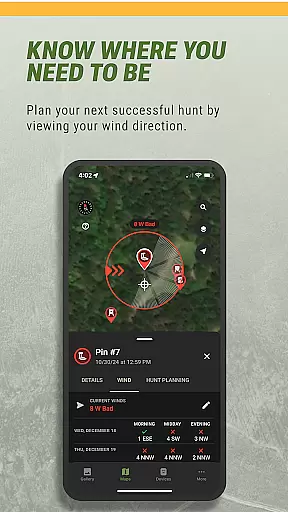
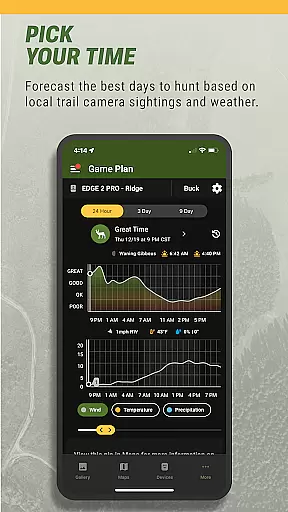
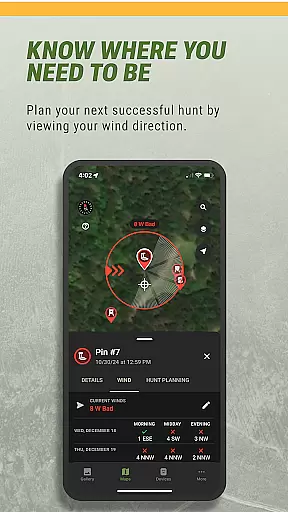
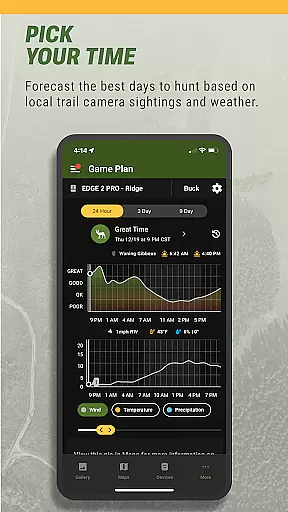
The app's core functionality revolves around its powerful hunt planning capabilities. Users can access satellite and terrain maps, organize trail camera photos with smart tagging, and analyze animal activity patterns through detailed charts. The inclusion of weather forecasts and wind direction monitoring ensures optimal hunting conditions. Additionally, users can remotely control Moultrie's connected devices, including cellular trail cameras and feeders, making wildlife management more efficient than ever.
Whether you're a casual hunter or a dedicated wildlife manager, Moultrie provides essential tools for better decision-making in the field. Its combination of free features and premium planning tools creates a versatile platform suitable for all hunting enthusiasts looking to maximize their outdoor experience.
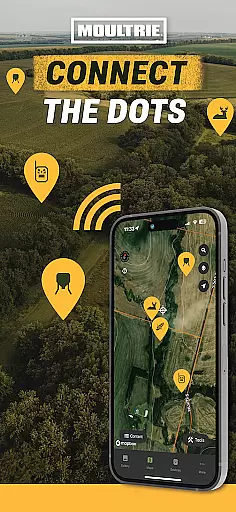
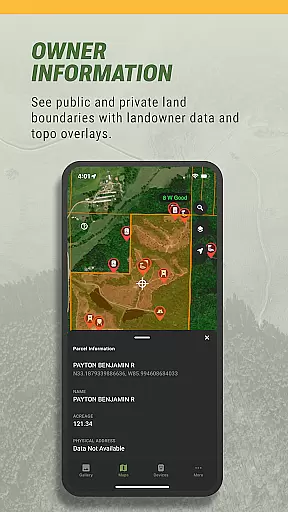
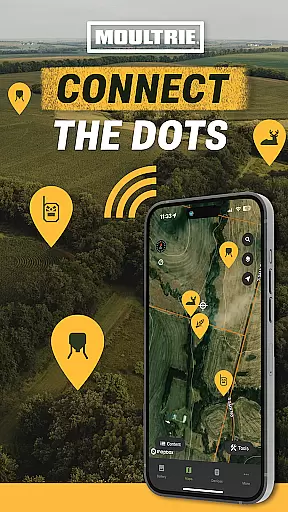
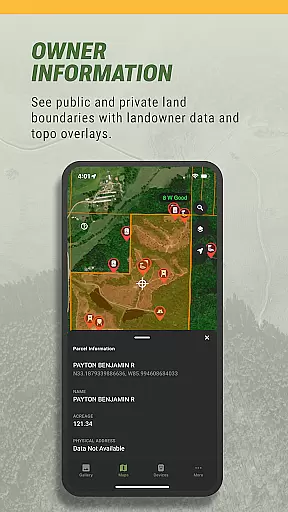
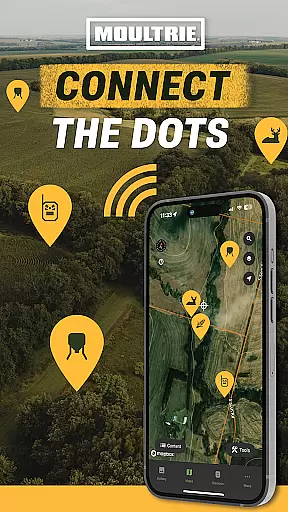
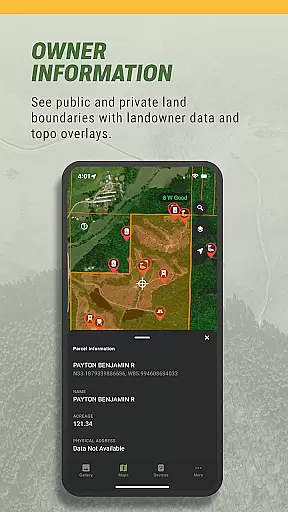
Moultrie distinguishes itself through its extensive feature set tailored specifically for hunting enthusiasts. The app's interactive mapping system allows users to plan their approach using satellite imagery and topographical overlays while marking key locations such as stands and food plots.
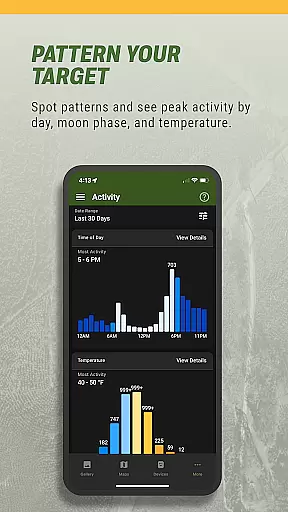
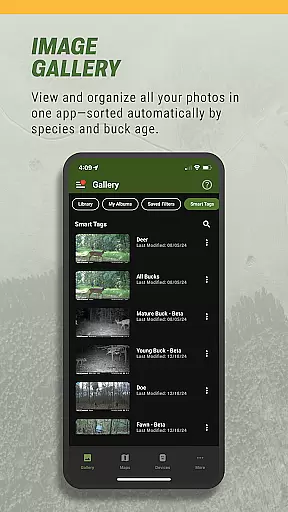
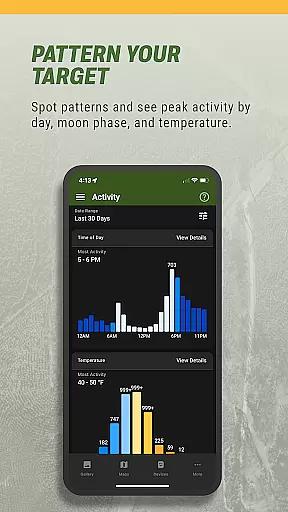
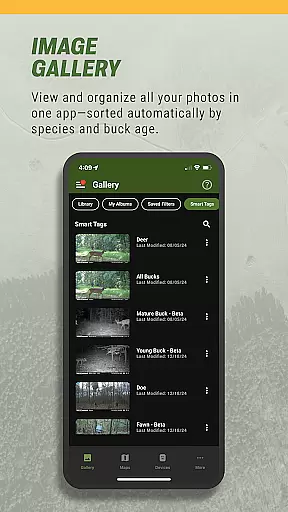
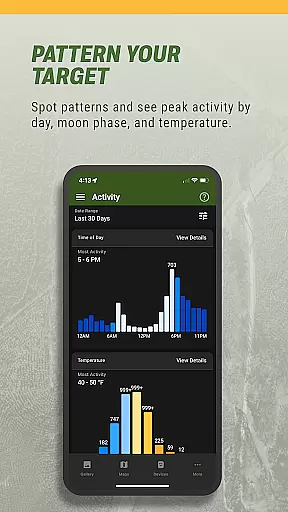
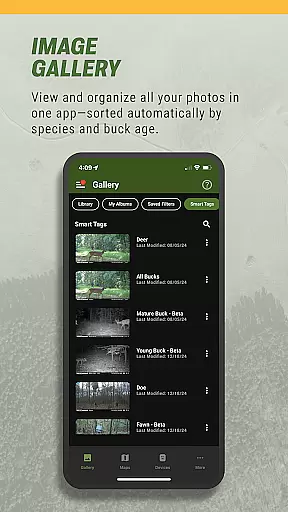
One of the standout features is Image Intel, which utilizes smart tagging technology to automatically categorize trail camera images by species and even estimate buck age. This saves hunters countless hours of manual sorting. The Activity Charts provide valuable insights into animal behavior patterns based on time of day, moon phase, and temperature variations.
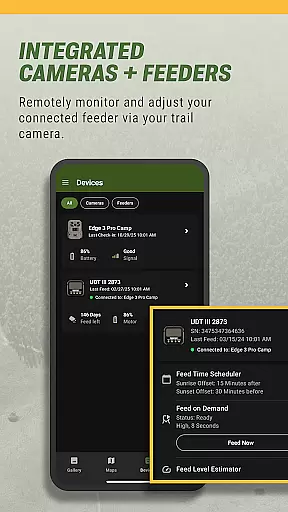
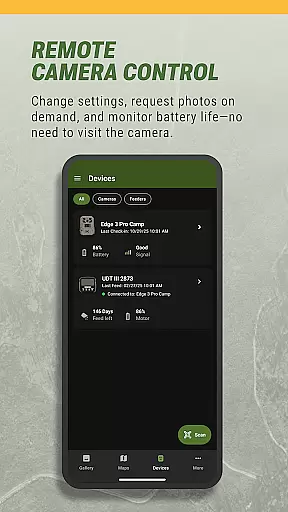
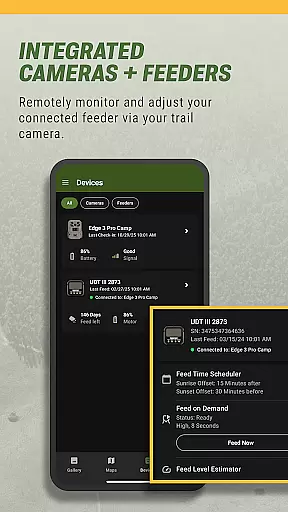
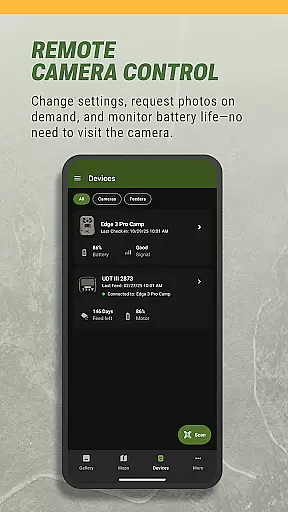
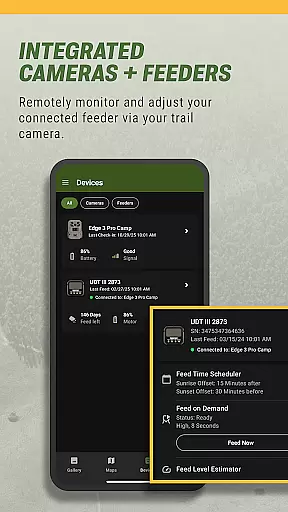
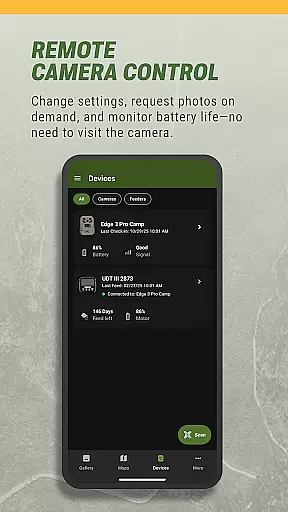
For those using Moultrie's connected devices, the app enables complete remote management. Users can adjust camera settings, request on-demand photos, control feeder schedules, and monitor power status from anywhere. These features, combined with advanced weather forecasting and wind direction analysis, create a comprehensive hunting management solution that adapts to various hunting styles and environments.
Moultrie sets a new standard for hunting apps by combining realistic hunting preparation with accurate environmental data. The app's integration of real-world factors like weather patterns, animal behavior, and terrain mapping creates an authentic hunting experience.
Through features such as moon phase tracking, temperature analysis, and wind direction forecasting, users can make informed decisions based on scientifically-backed data. This attention to detail ensures that hunters are not just relying on guesswork but using precise information to enhance their strategies.
The app also incorporates advanced image recognition technology to categorize wildlife sightings. By automatically tagging bucks, does, turkeys, and other animals, Moultrie provides a seamless way to track game movement patterns. This level of detail in documenting animal activity adds another layer of realism to the hunting planning process.
Ultimately, Moultrie bridges the gap between virtual planning and real-world execution, offering hunters a tool that mirrors actual field conditions while providing actionable insights to improve success rates.
Moultrie stands out for its user-friendly interface that simplifies complex hunting tasks without compromising functionality. The app's design emphasizes intuitive navigation, allowing hunters to access powerful tools like interactive maps, photo libraries, and weather forecasts with minimal effort.
Key features such as drag-and-drop pin placement for stands and food plots, one-tap image sorting, and straightforward device management ensure that even those new to hunting apps can quickly adapt. These controls eliminate unnecessary complications, making it easier to focus on strategic planning.
Additionally, remote management capabilities for cellular trail cameras and feeders demonstrate how Moultrie balances simplicity with advanced functionality. Hunters can adjust camera settings, request on-demand photos, or control feeder schedules directly from their devices, streamlining workflows and saving time.
By prioritizing clarity and ease of use, Moultrie empowers hunters to spend less time learning the app and more time applying its insights in the field, enhancing both efficiency and enjoyment.
User-friendly interface
Comprehensive mapping tools
Smart image organization
Remote device management
Detailed activity analytics
Premium features require subscription
Limited to Moultrie devices
Occasional connectivity issues
Steep learning curve for beginners
High data usage for remote features

This third edition of Skateboard Party features professional skater Greg Lutzka.
 4.30
4.30
Quick-fire archery duels! Play the most realistic 3D archery game now!
4.70
Play T20 Cricket World Cup 2025. Real matches, offline & tournament mode!
4.0
Push your skills, express your style, or just enjoy the ride.
4.60
Build a soccer club from scratch and see if you can conquer the World!
4.50
Manage your lineup of NBA and WNBA stars on the go with the NBA 2K26 MyTEAM app.
4.50
Play with friends and join millions of players in the king of bowling games!
4.60
Gym Calendar & check-in for Buckeye Pole Vault Academy athletes, parents & admin
4.1
Experience the thrill of NFL with the ultimate app for Football enthusiasts!
3.80
Grab the ball and play your Basketball career in this 3D Real-time Sport Game!
4.60
NFL & NBA Real Money Team & Player Picks
4.60
Play the World's Soccer Game Anywhere with Premier League, UCL & LALIGA stars.
4.60
Create your own gym, train boxers, and aim for the championship!
4.50
Score stunning goals and outsmart defenders on your path to football glory!
4.40
The classic Backyard Football 1999 is now enhanced to run on modern systems!
4.40
Try your hand at managing an auto racing team!
4.30
Play eFootball™ with users around the world!
4.10
Space City Home Network subscribers can now stream their favorite local teams.
3.60
Build your football city, train your team— no ads, no in-app purchases!
4.3




User Reviews