
My OldBoy! is a high-performance Game Boy and Game Boy Color emulator designed for Android devices, offering an authentic retro gaming experience. It supports a wide range of hardware, from low-end phones to modern tablets, ensuring compatibility across devices. The app accurately emulates nearly every aspect of the original console, including advanced features like link cable, rumble, and tilt sensor support.
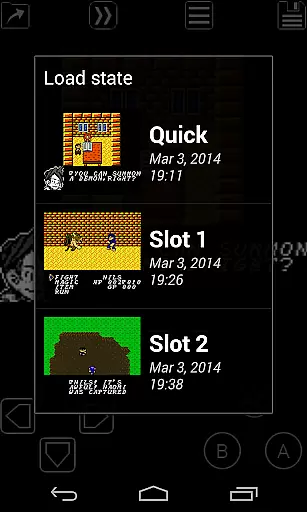
One standout feature is its ability to enhance classic monochrome games with custom color palettes, breathing new life into timeless titles. With additional functionalities such as save states, fast-forward, and cheat code support, My OldBoy! provides both convenience and customization for gamers. Whether reliving childhood memories or discovering classic games for the first time, this emulator delivers a seamless blend of nostalgia and innovation.
My OldBoy! stands out with its robust feature set tailored for retro gaming enthusiasts. The emulator leverages ARM assembly code to deliver blazing-fast performance, achieving 60 FPS even on low-end devices without frame skips. Its accurate emulation ensures excellent compatibility with a vast library of Game Boy and Game Boy Color games, while advanced options like link cable emulation over Bluetooth or Wi-Fi enable multiplayer experiences.
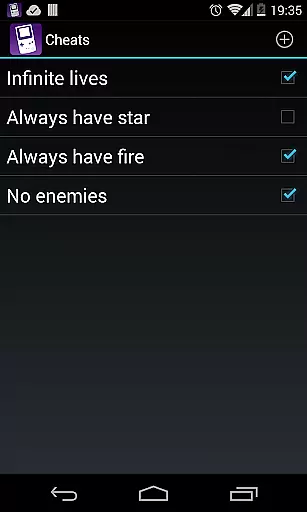
Customization is at the heart of My OldBoy!'s appeal. Users can apply custom color palettes to monochrome games, experiment with video filters via GLSL shaders, and utilize a powerful screen layout editor to personalize controls. Additional tools include fast-forward, slow-motion, cheat code support, and cloud save syncing with Google Drive. These features collectively create a versatile and user-friendly platform that caters to both casual players and hardcore retro gaming fans.
Arcade authenticity is crucial for users seeking a genuine retro gaming experience. My OldBoy! delivers this by accurately emulating the original Game Boy and Game Boy Color hardware, ensuring that classic games run as they were intended.
The emulator supports special features like link cable, rumble, and tilt sensor, which were integral to many arcade games. This attention to detail extends to supporting peripherals such as the Game Boy Camera and Printer, enhancing the nostalgic journey.
Players benefit from faithful reproductions of their favorite arcade classics, with options to apply custom palettes and enhance monochrome games using Super Game Boy palettes. These capabilities allow users to relive cherished memories while enjoying improved visuals.
Ultimately, My OldBoy! offers an immersive trip down memory lane, providing a true arcade experience on modern Android devices. The meticulous emulation ensures that every aspect of vintage gaming is preserved and celebrated.
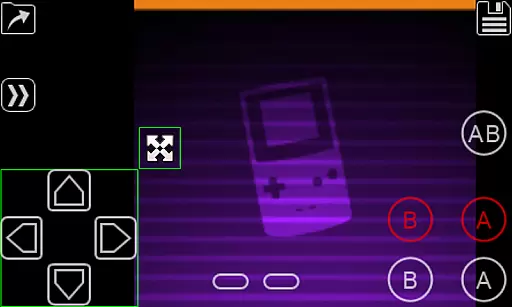
Control responsiveness is vital for an engaging gaming experience, particularly in arcade titles where precision and timing are key. My OldBoy! addresses this through its highly customizable on-screen keypad and external controller support.
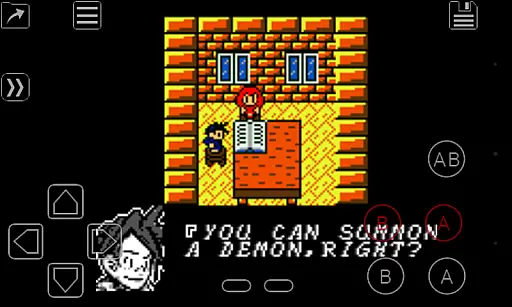
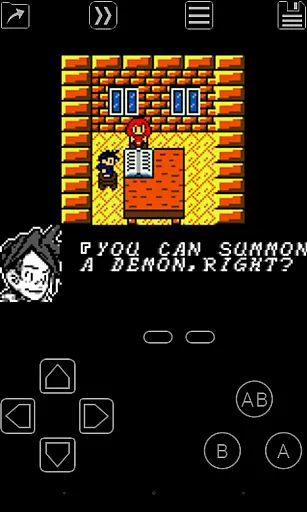
The app allows users to define the position and size of each on-screen control, ensuring optimal comfort and accessibility. Additionally, shortcut buttons for functions like load/save provide quick access during intense gameplay sessions.
For those preferring physical controllers, My OldBoy! supports various input methods, including Android's native controller support. This flexibility caters to different play styles and preferences, enhancing overall responsiveness.
By prioritizing control customization and supporting multiple input methods, My OldBoy! ensures that players enjoy a responsive and intuitive interface, making every gaming session smooth and enjoyable.
Fast emulation speed
Wide game compatibility
Customizable controls
Cloud save support
Advanced emulation features
No included games
Requires manual setup
Ads in free version
Complex for beginners
Legal gray area

Bomb the communists back to 1916!
 4.70
4.70
Dig yourself a way to gold, diamonds and success with this addictive mining game
3.90
Play retro games with ease – NES, SNES, PSX, PSP & more supported
4.1
*Try for free.* Survive alone in a Roguelike Reverse Bullet Hell.
4.80
Playing venom RPG alien games? Set spider alien isolation base, with no survivor
4.30
Slice up a juicy storm!
4.20
Save the Galaxy from galaxiga alien - Classic arcade shooter game
4.60
Running game: dance in a twerk battle and become the twerk hero in our fun race!
4.30
The only Sega Saturn emulator for Android
4.40
Amid the vastness of the universe, you are a Black Hole about to be swallowed!
5.00
Join the breathtaking chase!
4.80
Create your restaurant story & make food on a crazy kitchen in this cooking game
4.70
Payback 2 includes everything from tank battles to high speed helicopter races!
4.50
Collect layers in running game & build the biggest slinky toy to beat the giant!
4.30
Genesis/Mega Drive/CD & Master System/Mark III Emulator
4.30
Frenetic party game, pass the bomb to the other players!
3.80
John GBC is GB/GBC emulator. This emulator is easy to use.
3.80
You are a Black Hole, escaping the darkness trying to swallow you!
3.60
John GBA is GBA emulator. This emulator is easy to use.
3.10



User Reviews