
John GBC is a high-performance Game Boy and Game Boy Color emulator designed for Android 6.0 and above. This app offers an authentic emulation experience with its original GBC engine, allowing users to play classic games on modern devices.
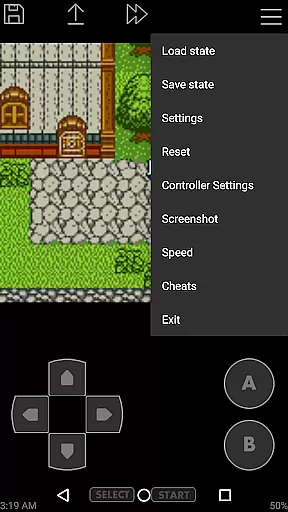
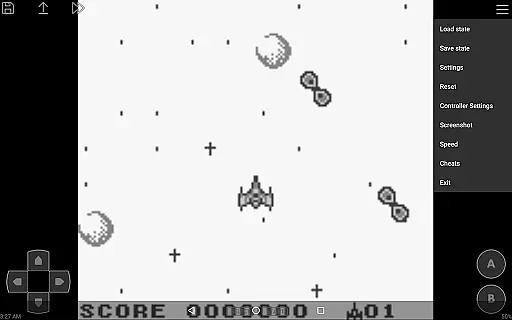
The emulator supports advanced features like high-quality rendering, save states with previews, customizable controls, and turbo buttons. It also includes practical functions such as virtual on-screen keypads, zipped file support, and fast forward/slow down options ranging from 0.25x to 16x speed.
Ideal for retro gaming enthusiasts, John GBC works seamlessly with external controllers via Bluetooth or MOGA support. Users can enjoy their favorite games anywhere without the need for physical cartridges, provided they have their own game files ready.
One of the standout features of John GBC is its powerful emulation capabilities. The app's original GBC engine ensures accurate gameplay while maintaining high performance across various Android devices.
Users can benefit from advanced functionalities including save states with visual previews, cheat code support (Game Genie/Game Shark/PAR), and Dropbox integration through John DataSync. These features provide both convenience and enhanced gaming experiences.
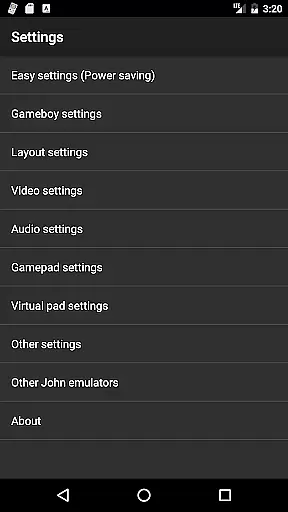
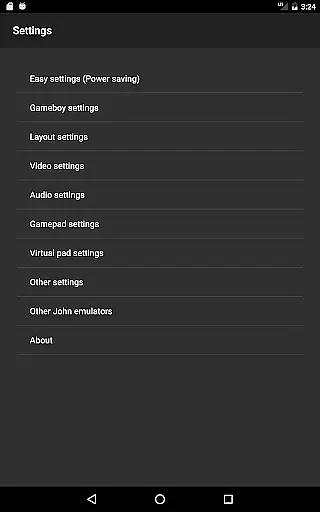
Additionally, John GBC offers extensive customization options. Players can adjust control schemes, use virtual keypads, and even apply Super Game Boy borders for an authentic aesthetic. With no ads or internet connection required, this emulator provides a seamless and uninterrupted gaming session.
Arcade authenticity and nostalgia are essential elements for any arcade-style gaming experience. John GBC, as a Game Boy/Game Boy Color emulator, brings these aspects to life by offering an original GBC engine that ensures the classic feel of beloved retro games.
The emulator goes beyond basic emulation by providing high-quality rendering and supporting features like Super Gameboy borders, which enhance the nostalgic experience. These capabilities allow users to relive the excitement and charm of arcade gaming right on their Android devices.
Players can enjoy timeless classics with accurate emulation that respects the original game mechanics and visual styles. The emulator's attention to detail in replicating the original gaming experience makes it a perfect choice for those who appreciate the golden era of arcade games.
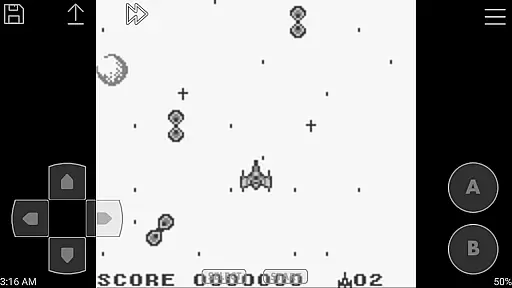
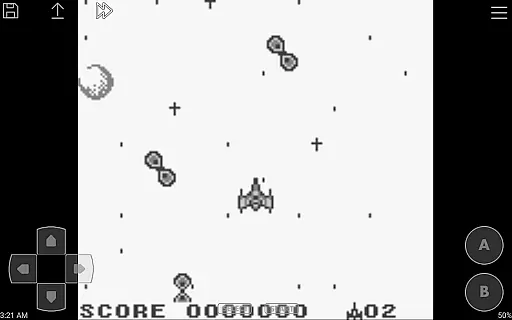
Control responsiveness is crucial for an optimal gaming experience, especially in arcade games where precision and timing are key. John GBC addresses this need by offering customizable keys and turbo buttons, allowing players to tailor the controls to their preferences.
The virtual on-screen keypad is designed for intuitive interaction, ensuring that users can easily navigate and play their favorite games without any lag or delay. This level of responsiveness enhances the overall gameplay, making it more engaging and enjoyable.
Additionally, John GBC supports external controllers such as Bluetooth and MOGA controllers, further expanding control options and catering to different play styles. With these responsive control features, players can fully immerse themselves in the authentic arcade experience provided by the emulator.
High-quality rendering
Fast emulation speed
Customizable controls
Turbo button functionality
No advertisements
Requires personal game files
No iOS version available
Paid application
Limited to Game Boy systems
Complex setup for beginners

Monster Run its a game for relax.
 4.2
4.2
Try this unique restaurant sim and enjoy the fun of cooking in busy kitchens!
4.70
Local offline 2 3 4 player multiplayer minigames - race, tanks, football
4.60
Infinite Arcade
4.5
Premium version. Save the galaxy from alien shooter in this classic game
4.50
Play all your favorite Playstation games in your android device!!
4.50
You control the ball! Dribble, shoot and score against eleven soccer players!
4.60
Original Space Adventure Experience
4.60
Save the galaxy from alien shooter in classic galaxy shooter-classic arcade game
4.80
Join the breathtaking chase!
4.80
Meet Snake Run Race! Slither through an obstacle course in our fun running game!
4.70
Create your restaurant story & make food on a crazy kitchen in this cooking game
4.70
Play fun multiplayer games with friends on one device! Two, Three, Four players!
4.60
Play, Craft and Share your Endless Runner Levels on Kooply Run: Subway Craft
4.50
Mine & Craft Block Mini World! Survival Crafting and Building & Creative Online.
4.30
Mine planets, upgrade your space ship, battle others, and dominate the galaxy!
3.90
A fast, full-featured GB/GBC emulator with link cable emulation.
3.80
Turn-based pixel game where jumping is the only weapon!
4.4
A fluid, action-packed arcade space shootout!
4.1



User Reviews