
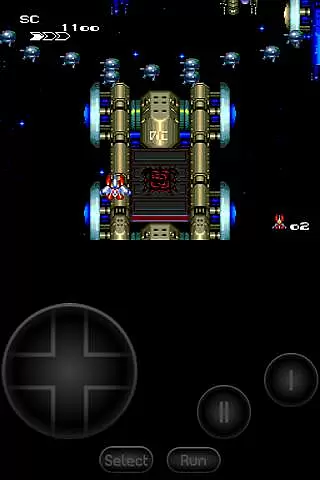
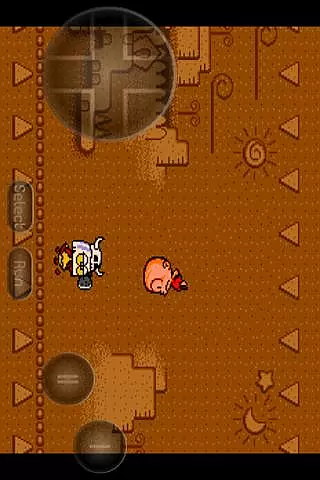
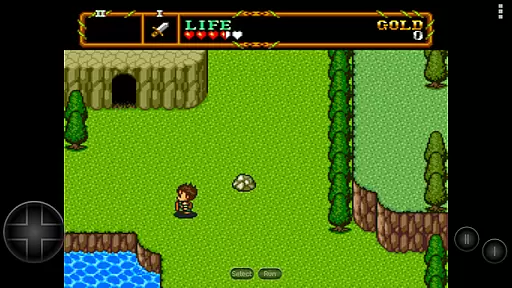
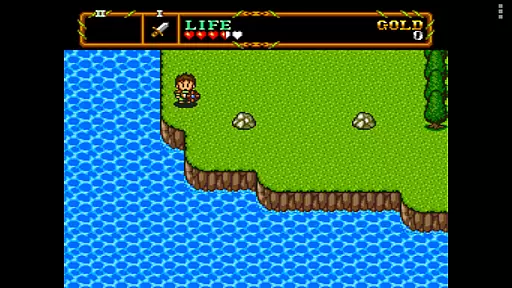
PCE.emu is an advanced open-source emulator for PC Engine and TurboGrafx-16 gaming systems. It offers a minimalist user interface with a strong emphasis on reducing audio and video latency, ensuring an optimal gaming experience across a wide range of Android devices.
The app supports various file formats including .pce, .sgx, and compressed files through ZIP, RAR, or 7Z. With additional features like CD emulation via .cue files and support for multiple audio track formats, PCE.emu delivers a versatile emulation solution for retro gaming enthusiasts.
PCE.emu stands out with its comprehensive feature set tailored for both casual gamers and enthusiasts. The emulator supports multiple file formats such as .pce, .sgx, and even compressed archives, providing flexibility in game selection.
Advanced functionalities include CD emulation through .cue files, compatibility with FLAC, Ogg Vorbis, and Wav audio tracks, and configurable on-screen controls. These features ensure users can enjoy a customizable and high-quality gaming experience on their Android devices.
Arcade authenticity and nostalgia are crucial elements for any emulator aiming to recreate the classic gaming experience. PCE.emu, as an advanced PC Engine/TurboGrafx-16 emulator, excels in delivering this by supporting a wide array of original game formats such as .pce, .sgx, and CD-based games through .cue files.
The emulator's compatibility with various devices ensures that users can enjoy their favorite arcade classics on modern hardware without losing the charm of the original titles. This includes support for both older devices like the Xperia Play and newer ones such as the Nvidia Shield and Pixel phones.
By focusing on low audio/video latency, PCE.emu provides a seamless gaming experience that closely mirrors playing on the original hardware, thus preserving the nostalgic feel that fans of the era appreciate.
Moreover, the inclusion of configurable on-screen controls and support for external controllers like Xbox and PS4 gamepads enhances the authentic arcade experience, making it accessible and enjoyable for all users.
Control responsiveness is vital for an immersive and satisfying gaming experience, especially in arcade games where precision and timing are key. PCE.emu addresses this by ensuring low audio/video latency, which translates to immediate feedback when interacting with games.
The emulator supports a variety of input methods including touch controls, Bluetooth, and USB gamepads, catering to different user preferences and play styles. This flexibility allows gamers to choose the control scheme that best suits their needs, enhancing overall responsiveness.
Compatibility with HID devices recognized by the operating system, such as Xbox and PS4 controllers, further ensures that users can enjoy a responsive and intuitive control experience akin to playing on original arcade machines.
Additionally, the minimalist UI design prioritizes gameplay over unnecessary graphical elements, allowing for an uninterrupted connection between the player's inputs and the game's responses, thereby maximizing control responsiveness.
Low latency performance
Wide device compatibility
Supports multiple file formats
Customizable controls
Active development and support
No ROMs included
Complex setup for beginners
Limited user interface customization
Requires technical knowledge
Occasional device-specific issues

Three awesome new levels for The Impossible Game.
 4.30
4.30
*Try for free.* Survive alone in a Roguelike Reverse Bullet Hell.
4.80
Slice up a juicy storm!
4.20
John GBC is GB/GBC emulator. This emulator is easy to use.
3.80
Relax and catch fish for your aquarium while earning rewards in these tank games
4.40
Save the Galaxy from galaxiga alien - Classic arcade shooter game
4.60
Venture into the galaxy to fight against the invasion of space invaders.
4.60
Premium version. Save the galaxy from alien shooter in this classic game
4.50
A fast, full-featured GBA emulator with link cable emulation.
3.90
Local offline 2 3 4 player multiplayer minigames - race, tanks, football
4.60
Nostalgia.GBC is a high quality GBC emulator.
4.50
Hit as hard as you can and make the penguin learn to fly! Arcade jumping game
4.50
Motorcycle racing games! Prove your paperboy can win in the bike race 3D!
4.50
Outrun cops, ignite the thrill of a high-speed chase!
4.50
Nostalgia.GBA Pro is a high quality GBA emulator.
4.40
Frenetic party game, pass the bomb to the other players!
3.80
Protect the balloon! Only 1% of players can reach lvl 100 with all the balloons!
3.70
This app is a very fast emulator
3.40
A fluid, action-packed arcade space shootout!
4.5



User Reviews