
Pizza Boy C Pro is a highly precise 8-bit handheld emulator designed for arcade gaming enthusiasts. The app offers an authentic retro gaming experience through its meticulous emulation capabilities and advanced features.
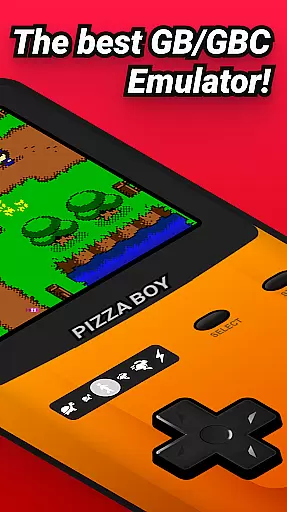
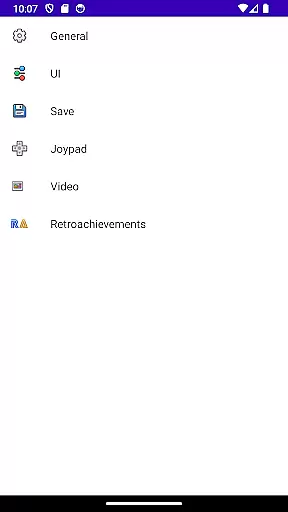
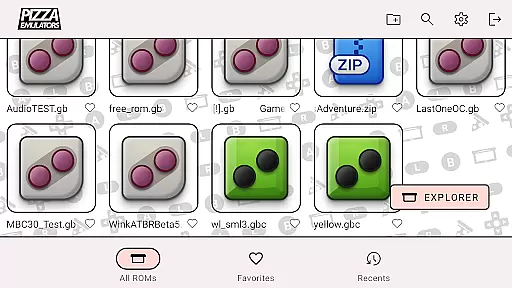
Key functionalities include a beautiful GUI, customizable palettes, BIOS support, and camera integration. The emulator also supports MBC7 with gyroscope functionality and provides fully customizable skins using standard PNG files. These features ensure users can tailor their gaming experience to their exact preferences.
Ideal for both casual and hardcore gamers, Pizza Boy C Pro guarantees 60 FPS performance even on older devices. This makes it perfect for those seeking a seamless and responsive classic gaming session on their mobile devices.
Pizza Boy C Pro stands out with its comprehensive feature set tailored for an optimal emulation experience. One of the notable enhancements is the totally new cheat manager, which allows gamers to modify gameplay for added fun and challenge.
The app's super 8-bit handheld borders and palettes recreate the original gaming aesthetics flawlessly. With quick/auto save functionalities, users can conveniently manage their game progress. Additionally, the enhanced settings menu and improved control system offer greater flexibility and ease of use.
Common features shared with Pizza Boy Standard include passing all super-hard Blargg tests, ensuring unprecedented precision. Written in C, the app delivers incredible performance and low battery consumption, making it one of the most efficient emulators available on Google Play.
Arcade authenticity and nostalgia are essential elements for any retro gaming experience. Pizza Boy C Pro delivers this by providing an accurate emulation of 8-bit handheld systems, ensuring that the classic games feel as genuine as they did decades ago.
The emulator goes beyond just replicating the original hardware; it enhances the nostalgic experience with features like super 8-bit handheld borders and palettes. These visual enhancements recreate the authentic look and feel of playing on an original 8-bit device, bringing back fond memories for those who grew up with these systems.
Additionally, Pizza Boy C Pro includes customizable skins with stickers, allowing users to personalize their gaming interface while maintaining that classic arcade aesthetic. This attention to detail ensures that players can relive the golden age of arcade gaming with modern convenience and personal flair.
Control responsiveness is crucial for an immersive and enjoyable gaming experience. Pizza Boy C Pro excels in this area by offering an improved control system that guarantees quick and precise inputs, making gameplay smooth and satisfying.
The emulator supports hardware joypads, which means players can use physical controllers for an even more responsive experience. This feature caters to both casual gamers who prefer touch controls and enthusiasts who demand the precision of traditional gamepads.
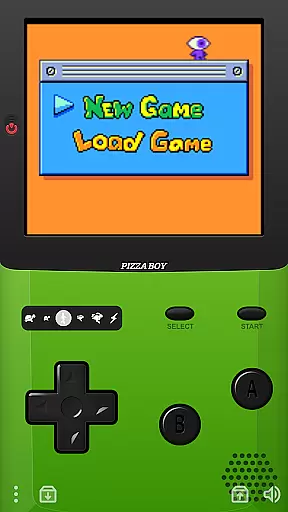
Furthermore, Pizza Boy C Pro allows total customization of button size and position, enabling users to tailor the interface to their preferences. Whether you're playing fast-paced arcade classics or exploring expansive 8-bit worlds, the control setup can be adjusted to ensure optimal performance and comfort.
Highly precise emulation
Beautiful and customizable GUI
Supports 60 FPS performance
Advanced cheat manager
Customizable skins and stickers
No included ROMs
Limited to 8-bit emulation
Requires manual BIOS setup
Some features need specific hardware
Complex for beginners

Three awesome new levels for The Impossible Game.
 4.30
4.30
Machine Gun Fire Rumbles in the Jungle
4.1
Flip the bottle! Do tricks and don't let the bottle fall!
4.50
Frenetic party game, pass the bomb to the other players!
3.80
Sit back and relax! Tap to move the black hole, and swallow weapons to win.
4.20
Catch ghosts, shoot monsters and defeat bosses in this RPG idle shooting game.
4.70
Slice up a juicy storm!
4.20
Cool car builder & racing simulator: make a car to win the obstacle course race!
4.60
Challenge your friends in this game! Two players on one device!
4.70
Punch your way through the Streets of Rage once again!
4.80
Ready… Set… DASH! Play now!
4.70
Create your restaurant story & make food on a crazy kitchen in this cooking game
4.70
Use superpower in your magic hands. Defeat the enemies in a fun elemental game.
4.50
Hit as hard as you can and make the penguin learn to fly! Arcade jumping game
4.50
Premium version. Save the galaxy from alien shooter in this classic game
4.50
Playing venom RPG alien games? Set spider alien isolation base, with no survivor
4.30
A Ball Bouncer With Depth
4.00
John GBC is GB/GBC emulator. This emulator is easy to use.
3.80
A fluid, action-packed arcade space shootout!
4.1





User Reviews