
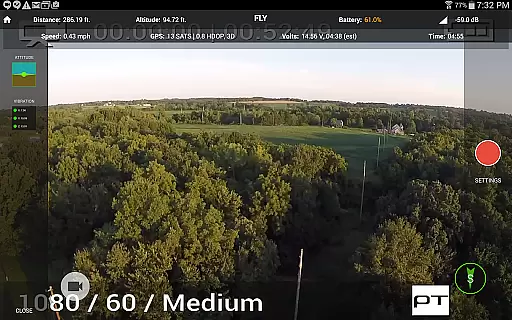
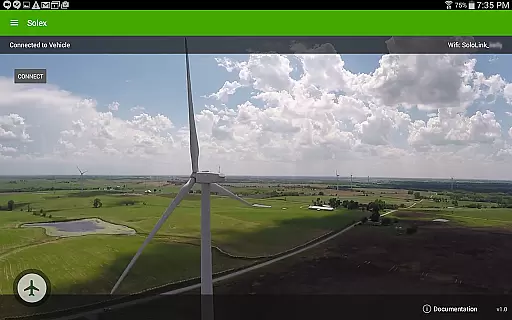
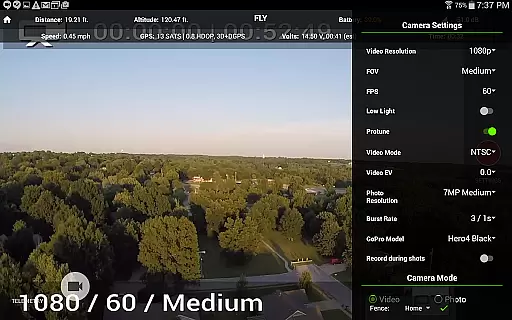
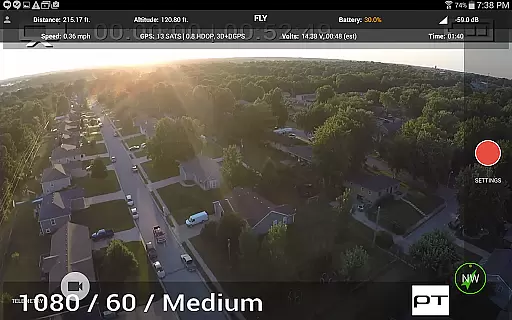
Solex is a feature-rich companion app designed specifically for 3DR Solo drone users. This application expands the capabilities of your drone with advanced Smart Shots, flight management tools, and customization options. Key functionalities include various automated flight modes like Orbit, Selfie, and Cable Cam, as well as Follow modes that utilize GPS, pre-recorded tracks, or even machine vision. Solex also offers professional photography features such as HDR and Pano shots, along with practical utilities like geofencing, time-lapse capture, and return-to-home functionality.
Whether you're a hobbyist or a professional photographer, Solex enhances your drone flying experience by providing precise control and creative freedom. The app's intuitive interface allows users to easily execute complex maneuvers and capture stunning aerial footage. Additionally, features like flight profile customization, battery tracking, and remote command execution ensure optimal performance and safety during every flight.
Solex stands out with its comprehensive suite of smart shooting modes and advanced flight management features. The app includes classic Smart Shots like Orbit and Selfie, while introducing innovative options such as Zipline and Follow/Optical that uses machine vision to track objects. These automated flight patterns enable users to capture professional-quality aerial footage without requiring expert piloting skills.
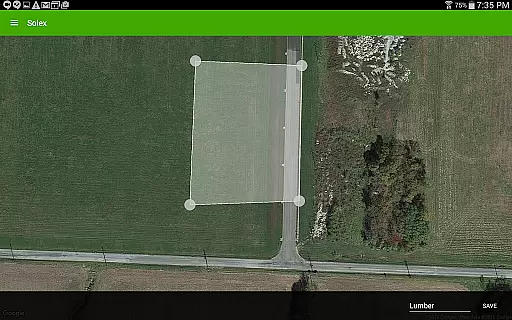
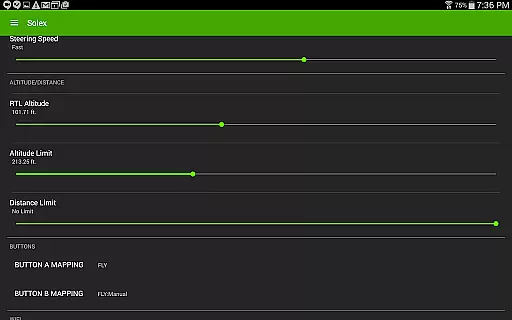
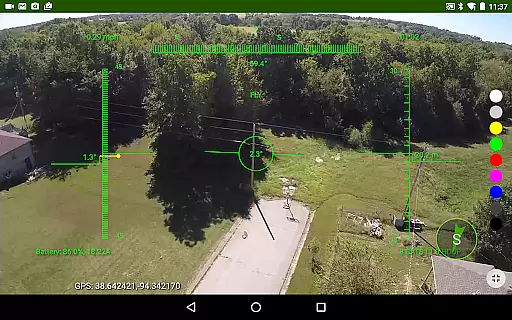
Beyond its shooting capabilities, Solex provides essential safety and maintenance features. The geofencing tool keeps your drone within safe boundaries, while the Find My Copter function helps locate lost drones. The app also monitors battery health and motor condition across multiple vehicles, ensuring optimal performance. Additional features like fighter-jet style HUD view, customizable LED colors, and remote command execution demonstrate Solex's commitment to providing a complete drone management solution.
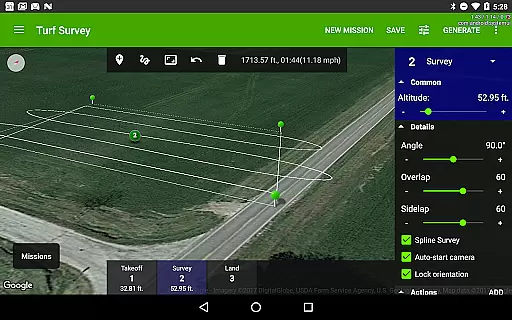
For collaborative projects, Solex enables sharing of cable cams, geofences, and recorded flight tracks. The mission planning feature supports spline points, surveys, and regions of interest (ROIs), allowing users to create complex, repeatable flight paths. These professional-grade tools make Solex an invaluable companion for both recreational and commercial drone operations.
Solex offers an extensive range of features that cater to a diverse lifestyle category, making it more than just a standard drone application. The app includes Smart Shots for capturing professional-quality aerial videos and photos with various shot types such as Orbit, Selfie, Cable Cam, and Zipline.
Additionally, Solex provides advanced Follow modes that use different tracking methods including device GPS, pre-recorded tracks, and even machine vision for optical following. This ensures users can capture content in versatile scenarios while maintaining a focus on safety and control with geofencing and flight profiles.
The utility of Solex extends into creative realms with features like HDR photography, panorama shots, and time-lapse video creation. These options allow users to explore their creativity and produce unique visual content tailored to personal or professional storytelling.
Moreover, practical functionalities such as Return To Me, Home Pointer, and the ability to save specific locations enhance user experience by simplifying navigation and ensuring the drone can always find its way back. With these comprehensive lifestyle features, Solex empowers users to fully utilize their 3DR Solo for both recreational enjoyment and serious aerial projects.
The content delivered through Solex is designed with authenticity and precision, offering users reliable tools crafted by experts in drone technology. Each feature within the app, from Follow modes to Smart Shots, is developed based on real-world applications and tested to ensure consistent performance during flights.
Expertise shines through specialized functions like Fighter-jet style HUD view, EKF widgets, and vibration monitoring which provide pilots with critical data needed for optimal flight operations. By integrating advanced systems such as machine vision for Follow/Optical mode, Solex demonstrates cutting-edge innovation backed by technical proficiency.
Furthermore, capabilities such as finding a downed copter or executing remote commands reflect a deep understanding of user needs and safety requirements. Such features are not only practical but also instill confidence in users relying on Solex for complex tasks or challenging environments.
With contributions from knowledgeable developers and feedback loops involving experienced drone operators, Solex maintains high standards of content credibility. Users can trust that every tool and setting available has been refined through expertise, ensuring they have access to dependable resources when using their 3DR Solo drones.
Advanced Smart Shots
Machine vision tracking
Comprehensive safety features
Professional photography modes
Multi-vehicle support
3DR Solo only
Steep learning curve
High system requirements
Limited device compatibility
No offline support

Get roadside help, discounts, travel tools & more — AAA is with you everywhere.
 4.80
4.80
Customize your Wear OS watch with festive Christmas figures and colors!
4.0
Play fun games, complete quick surveys, and earn money. It's fun and easy!
4.40
Creativity and savings for kids, beginners and experts in arts and crafts
3.50
Mixing Colors for Menswear
4.20
An Eerie Musical Trigger Toy for Spirits to Play with!
3.50
The Wyze app is your gateway to a smarter life and a safer home.
4.40
Decorate your home screen with custom icons, color widgets, themes & wallpapers
4.70
Just play, earn rewards, fetch gift cards, and turn gaming into real payouts!
4.80
Countdown to Christmas 2025 with festive games & activities in a virtual village
4.80
Daily lessons from A Course in Miracles with scheduled reminders
4.80
Get the news, events and savings that matter to you with AARP Now.
4.80
A unique and customizable watch face which rotates its layout every minute.
4.80
A smart Siddur with halachic times
4.60
This minimalist yet classic board design brings a futuristic twist to your wrist
4.20
Smart controls for your Ember Smart Mugs
4.10
Big bold weather watch face with dynamic backgrounds and 3 complications
4.3
Discover how to help puppies stay calm around noise with this helpful app.
4.4
A watch face with transparency and fluid visuals inspired by liquid glass design
4.4



User Reviews