
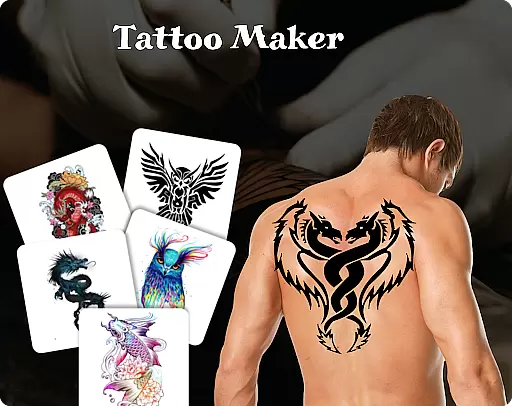
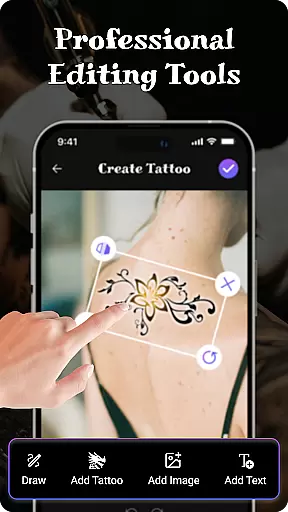
Tattoo Maker: Design & Art is an innovative beauty app designed for tattoo enthusiasts and artists alike. This powerful tool enables users to create stunning custom tattoos with ease. The app provides a complete suite of professional art tools including various brushes, sizes, and vibrant colors.
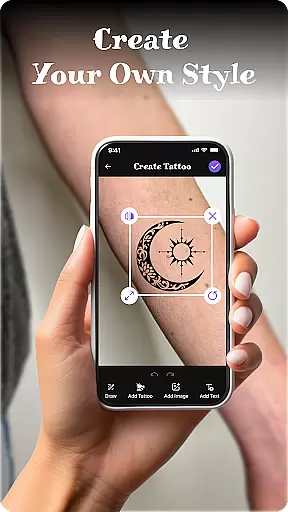
One of the standout features is the ability to preview your tattoo designs on actual body photos using augmented reality technology. This functionality allows for realistic visualization before making any permanent decisions. Whether you're a professional tattoo artist or simply exploring tattoo art as a hobby, this app offers everything you need to bring your creative visions to life.
The app boasts an impressive array of features that cater to both amateur and professional tattoo designers. At its core, Tattoo Maker offers advanced drawing capabilities with precise control over brush strokes, sizes, and color palettes. Users can import images, draw freehand, or utilize the extensive built-in art library containing thousands of tattoo designs.
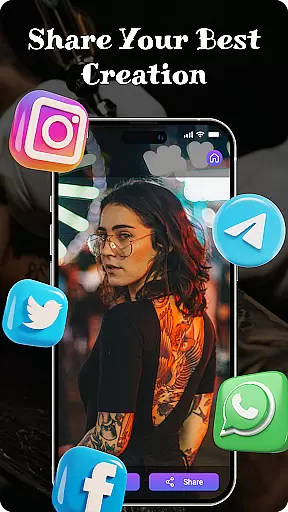
A unique aspect of this app is its text insertion feature, allowing users to add personalized messages with customizable fonts and colors. The app also includes transformation tools to rotate, scale, and position designs perfectly. With easy sharing functionality, users can quickly showcase their creations on social media or with friends, making it an excellent tool for gathering feedback and inspiration.
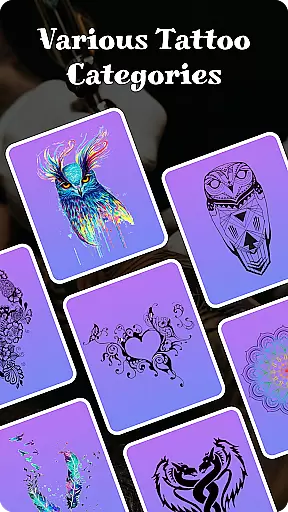
When it comes to creating realistic and personalized tattoos, having access to a comprehensive product database is essential. Tattoo Maker: Design & Art offers an extensive collection of tattoo designs ranging from small minimalist patterns to intricate masterpieces. This vast library ensures that users can find inspiration for any style they desire.
The app's database includes detailed information about various design elements, allowing users to understand the components that make up each tattoo. With access to such in-depth resources, users can mix and match different elements to craft a truly unique piece of body art.
By providing a rich repository of design assets, Tattoo Maker empowers both amateur enthusiasts and professional artists to expand their creative horizons. Users benefit from the ability to explore diverse artistic styles and trends, enhancing their design capabilities.
One of the standout features of Tattoo Maker: Design & Art is its advanced personalization options. The app allows users to create custom tattoos by utilizing a suite of professional art tools. These include various brushes, sizes, and vibrant colors that cater to every artist's needs.
Users can also incorporate text into their designs with a selection of cool fonts and color options. The ability to adjust and fit the text seamlessly into the overall tattoo design ensures that each piece is tailored specifically to the user's vision.
Furthermore, the app offers a realistic AR preview feature where users can upload a photo to see how their tattoo would look on their body. This level of personalization precision not only enhances the design process but also helps in making informed decisions before committing to a real tattoo.
User-friendly interface
Extensive art library
Realistic AR previews
Professional drawing tools
Easy sharing options
Limited free resources
Occasional ads
Premium features locked
Steep learning curve
Some tools not intuitive

Intelligent Beauty calculator tool! Face scale and face symmetry in one app!
 3.80
3.80
The Official Voting App
3.90
Face Makeup Camera: Photo makeup app and perfect Lipstick app, beauty lip filler
4.70
Download Today
4.40
Manage your daily skin care beauty regimen & track your skin's progress.
4.70
Seasonal color palette, my personal color, hair color changer, makeup, wardrobe
4.20
Mirror app that shows your image with photo editor, zoom and light!
4.70
Monthly Perfume Subscription
4.70
Book your appointments
4.90
Use your phone as a makeup mirror, shaving mirror. Magnifying mirror with light!
4.80
Photo enhancer 360, image enhancement, restore old photos, colorize photo ai
4.70
Blushify is a beauty camera for makeup, face editing, and glowing selfies!
4.70
Transform your sweet selfies with Selfie Beauty Camera Filters And Effects!
4.60
The mirror app you were looking for, simple and easy to use. Try Mirror now.
4.60
Top brand haircare & fragrance
4.60
Beauty camera for perfect selfie with makeup, sticker and filter
4.50
Beauty for every eye, lip & face. Earn rewards, play games, connect with others.
4.30
Snap stunning selfies with AI from the Sweet Beauty Camera editor
4.10
Enjoy convenience wherever you are with the Tune Up, The Manly Salon app.
3.20



User Reviews