
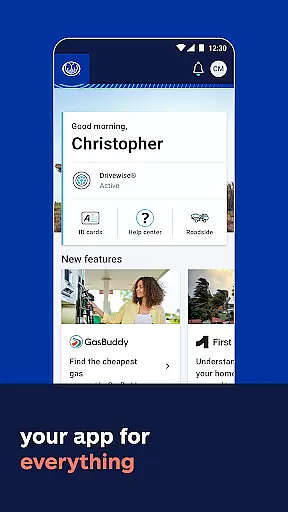
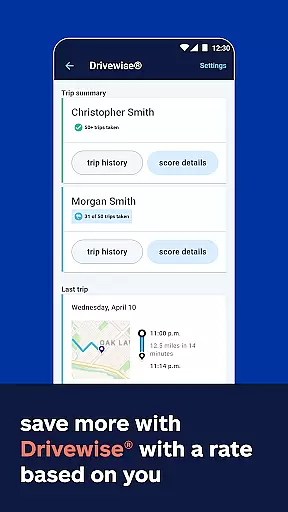
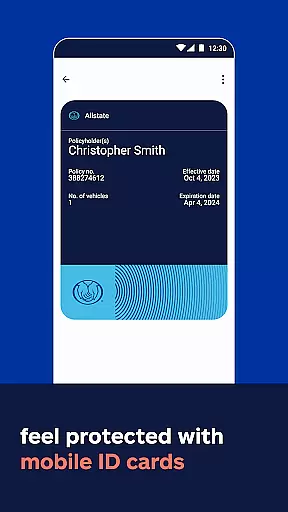
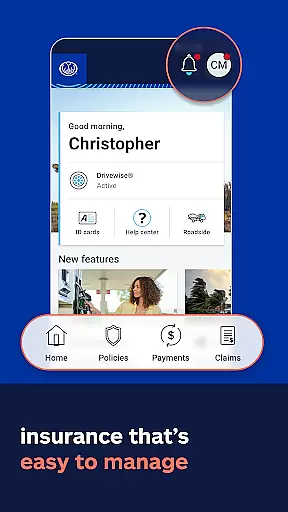
Allstate Mobile is a comprehensive financial and insurance management app designed to provide users with quick access to essential services. The app allows you to store digital ID cards, make bill payments, and manage your insurance policies seamlessly. With features like the Good Hands® Repair Network, you can easily locate trusted repair shops. Additionally, the app promotes smarter driving habits through Drivewise®, which offers rewards based on your driving behavior.
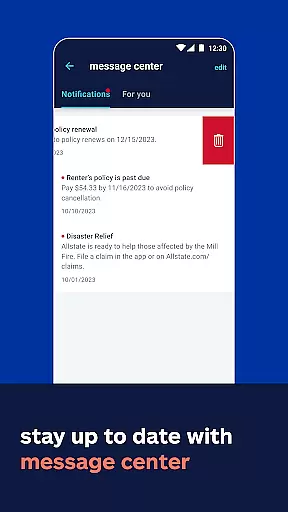
One of the standout aspects of Allstate Mobile is its ability to keep users informed and prepared. You'll receive alerts about extreme weather conditions in your area and gain insights into your home's climate risks. The app also integrates with Apple Wallet for convenient access to digital ID cards. Whether you're looking to manage your insurance policies or seeking roadside assistance, Allstate Mobile provides a one-stop solution for all your needs.
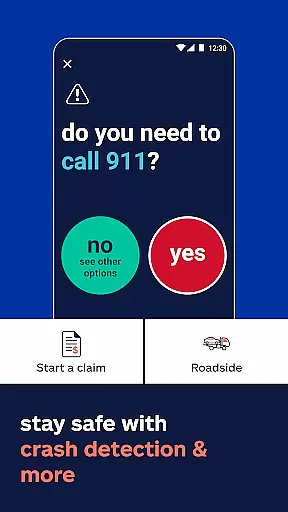
This app is particularly useful for individuals who want to consolidate their insurance-related tasks into a single platform. By offering features such as safe-driving rewards, crash detection, and 24/7 roadside help, Allstate Mobile ensures that users are not only covered but also rewarded for responsible behavior. This makes it an invaluable tool for anyone seeking to streamline their financial and insurance management while staying informed and prepared for any situation.
Allstate Mobile stands out due to its rich array of features tailored to enhance user convenience and safety. One of the primary functionalities includes accessing digital ID cards, which can be added to Apple Wallet for easy retrieval. This feature alone simplifies the process of carrying proof of insurance, especially in states where electronic proof is accepted.
The app also excels in policy management and bill payments. Users can view their existing policies, pay bills, and even manage claims directly from their mobile devices. The Good Hands® Repair Network further adds value by helping users find reliable repair shops. For those conscious about driving habits, Drivewise® offers feedback and rewards based on safe driving behaviors, promoting better driving practices while potentially lowering insurance costs.
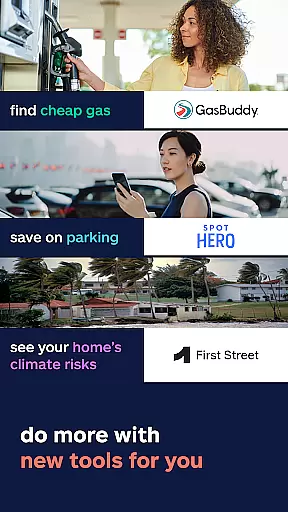
Additional noteworthy features include extreme weather alerts, insights into your home's climate risks, and integration with GasBuddy® for finding the best gas prices. These features collectively ensure that users are well-prepared for various scenarios, from natural disasters to everyday driving needs. The inclusion of 24/7 roadside assistance and Allstate Identity Protection underscores the app's commitment to providing comprehensive security and support, making it an indispensable tool for modern users.
In the realm of mobile finance applications, security is paramount. Allstate Mobile ensures account and fund security through advanced encryption protocols and multi-factor authentication processes. This means that every transaction and personal data exchange within the app is protected against unauthorized access.
The application employs cutting-edge security measures to safeguard user information. Features such as biometric login add an extra layer of protection, ensuring that only the device owner can access sensitive financial details. Additionally, real-time alerts notify users of any account activity, providing peace of mind and enabling immediate action if any suspicious behavior is detected.
For users, this commitment to security translates into a trustworthy environment where they can manage their policies, pay bills, and handle claims without concern for potential breaches. The robust security infrastructure not only protects funds but also enhances the overall confidence in using digital platforms for important financial transactions.
A seamless transaction experience is crucial for any finance app, and Allstate Mobile excels in providing smooth and efficient operations. Users can easily make bill payments, view their policies, and manage claims with just a few taps on their smartphones. This ease of use encourages regular interaction with the app, ensuring that users stay on top of their financial obligations.
The app's interface is designed for simplicity and speed, allowing users to complete transactions quickly and without hassle. Real-time updates and confirmations are provided for each action taken, which reassures users that their actions have been successfully executed. Moreover, features like crash detection offer quick connections to help when needed most, enhancing the sense of security during unexpected events.
By integrating additional services such as finding trusted repair shops or accessing safe-driving rewards, Allstate Mobile enriches the transaction experience beyond basic financial management. These value-added services contribute to a comprehensive ecosystem that supports users in various aspects of their lives, making the app not just a tool for transactions but a partner in daily living.
User-friendly interface
Comprehensive policy management
Safe-driving rewards program
24/7 roadside assistance
Extreme weather alerts
Limited digital ID acceptance
Drivewise not available in CA
Potential data privacy concerns
Dependent on smartphone usage
Varied savings by state

Download the MySynchrony App to manage your accounts securely and conveniently!
 4.60
4.60
Pay rent on your schedule.
4.70
Money transfer made easy. Send money to friends and family with great rates.
4.70
Early payday & cash advances with no-fee mobile banking!
4.60
No credit check, no interest, no worries.
4.70
Money App - Earn Cash back, Fast Cash Advance, Personal Loan Offers, Banking
4.70
View BSC Transactions for multiple accounts
3.90
Pay, bank & build credit.
4.70
Send money and bitcoin easily. Invest, bank and do more with your money
4.70
Join 12M+ users. Instant cash advances, personal loans, build credit, save money
4.80
Easily invest, save, and plan—all in one app.
4.60
Our Chase Mobile App makes it easy for you to bank on the go 24/7.
4.60
Manage your account, make a payment, and redeem your rewards on the go.
4.50
Get, Earn, and Save Money
4.30
Invest, bank & save in one app. Trade stocks, earn high APY & budget smarter.
4.00
NFC mobile payment app Use your phone as a contactless bank card
4.00
Bitcoin gpu app helps you remote mine using your cell phone easily .
3.60
Secure Amex Account Access: View Balance, Make Payments, Redeem Rewards & more
3.60
StockTiles lets you view prices & charts of your favorite stock assets
2.30




User Reviews