
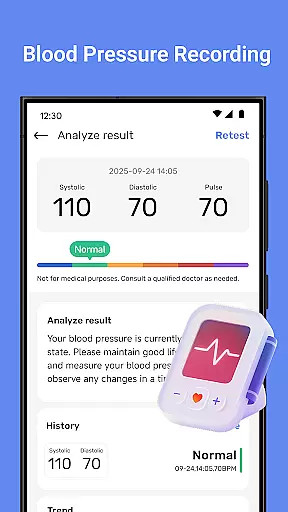
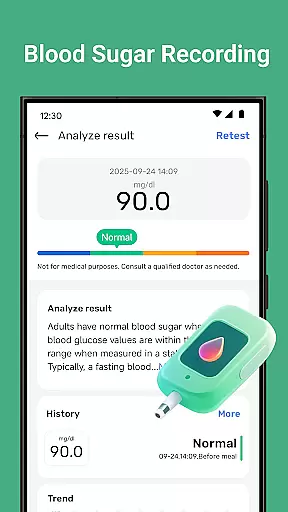
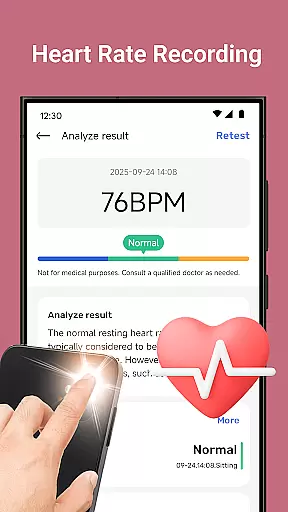
Blood Pressure Tracker is a comprehensive health companion app designed to help users monitor and manage their heart rate, blood pressure, and blood sugar levels. The app provides smart trend analysis through visual charts that display health patterns over time, enabling users to make informed decisions about their well-being.
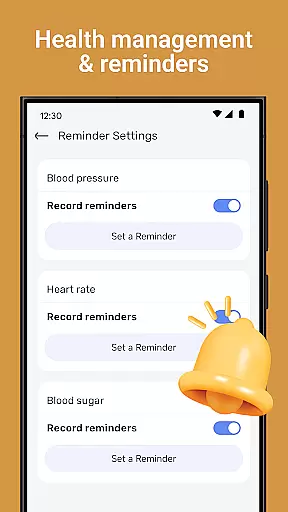
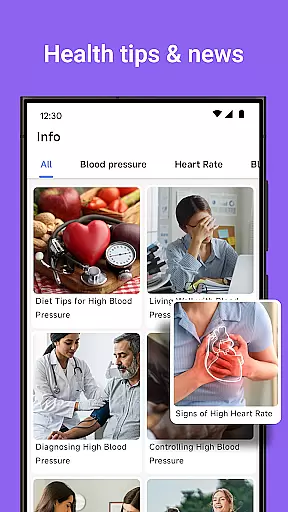
In addition to vital sign tracking, the app offers wellness reminders for hydration, exercise, and rest, alongside weight management tools and nutrition tips. It also features guided meditation and breathing exercises to reduce stress. With personalized recommendations and an intuitive interface, Blood Pressure Tracker is suitable for all ages and aims to support a healthier lifestyle.
Blood Pressure Tracker stands out with its array of features tailored to enhance personal health management. Users can log their heart rate and track daily fluctuations in blood pressure and blood sugar with precision. The app's smart trend analysis presents data through easy-to-understand visual charts, providing instant clarity on health trends.
The app doesn't stop at physical health; it extends to mental well-being by offering mindfulness exercises and relaxation techniques. Personalized insights and recommendations are provided based on individual health metrics, ensuring that each user receives advice relevant to their situation. Its user-friendly design makes navigating and utilizing these features accessible to everyone.
Personalized planning in health applications refers to the ability to create tailored health management strategies based on individual user data. This feature is crucial as it allows users to address their unique health needs effectively.
Blood Pressure Tracker excels in personalized planning by offering smart trend analysis and personalized recommendations. The app meticulously records heart rate, blood pressure, and blood sugar levels, providing a comprehensive view of the user's health. These data points are then transformed into visual charts, making it easier for users to understand their health trends over time.
Users benefit from timely wellness reminders and tailored advice on weight management and nutrition. By tracking daily fluctuations in vital signs and offering curated daily tips, the app ensures that each user's health strategy is both informed and adaptive.
The true value of personalized planning in Blood Pressure Tracker lies in its ability to empower users with actionable insights. This leads to better-informed health decisions and ultimately contributes to a healthier lifestyle.
Progress visualization is an essential feature in health apps, enabling users to see their advancements and maintain motivation. Visual representation of data helps users grasp complex information quickly and make necessary adjustments to their health routines.
In Blood Pressure Tracker, progress visualization is achieved through intuitive data visualization tools. Users can access visual charts that display heart rate, blood pressure, and blood sugar trends over time. This instant clarity on health patterns allows users to monitor their improvements and recognize areas needing attention.
The app provides a clear and engaging way to track body changes and review daily health metrics. With features like weight management tracking and mindfulness exercises, users receive a holistic view of their wellness journey.
By transforming raw data into easy-to-understand visuals, Blood Pressure Tracker not only enhances user engagement but also supports sustained health management. This innovative approach ensures users remain committed to their health goals, fostering long-term well-being.
User-friendly interface
Comprehensive health tracking
Personalized recommendations
Smart trend analysis
Mindfulness exercises
No actual measurement
Internet required
Premium features
Limited medical advice
Notification dependency

Chair Workout: Women's Edition for safe, flexible, and personalized fitness.
 4.40
4.40
Power-lifting, weightlifting and Wendler 531 app to track your workout program.
4.90
Personal Measurements - Track your gains!
4.50
Meditation app, head space app provides calm music to help you meditate & sleep
5.00
HRV4Training helps you optimize goals and improve performance. No sensors needed
3.30
You deserve easy access to important insurance information. Download for FREE.
4.70
Blood Pressure Log, HRV & Heartbeat Tracker. Pulse Checker.
4.40
Jogging app for calorie counter and distance tracker. Running app to lose weight
4.20
Scan food & cosmetic products and evaluate their impact on your health
4.80
Drink water reminder app. Track water intake. Smart simple hydration tracker.
4.70
Mind on steroids - relaxation, productivity, meditation and sleep!
4.60
FODMAP, Gluten, Allergy, Vegan
4.50
Raccoon AI Calorie Counter. Intermittent Fasting & Timer. Macro, Carb, Protein
4.50
This is an application that serves as a companion app for smart watch.
4.20
Get alert about getting out of desired heart rate zone.
4.10
Your Health Has Met Its App (℠)
3.90
Track sleep cycle, relax with white noise, sleep sounds & smart alarm clock
3.80
Dexcom G7 Continuous Glucose Monitoring
3.70
The app helps you address digestive symptoms based on the Fast Tract Diet.
3.50



User Reviews