
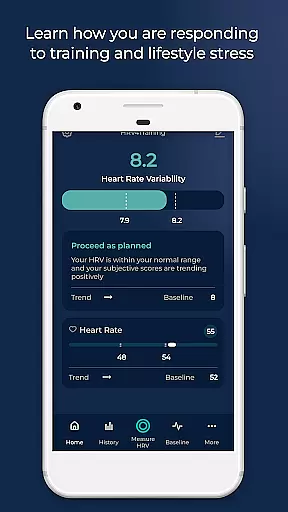
HRV4Training is a scientifically validated HRV app that operates without the need for an external sensor, making it accessible and convenient for users. The app provides tailored feedback on physical condition, helping users optimize their goals.
Compatible with various devices like the Oura ring, Coros watches, and Bluetooth sensors, HRV4Training goes beyond simple measurements. It offers insights into acute HRV changes, long-term trends, physiological correlations, training load analysis, VO2max estimation, and more, all processed within the app to aid in optimizing training plans and performance.
HRV4Training stands out with its comprehensive features designed to enhance user experience. It supports camera-based measurements and integrates with devices like the Oura ring and Polar chest straps, offering flexibility in usage.
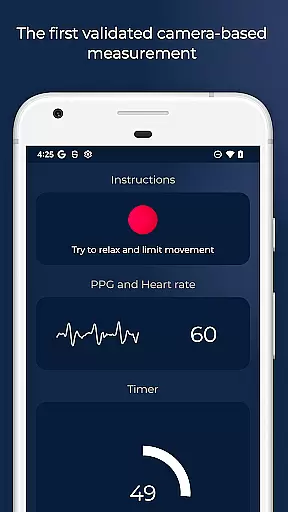
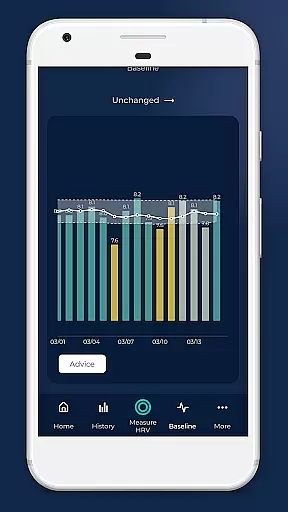
The app analyzes acute HRV changes due to stressors, tracks long-term trends, estimates VO2max for runners, and provides weekly summaries. With HRV-based advice, configurable tests, PPG signal views, and data export options, it ensures users have actionable insights to adapt their training based on recovery metrics.
Personalized planning in HRV4Training is a cornerstone feature that leverages scientifically validated HRV measurements to tailor feedback on your physical condition. This app uniquely offers insights into acute or day-to-day HRV changes due to various stressors like alcohol, travel, and training, without the need for an external sensor.
The application supports a range of devices including the Oura ring and Coros watches, alongside Bluetooth sensors such as a Polar chest strap. By integrating with platforms like Strava or TrainingPeaks, it provides a VO2max estimation specifically for runners, enhancing personalized training plans.
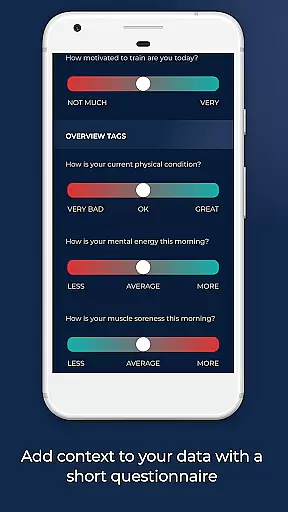
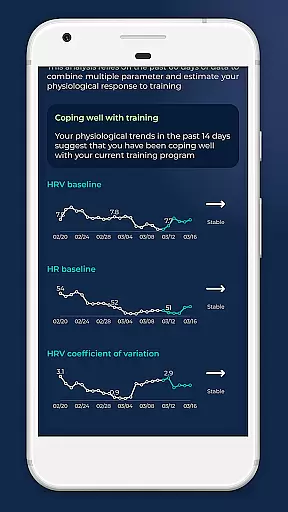
HRV4Training goes beyond simple measurements by analyzing long-term multi-parameter trends and correlations between physiological data and user annotations. This helps users understand their body's responses to different conditions, empowering them to optimize their training schedules effectively.
Ultimately, the tailored feedback and comprehensive analysis provided by HRV4Training enable users to adapt their training based on objective recovery measures. With features like TAGS for monitoring sleep and stress, users gain a holistic view of factors influencing their performance, thus facilitating more informed decisions about their training routines.
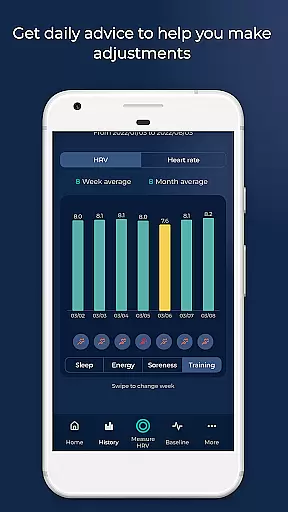
Progress visualization in HRV4Training encompasses a variety of sophisticated tools designed to track and interpret physiological data over time. The app extracts and stores detailed features such as heart rate, mean of beat-to-beat intervals (AVNN), and high-frequency power (HF), presenting this complex data in an understandable format.
Users benefit from weekly and monthly summaries that help track progress systematically. These summaries are complemented by population comparisons, which contextualize personal data against broader trends, providing a clearer perspective on oneu2019s fitness journey.
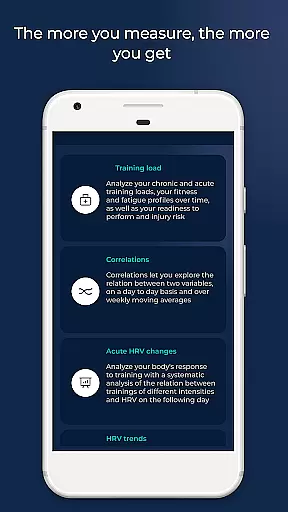
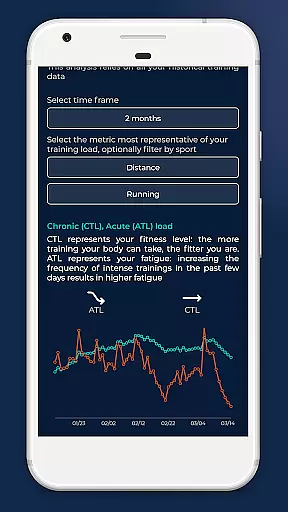
Additionally, HRV4Training offers advanced analytics like training load analysis, fitness, fatigue, readiness to perform, and injury risk assessments. Such insights not only visualize progress but also guide users in making necessary adjustments to their routines to prevent overtraining or injuries.
The ability to export data via email further enhances progress tracking, allowing users to maintain records and analyze long-term trends outside the app. This comprehensive approach ensures users have all the tools needed to visualize and understand their ongoing progress effectively.
Scientifically validated
Tailored feedback
Device compatibility
Actionable insights
Comprehensive analysis
Requires account registration
Signal quality reliance
Limited free features
Complex for beginners
Dependent on device support

“Overcoming pain based on EMDR” helps you to alleviate chronic pain and stress.
 4.10
4.10
For Absolute Novices to Strength Training. Simple. Effective.
4.40
Period Tracker, the easiest way to track your periods!
4.50
A simple way to calculate peptide doses and also to convert different units.
4.3
Mind on steroids - relaxation, productivity, meditation and sleep!
4.60
Turn your steps into cash, gift cards & rewards with our step counting pedometer
3.80
Memory, mind & logic exercises. Puzzle games, IQ & brain test for kids & adults
4.50
You deserve easy access to important insurance information. Download for FREE.
4.70
Pilates, Calisthenics, Yoga
4.50
Home workouts for fitness & fast bodybuilding at home - no equipment needed.
4.90
Easy reconstitution calc for mixing peptides and creating protocols
4.70
When the night comes, we prepare your eyes for deep, sweet dreams
4.70
Build Healthy Habits!
4.60
Personal step counter for you, private and accurate
4.50
Blood Pressure Log, HRV & Heartbeat Tracker. Pulse Checker.
4.40
Pedometer that gives you sweatcoins for steps. It pays to walk!
4.10
beat yesterday.
4.00
Your Health Has Met Its App (℠)
3.90
Using Recognise™ has been shown to reduce pain, and improve performance.
4.3




User Reviews