
Garmin Connect is a comprehensive health and fitness application designed to provide users with detailed data tracking and analysis. The app pairs seamlessly with Garmin devices such as Forerunner, Venu, and fēnix, offering personalized insights into your daily activities and workouts.
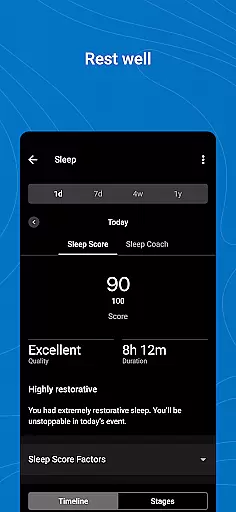
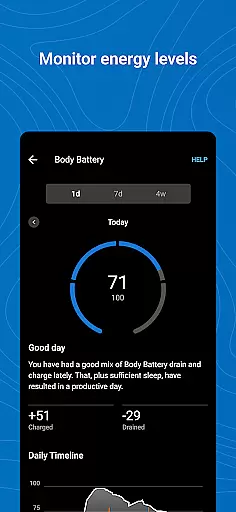
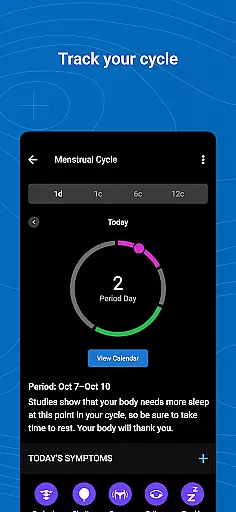
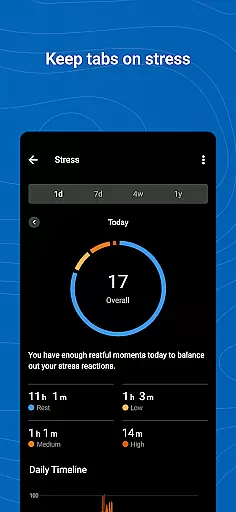
One of the standout features of Garmin Connect is its ability to display in-depth statistics about your physical activities and health metrics. Users can track their heart rate, steps, sleep patterns, stress levels, and more. This makes it an invaluable tool for anyone looking to maintain or improve their overall health and fitness levels.
Whether you are training for a race or simply aiming to stay active, Garmin Connect provides the necessary tools and motivation to help you achieve your goals. With customizable home screens, detailed activity analysis, and integration with other popular apps like MyFitnessPal and Strava, this app ensures that all your health and fitness data is easily accessible and actionable.
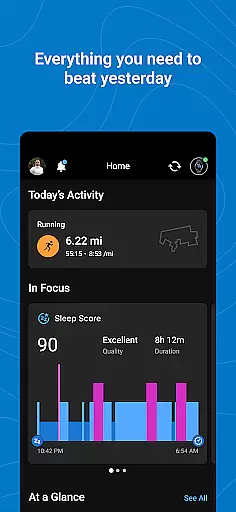
Garmin Connect boasts a wide array of features tailored to enhance your health and fitness journey. One of the key functionalities is the ability to personalize your home screen, ensuring that the most relevant information is always at your fingertips. This customization allows users to focus on the metrics that matter most to them, whether it's daily step count, heart rate, or sleep quality.
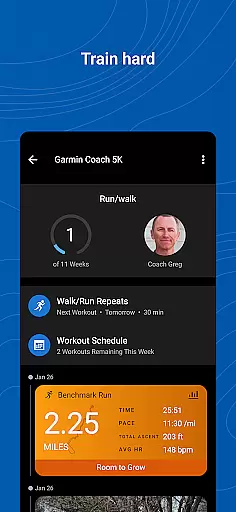
The app also offers advanced analytics for your activities. After pairing with a compatible Garmin device, users can delve into detailed statistics about their workouts and health metrics. These insights help users understand their performance trends and make informed decisions about their fitness routines. Additionally, Garmin Connect supports the creation of customized workouts and courses, providing a tailored experience that adapts to individual fitness goals.
Integration with third-party apps like MyFitnessPal and Strava further enhances the utility of Garmin Connect. By syncing data across platforms, users can get a holistic view of their health and fitness progress. The app also includes social features such as leaderboards and badges, which foster a sense of community and friendly competition among users.
Personalized planning in Garmin Connect is a standout feature that allows users to tailor their fitness journey according to their individual needs and goals. This functionality goes beyond simple activity tracking by offering customized workout plans, health insights, and progress monitoring.
The app provides detailed analytics of your activities and health metrics such as heart rate, steps, sleep, stress, and more. With these insights, you can create personalized workouts and courses designed to optimize your performance and achieve specific fitness objectives.
Users benefit from the ability to adjust their plans based on real-time feedback and trends observed over time. Whether preparing for a race or maintaining general wellness, Garmin Connect's personalized planning empowers users with actionable data to refine their approach continuously.
This level of personalization ensures that each user's experience is unique and relevant, enhancing motivation and adherence to their fitness regimen. By leveraging advanced algorithms and comprehensive health data, Garmin Connect delivers an adaptive and effective planning tool.
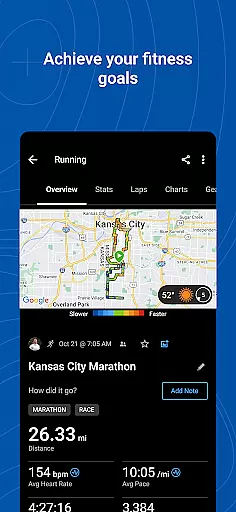
Progress visualization in Garmin Connect transforms raw data into intuitive graphical representations, making it easier for users to understand their fitness journey. This feature is crucial as it translates complex statistics into digestible visuals that highlight achievements and areas needing improvement.
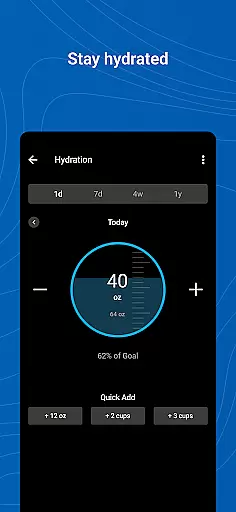
Through detailed charts and graphs, users can review trends in their health metrics like heart rate, steps taken, sleep quality, stress levels, and other vital indicators. These visual tools provide clear insights into how lifestyle choices impact overall well-being.
One significant advantage of this feature is the ability to track milestones and celebrate accomplishments through badges earned for various achievements. Visualizing progress not only motivates but also helps maintain focus on long-term goals by providing tangible evidence of improvement over time.
By integrating seamlessly with Garmin devices, the app ensures that all tracked activities are accurately reflected in the visual reports. This cohesive system offers users a dynamic way to monitor their advancement and stay engaged with their personal health and fitness objectives.
User-friendly interface
Comprehensive health metrics
Customizable home screen
Integration with third-party apps
Detailed activity analysis
Battery drain from GPS use
Limited without Garmin device
Occasional syncing issues
Subscription required for full features
Complex for beginners

Easy access to health benefits
 4.70
4.70
Your plan in your pocket 24/7
3.00
Sync your activities of the most popular sports tracking services
2.70
Mind on steroids - relaxation, productivity, meditation and sleep!
4.60
A brain game that moves you
4.70
The Crunch Mobile app - Find a gym, manage favorites, reserve & cancel classes.
4.60
Grow with self-tests and personal routine.
4.30
Jogging app for calorie counter and distance tracker. Running app to lose weight
4.20
Monitor blood sugar, gain insights, and manage diabetes with ease.
3.20
Wall Pilates at home & Pilates workout for beginners for core and weight loss.
4.80
App to stop smoking slowly or now with a motivational badges and helpful tips
4.80
Measure your Pupil Distance for Eyeglasses and VR headsets in 3 quick steps.
4.70
Walk. Earn: Get rewarded for every step! Walk, move, and earn real rewards.
4.70
Period Tracker, the easiest way to track your periods!
4.50
The Official Blood Type Diet® App - know your categorized foods anytime.
4.50
Raccoon AI Calorie Counter. Intermittent Fasting & Timer. Macro, Carb, Protein
4.50
Interval timer for High Intensity Interval Training, Tabata and Circuit Training
4.20
Live Heart Rate Pro - Real Time Heart & Workout Data For Wear OS & Bluetooth BLE
3.20
Measure real-time wrist & ambient temperature with your Galaxy Watch (Wear OS)
3.20




User Reviews