
Night Shift is a specialized health application designed to protect users' eyes during nighttime device usage. The app functions as an advanced blue light filter that not only improves sleep quality but also helps alleviate headaches caused by screen exposure. By dimming the screen below system minimum levels and offering customizable temperature and color settings, it creates an optimal viewing experience for low-light conditions.
The application's key features include premade filters, unlimited custom filter creation, and precise RGB color control. These capabilities allow users to tailor their screen's appearance to their exact preferences while ensuring proper eye care. Whether you're reading, gaming, or browsing at night, this app provides a protective dark mode solution that maintains your eye health without compromising functionality.
For individuals who frequently use their devices after dark, Night Shift offers a practical solution to minimize digital eye strain and prevent potential long-term vision issues. Its automatic scheduling feature ensures the filter activates at appropriate times, making eye protection seamless and convenient.
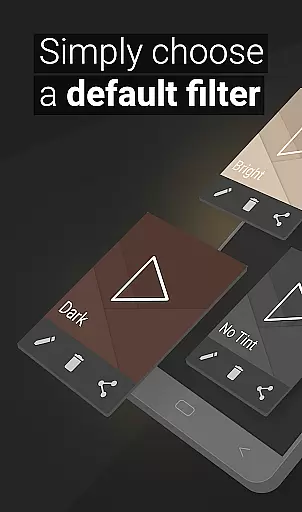
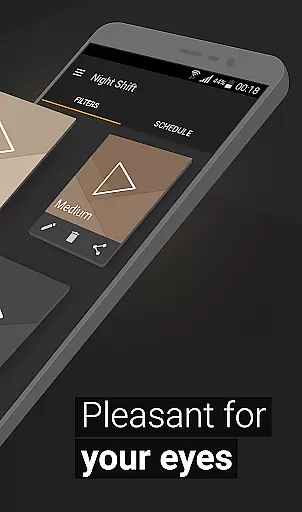
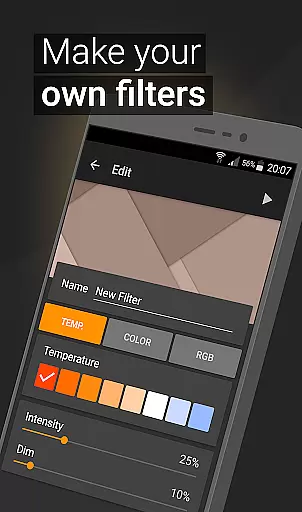
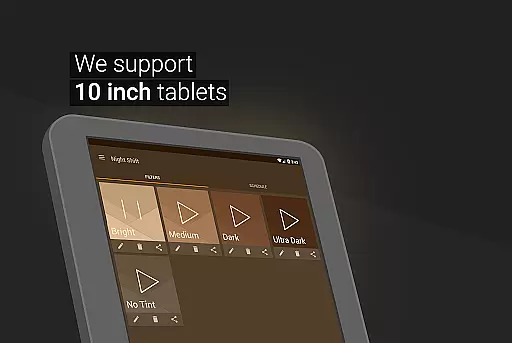
Night Shift distinguishes itself through its comprehensive set of features designed for optimal eye protection. The app includes premade blue light filters that users can instantly apply, providing immediate protection against harmful screen brightness. Additionally, the saving and editing feature allows users to create personalized dark mode filters with specific intensity levels and color combinations, enabling unlimited customization possibilities.
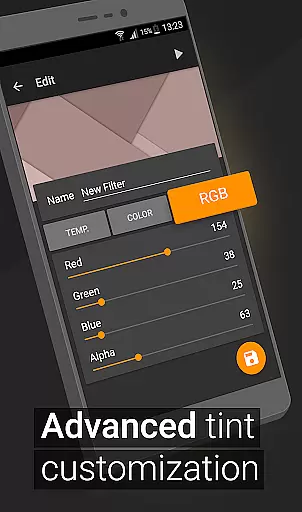
A standout capability is the app's ability to dim screens below the system's minimum threshold, crucial for nighttime use. This function, combined with temperature and color customization options, lets users fine-tune their display settings to achieve the perfect balance between visibility and eye comfort. The RGB customization feature takes this further by allowing precise control over red, green, and blue color channels.
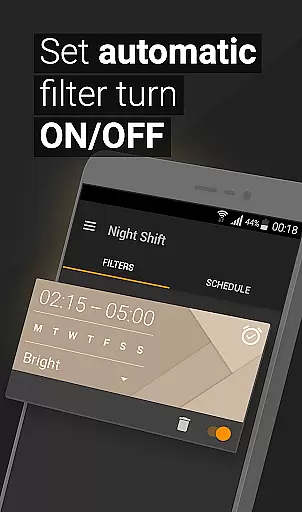
The automatic filter schedule demonstrates the app's intelligent design, activating the night mode based on user-defined times. Furthermore, the Accessibility Service integration ensures continuous protection even when viewing notifications or using the lock screen. These features collectively create a robust eye protection solution that adapts to various usage scenarios while maintaining user privacy and data security.
In the realm of eye care and sleep improvement, personalized planning plays a pivotal role in tailoring a user's experience to their specific needs. Night Shift excels in this area by offering customizable options that adapt to individual preferences and environments.
The application provides premade filters as a starting point, which users can further adjust through temperature and color customization. This allows for the creation of a personalized blue light filter that suits one's unique situation, whether it be for reading, gaming, or simply reducing eye strain during nighttime use.
Moreover, with RGB customization features, users have granular control over red, green, and blue color levels within their filters. Such detailed personalization ensures that each user can create an optimal visual setting that caters to their comfort and helps mitigate issues like headaches or insomnia.
By integrating automatic filter scheduling, Night Shift takes personalized planning a step further. Users can set specific times for when they want particular filters activated, ensuring consistent protection without manual intervention. This level of personalization not only enhances user convenience but also promotes better sleep hygiene and overall well-being.
Progress visualization is essential for users to understand the impact of their eye care efforts and to maintain motivation. Night Shift addresses this need by providing tangible feedback on how its features contribute to improved eye health and sleep quality.
Through the app's interface, users can visually track changes in light exposure as they apply different filters throughout the day. The ability to dim screens below system minimums and customize colors offers clear indicators of progress towards creating a healthier digital environment.
Night Shift also empowers users with data-driven insights into their usage patterns. By observing trends such as when and how often they activate certain filters, individuals gain valuable knowledge about their habits, which aids them in making informed decisions regarding screen time management.
Ultimately, these visual cues serve as reminders of the steps taken towards safeguarding oneu2019s vision against potential harm from excessive screen brightness. With Night Shift's comprehensive approach to tracking advancements in eye care routines, users are equipped with both the tools and motivation necessary for sustained engagement with healthy digital practices.
Effective blue light reduction
Customizable filter options
Automatic scheduling feature
Comprehensive eye protection
User-friendly interface
Premium features locked
May affect screen clarity
Initial setup required
Notification filtering limited
Advanced settings complex

App to stop smoking slowly or now with a motivational badges and helpful tips
 4.80
4.80
Power-lifting, weightlifting and Wendler 531 app to track your workout program.
4.90
Sync your activities of the most popular sports tracking services
2.70
Easy reconstitution calc for mixing peptides and creating protocols
4.70
HRV4Training helps you optimize goals and improve performance. No sensors needed
3.30
Mind on steroids - relaxation, productivity, meditation and sleep!
4.60
Track heart rate & HRV in 30s! Get live health insights and anomaly alerts
4.40
You deserve easy access to important insurance information. Download for FREE.
4.70
Pilates, Calisthenics, Yoga
4.50
Meditation app, head space app provides calm music to help you meditate & sleep
5.00
Your portable blood pressure tracker. Record, monitor, and analyze BP anytime.
4.30
Make sense of your health data.
3.80
Pupillary distance PD with camera quick and easy, checking glasses frames on you
3.70
Find Paid Clinical Trials In Your Area
3.70
Dexcom G7 Continuous Glucose Monitoring
3.70
GloryFit is a companion app for the smart bracelet.
3.60
The app helps you address digestive symptoms based on the Fast Tract Diet.
3.50
Using Recognise™ has been shown to reduce pain and improve performance.
4.0
Using Recognise™ has been shown to reduce pain, and improve performance.
4.1



User Reviews