
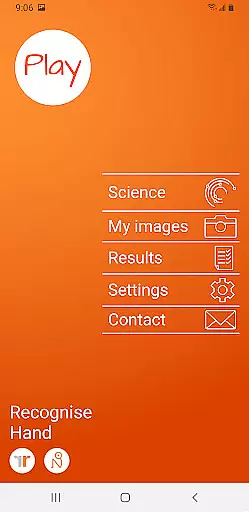
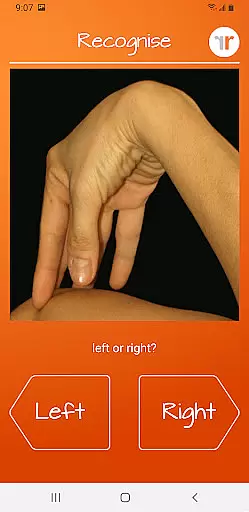
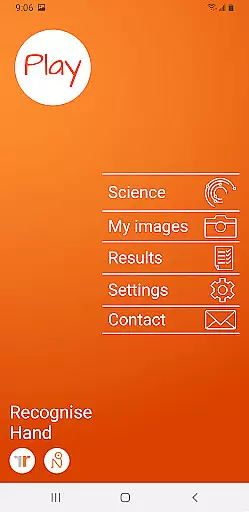
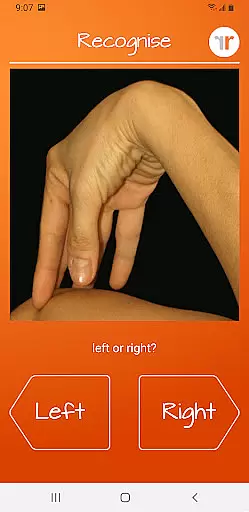
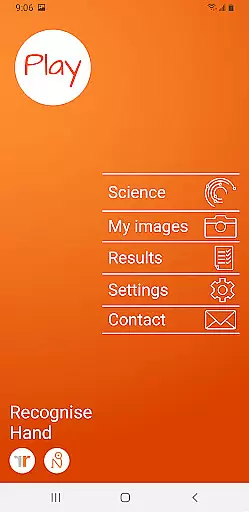
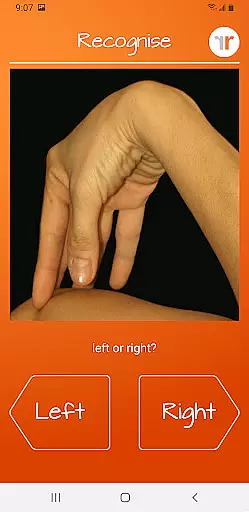
Recognise Hand is a specialized health and fitness application designed to assist users in reducing pain, improving performance, and aiding rehabilitation through a structured Graded Motor Imagery program. The app focuses on enhancing the user's ability to discriminate between left and right body parts, which is crucial for recovery from various complex pain and injury conditions.
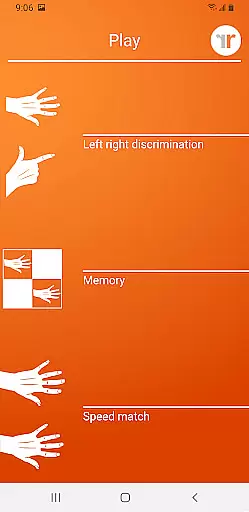
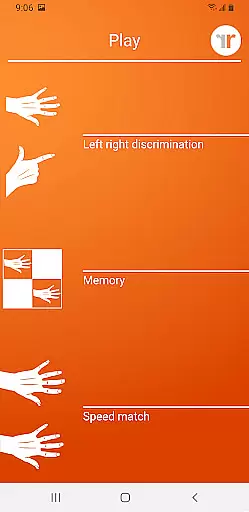
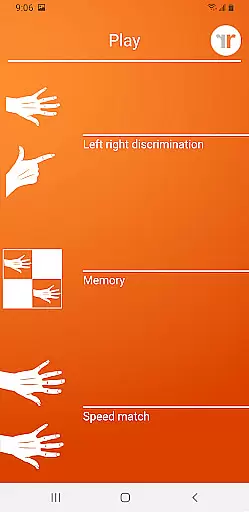
The app offers two main modes: TEST and TRAIN. In TEST mode, users can assess their quick and accurate recognition of body areas as either left or right. TRAIN mode helps harness the brain's neuroplasticity using advanced tools like 'Memory' and 'Speed match', graded difficulty levels, and personal best challenges. Recognise Hand also provides detailed onscreen results and graphs to track progress, making it an essential tool for both patients and clinicians.
Recognise Hand stands out with its comprehensive features tailored for effective rehabilitation. The app includes 'Memory' and 'Speed match' tools that elevate training by challenging the user's cognitive abilities. These tools are complemented by graded difficulty levels and personal best challenges, ensuring continuous improvement and engagement.
Another significant feature is the powerful clinical integration tools. Users can export and email their results directly to their clinician or therapist, facilitating better communication and more personalized care. Additionally, the app allows users to capture their own images on their device and incorporate them into their training routines. This customization enhances the relevance and effectiveness of the exercises, providing a holistic approach to rehabilitation.
Recognise Hand offers a personalized approach to motor imagery training, which is crucial for effective rehabilitation. The app's ability to adapt to individual needs ensures that each user receives a tailored experience.
Through features like graded difficulty levels and personal best challenges, the app creates a customized training plan. This allows users to progress at their own pace while maintaining engagement and motivation.
The integration of various tools such as 'Memory' and 'Speed match' provides multiple ways to enhance neuroplasticity. Users can select the methods that work best for them, making their rehabilitation journey truly personalized.
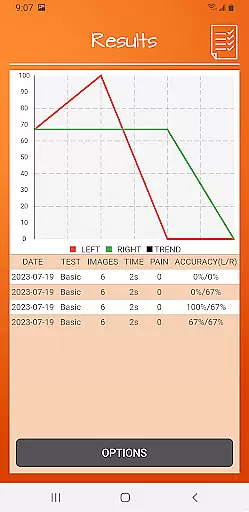
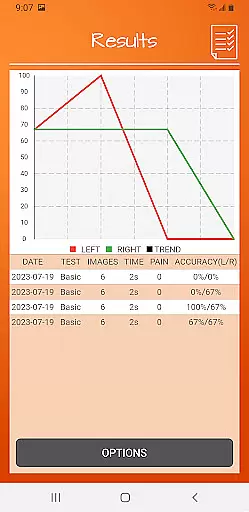
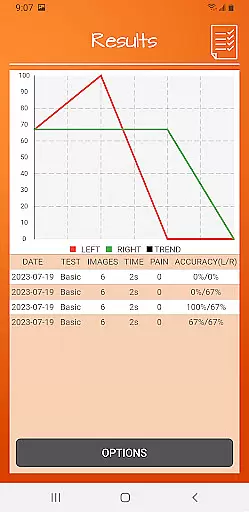
With detailed onscreen results and graphs, individuals can track their improvement over time. This data-driven approach enables users to adjust their training based on real progress metrics, maximizing the benefits of their personalized plan.
Visualizing progress is essential in any rehabilitation program, and Recognise Hand excels in this area. The app provides comprehensive graphical representations that make it easy to understand one's development.
Detailed onscreen results display performance metrics after each session. These immediate visual feedback mechanisms help users comprehend their current level and areas needing improvement.
Graphs within the app map out historical progress, showing trends and patterns over time. This long-term view allows both patients and clinicians to identify significant changes and adjust treatment accordingly.
The ability to export and email these visual reports directly to healthcare providers enhances clinical integration. Such features ensure that professional guidance remains informed by accurate, up-to-date progress visualization.
User-friendly interface
Comprehensive training tools
Detailed progress tracking
Clinical integration capabilities
Customizable training options
Requires consistent use
Limited to specific rehabilitation needs
Premium version costs
Dependent on device camera quality
Steep learning curve for some users

Personal Measurements - Track your gains!
 4.50
4.50
The app helps you address digestive symptoms based on the Fast Tract Diet.
3.50
Meditation app, head space app provides calm music to help you meditate & sleep
5.00
Optimization for TRT & Enhanced Athletes
4.3
50 HD sounds to help you relax during the day and sleep great at night!
4.40
Track sleep cycle, relax with white noise, sleep sounds & smart alarm clock
3.80
Pedometer that gives you sweatcoins for steps. It pays to walk!
4.10
Jogging app for calorie counter and distance tracker. Running app to lose weight
4.20
Monitor blood sugar, gain insights, and manage diabetes with ease.
3.20
Easy access to health benefits
4.70
Point, scan, and unlock truth in every bite.
4.50
Interval timer for High Intensity Interval Training, Tabata and Circuit Training
4.20
This is an application that serves as a companion app for smart watch.
4.20
“Overcoming pain based on EMDR” helps you to alleviate chronic pain and stress.
4.10
Pack of 66 calming lullabies for smooth fall asleep and relaxation
4.10
Create powerful subliminal audio with custom affirmations and background music.
4.00
Histamine intolerance, low FODMAP diet and irritable bowel syndrome (IBS)
4.00
SportWerks - Workout Tracker for Wear OS Watches
3.90
Text notifications, button control, heart monitor & more for your Amazfit.
2.40



User Reviews