
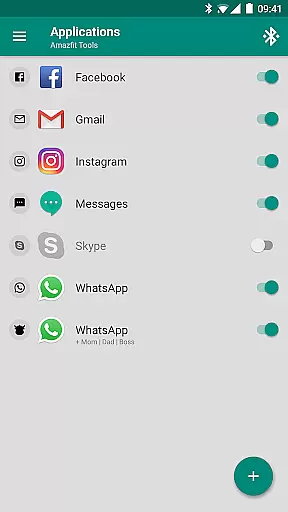
Amazfit Tools represents a sophisticated solution for users seeking to optimize their Amazfit smart bracelet experience. This comprehensive application enables precise control over notification systems, allowing for individualized setup of alerts for calls and applications. Users can create unique vibration patterns and content filters tailored to their specific needs.
The software's capabilities extend beyond basic notification management. It includes advanced health monitoring features such as continuous heart rate tracking, sleep pattern analysis, and idle alerts for prolonged inactivity. The power nap function helps users recharge effectively during short breaks, while customizable widgets provide instant access to crucial fitness and device information.
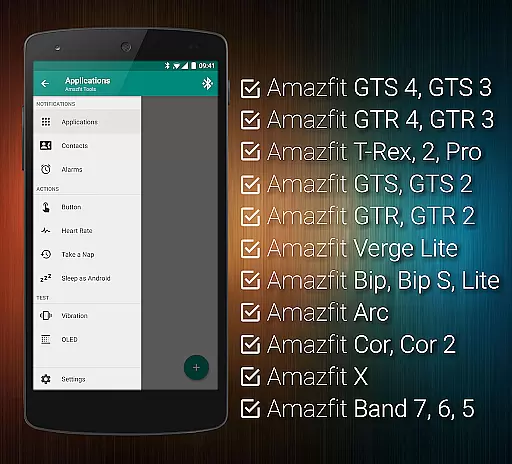
Operating seamlessly alongside Zepp/Mi Fit applications, Amazfit Tools maintains compatibility with the latest firmware updates while adding layers of advanced functionality. The application supports a wide range of Amazfit models and integrates with popular automation tools, making it an essential utility for maximizing the potential of Amazfit wearable devices across various Android platforms.
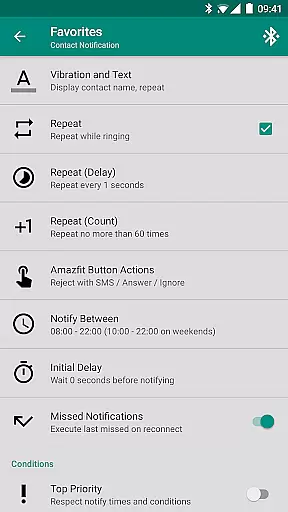
Amazfit Tools offers an extensive suite of advanced features designed to maximize the potential of your Amazfit smart bracelet. The application provides comprehensive customization options for notifications, allowing users to tailor alerts for calls and apps according to personal preferences.
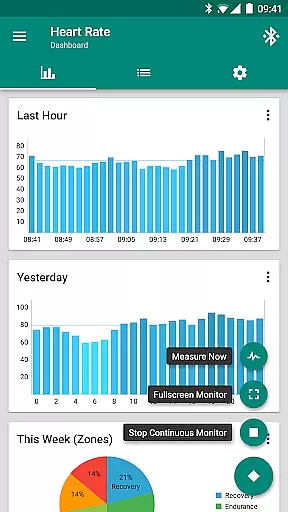
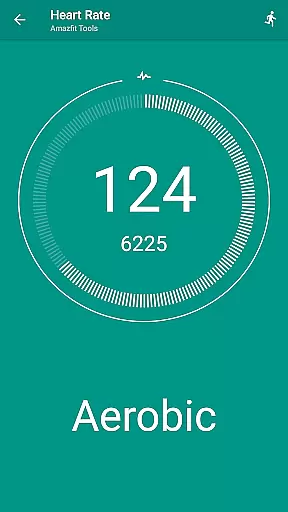
Among its standout capabilities is the power nap feature, which intelligently tracks short rest periods and wakes users with gentle vibrations. The app also supports continuous heart rate monitoring, complete with configurable dashboard charts for detailed health tracking. Integration with Sleep as Android enables enhanced sleep analysis across various Amazfit models.
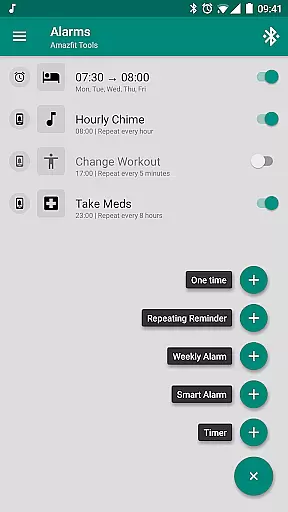
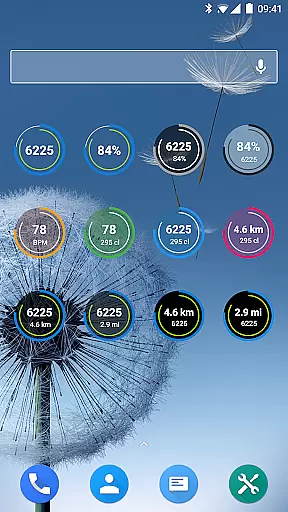
Users can create custom notification patterns, set multiple alarms with safety sound backup, and establish repeating reminders for various purposes. The application's widget system allows for personalized display of fitness goals, battery status, and vital statistics. With support for automation platforms like Tasker and cross-compatibility with Android versions 4.3 to 13+, Amazfit Tools delivers both depth and flexibility in managing wearable device functionality.
Personalized planning in health and fitness applications refers to the ability to create tailored workout and wellness strategies that adapt to individual user needs. Amazfit Tools excels in this area by offering features such as continuous heart rate monitoring, customizable notifications, and advanced settings for various health metrics.
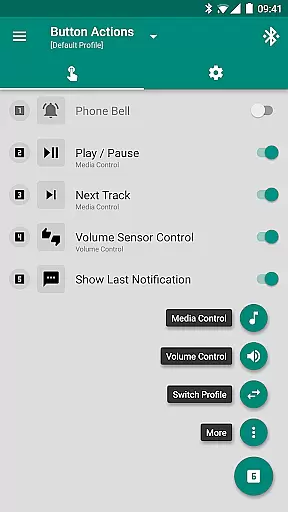
The app allows users to configure custom patterns for each notification, set up personalized reminders for workouts, medication, or other activities, and even create virtual menus with specific actions like controlling music or phone vibrations. These capabilities ensure that every user's experience is unique and aligned with their personal health objectives.
By leveraging these personalized planning tools, users can fine-tune their fitness routines, receive timely reminders based on their schedules, and monitor their progress effectively. This level of customization not only enhances user engagement but also promotes better adherence to health goals, ultimately leading to improved overall well-being.
Progress visualization is a critical component of any fitness app, providing users with clear insights into their achievements and motivating them to continue their fitness journey. Amazfit Tools offers robust features for visualizing progress through detailed charts and data displays.
Users can access configurable heart rate dashboard charts, daily fitness goal progress widgets, and comprehensive sleep analysis reports. These visual tools help users understand their performance trends over time, identify areas for improvement, and celebrate milestones as they achieve their fitness targets.
With Amazfit Tools, the ability to see tangible results from oneu2019s efforts fosters a sense of accomplishment and encourages sustained use of the app. By presenting data in an easily digestible format, the app empowers users to make informed decisions about their health and fitness routines, ensuring long-term success and satisfaction.
Extensive customization options
Comprehensive health tracking
Cross-platform compatibility
Regular feature updates
Wide device support
Advanced features may overwhelm beginners
Requires compatible Amazfit devices
Occasional sync issues reported
Interface could be more intuitive
Premium features come at extra cost

SportWerks - Workout Tracker for Wear OS Watches
 3.90
3.90
App to stop smoking slowly or now with a motivational badges and helpful tips
4.80
Easy reconstitution calc for mixing peptides and creating protocols
4.70
See what's really going on inside your head! Real time EEG graphs from your Muse
4.40
Use your watch as a bike computer, heart rate monitor and cycling power meter
2.50
Grow with self-tests and personal routine.
4.30
Find Paid Clinical Trials In Your Area
3.70
This is an application that serves as a companion app for smart watch.
4.20
Track sleep cycle, relax with white noise, sleep sounds & smart alarm clock
3.80
Show your support for the development of FitNotes - Gym Workout Log
4.90
Build Healthy Habits!
4.60
Effortlessly and naturally release anxiety by harnessing the power of your brain
4.60
Pilates, Calisthenics, Yoga
4.50
FODMAP, Gluten, Allergy, Vegan
4.50
Chair Workout: Women's Edition for safe, flexible, and personalized fitness.
4.40
Track heart rate & HRV in 30s! Get live health insights and anomaly alerts
4.40
Interval timer for High Intensity Interval Training, Tabata and Circuit Training
4.20
FitCloudPro takes care of your health every minute.
3.70
Using Recognise™ has been shown to reduce pain, and improve performance.
4.0



User Reviews