
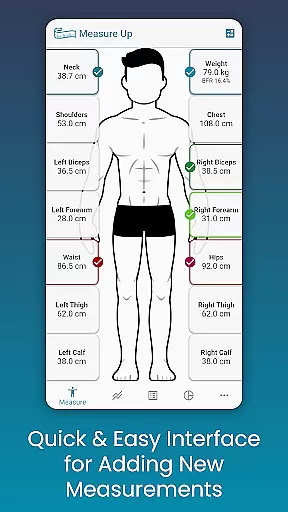
Body Measurement Tracker is a specialized health and fitness application designed to simplify the process of monitoring weight loss or muscle gain progress. The app offers an intuitive interface that allows users to quickly record body measurements, track their history, and visualize progress through charts and tables.
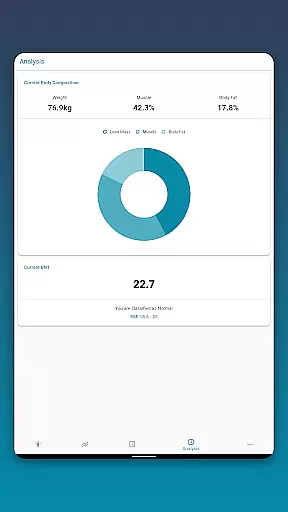
Key features include easy measurement input, body fat estimation, and integration with Google Fit for syncing data with other health apps. Users can customize measurement types and colors, view detailed analytics including BMI and body composition, and export progress charts as PNG images. Whether you're tracking weekly weight changes or monitoring specific muscle groups, this app provides a comprehensive solution for managing personal fitness goals.
This application is particularly useful for individuals who are actively working on body transformation goals and need a reliable way to document their progress. By providing multiple data visualization options and seamless cloud backup functionality, it ensures users can maintain consistent tracking and make informed decisions about their fitness routines.
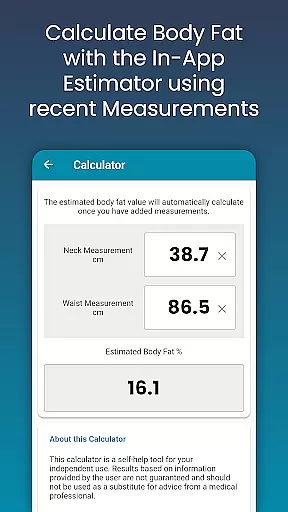
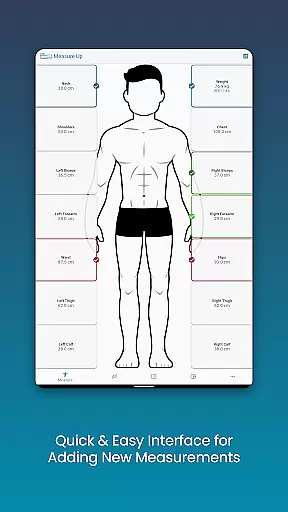
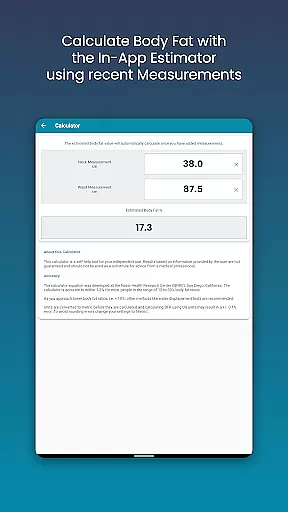
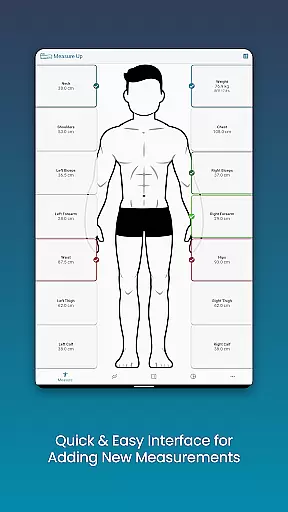
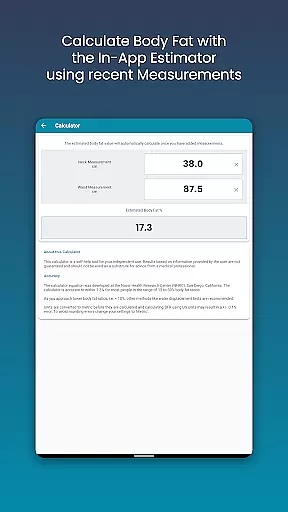
The Body Measurement Tracker stands out with its unique combination of ease-of-use and advanced analytical capabilities. The app's interface is specifically designed for quick data entry, allowing users to add current or past measurements with simple date adjustments. Its built-in body fat calculator provides instant estimations without requiring complex manual calculations.
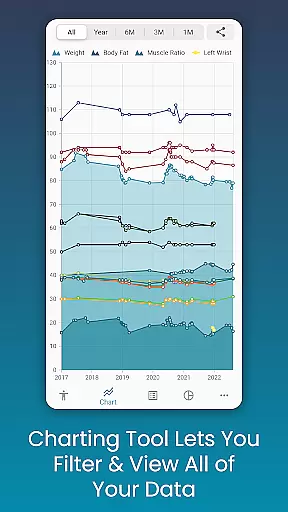
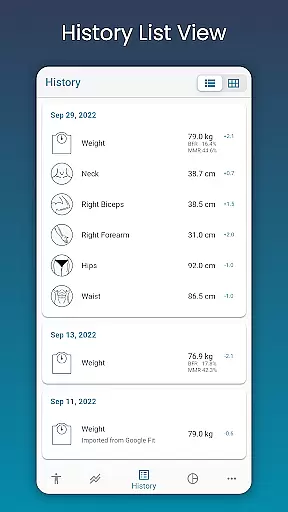
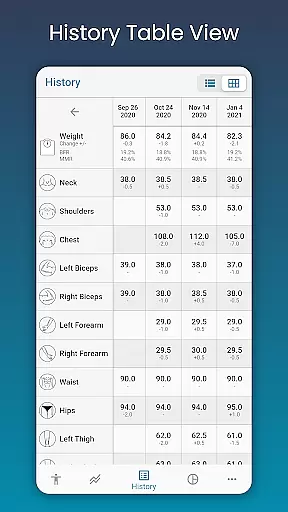
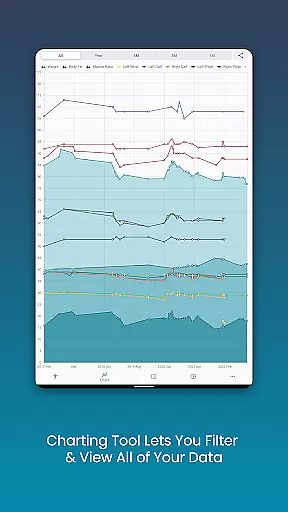
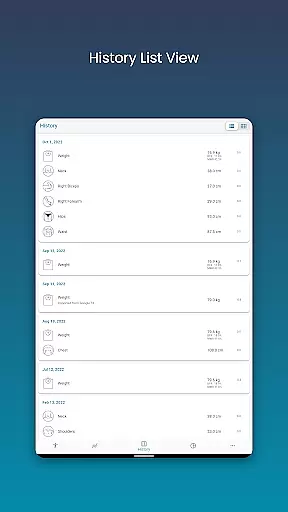
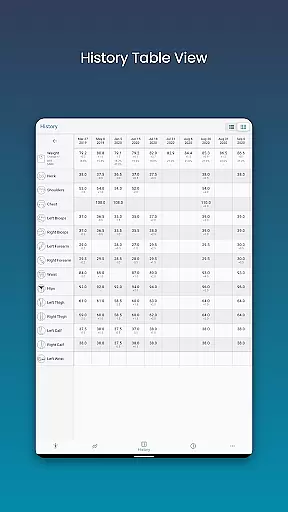
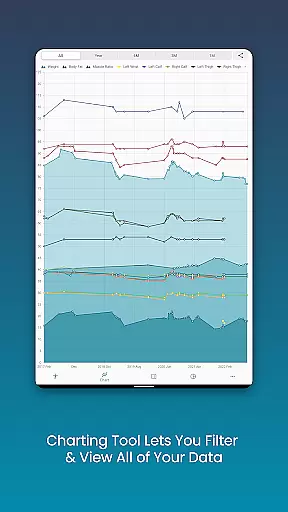
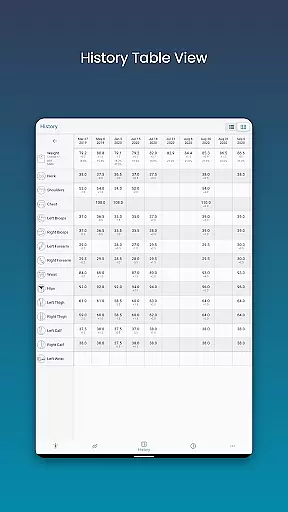
Data visualization is another key strength of this application. The chart analysis feature enables users to toggle between different measurement types, stack lean mass and body fat data, and view comprehensive progress reports. Users can choose between table, list, or chart views and even export their progress charts for sharing or personal records.
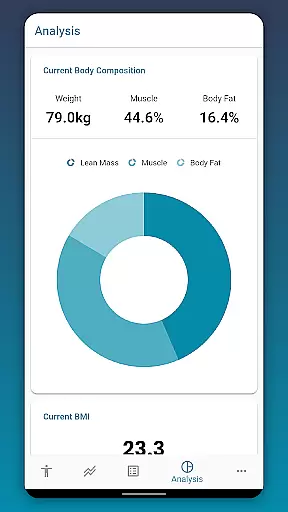
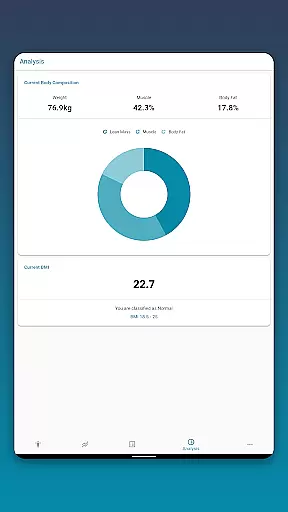
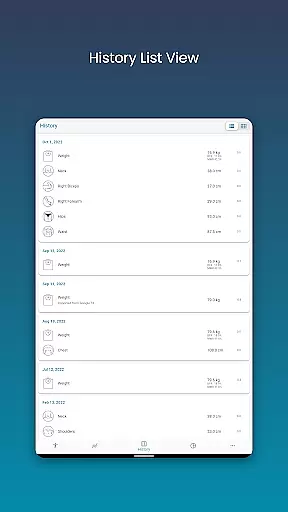
Customization options are abundant, allowing users to create personalized measurement categories and adjust color schemes. The app maintains detailed historical records of all entries and includes essential health metrics like BMI and body composition analysis. With automatic cloud backup and restore functionality, users can ensure their valuable tracking data is always safe and accessible.
Personalized planning in health and fitness apps refers to the ability to create tailored workout and nutrition plans based on individual goals, progress, and preferences. This feature is crucial as it ensures that users follow a regimen that is specifically designed for their unique needs, thus enhancing motivation and results.
Body Measurement Tracker excels in personalized planning by allowing users to input various body measurements and track changes over time. The app provides an intuitive interface where users can quickly add data such as weight, body fat percentage, and custom metrics. By integrating with Google Fit, it syncs this data with other health apps, ensuring a comprehensive view of one's fitness journey.
The benefits for users are significant. Firstly, they receive a clear picture of their progress through different visual formats like charts, tables, and lists. This helps in understanding trends and making necessary adjustments. Secondly, the app offers tools like the in-app body fat calculator and BMI analysis, which further refine the personalization of their fitness plans.
Ultimately, personalized planning in Body Measurement Tracker empowers users to take control of their health journeys. With features that allow for easy tracking, detailed analysis, and integration with other health platforms, users can create and follow a fitness plan that evolves with their progress, ensuring sustained motivation and optimal outcomes.
Progress visualization is a critical component of any health and fitness application, enabling users to see their advancements over time clearly. This feature not only motivates users by showcasing their achievements but also helps in identifying areas that need improvement.
In Body Measurement Tracker, progress visualization is implemented through various sophisticated tools. Users can view their measurement history in multiple formats including charts, tables, and lists. The unique chart feature allows users to toggle different measurements on and off from the legend toolbar, providing a customizable view of their data. This flexibility ensures that users can focus on specific metrics that matter most to them.
Additionally, the app offers stackable views for lean mass, body fat, and muscle, giving users a holistic understanding of their body composition changes. These visual tools make it easier for users to interpret complex data and understand their progress towards fitness goals. Furthermore, the ability to export charts to PNG format allows users to share their progress with trainers or on social platforms, adding a layer of accountability and encouragement.
By leveraging these advanced visualization tools, Body Measurement Tracker ensures that users remain engaged and informed about their fitness journeys. Clear, accessible, and customizable progress tracking translates into higher user satisfaction and better health outcomes, making the app an invaluable tool for anyone serious about their fitness goals.
User-friendly interface
Comprehensive charting tools
Google Fit integration
Customizable measurement options
Automatic data backup
Limited social features
No wearable integration
Premium features locked
Occasional sync issues
Basic free version

Easy access to health benefits
 4.70
4.70
HRV4Training helps you optimize goals and improve performance. No sensors needed
3.30
Interval timer for High Intensity Interval Training, Tabata and Circuit Training
4.20
50 HD sounds to help you relax during the day and sleep great at night!
4.40
The OFFICIAL Couch to 5K® running training app! A 9 week walk-run workout plan.
4.50
Your portable blood pressure tracker. Record, monitor, and analyze BP anytime.
4.30
Personal step counter for you, private and accurate
4.50
GloryFit is a companion app for the smart bracelet.
3.60
Looking to take control of your health? Our psychology-based programs can help.
4.10
Easy to use step counter, calorie counter helps lose weight, count steps offline
4.80
Weight loss app: home workout for women to lose weight & burn calories.
4.80
A brain game that moves you
4.70
You deserve easy access to important insurance information. Download for FREE.
4.70
The Crunch Mobile app - Find a gym, manage favorites, reserve & cancel classes.
4.60
Relax. Sleep Better. Feel Better.
4.50
Histamine intolerance, low FODMAP diet and irritable bowel syndrome (IBS)
4.00
Focus on BP & Health
3.80
Measure real-time wrist & ambient temperature with your Galaxy Watch (Wear OS)
3.20
Your plan in your pocket 24/7
3.00



User Reviews