
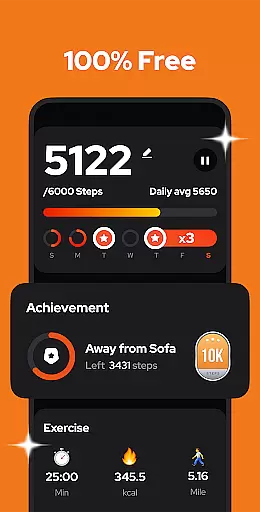
Step Counter - Pedometer is a premier health and fitness application designed to automatically track your daily steps, calories burned, walking distance, and duration with precision. Compatible with all Android devices, this app operates efficiently without the need for GPS or Wi-Fi, thus conserving battery life while providing offline functionality. It stands out as an essential tool for individuals focused on maintaining an active lifestyle and monitoring their fitness progress.
The app's user-friendly interface ensures ease of use, requiring just a tap of the START button to begin tracking. With adjustable sensitivity settings, users can fine-tune step counting accuracy, making it reliable whether you're walking or pausing during a drive. Additionally, its comprehensive data visualization through weekly, monthly, or yearly graphs empowers users to analyze their exercise trends effectively.
Step Counter - Pedometer not only aids in achieving daily fitness goals like hitting 10,000 steps but also supports long-term health improvement by offering features such as data backup and restoration. This ensures that users can maintain continuous tracking even when switching devices, thereby fostering sustained engagement in personal wellness journeys.
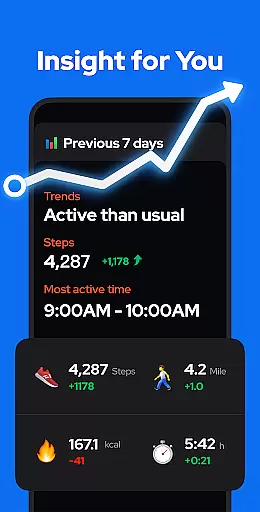
Step Counter - Pedometer boasts an array of sophisticated features tailored to enhance user experience in fitness tracking. One of its standout capabilities is the advanced built-in exercise tracker that accurately monitors various metrics including steps taken, calories burned, distance covered, and activity duration. The absence of GPS tracking significantly extends battery life, setting it apart from other pedometer apps that drain power quickly.
Another remarkable feature is its adaptability; users can pause and resume step tracking at will, which is particularly useful when driving or engaging in non-walking activities. The adjustable sensitivity of the built-in sensor further refines step count accuracy, catering to individual preferences and usage scenarios. Moreover, the app offers robust privacy protection, ensuring that all user data remains confidential and secure without the need for account creation.
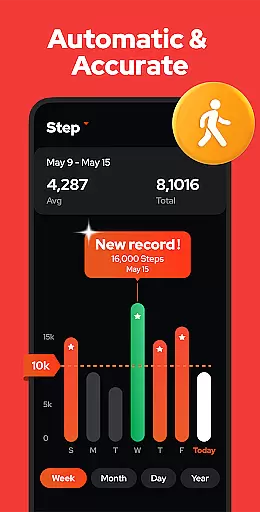
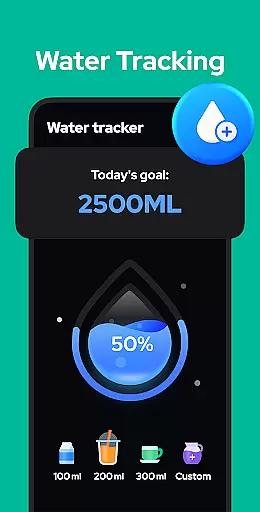
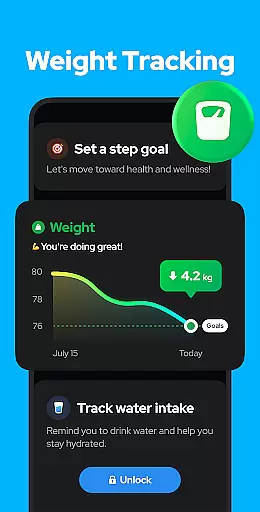
For those interested in detailed analytics, Step Counter - Pedometer provides insightful graphs displaying step counts, calories, duration, distance, and speed over customizable periods—day, week, month, or year. Upcoming enhancements promise even more personalized functionalities such as training mode customization, hydration reminders, and health metric recordings, solidifying its position as a versatile and indispensable fitness companion.
Personalized planning in a fitness app refers to the ability to create tailored exercise routines based on individual user data and goals. This feature is crucial for maintaining user engagement and ensuring effective progress towards health objectives.
Step Counter - Pedometer offers personalized planning by analyzing user-specific metrics such as daily steps, calories burned, and walking distance. The app's advanced algorithms take into account the user's activity level and personal goals to suggest optimal step targets and exercise durations.
Users benefit from this feature by receiving customized recommendations that match their fitness level and aspirations. Whether aiming to hit a daily step goal or monitoring calorie expenditure, the app adjusts its suggestions to align with the user's progress and changing needs.
The true value of personalized planning in Step Counter - Pedometer lies in its ability to adapt to each user's journey. By providing dynamic feedback and evolving challenges, it keeps users motivated and committed to their fitness goals, making every step count towards better health.
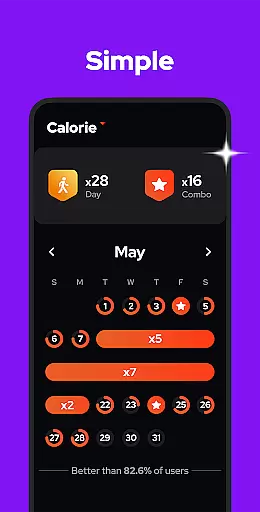
Progress visualization is an essential feature in fitness apps, allowing users to see their achievements and track improvements over time. Visual representations of progress can significantly enhance motivation and adherence to fitness routines.
Step Counter - Pedometer excels in progress visualization by presenting user data through comprehensive charts and graphs. Users can easily view their step counts, calories burned, and walking durations across different time framesu2014be it daily, weekly, monthly, or yearly.
This visual tracking empowers users to understand their fitness trends and make informed decisions about their health. By seeing concrete evidence of their progress, users are more likely to stay engaged and committed to their fitness journey.
Moreover, the clarity and accessibility of these visual tools ensure that users can quickly grasp their performance metrics. With Step Counter - Pedometer, watching your health improve becomes not only straightforward but also rewarding, encouraging a sustained pursuit of wellness.
User-friendly interface
Accurate step tracking
Offline functionality
Battery efficient
Data privacy ensured
Limited to Android
No wearable integration
Occasional inaccuracies
Basic social features
Ads may be present

The simplest way to track your 21 Day Program containers, exercises, and water.
 4.50
4.50
Power-lifting, weightlifting and Wendler 531 app to track your workout program.
4.90
Insanity blocks of intense physical activity, short breaks of 30 seconds.
4.3
For Absolute Novices to Strength Training. Simple. Effective.
4.40
Easy reconstitution calc for mixing peptides and creating protocols
4.70
Using Recognise™ has been shown to reduce pain and improve performance.
4.2
Optimization for TRT & Enhanced Athletes
4.1
Track heart rate & HRV in 30s! Get live health insights and anomaly alerts
4.40
Raccoon AI Calorie Counter. Intermittent Fasting & Timer. Macro, Carb, Protein
4.50
Load the bar with this barbell & plate calculator. It's leg day, not brain day!
4.70
Walk. Earn: Get rewarded for every step! Walk, move, and earn real rewards.
4.70
Effortlessly and naturally release anxiety by harnessing the power of your brain
4.60
Memory, mind & logic exercises. Puzzle games, IQ & brain test for kids & adults
4.50
The most accurate heart rate app to monitor and track your heart rate & pulse.
4.40
Get alert about getting out of desired heart rate zone.
4.10
Pedometer that gives you sweatcoins for steps. It pays to walk!
4.10
Your Health Has Met Its App (℠)
3.90
3D Body Measurement System
3.60
Use your watch as a bike computer, heart rate monitor and cycling power meter
2.50



User Reviews