
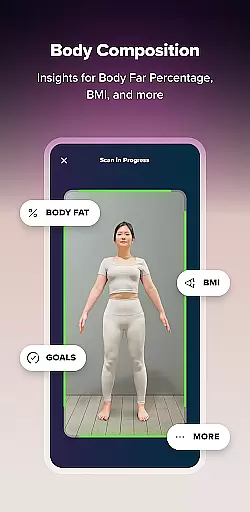
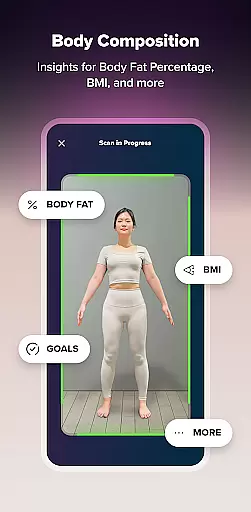
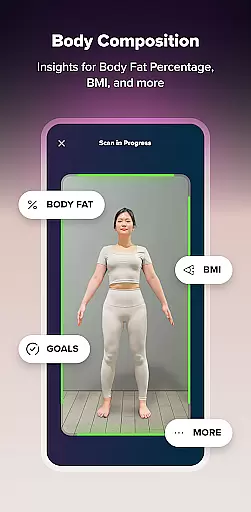
ZOZOFIT is a comprehensive fitness tracking app that combines precise 3D body scanning with AI-powered nutrition monitoring. The app provides users with accurate body measurements, detailed progress tracking, and insightful data visualizations to support their fitness journey.
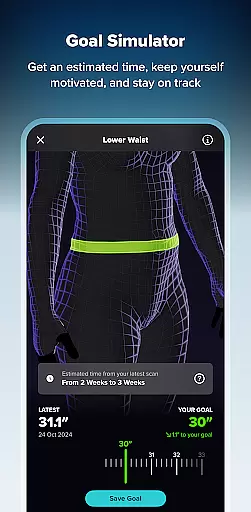
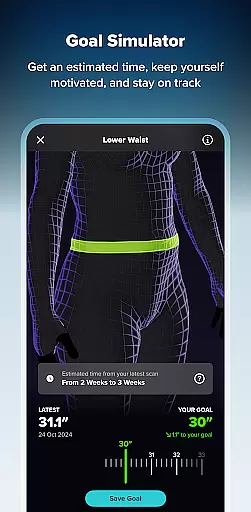
With innovative features like the ColorMetric view and Goal Simulator, ZOZOFIT offers a holistic approach to health tracking. Users can visualize changes in body composition, set measurable goals, and track nutritional intake through the new Food Journal feature. This makes it an ideal tool for those seeking a smarter way to monitor impactful changes in their personal health.
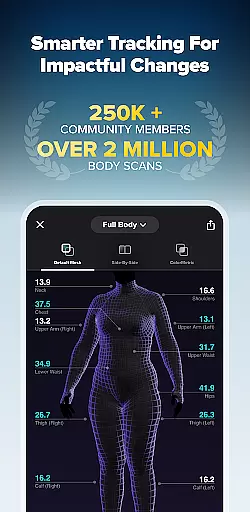
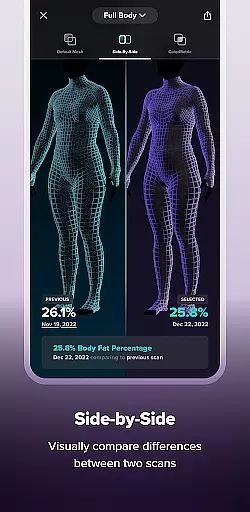
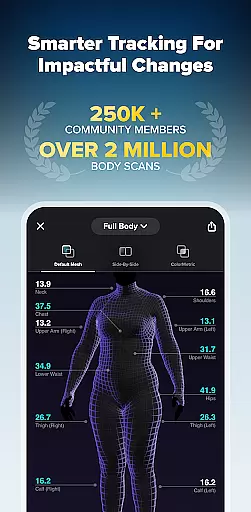
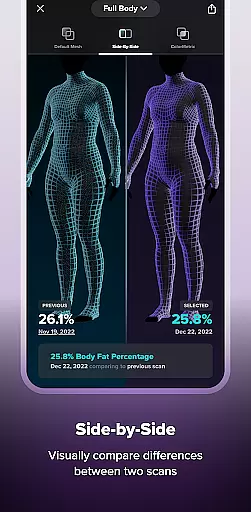
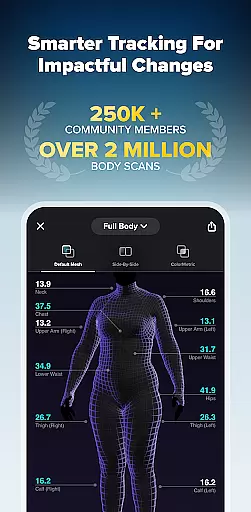
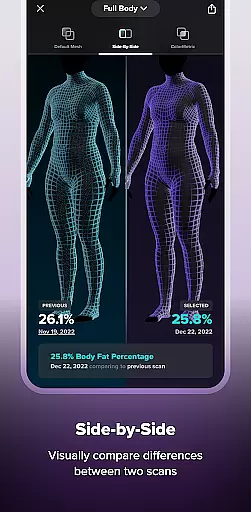
ZOZOFIT stands out with its advanced 3D body scanning technology that captures precise measurements of 12 key body areas. The app's Side-by-Side comparison feature allows users to visually track their progress by comparing different scans over time.
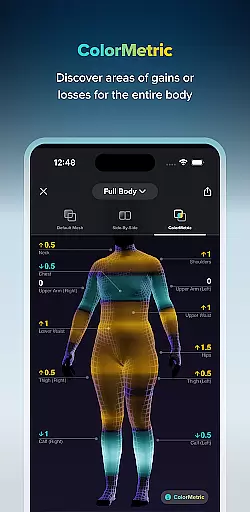
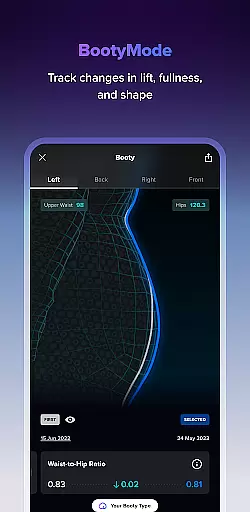
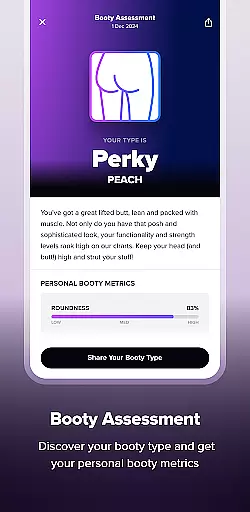
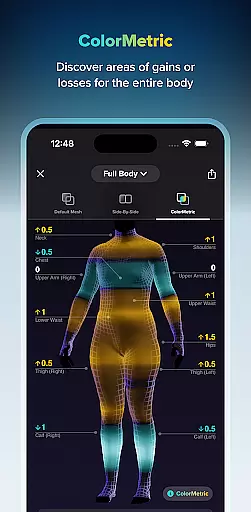
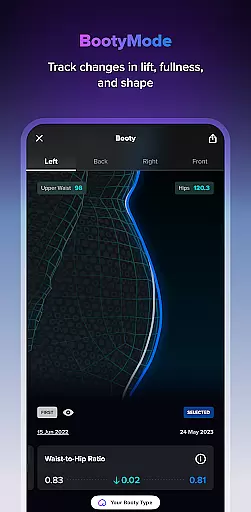
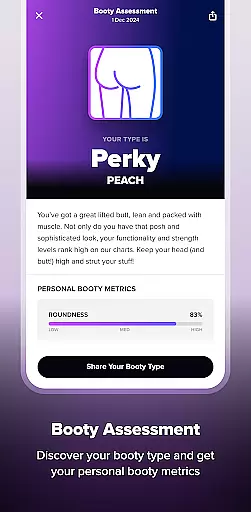
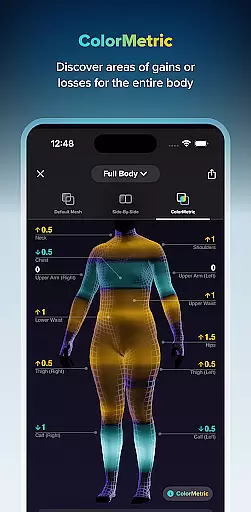
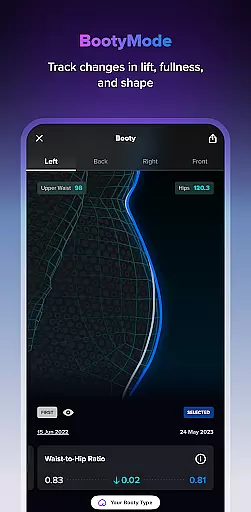
The app's unique ColorMetric system uses color gradients to represent measurement changes, providing clear visual feedback on growth or reduction in specific areas. Additional features include the Goal Setting tool for measurable objectives, Booty Mode for targeted tracking, and an AI-powered Food Journal that simplifies meal logging through image recognition technology.
Personalized planning in fitness applications refers to the ability to create tailored workout and nutrition plans based on individual user data. ZOZOFIT excels in this area by leveraging advanced AI technology to provide precise body measurements and detailed tracking options.
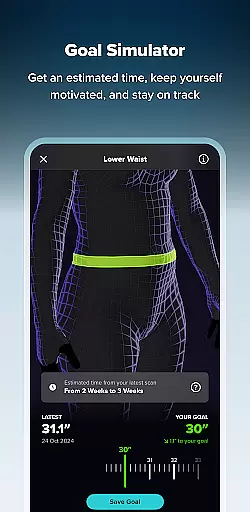
The app's 3D body scanning feature generates accurate measurements for twelve key body areas, forming the foundation for personalized fitness planning. Users can set specific goals for different parts of their body and track progress with visual tools like the Goal Simulator and Booty Mode.
What sets ZOZOFIT apart is its comprehensive approach to personalization. The newly introduced Food Journal feature uses AI-powered nutrition tracking, allowing users to log meals through photos or nutrition labels. This creates a complete picture of the user's health journey beyond just weight metrics.
The benefits of this personalized approach are substantial. Users can make more informed decisions about their fitness routines and dietary choices, leading to more effective and sustainable lifestyle changes. By providing measurable goals and tracking capabilities, ZOZOFIT keeps users motivated and accountable throughout their fitness journey.
Progress visualization in fitness apps involves presenting user data in a way that makes tracking physical changes intuitive and engaging. ZOZOFIT offers several innovative features that revolutionize how users monitor their fitness journey.
The app's ColorMetric system stands out as a unique visualization tool. It uses color gradients to represent measurement changes over time - amber indicates growth, teal shows reduction, and clear means no significant change. This visual representation helps users quickly identify areas of progress or those needing attention.
Additional visualization features include the Side-by-Side comparison tool, which allows users to view two body scans simultaneously. The 3D Mesh view provides a comprehensive 360-degree perspective of body measurements, while specialized views like Booty Mode offer targeted tracking for specific body areas.
These visualization tools deliver significant value to users by making complex data easily understandable. The ability to see concrete evidence of progress serves as powerful motivation, helping users maintain consistency in their fitness routines and make necessary adjustments to achieve their goals more effectively.
Accurate 3D scanning
Comprehensive metrics
AI nutrition tracking
Visual progress tools
Custom goal setting
Device compatibility limited
Premium feature costs
Steep learning curve
Occasional scan errors
High system requirements

Relax to calm sounds, white noise, music, guided meditation and bedtime stories
 4.40
4.40
sobriety counter app to help and motivate people to stop drinking alcohol.
4.90
Mind on steroids - relaxation, productivity, meditation and sleep!
4.60
Using Recognise™ has been shown to reduce pain, and improve performance.
4.5
The Sleep Miracle Sound Machine: Soothes baby to sleep with a gentle "Shhh"
3.00
50 HD sounds to help you relax during the day and sleep great at night!
4.40
Protect your healthy sleep
4.80
Medbridge GO gets you moving - get back to doing what you love, faster!
4.90
Manage your and your family's health information.
4.60
Weight loss app: home workout for women to lose weight & burn calories.
4.80
Your AI pet BFF. Talk, play, and beat anxiety in this calming game.
4.60
Period Tracker, the easiest way to track your periods!
4.50
Memory, mind & logic exercises. Puzzle games, IQ & brain test for kids & adults
4.50
Pilates, Calisthenics, Yoga
4.50
Chair Workout: Women's Edition for safe, flexible, and personalized fitness.
4.40
Monitor, analyze, track, and convert blood sugar & help you control diabetes.
4.10
Understand your body’s most meaningful messages and transform your health.
3.90
Transform your body and soul with DBFFitness, with a 40-day fitness journey.
4.2
A simple way to calculate peptide doses and also to convert different units.
4.5







User Reviews