
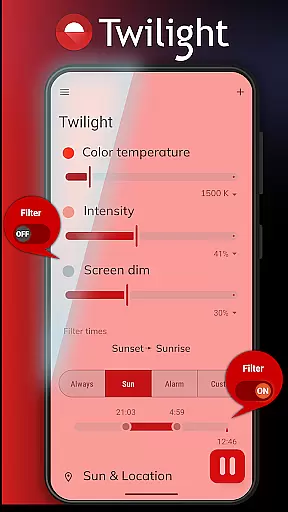
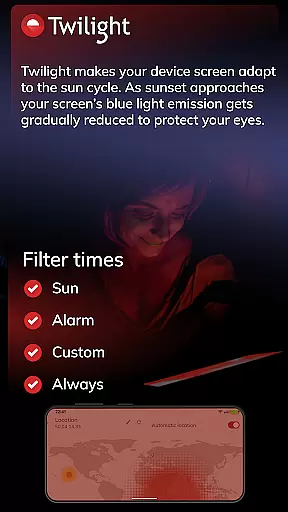
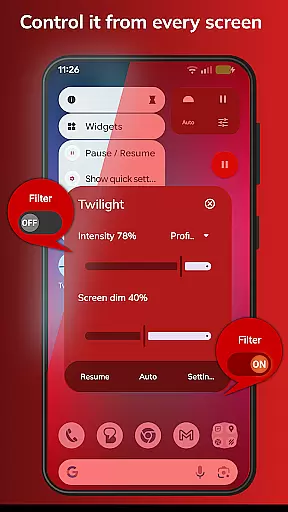
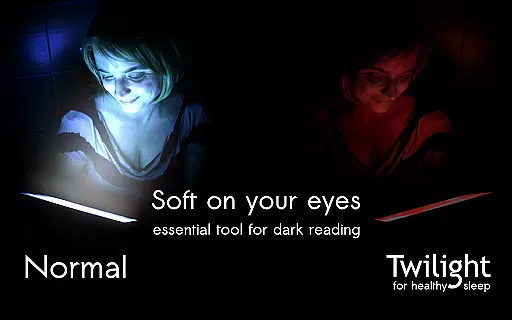
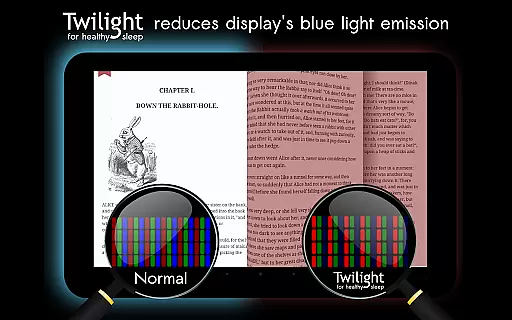
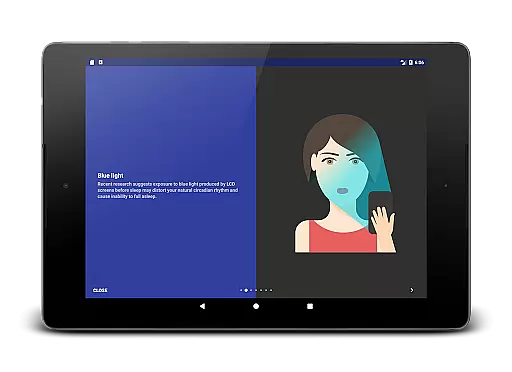
Twilight Pro Unlock is a specialized application designed to help users improve their sleep quality by reducing blue light exposure from their devices. The app filters the blue spectrum on your phone or tablet after sunset, replacing it with a soft red filter that adjusts based on your local sunrise and sunset times.
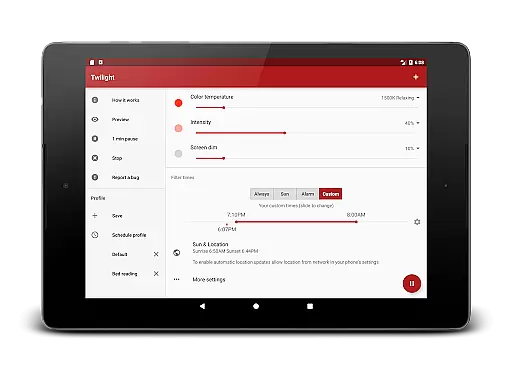
This health-focused app offers advanced features such as customizable profiles, adjustable transition times, and the ability to disable the service during inactive periods. These features make it an ideal solution for individuals struggling with circadian rhythm disorders or difficulty falling asleep due to device usage before bedtime.
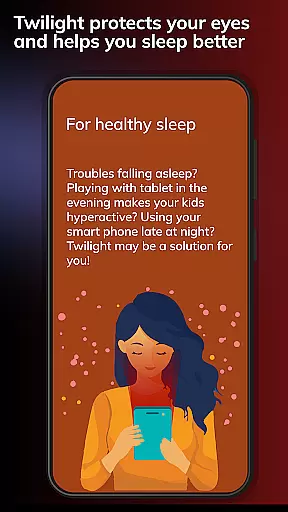
By using Twilight Pro Unlock, users can protect their natural sleep-wake cycles, reduce eye strain, and potentially improve overall sleep quality. The app's scientific approach makes it especially valuable for those who frequently use digital devices in the evening hours.
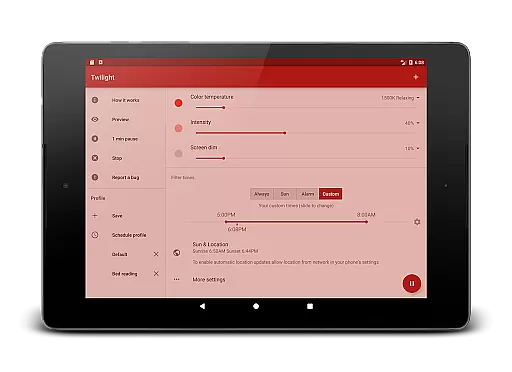
Twilight Pro Unlock stands out through its sophisticated feature set tailored for optimal sleep protection. The app provides more than two predefined profiles, allowing users to customize their blue light filtering experience according to different scenarios and preferences.
A key innovation is the adjustable transition time feature, which enables users to control how quickly the screen changes between normal and filtered modes. This ensures a smooth adaptation process that aligns with individual daily routines. Additionally, users can completely turn off the Twilight service during specific times when they don't need it.
The PRO version often receives new features first, making it the most up-to-date option for users seeking cutting-edge solutions. These capabilities demonstrate Twilight's commitment to providing comprehensive tools for managing device-related sleep disturbances.
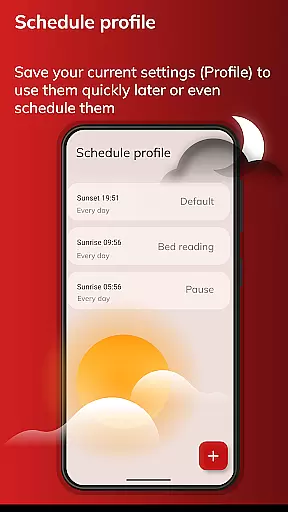
Personalized planning in the context of Twilight Pro Unlock refers to the app's ability to adapt its blue light filtering based on individual user schedules and local sunset and sunrise times. This feature is crucial for maintaining a natural circadian rhythm.
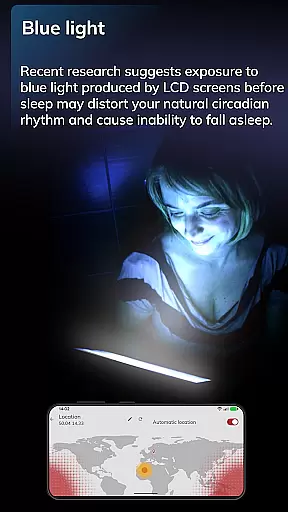
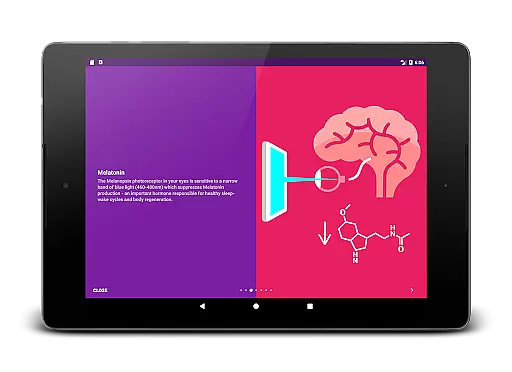
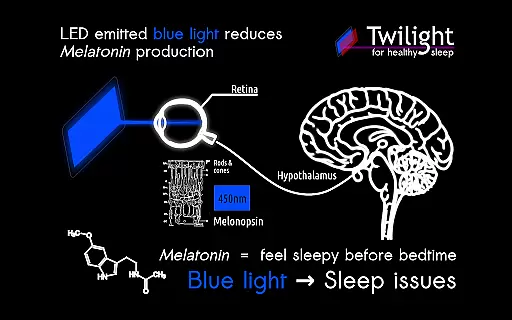
The application intelligently adjusts the screen's blue light emission, creating a personalized experience that aligns with each user's daily routine. By doing so, it ensures that the suppression of Melatonin production is minimized during evening hours when blue light can be most disruptive.
Users benefit from this tailored approach as it helps mitigate sleep disturbances caused by prolonged exposure to blue light. The app's customization options allow individuals to fine-tune settings according to their specific needs and preferences, enhancing overall sleep quality.
This personalized planning not only aids users in falling asleep more easily but also contributes to healthier sleep-wake cycles. As a result, individuals may experience improved restfulness and alertness during waking hours, leading to better overall well-being.
Progress visualization within Twilight Pro Unlock involves tracking and displaying changes in user behavior and sleep patterns over time. This feature is important because it allows users to see tangible results of using the app, reinforcing positive habits related to screen time before bed.
The app provides feedback through visual representations such as graphs or charts that illustrate improvements in sleep onset and duration. These visuals help users understand how their usage of Twilight correlates with enhanced sleep quality, offering motivation to continue utilizing the app's features.
By seeing clear evidence of progress, users gain insights into their sleep hygiene practices. This awareness empowers them to make informed decisions about their evening routines and device usage, potentially leading to long-term lifestyle changes.
Ultimately, progress visualization serves as both an educational tool and motivational aid. It enhances user engagement with Twilight Pro Unlock by highlighting the benefits of reduced blue light exposure, encouraging sustained use for better health outcomes.
Advanced customization options
Smooth transition effects
Scientifically-backed functionality
Regular feature updates
Comprehensive sleep protection
Premium version cost
Requires installation
Device compatibility issues
Learning curve for settings
Limited free features

SportWerks - Workout Tracker for Wear OS Watches
 3.90
3.90
Control your sleep in real-time wearing Garmin device
3.60
Histamine intolerance, low FODMAP diet and irritable bowel syndrome (IBS)
4.00
A brain game that moves you
4.70
Pupillary distance PD with camera quick and easy, checking glasses frames on you
3.70
FitCloudPro takes care of your health every minute.
3.70
Drink water reminder app. Track water intake. Smart simple hydration tracker.
4.70
Focus on BP & Health
3.80
Scan food & cosmetic products and evaluate their impact on your health
4.80
Medbridge GO gets you moving - get back to doing what you love, faster!
4.90
a fun app full of surprises :)
4.70
When the night comes, we prepare your eyes for deep, sweet dreams
4.70
Relax. Sleep Better. Feel Better.
4.50
Memory, mind & logic exercises. Puzzle games, IQ & brain test for kids & adults
4.50
For Absolute Novices to Strength Training. Simple. Effective.
4.40
Download MadMuscles to start your positive body transformation!
4.30
beat yesterday.
4.00
Measure real-time wrist & ambient temperature with your Galaxy Watch (Wear OS)
3.20
Using Recognise™ has been shown to reduce pain and improve performance.
4.0



User Reviews