
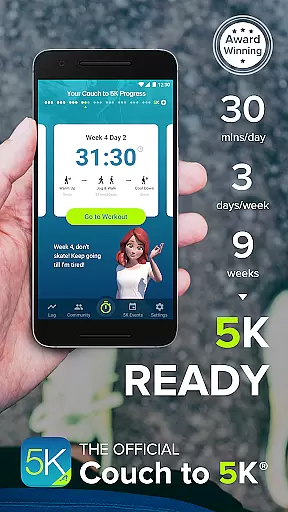
Couch to 5K is a premier fitness application designed to help users transition from being inactive to running a 5K race. The app offers an official nine-week training program developed by Active.com trainers, which requires only 20 to 30 minutes of your time, three times a week. With features like virtual coaching, audio cues, and GPS support, it ensures a comprehensive and motivating experience.
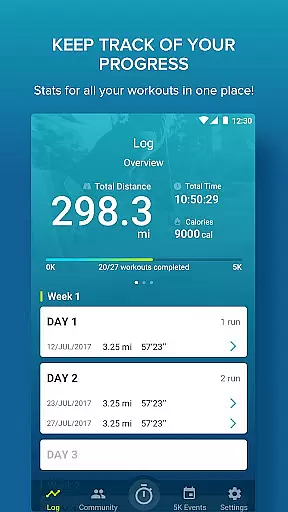
One of the standout aspects of Couch to 5K is its user-friendly interface that allows runners to track their progress, log workouts, and even share achievements on social media platforms like Facebook. Whether you're a beginner or looking to enhance your running routine, this app provides the tools necessary to stay committed and achieve your fitness goals.
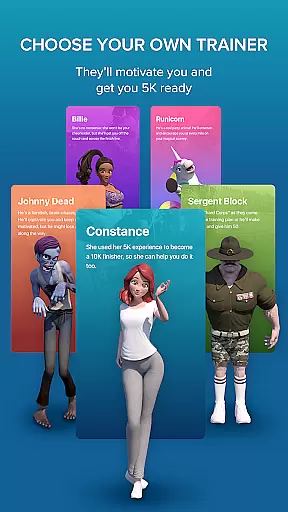
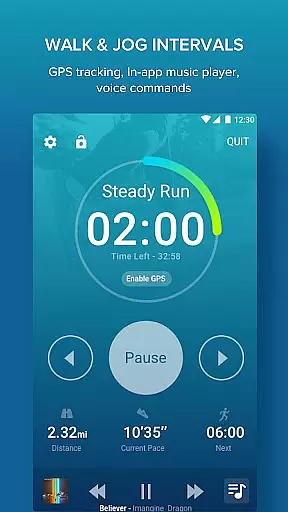
The Couch to 5K app boasts a variety of features tailored to assist new runners in their journey. Users can choose from four different virtual coaches who provide motivation and guidance through each workout session. Audio cues are given to ensure proper timing and technique, while an integrated music player lets you listen to your favorite playlists during runs.
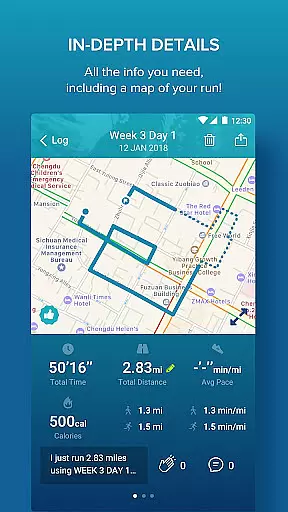
Additionally, the app includes robust tracking capabilities such as calculating distance and pace with free GPS support, graphing workouts for performance comparison, and offering treadmill support for manual entry of indoor sessions. These features collectively create a supportive environment that encourages consistency and improvement over time.
Personalized planning is a cornerstone of the Couch to 5K app, designed to transform beginners into runners over nine weeks. The app offers a structured training plan crafted by Active.com trainers, ensuring that each user receives professional guidance tailored to their fitness journey.
The app allows users to choose from four virtual coaches, each providing unique motivational styles to suit individual preferences. These coaches deliver human audio cues that guide users through every workout session, making the experience interactive and engaging while maintaining personalized attention.
Users benefit from customizable features such as treadmill support for manual entry of workouts and the ability to repeat sessions, tracking their best performances. This personalization ensures that users can adapt the program to their pace, optimizing their training experience and enhancing their chances of successfully completing the program.
Progress visualization in the Couch to 5K app provides users with clear insights into their running achievements, helping maintain motivation and track improvements. By calculating distance and pace with free GPS support, the app delivers accurate data that forms the basis of this visualization.
The app goes further by offering graphs for each workout, allowing users to compare their distance and pace over time. This visual representation helps users understand their progress, identify trends, and make informed adjustments to their training regimen.
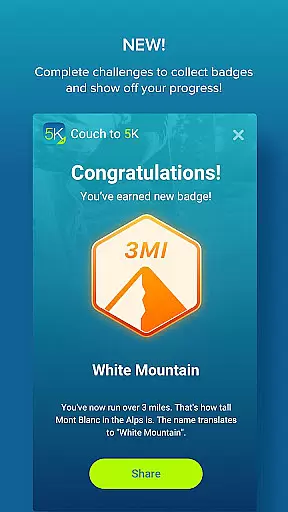
Additionally, users can log their workouts and share their progress on social platforms like Facebook. This feature not only fosters a sense of community but also serves as an external motivator, encouraging users to stay committed to their fitness goals through visible progress updates.
User-friendly interface
Motivating virtual coaches
Integrated music player
Free GPS support
Comprehensive progress tracking
Limited advanced training options
No video tutorials included
Premium features require purchase
Occasional app crashes reported
Some features may feel overwhelming for beginners

Relax to calm sounds, white noise, music, guided meditation and bedtime stories
 4.40
4.40
Weight loss app: home workout for women to lose weight & burn calories.
4.80
Power-lifting, weightlifting and Wendler 531 app to track your workout program.
4.90
Using Recognise™ has been shown to reduce pain and improve performance
4.0
Show your support for the development of FitNotes - Gym Workout Log
4.90
This is an application that serves as a companion app for smart watch.
4.20
Pedometer that gives you sweatcoins for steps. It pays to walk!
4.10
Lazy home workouts with your virtual fitness coach for weight loss.
4.30
Comprehensively record and manage your health
4.50
FODMAP, Gluten, Allergy, Vegan
4.50
The simplest way to track your 21 Day Program containers, exercises, and water.
4.50
See what's really going on inside your head! Real time EEG graphs from your Muse
4.40
Pack of 66 calming lullabies for smooth fall asleep and relaxation
4.10
Monitor, analyze, track, and convert blood sugar & help you control diabetes.
4.10
Enjoy the Gluten Free living with the best app. SCAN the barcodes & SEARCH.
3.60
GloryFit is a companion app for the smart bracelet.
3.60
Measure real-time wrist & ambient temperature with your Galaxy Watch (Wear OS)
3.20
Using Recognise™ has been shown to reduce pain and improve performance.
4.2
Optimization for TRT & Enhanced Athletes
4.3




User Reviews