
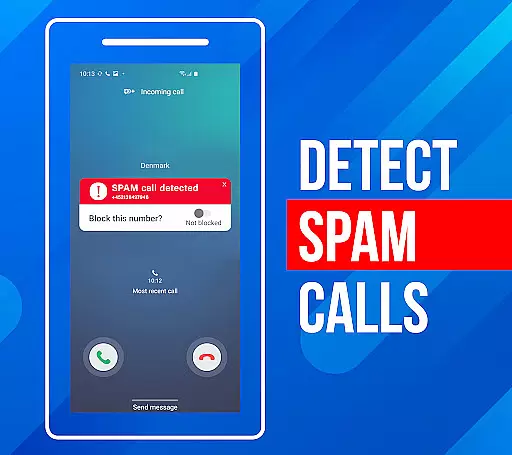
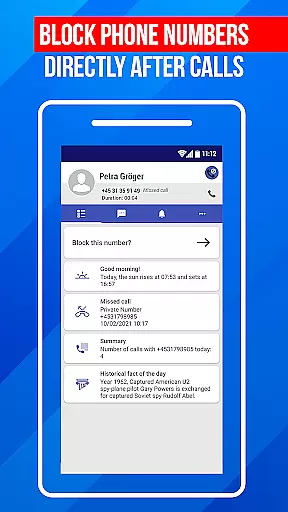
Call Block is a powerful communication app designed to help users take control of their incoming calls. The app's core functionality revolves around blocking spam calls and unwanted numbers, ensuring a more peaceful phone experience. Using advanced call filtering algorithms, it can automatically identify and block robocalls, telemarketers, and potential scams.
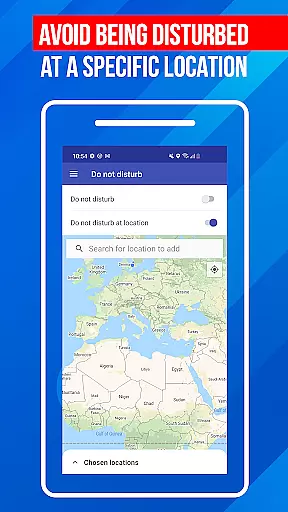
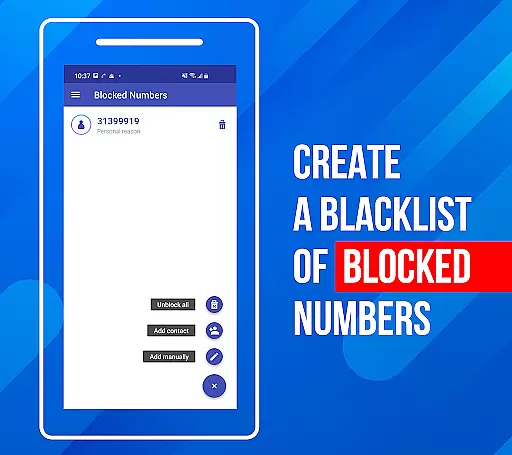
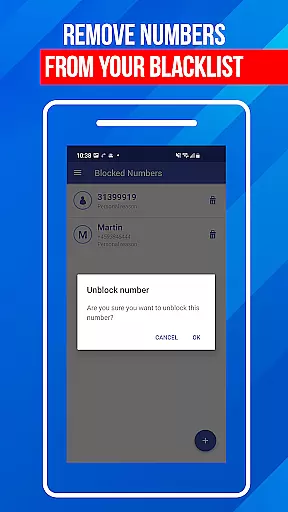
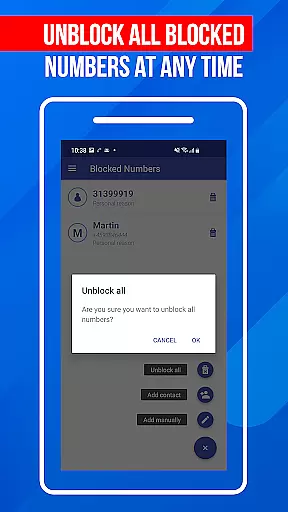
Beyond basic call blocking, the app offers additional features that enhance its utility. Users can create a personal 'blacklist' to block specific numbers or number patterns. The 'Do Not Disturb' function provides even greater control by allowing users to block all calls during certain periods or in specific locations. These features make Call Block particularly useful for individuals who frequently receive nuisance calls during work hours or at home.
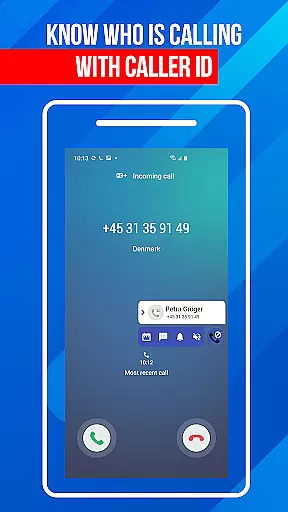
The true value of Call Block lies in its comprehensive approach to call management. With a database of over one billion numbers, the app provides detailed caller ID information for incoming calls, regardless of whether the number is saved in your contacts. This combination of blocking capabilities, real-time identification, and user-controlled settings creates a robust solution for anyone seeking relief from unwanted calls.
Call Block distinguishes itself through several key features that set it apart in the communication category. The app's most notable characteristic is its sophisticated spam call blocking system. Unlike basic blockers, Call Block uses an extensive database of known spam numbers combined with intelligent algorithms to provide proactive protection against unwanted calls.
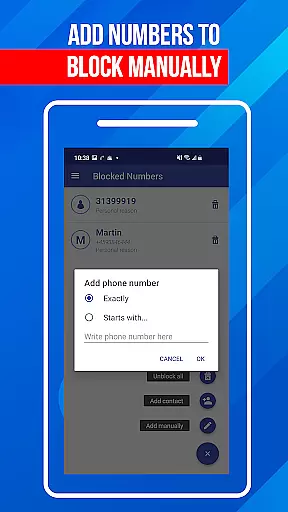
One of the app's standout features is its customizable blacklist functionality. Users can manually add specific numbers or number patterns to their personal blacklist, giving them precise control over which calls get through. The app also includes a 'Do Not Disturb' mode that can be scheduled or activated manually, providing flexibility for different usage scenarios. Additionally, the app maintains a regularly updated database of spam numbers, ensuring users stay protected against emerging threats.
What truly sets Call Block apart is its user-friendly implementation of these features. Despite its powerful capabilities, the interface remains intuitive and accessible to users of all technical backgrounds. The app's developers have successfully combined robust call-blocking technology with ease of use, making it suitable for both tech-savvy users and those less familiar with smartphone applications.
In today's fast-paced digital world, the speed and reliability of real-time messaging are crucial for effective communication. Call Block ensures that every blocked call notification reaches you instantly, without delays or failures. This immediacy is vital when managing unwanted communications, as it allows users to stay informed about blocked calls in real time.
The app employs advanced algorithms and server infrastructure to maintain high-speed data processing. This ensures that call-blocking events are recorded and communicated to the user almost instantaneously. Whether you're at home, in the office, or on the move, you can trust that Call Block will deliver timely updates about your call management settings.
Reliability is further enhanced through redundant system design and regular maintenance checks. These measures ensure consistent performance even during peak usage times. Users can rest assured that they won't miss important notifications about attempted spam calls, thanks to the robust architecture supporting Call Block's real-time messaging capabilities.
While Call Block primarily focuses on filtering unwanted calls, its functionality extends to supporting various media-sharing features essential for comprehensive communication management. The app allows users to share details of blocked calls and blacklisted numbers through different formats, enhancing collaborative efforts in identifying spam sources.
Users can export their blacklist data and share it with friends or across devices, ensuring a unified defense against known spammers. This feature supports multiple file formats, making it convenient to integrate with other security tools or backup solutions. By enabling easy data portability, Call Block empowers users to maintain consistent protection levels across all their devices.
Moreover, the app facilitates sharing insights and reports about blocked calls via email or cloud services. This capability not only helps in personal record-keeping but also contributes to community-driven initiatives aimed at combating telecommunication abuse. Through these media-sharing functionalities, Call Block strengthens both individual and collective efforts in maintaining a spam-free communication environment.
Effective spam blocking
User-friendly interface
Customizable blacklist
Regular database updates
Comprehensive call protection
Limited iOS support
Occasional false positives
Premium feature costs
Database dependency
Location restrictions

Manage your data, talk & text - affordable phone plans & data usage made simple
 4.30
4.30
Fast and simple walkie talkie app
4.20
Phone Dialer with Caller ID, Address Book & Contacts Manager.
4.30
At select facilities, you now have an easy way to video visit your loved ones!
3.30
Messenger app for faster and simpler SMS text messaging, and personalized themes
4.10
Quickly and easily identify and block unknown callers
3.70
Bringing the functionality of Winlink to your Android device
4.3
Build your web browser around you with private search, and more.
4.60
Simple tool for businesses to talk to their customers.
4.40
Save 10% automatically on your first international mobile top up.
4.60
Messenger, an MMS & SMS messages app with Blockers, Driving mode & Private box
4.60
Smart and simple anti-wiring application - IMSI-catchers catcher
4.40
Our Black Friday sale is here. Unlock special discounts on Proton Mail now.
4.30
RemoteHams.com Android RCForb Client Pre-Release
4.30
Chill zone on your phone: relax with fun reels & hype shorts!
4.20
WazzapMigrator: transfer your WhatsApp history from iPhone to Android
4.00
Caller ID, Spam Call & SMS Blocker
3.80
Pure modern IRC experience for Android
3.70
Watchgram for Telegram: Experience seamless Telegram messaging on your watch
1.80



User Reviews