
Getcontact is a comprehensive communication protection app designed to safeguard users from unwanted calls and messages. With advanced AI-driven spam detection, the app identifies unknown callers in real-time and blocks fraudulent attempts before they reach you. Available on mobile platforms, it provides robust protection against scams and robocalls while offering additional privacy features.
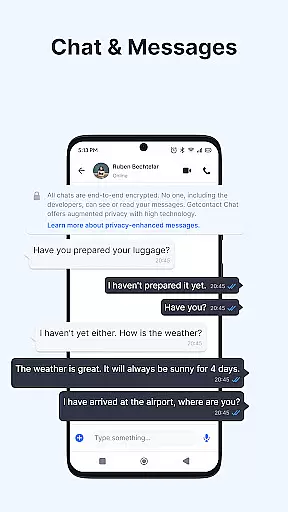
Beyond call protection, Getcontact enhances overall communication safety. Users can enjoy end-to-end encrypted chats and calls, ensuring secure interactions. The app also offers a second number feature for added privacy, allowing users to manage work or online transactions without exposing their personal number. This makes Getcontact an essential tool for anyone seeking smarter and more secure communication.
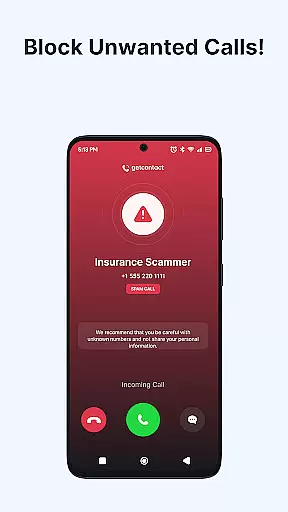
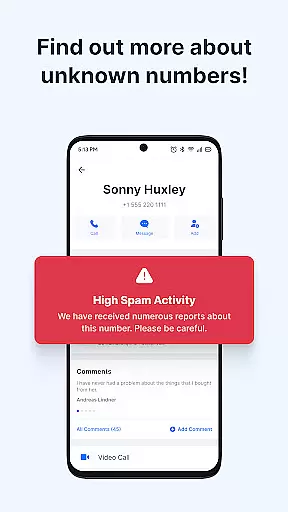
Getcontact stands out with its powerful suite of features tailored for modern communication needs. Its Caller ID and Spam Call Blocker instantly identify unknown numbers and block unwanted calls, protecting users from telemarketers and fraud attempts. The app's AI-driven technology ensures real-time protection, staying ahead of emerging scam tactics.
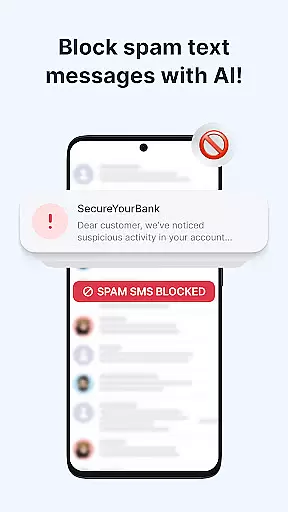
In addition to call protection, Getcontact offers Messaging and SMS Protection. By setting it as your default SMS app, you can filter out spam, phishing attempts, and promotional texts, keeping your inbox clean and secure. The app also includes a Call Assistant feature that screens unknown numbers and provides insights into caller intent. For enhanced privacy, users can access Secure Chats & Calls and even obtain a Second Number for specific use cases, making Getcontact a versatile solution for safer digital interactions.
Getcontact ensures real-time messaging speed and reliability by leveraging advanced AI-driven spam detection. This technology allows users to instantly identify unknown callers and block unwanted communications before they reach the user.
The app's robust infrastructure is designed to handle billions of calls and messages annually, providing consistent performance even during peak usage times. With a global network of servers, Getcontact minimizes latency and maximizes message delivery speed.
Users benefit from uninterrupted communication, knowing that their messages are delivered promptly and reliably. The app's proactive approach to blocking spam and fraudulent attempts ensures that only legitimate messages get through, enhancing overall user experience.
Beyond protecting against spam calls, Getcontact also excels in media sharing support. By setting it as the default SMS app, users can enjoy automatic filtering of unwanted content while seamlessly sharing media files.
The app supports various file formats, ensuring compatibility across different devices and platforms. Whether it's images, videos, or documents, Getcontact provides a secure environment for sharing without compromising on quality or speed.
This feature not only keeps the user's inbox clean but also enhances privacy during file transfers. End-to-end encryption for chats and calls further secures shared media, giving users peace of mind when communicating sensitive information.
Advanced spam detection
Real-time call blocking
End-to-end encryption
Second number option
User-friendly interface
Limited AI assistant availability
Premium features require subscription
Country-specific restrictions
Dependent on user feedback
Resource-intensive on older devices

BiP is a fast, secure, free messaging and HD video calling app!
 4.10
4.10
Identify unknown numbers, block spam calls, customize calls with cool themes.
4.60
Enjoy secure messaging & calling. Safe Messenger: group chats, calls, messages.
4.20
Browse fast on Opera Mini, with Data Saving, News, Football Scores, and Download
4.60
Connect and browse the internet with a fast VPN proxy server and IP blocker.
4.50
Create a secure hotspot on-the-go with Portable WiFi - Mobile hotspot.
4.40
Auto Reply SMS, Text Messaging, Away SMS Response, Busy SMS messages, Block Text
3.10
A browser that does more than load page, like keeping your privacy safe.
4.70
Talk & text free with a second phone number plus unlimited 5G data, no fees.
4.50
Messenger, an MMS & SMS messages app with Blockers, Driving mode & Private box
4.60
Experience real private browsing without tracking, surveillance, or censorship.
4.50
Manage your data, talk & text - affordable phone plans & data usage made simple
4.30
Block spam calls & scam - no more annoying calls with the call blocker function
4.30
Use this SMS app standalone or as a TREK: Total Interface companion.
4.30
Google's fast and secure browser
4.10
Messenger app for faster and simpler SMS text messaging, and personalized themes
4.10
Send SMS and chat messages easily with a fast text messaging app for Android.
4.10
Tether to Windows, OS X, Linux PCs or Android tablets. No root. No tether fees.
3.90
TeamSpeak - Secure Chat for Gaming & Business
3.10




User Reviews