
SMS Auto Reply is a powerful communication tool designed to streamline your messaging experience. This app allows users to set up automatic text responses for various scenarios, ensuring uninterrupted communication even when they are unavailable. Whether you're driving, in a meeting, or simply need some quiet time, SMS Auto Reply has got you covered.
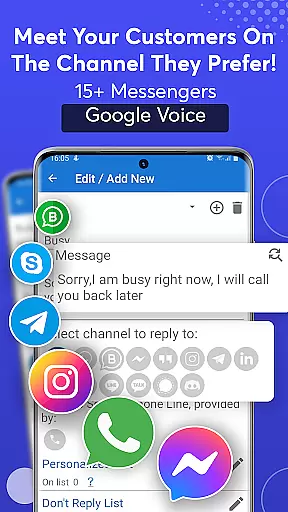
The application supports multiple messaging platforms including SMS, WhatsApp, Facebook, and more, making it versatile for both personal and professional use. With customizable auto-reply messages and scheduling features, users can tailor their responses based on specific times, days, or events. Additionally, the app offers safety features like Text-to-Speech (TTS) that reads incoming messages aloud, enhancing focus while driving.
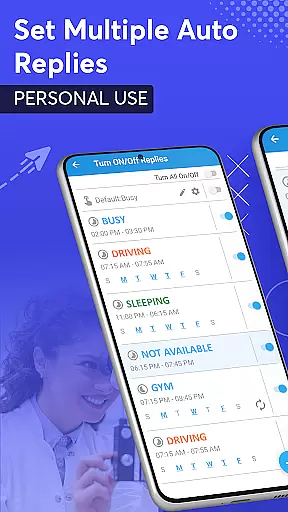
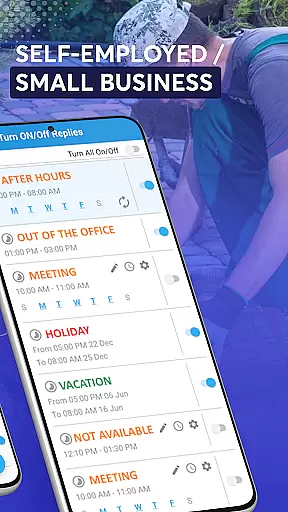
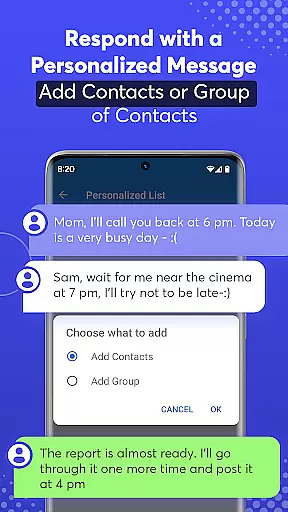
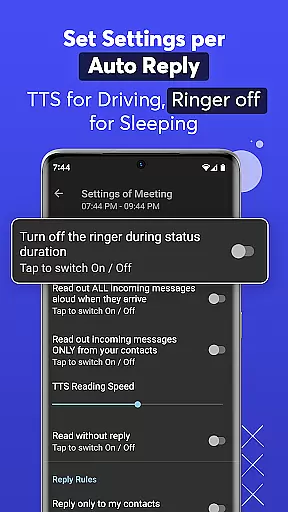
One of the standout features of SMS Auto Reply is its ability to create multiple automated response templates for different situations such as driving, sleeping, or attending meetings. Users can customize these messages with ease, choosing from pre-built options or crafting their own personalized replies.
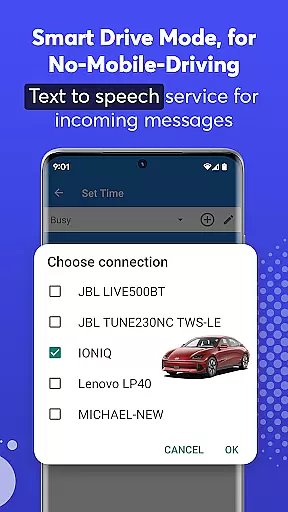
The app also includes advanced functionalities like Smart Drive Mode and Smart Bike Mode, which automatically activate auto-reply when connected via Bluetooth to a vehicle. This ensures minimal distraction while driving. Moreover, the Do Not Disturb (DND) mode silences notifications during auto-response periods, providing an uninterrupted experience. The inclusion of TTS services further enhances user convenience by reading out incoming messages without requiring manual interaction.
Real-time messaging speed and reliability are crucial for effective communication applications like SMS Auto Reply. This feature ensures that messages are delivered instantly and consistently, providing users with a seamless experience.
SMS Auto Reply achieves this by integrating with multiple messaging platforms such as WhatsApp, Facebook, and Telegram. The app's robust infrastructure processes incoming messages quickly, enabling automatic responses to be sent without delay.
For users, this means they can rely on the app to manage their communications efficiently, whether they're driving, in meetings, or otherwise occupied. The assurance of timely responses enhances personal and professional interactions.
Ultimately, the real-time messaging capability of SMS Auto Reply not only saves time but also increases safety by minimizing distractions from mobile devices during critical moments.
Media sharing support is an essential feature for modern communication apps, allowing users to exchange various types of content beyond plain text. For SMS Auto Reply, this functionality extends its utility by accommodating multimedia messages.
The application supports auto-replies to messages containing images, videos, and other media formats across platforms like WhatsApp, Facebook, and Instagram. By recognizing different media types in incoming notifications, it can trigger appropriate automated responses.
This versatility benefits users who receive numerous media messages daily. They can set up customized replies for different media types, ensuring comprehensive coverage of their communication needs while maintaining engagement with contacts.
Including media sharing support significantly enhances user experience, making SMS Auto Reply a more dynamic tool for managing diverse communication scenarios effectively.
Highly Customizable
User-Friendly Interface
Multi-Platform Support
Enhanced Safety Features
Efficient Scheduling Options
Premium Version Required
Limited Free Features
Occasional Connectivity Issues
Complex Setup for Beginners
Battery Consumption Concerns

Tether to Windows, OS X, Linux PCs or Android tablets. No root. No tether fees.
 3.90
3.90
Use this Dialer app alone or as a TREK: Total Interface companion.
4.70
SMS & MMS Messaging App to easily send messages or schedule SMS on Chat
4.10
Manage and Fund Calling Accounts and Schedule and Join Video Sessions
3.60
Use this SMS app standalone or as a TREK: Total Interface companion.
4.30
FolderSync enables easy sync of files between cloud storage and Android devices.
4.60
Measure BHP, Torque & 0-60 Clear car OBD faults View engine data in Google Earth
4.00
Stay in touch with the people who matter most.
4.60
Caller ID, Spam Call & SMS Blocker
3.80
Messenger for SMS - texting message app, faster, simpler & safer, for you.
4.70
Identify unknown numbers, block spam calls, customize calls with cool themes.
4.60
Save 10% automatically on your first international mobile top up.
4.60
Our Black Friday sale is here. Unlock special discounts on Proton Mail now.
4.30
HD Video Meeting app is a fast & unlimited video conferencing app across world.
4.30
Messenger app for faster and simpler SMS text messaging, and personalized themes
4.10
TeamSpeak - Secure Chat for Gaming & Business
3.10
Comprehensive and powerful scan tool app with enhanced functions
3.00
Radio communication simulator for gaming communities
4.0
An app dedicated solely to marriage, not dating, and supported by a rigorous verification mechanism to ensure seriousness.
4.2



User Reviews