
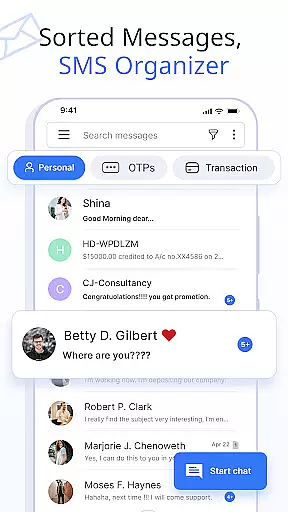
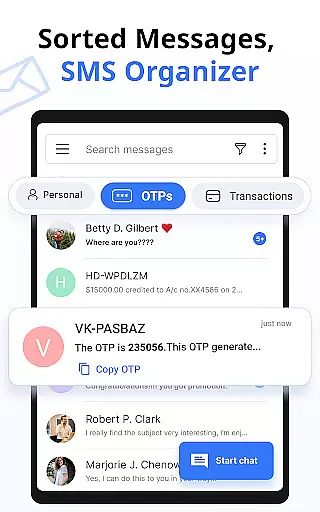
Messages is a feature-rich SMS and MMS messaging app designed to enhance communication with friends and family. This secure messaging platform automatically organizes conversations into Personal, Transactions, OTPs, and Offers categories using its built-in SMS Organizer. With over 16 million users, the app stands out for its smart features that streamline messaging while maintaining privacy and security.
The application provides comprehensive tools for modern communication needs including scheduled messaging, customizable notifications, and various media support options like emojis, stickers, and GIFs. Users can backup and restore conversations, block unwanted contacts, and enjoy crystal-clear voice calls alongside text messaging. Its compatibility spans across all major Android devices and versions, making it universally accessible.
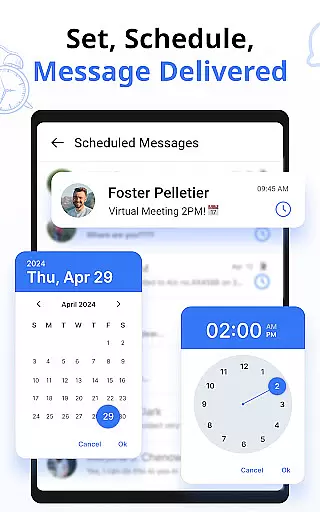
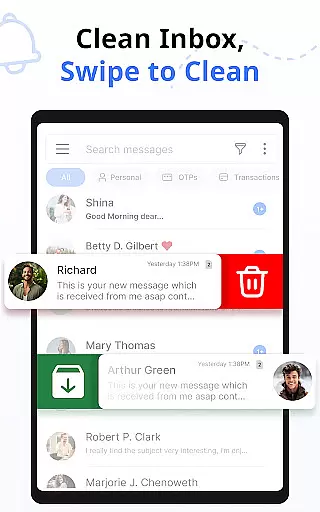
Ideal for both personal and professional use, Messages allows users to schedule important reminders and greetings in advance while keeping their inbox clutter-free through automated deletion features. The app's delivery confirmation system ensures messages reach their destination, providing peace of mind for time-sensitive communications. These capabilities make it an essential tool for managing digital correspondence efficiently.
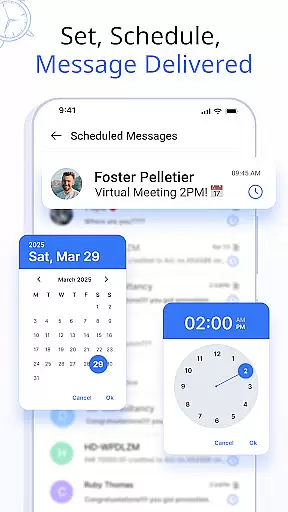
Messages offers an impressive array of features that cater to diverse messaging needs. The app's Custom Notification Alerts allow users to personalize alert settings for individual contacts, giving them control over notification previews, ringtones, and vibration patterns. Its Schedule Messages functionality enables users to compose texts in advance and have them delivered at specific times, perfect for timely reminders or greetings.
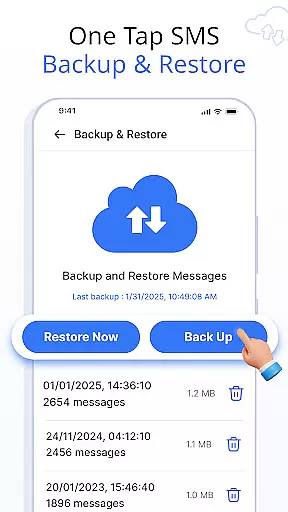
A key highlight is the robust Backup and Restore system, which secures conversation history through one-click internal storage backups. The app's Swipe Actions feature enhances productivity by allowing customized left or right swipe gestures for actions like archiving, deleting, or marking messages. Additionally, the Auto Delete Conversation function helps maintain an organized inbox without manual intervention.
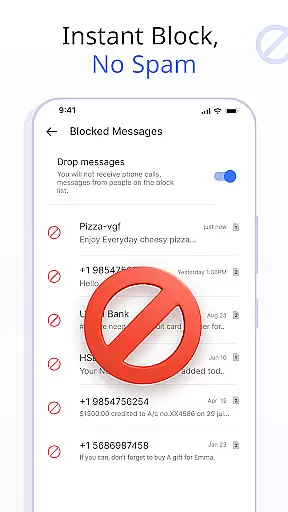
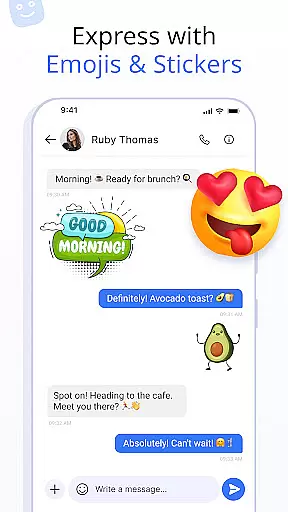
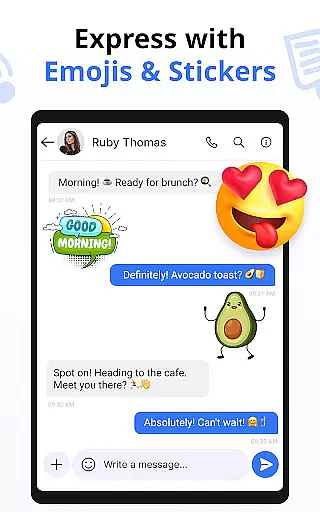
The inclusion of Emojis, Stickers, and GIFs adds expressive elements to conversations, while the Delivery Confirmation feature provides assurance that messages have been successfully sent. The ability to Block Contacts ensures a distraction-free experience, and Voice Call integration makes staying connected even more convenient. These features collectively create a comprehensive messaging solution.
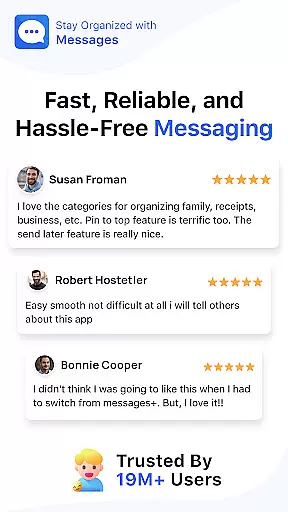
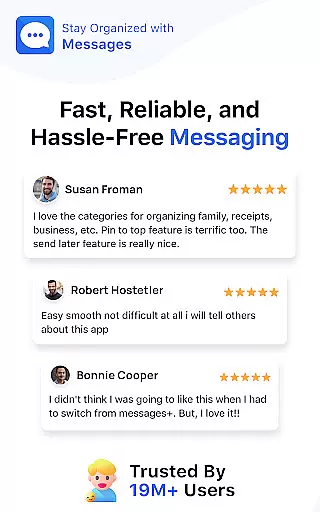
In today's fast-paced world, the speed and reliability of message delivery are crucial for effective communication. The Messages app ensures that your SMS and MMS messages are sent and received instantly, providing a seamless communication experience.
Utilizing optimized data transmission protocols, the app minimizes latency, ensuring that your messages reach their destination without delay. This is particularly important for time-sensitive communications such as urgent notifications or critical alerts.
Moreover, the app's robust infrastructure guarantees high availability and minimal downtime, which means you can rely on it to deliver your messages whenever you need them to be sent. This reliability fosters trust between users, knowing their messages will be delivered promptly.
The Messages app also includes delivery confirmation features, giving users peace of mind by notifying them when their message has been successfully delivered and read. This feature enhances the overall messaging experience by adding a layer of assurance that is often missing in other messaging platforms.
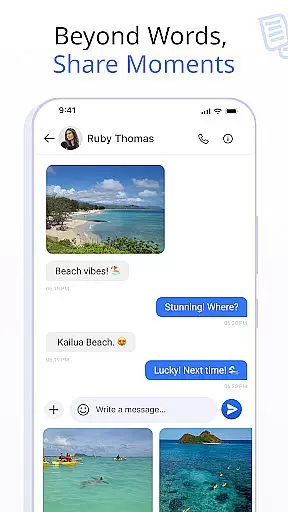
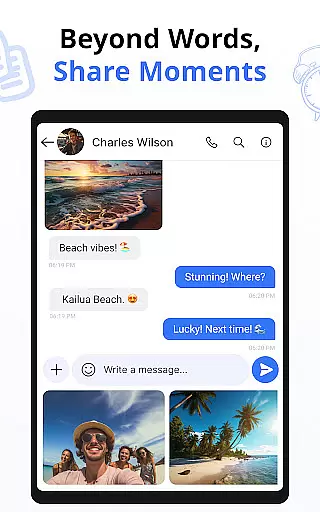
Sharing media has become an integral part of our daily conversations, allowing us to express ourselves beyond words. The Messages app excels in this area by offering comprehensive support for various media formats, making it easy to share photos, videos, and audio files with friends and family.
With the ability to handle large file sizes and multiple formats, the app ensures that your media is shared without compromising quality. Whether you're sending a high-resolution photo or a lengthy video clip, the recipient will receive it in its original form, preserving the intended impact of your message.
Beyond just sending media, the app provides a rich set of tools for editing and enhancing your content before sharing. You can add filters, crop images, trim videos, and even include emojis or text overlays, all within the app, streamlining the process of personalizing your media messages.
Furthermore, the integration of GIFs and stickers adds another dimension to media sharing, enabling more expressive and engaging conversations. These features not only make your chats more lively but also help convey emotions and reactions in a fun and interactive way, enriching the overall user experience.
User-friendly interface
Advanced scheduling options
Comprehensive backup solutions
Customizable notification settings
Cross-device compatibility
Limited iOS support
Storage space required
Premium features locked
Occasional bugs reported
Internet needed for some functions

Official NDI app: turn your phone into a professional live-streaming IP camera.
 3.20
3.20
Fast and mini browser with Ad Blocker,Video Downloader and Video Player
4.40
Simplify texting with Messages SMS, offline messaging, themes & smart tools!
4.30
Auto Reply SMS, Text Messaging, Away SMS Response, Busy SMS messages, Block Text
3.10
Weargram is an unofficial Telegram Client for Wear OS.
3.50
FolderSync enables easy sync of files between cloud storage and Android devices.
4.60
A browser that does more than load page, like keeping your privacy safe.
4.70
Say “hello” to privacy.
4.60
Share the moment!
4.10
Messenger for SMS - texting message app, faster, simpler & safer, for you.
4.70
Manage BoostMobile Account
4.60
Messenger, an MMS & SMS messages app with Blockers, Driving mode & Private box
4.60
Stay in touch with the people who matter most.
4.60
Create a secure hotspot on-the-go with Portable WiFi - Mobile hotspot.
4.40
Manage your data, talk & text - affordable phone plans & data usage made simple
4.30
Call & Text Anywhere With A Canadian Number.
3.60
At select facilities, you now have an easy way to video visit your loved ones!
3.30
Manage Phone Calls, call history, and contacts easily with Phone Pro.
4.0
Bringing the functionality of Winlink to your Android device
4.4




User Reviews