
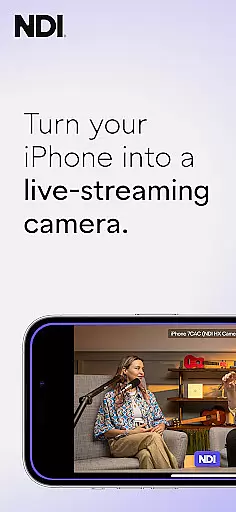
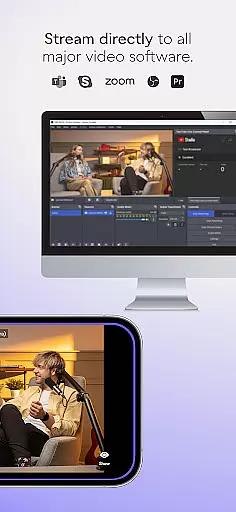
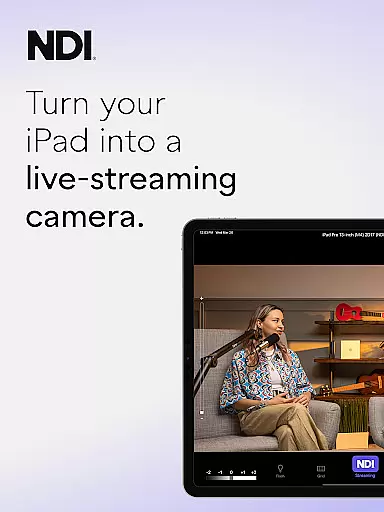
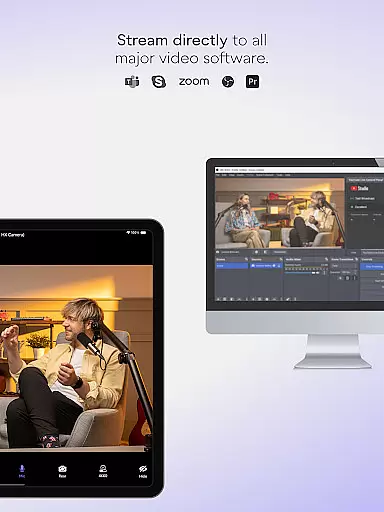
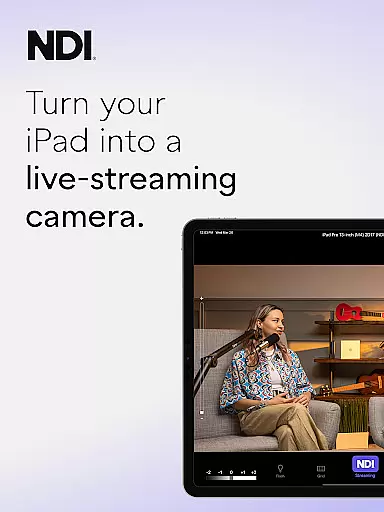
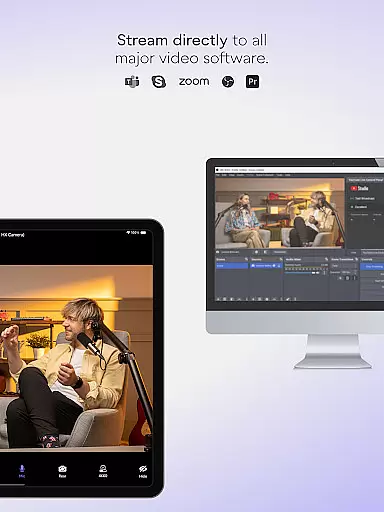
NDI Camera is a professional live-streaming application that transforms your mobile device into a high-quality NDI camera. With its intuitive interface and advanced features, the app allows users to stream low-latency video and audio directly to popular platforms such as MS Teams, Skype, and Zoom. The latest version 1.7 brings a modernized UI, full video height viewfinder, and tally light with multiple modes, making it an essential tool for live production professionals.
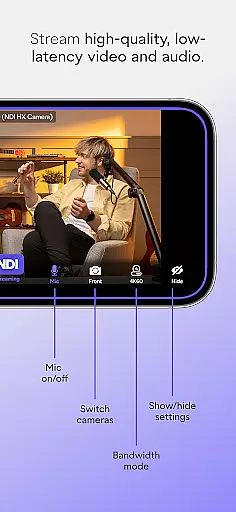
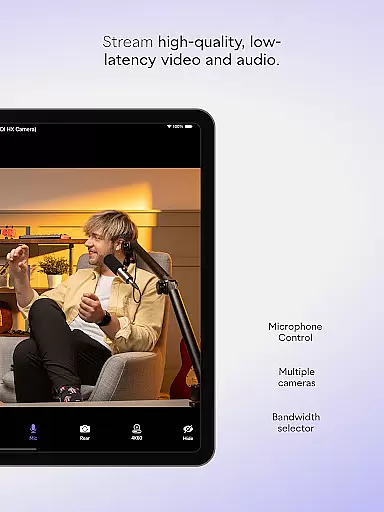
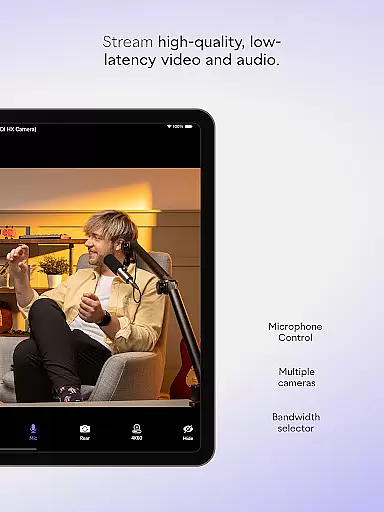
The app offers flexible streaming options and professional settings that can be easily managed from your phone. Users can choose between different bandwidth modes, utilize autofocus and pinchable zoom, and switch between front and rear cameras. These features provide additional perspectives and angles, enhancing the quality of live broadcasts, webcasts, and presentations. Whether you're a content creator or part of a professional production team, NDI Camera delivers the tools needed to elevate your streaming capabilities.
NDI Camera stands out with its comprehensive feature set tailored for professional use. The app supports NDI 4 or newer, ensuring compatibility with the latest technology standards in live streaming. One of its key features is the ability to select between high, medium, and low bandwidth modes, allowing users to optimize their streams based on network conditions. This flexibility ensures consistent performance even in varying network environments.
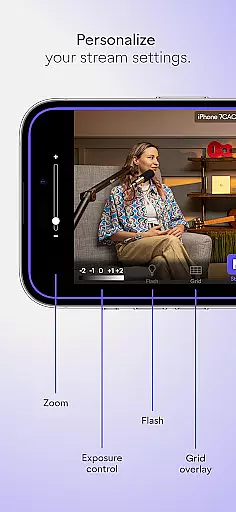
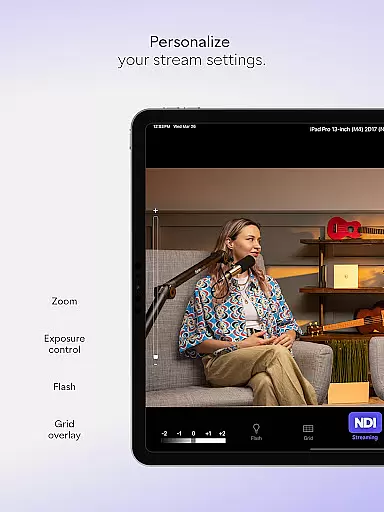
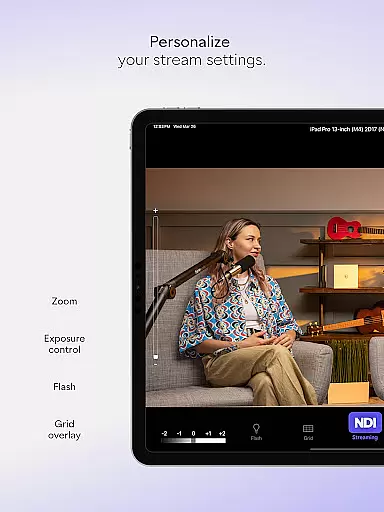
Additional features include an optional grid overlay for precise framing, an on-screen connection meter for real-time feedback, and tally display functionality indicating preview and on-air status. The app also provides front and rear camera selection, pinchable zoom, and autofocus, giving users complete control over their shots. These robust features make NDI Camera an indispensable tool for anyone looking to integrate mobile devices into their live production workflow.
Real-time messaging speed and reliability are crucial for seamless communication in live-streaming applications like NDI Camera. This app ensures that video and audio streams are transmitted with minimal delay, providing an efficient and smooth experience for users.
NDI Camera achieves this by utilizing advanced network protocols and optimization techniques to maintain high-quality, low-latency streaming. The app supports NDI 4 or newer, which is essential for professional live production systems where timing and quality are paramount.
Users benefit from the app's ability to send video to popular platforms such as MS Teams, Skype, and Zoom with just a push of a button. This immediacy allows broadcasters and professionals to focus on their content rather than technical details, ensuring reliable and fast communication.
The reliability of NDI Camera also extends to its professional settings, which include options for different bandwidth modes, autofocus, zoom, and camera selection. These features contribute to a dependable streaming experience that can adapt to various network conditions and user needs.
Media sharing support in NDI Camera enables users to effortlessly stream high-quality video and audio from their mobile phones to a network, making it an ideal tool for live broadcasts, webcasts, and presentations. The app facilitates the integration of mobile phones as sources into live production systems.
With NDI Camera, users can choose between front and rear cameras, apply optional grid overlays, and utilize pinchable zoom for precise framing. The tally display feature provides clear indications of preview and on-air status, enhancing the media sharing experience.
This application stands out due to its compatibility with popular platforms like MS Teams, Skype, and Zoom, allowing professionals to expand their coverage with new camera angles and perspectives. This flexibility enriches live broadcasts by adding dynamic visual elements.
Moreover, NDI Camera offers professional settings at your fingertips, including adjustable bandwidth modes to suit network capabilities, ensuring optimal media sharing performance. Download NDI Camera to harness the power of mobile live-streaming and elevate your content delivery today.
User-friendly interface
High-quality streaming
Flexible bandwidth options
Professional settings available
Compatibility with major platforms
Requires NDI 4 or newer
Limited to compatible networks
No offline functionality
Premium features may require additional setup
Dependent on device camera quality

Radio communication simulator for gaming communities
 4.0
4.0
Use this Dialer app alone or as a TREK: Total Interface companion.
4.70
Manage and Fund Calling Accounts and Schedule and Join Video Sessions
3.60
HD Video Meeting app is a fast & unlimited video conferencing app across world.
4.30
Comprehensive and powerful scan tool app with enhanced functions
3.00
RemoteHams.com Android RCForb Client Pre-Release
4.30
Manage Phone Calls, call history, and contacts easily with Phone Pro.
4.3
Talk & text free with a second phone number plus unlimited 5G data, no fees.
4.50
Useful. Social. Expressive.
4.70
Fast internet with AI, Adblock & VPN. Browse on a safe, incognito web browser.
4.70
Manage BoostMobile Account
4.60
Messenger, an MMS & SMS messages app with Blockers, Driving mode & Private box
4.60
Say “hello” to privacy.
4.60
Experience real private browsing without tracking, surveillance, or censorship.
4.50
Smart and simple anti-wiring application - IMSI-catchers catcher
4.40
Measure BHP, Torque & 0-60 Clear car OBD faults View engine data in Google Earth
4.00 3.90
3.90
A Browser with powerful ad blocker to help focus on what really matters.
3.00
Bringing the functionality of Winlink to your Android device
4.4




User Reviews