
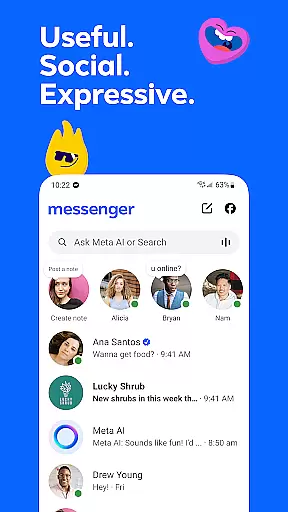
Messenger is a versatile communication app that allows users to connect with friends and family effortlessly. The core functionality revolves around instant messaging and voice/video calling, enabling seamless interactions across distances. What sets Messenger apart is its integration with Facebook, allowing contact discovery without needing phone numbers.
Beyond basic communication, the app offers innovative features like Meta AI assistant for instant support, high-definition photo sharing, and disappearing messages for private conversations. These capabilities make it particularly valuable for users seeking both personal and professional communication solutions. Whether maintaining social connections or collaborating on work projects, Messenger provides a comprehensive platform for modern communication needs.
Messenger distinguishes itself through a rich set of features designed to enhance user interaction. The app's AI assistant provides intelligent support, capable of answering complex questions and assisting with various tasks. Its media-sharing capabilities are exceptional, allowing users to send high-definition images and create shared albums for group memories.
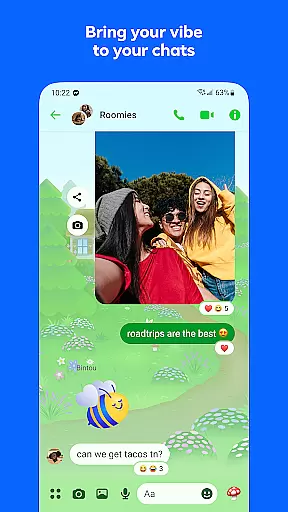
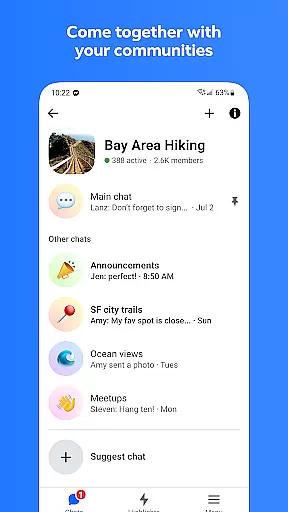
The app implements advanced security features including end-to-end encryption for disappearing messages and message editing functionality within a 15-minute window. Professional users benefit from file-sharing capabilities supporting documents up to 100MB. Additionally, Messenger facilitates community building through broadcast channels and interest-based groups, while offering extensive customization options through chat themes and creative tools like stickers and GIFs.
These features collectively create a robust communication ecosystem that caters to diverse user needs, from casual social interactions to professional networking requirements.
Real-time messaging speed and reliability are crucial for maintaining seamless communication in today's fast-paced digital world. Messenger ensures that your messages are delivered instantly, allowing for smooth and uninterrupted conversations.
The app employs advanced server infrastructure and optimized data transmission protocols to guarantee minimal latency. This means your texts, voice messages, and multimedia content reach the recipient almost instantaneously, creating a natural flow of dialogue.
For users, this translates into reliable connectivity regardless of their location or network conditions. Whether you're chatting with friends across town or staying in touch with family on another continent, Messenger maintains consistent performance.
This level of reliability extends beyond simple text exchanges. The app supports high-quality voice and video calls, ensuring professional-grade communication for both personal and business use cases.
Media sharing capabilities have become an essential component of modern messaging applications, enabling richer and more expressive communication. Messenger excels in this area by providing comprehensive support for various media formats.
The application allows users to send high-definition photos and videos without compromising quality. Its optimized compression algorithms ensure that visual content maintains its clarity while minimizing file size for faster transmission.
Beyond traditional media, Messenger supports document sharing up to 100MB, including Word, PDF, and Excel files. This feature proves particularly valuable for professional environments where quick file exchange is necessary.
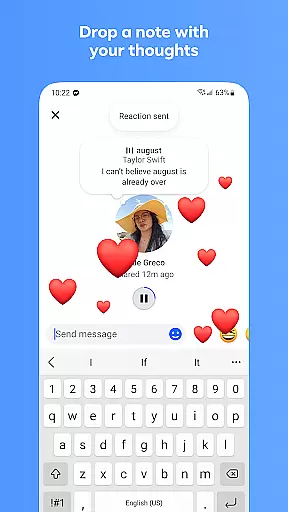
Additional enhancements include disappearing messages and story features, giving users control over their shared content's lifespan. These options cater to different privacy preferences and communication styles, making media sharing both versatile and secure.
User-friendly interface
High-quality media sharing
Advanced AI assistance
Secure message options
Versatile customization tools
Occasional connectivity issues
Privacy concerns with metadata
Heavy battery consumption
Large storage requirements
Complex feature set for beginners

At select facilities, you now have an easy way to video visit your loved ones!
 3.30
3.30
Messenger app for faster and simpler SMS text messaging, and personalized themes
4.10
Fast and mini browser with Ad Blocker,Video Downloader and Video Player
4.40
Chat on the Jabber network (XMPP protocol); support for SMS and other gateways
2.10
Send SMS and chat messages easily with a fast text messaging app for Android.
4.10
2nd Phone Number Line for Anonymous Texting, Calling, and Picture Messages
4.30
Fast, Simple And Secure Application That Provides SMBv3 Server On Your Device
3.30
Say “hello” to privacy.
4.60
Talk & text free with a second phone number plus unlimited 5G data, no fees.
4.50
Enhance browsing with AI-powered features and Copilot.
4.70
A browser that does more than load page, like keeping your privacy safe.
4.70
Manage BoostMobile Account
4.60
Phone Dialer with Caller ID, Address Book & Contacts Manager.
4.30
SMS Messenger is a lightning-fast messaging app.
4.20
Telegram is a messaging app with a focus on speed and security.
4.00
Call Forwarding is easy and simple application to use.
3.80
This app enables the phone to receive and send FT8 traffic!
3.80
Fun, free app that lets kids video call and message family and close friends.
3.80
Weargram is an unofficial Telegram Client for Wear OS.
3.50








User Reviews