
Cheogram is a communication app that connects users to a global network, emphasizing cross-platform interaction. It supports multimedia messaging and integrates with various services like SMS and phone systems.
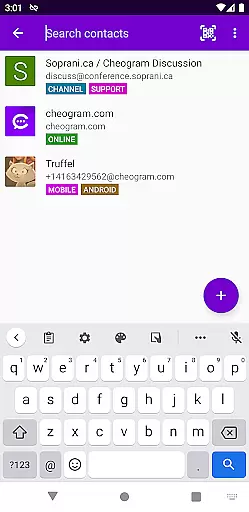
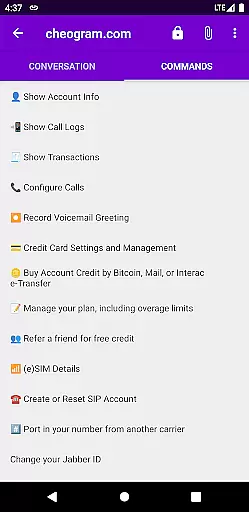
Key features include address book integration, tagging for contacts, and a command-based UI for streamlined conversations. The app also offers a free one-month trial of the JMP.chat service, enhancing its value proposition.
Ideal for users seeking seamless connectivity across different messaging platforms, Cheogram provides a versatile tool for modern communication needs.
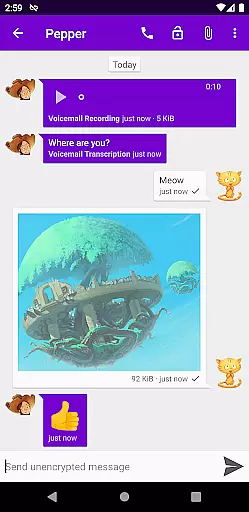
Cheogram stands out with its robust feature set tailored for interconnected communication. The app supports rich media messages, including animated content, ensuring dynamic interactions.
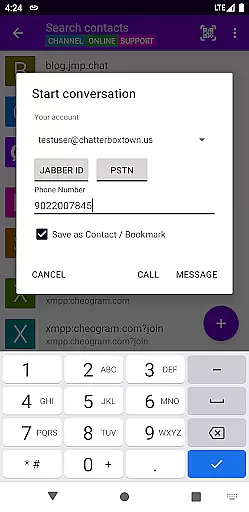
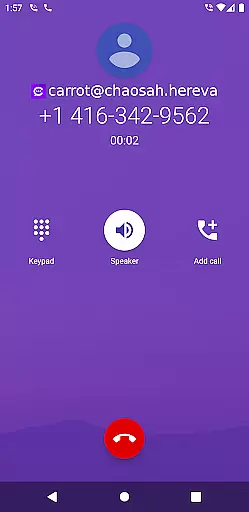
It offers practical functionalities such as displaying subject lines discreetly, showing contact names for known links, and integrating with gateways' add contact processes. Additionally, it enhances user experience by connecting with the native Android Phone app when using telephony gateways.
With capabilities like contact tagging, threaded conversations, and sticker packs, Cheogram delivers an engaging and organized messaging platform suitable for both casual and power users.
Real-time messaging speed and reliability are crucial for any communication app, ensuring that messages are delivered instantly and consistently. Cheogram Android excels in this area by leveraging the robust Jabber service network.
The app supports both text and media messages, including animated media, which are delivered seamlessly across networks. This ensures users can communicate effectively without delays or interruptions.
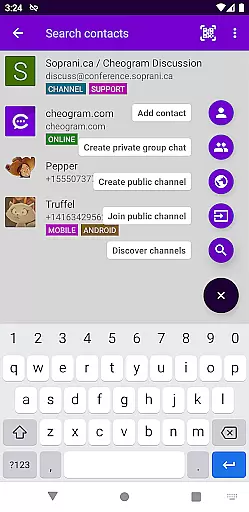
By integrating with gateways' add contact flows and the native Android Phone app, Cheogram enhances its messaging capabilities. Users benefit from a seamless experience when interacting with contacts on different platforms, such as SMS-enabled phone numbers.
Overall, Cheogram's real-time messaging feature provides a reliable and efficient way to stay connected, making it an excellent choice for users who prioritize speed and dependability in their communications.
Media sharing support is a vital feature for modern communication apps, allowing users to exchange various types of content effortlessly. Cheogram Android offers comprehensive media sharing capabilities that cater to diverse user needs.
Users can send both media and text messages, including animated media, ensuring rich and engaging conversations. The unobtrusive display of subject lines and links to known contacts further enhances the user experience by providing context and clarity.
Cheogram also integrates with the native Android Phone app when using a gateway to the phone network, streamlining the process of sharing media files. This integration ensures that users can easily share photos, videos, and other media formats without compatibility issues.
With its robust media sharing support, Cheogram Android empowers users to communicate more effectively and enjoyably, setting a high standard for communication apps in the market.
User-friendly interface
Rich media support
Integrated phone functionality
Address book synchronization
Free service trial
Limited to Jabber services
No standalone service option
Potential privacy concerns
Complex setup process
Dependent on third-party art

Fast and simple walkie talkie app
 4.20
4.20
We’re taking the yada yada out of wireless—now we’ve taken it out of your app.
4.70
Browse fast on Opera Mini, with Data Saving, News, Football Scores, and Download
4.60
Call Blocker app: Identify unknown callers, block spam calls, fraud & robocalls
4.30
Create a secure hotspot on-the-go with Portable WiFi - Mobile hotspot.
4.40
Comprehensive and powerful scan tool app with enhanced functions
3.00
Bringing the functionality of Winlink to your Android device
4.1
Stay in touch with the people who matter most.
4.60
A customizable phone number in the cloud
4.20
فیلتر شکن قوی پرسرعت کلید جدید برای اندرویدسریع ترین وی پی ان برای همه اپراتورها
4.70
Manage BoostMobile Account
4.60
Caller ID App! Add names & photos to unknown calls & Call Recording
4.40
Smart and simple anti-wiring application - IMSI-catchers catcher
4.40
Group Chat That’s Fun & Games
4.30
Messenger app for faster and simpler SMS text messaging, and personalized themes
4.10
This app enables the phone to receive and send FT8 traffic!
3.80
Call & Text Anywhere With A Canadian Number.
3.60
At select facilities, you now have an easy way to video visit your loved ones!
3.30
A Browser with powerful ad blocker to help focus on what really matters.
3.00



User Reviews