
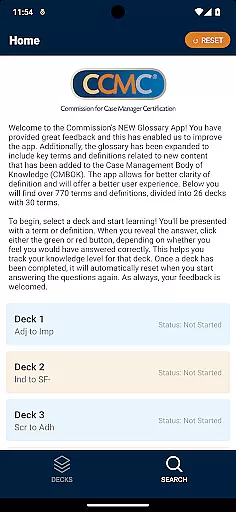
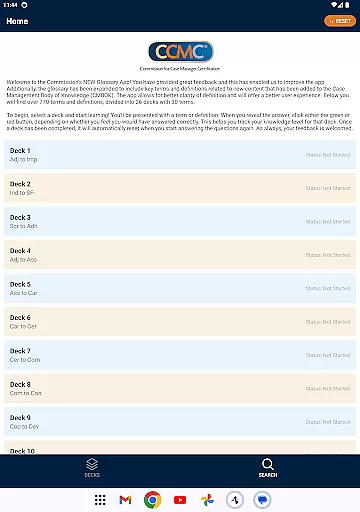
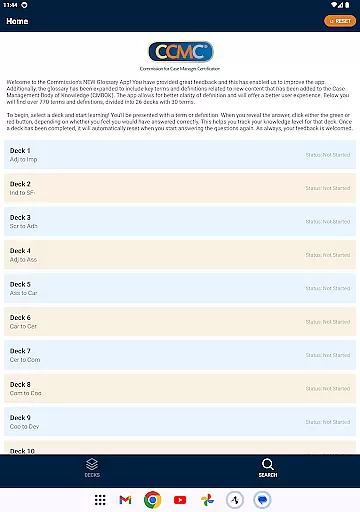
The CCM Glossary App is an educational tool designed to enhance understanding of key terms and definitions in case management. With over 770 terms divided into 26 decks, this app provides a structured learning experience for professionals seeking to expand their knowledge base.
Users can track their progress through interactive features that allow them to mark their confidence level on each term. The app's intuitive design ensures easy navigation while offering a comprehensive resource for mastering industry-specific terminology.
This application is particularly useful for those preparing for certification exams or looking to refresh their understanding of essential concepts in case management.
The app offers a rich set of features tailored for effective learning. It includes expanded glossary content aligned with the Case Management Body of Knowledge (CMBOK), ensuring users have access to the latest industry terms.
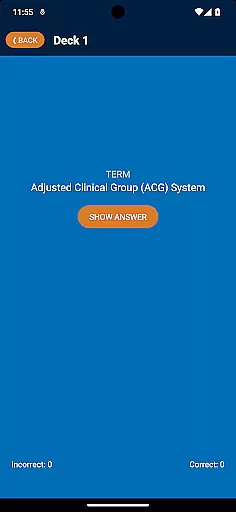
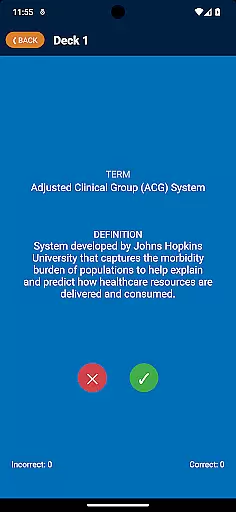
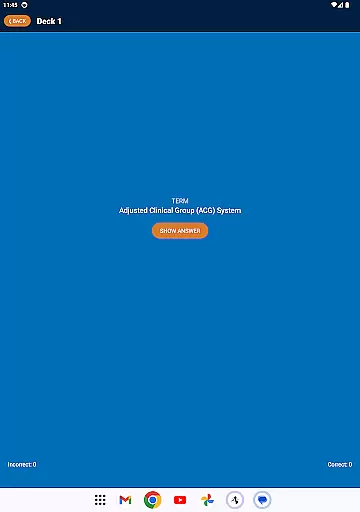
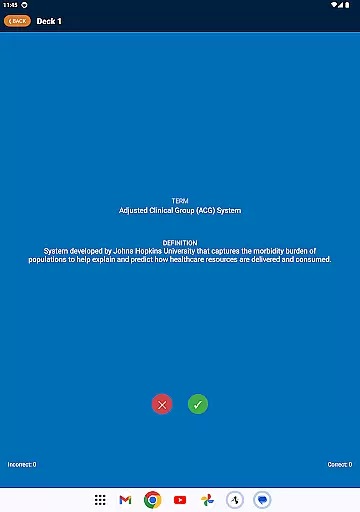
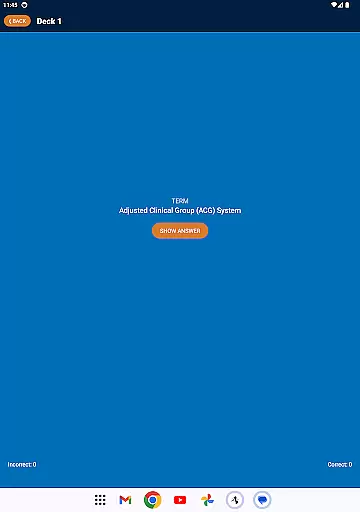
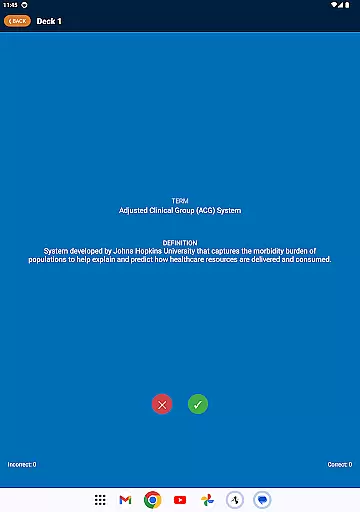
Interactive flashcards present terms and definitions in a clear, concise format. Users can test their knowledge by revealing answers and rating their familiarity, which helps in tracking learning progress over time.
Additional functionalities include automatic deck reset upon completion and intuitive navigation that allows users to seamlessly move between different sets of terms, enhancing the overall educational experience.
In the realm of education applications, content accuracy is paramount. The CCM Glossary App offers over 770 terms and definitions which are closely aligned with the Case Management Body of Knowledge (CMBOK). This ensures that users are learning from a reliable and authoritative source.
Each term has been carefully selected and defined by experts in the field, providing clear and precise information. The app's content is not only vast but also meticulously curated to reflect the latest updates and key concepts within case management.
Users benefit from this rigorous attention to detail as they navigate through 26 decks, each containing 30 terms. Such organization helps maintain focus on specific areas of study while ensuring comprehensive coverage of relevant topics.
By engaging with accurate and expert-reviewed material, learners can trust that their knowledge base is both solid and current, enhancing their professional capabilities in case management.
The CCM Glossary App goes beyond mere presentation of information by offering personalized learning paths tailored to individual progress. As users work through various decks, they engage actively with the material by indicating their level of understanding for each term or definition.
This interactive approach allows the app to track user performance and adapt accordingly. By clicking either green or red buttons based on perceived correctness, users create a dynamic feedback loop that informs their ongoing educational journey.
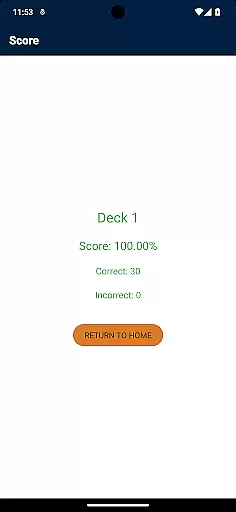
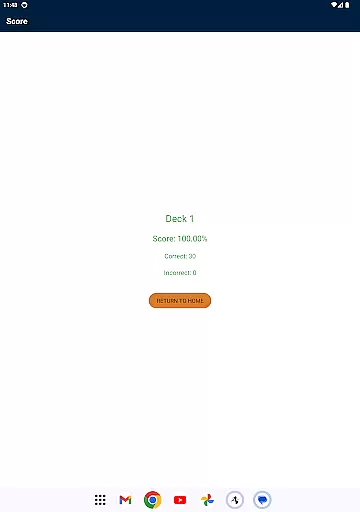
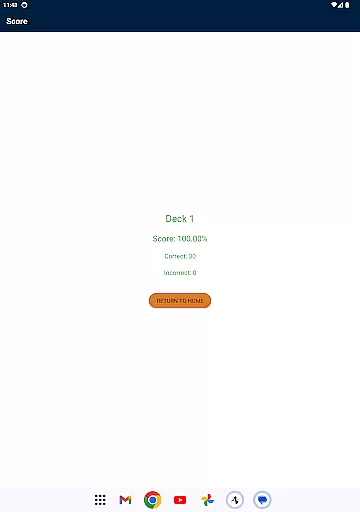
Upon completing a deck, it resets automatically, enabling continuous improvement and mastery over time. This feature encourages repeated practice until proficiency is achieved without manual intervention.
Ultimately, these personalized learning paths empower users to take control of their education at their own pace while receiving structured guidance throughout their exploration of case management terminology.
User-friendly interface
Comprehensive glossary
Progress tracking
Aligned with CMBOK
Interactive learning
Limited to case management
No offline mode
Requires Google account
Occasional bugs
Ads present

A 2024 digital study guide for the Expert Infantryman and Expert Soldier's Badge
 4.4
4.4
One of the most engaging and innovative ABC apps on the market.
4.30
Turns you phone or tablet into TI graphing calculator (ROM required).
4.20
Master the NRP with 700+ questions, rationales, and updated NREMT scenarios.
3.00
The Fighter Verses Bible memory system helps you memorize God's Word.
4.50
Enrich the experience of your visit to the Pantheon with our audiotour.
1.60
Master note reading with StaffWars….
4.00
Your best partner for learning Japanese words. Based on a best-selling textbook.
2.80
Stack the Countries makes learning world geography fun!
4.50
Learn Japanese in an immersive educational game set in Japan!
4.90
Astronomy Guide to the Night Sky
4.40
Monkey Preschool Lunchbox: 7 exciting educational games for your preschooler.
4.30
THE ESTABLISHED "GO TO" ARMY BOARD PREPARATION APP!
4.30
The "Go To" app for Airmen studying for promotion to SSgt and TSgt
4.30
Break Language Barriers with AI—Learn Language Anytime, Anywhere!
4.00
An animated storybook app to help ease your child through toilet training.
3.70
Your best partner for learning Japanese words. Based on a best-selling textbook.
2.90
Hasbro’s classic CANDY LAND game is now a gorgeous interactive storybook app.
2.30
AR planetarium app that brings the solar system to you via XREAL Glasses.
4.3



User Reviews