
Endoscope Camera Connector is a specialized application designed to connect Android devices with external cameras such as endoscopes, USB cameras, or Borescope cameras. This app facilitates the integration of various external camera devices, including models like Depstech and sewer inspection cameras, allowing users to view live feeds directly on their smartphones.
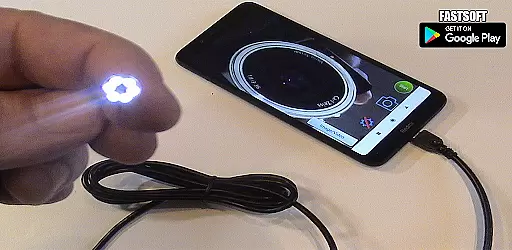
The app functions similarly to an OTG (On-The-Go) viewer, enabling users to connect their external cameras via USB OTG or Type-C ports. Once connected, users can record videos with sound and access captured media through the device's gallery. Before using the app, it is essential to ensure that your smartphone supports USB OTG technology and that your camera is UVC-compatible.
This versatile tool is particularly useful for professionals in plumbing, maintenance, and inspections who need to examine hard-to-reach areas. By providing real-time visuals from endoscope cameras, it eliminates the need for traditional drain unblocking methods or plumbing cameras, thus streamlining workflows and enhancing efficiency.
Endoscope Camera Connector offers a range of features tailored to enhance user experience when working with external cameras. One of its primary capabilities is the seamless connection between Android devices and various types of external cameras, including endoscopes and Borescopes. The app ensures smooth video recording with audio support, making it ideal for detailed inspections.
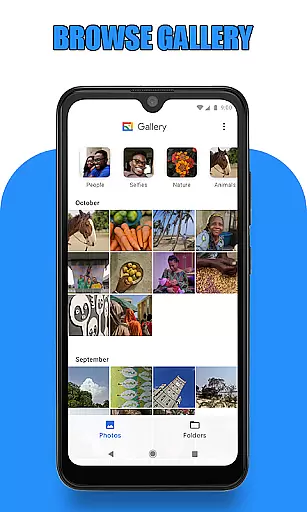
Upon launching the app, users are greeted with an intuitive interface that guides them through the setup process. They can verify their device's compatibility with USB OTG technology directly within the app settings. Additionally, the app provides easy navigation to the gallery where all captured images and videos are stored. Users can conveniently manage their media by deleting unwanted files or viewing recorded content using their preferred media player.
A significant advantage of this app is its broad application scope. It serves professionals across multiple industries, such as plumbing and maintenance, by offering a reliable solution for inspecting blocked drains or other confined spaces. The ability to use it with any UVC-compatible external camera further extends its utility, making it a versatile tool for both personal and professional use.
Endoscope Camera Connector offers a comprehensive solution for connecting your mobile device with various external cameras, including endoscopes, USB cameras, and Borescope cameras. This app ensures that users can conveniently access and control these devices directly from their Android phones.
The app's functionality spans across different use cases, such as sewer inspections or plumbing repairs, where it replaces traditional drain unblocker tools or plumbing cams. By supporting UVC-compatible cameras and working seamlessly with USB OTG technology, the app provides extensive coverage for multiple camera types and uses.
Users benefit from features like video recording with sound, photo capturing, and media management through an integrated gallery. These capabilities ensure that whether you're diagnosing blocked drains or conducting detailed inspections, this app delivers the necessary tools to get the job done efficiently.
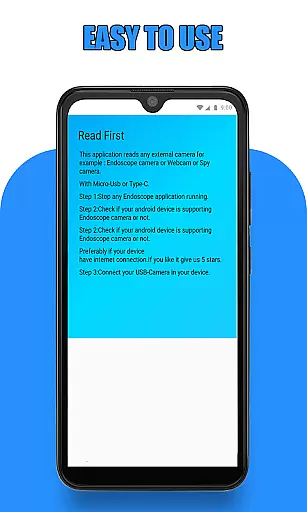
Usability is at the core of Endoscope Camera Connector's design, ensuring a smooth operational experience. The app simplifies the process of connecting and using external cameras by providing clear instructions and an intuitive interface. Users can easily check if their device supports USB OTG technology through the built-in checker.
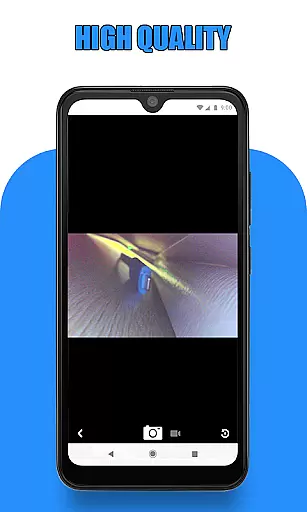
Once connected, operating the endoscope camera becomes straightforwardu2014users simply click on the camera icon to start viewing live footage. The app facilitates essential tasks such as taking photos, recording videos, and managing media files in the gallery without any hassle.
This focus on operational smoothness makes it easy even for non-technical users to utilize advanced equipment effectively. With seamless integration between hardware and software functionalities, Endoscope Camera Connector enhances user engagement while maintaining ease of use throughout every step of operation.
User-friendly interface
Wide device compatibility
Efficient media management
Real-time camera feed
Versatile application scope
Limited iOS support
Requires OTG adapter
Dependent on UVC compatibility
No advanced editing tools
Occasional connectivity issues

View your cameras anywhere and anytime
 4.20
4.20
If you are looking for melon playground mod that fun you deffinitely try our app
2.70
Wireless reverse charging using phone now is possible
4.30
Zlink Carplay Android a mirror link app with a Carplay interface style
4.3
Mobs maker Minecraft help MCPE creators make their own mob by using Blockbench
3.50
Explore The Holy Quran Majeed for Muslim. Listen to MP3 Quran & Al Quran Kareem.
4.80
Barcode scanning made simple!
4.40
Endoscope camera an app to connect with endoscope cam or any device
3.30
Unlock the hidden menus of your phone with our mobile secret codes app.
4.20
Read Holy Quran Feel Like Real Quran & Listen Al Quran Mp3 Audio Online Offline.
4.70
TV USB connector app provides you a seamless cast option from your phone to tv.
4.70
Block and secure the microphone and protect from secret listening and recording.
4.50
MirrorLink for connecting your Android phone to your car’s infotainment screen.
4.50
Manage apps & elevate your gaming experience with Game Launcher: Gaming Hub app.
4.30
Game Booster GFX for smoother gaming experience. Enjoy 120 FPS and 4x Game Space
4.20
Android secret code for smart phone, mobile codes, with secret codes app
4.20
Mobile Connect To TV - HDMI USB & WiFi Screen Mirroring
3.70
Collection of Maps and Mods for Dmod
3.30
DamonSx2 is the open Source LGPL Emulator
3.20



User Reviews