
Huckleberry is an all-in-one parenting partner designed to support families through every stage of their child's development. The app combines advanced tracking features with personalized guidance to help parents navigate sleep schedules, feeding patterns, developmental milestones, and daily routines.
With its award-winning technology and team of pediatric experts, Huckleberry transforms parenting challenges into manageable solutions. The app's intelligent tools include SweetSpot® for predicting optimal nap times, Berry AI chat for instant parenting support, and comprehensive tracking features for multiple children. Whether you're dealing with newborn care or toddler milestones, Huckleberry provides evidence-based recommendations tailored to each family's unique needs.
This parenting app creates a seamless experience by syncing across multiple devices and offering both free and premium membership options. Parents can access basic tracking tools for free while unlocking advanced features like custom sleep plans and enhanced analytics through subscription plans. By blending scientific research with gentle, family-centered solutions, Huckleberry helps millions of families worldwide achieve better sleep and more peaceful routines.
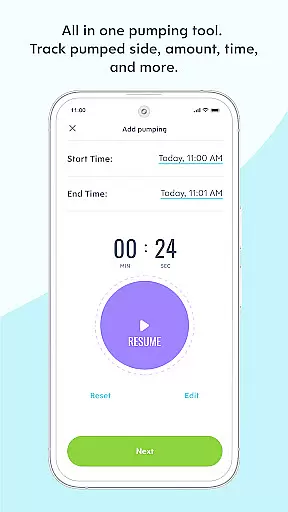
Huckleberry stands out in the parenting app market with its sophisticated combination of tracking tools, AI-powered guidance, and personalized support systems. The app's core feature set includes a comprehensive baby tracker that monitors sleep patterns, feeding schedules, diaper changes, and developmental milestones through simple one-touch logging.
The SweetSpot® technology uses predictive algorithms to determine ideal nap times based on each child's unique rhythms, eliminating guesswork for parents. This feature, available in Plus and Premium memberships, learns from user input to provide increasingly accurate suggestions. The app's Berry AI chat system offers 24/7 parenting support, providing instant answers to common questions and helping solve complex parenting challenges through natural language processing.
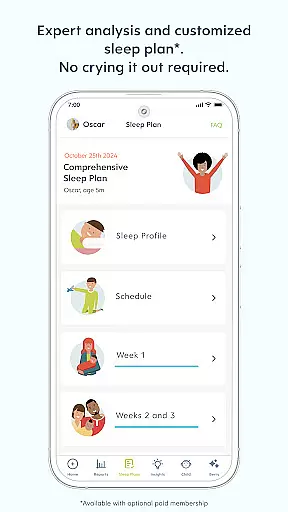
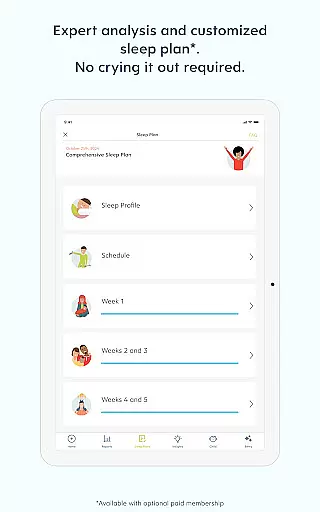
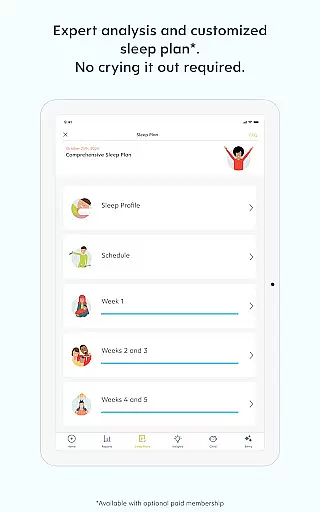
Premium members gain access to additional advanced features including Custom Sleep Plans, weekly progress check-ins, and ongoing support from sleep experts. The app's multi-child tracking capability allows parents to maintain individual profiles for each child, while cross-device synchronization ensures all caregivers stay informed. These features work together to create a comprehensive parenting solution that adapts to each family's evolving needs.
When it comes to parenting apps, the credibility of content and expert validation are paramount for user trust. Huckleberry stands out by offering a comprehensive suite of tools that are not only designed for tracking your baby's sleep, feeding, and other essential activities but are also backed by pediatric experts. This ensures that every piece of advice or insight provided by the app is reliable and beneficial for your child's development.
The app includes features like SweetSpotu00ae, which predicts ideal nap times with impressive accuracy, and Berry, an AI chat that delivers 24/7 parenting guidance vetted by experts. These functionalities are powered by evidence-based approaches and smart algorithms that adapt to the unique rhythms and needs of each family. With these tools, parents can rest assured that they are receiving top-notch, personalized support.
Huckleberry's commitment to expert validation extends to its Plus and Premium memberships, where users gain access to custom sleep plans and ongoing support crafted by professionals. The emphasis on gentle, family-centered solutions means that recommendations respect individual parenting styles while promoting healthy sleep habits. This dedication to quality and personalization has earned Huckleberry the trust of over 5 million families worldwide.
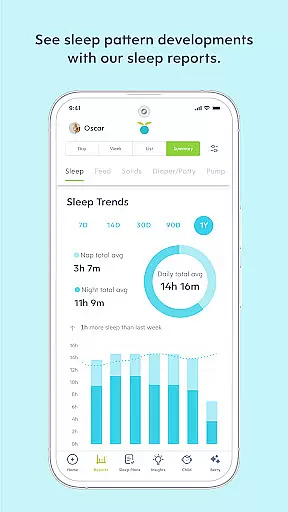
Accurate growth tracking is crucial for monitoring a child's development and ensuring they are hitting necessary milestones. Huckleberry excels in this area by providing precise tools that allow parents to track multiple aspects of their child's growth, from sleep patterns to feeding schedules. The app's ability to maintain detailed records helps in identifying trends and potential areas of concern early on.
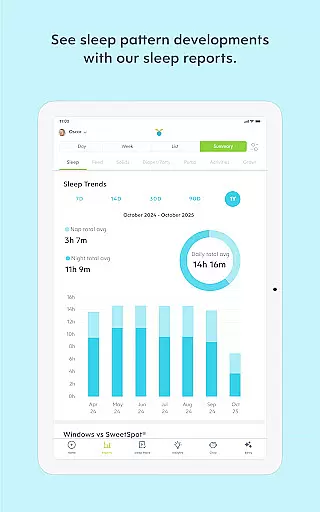
One of the standout features of Huckleberry is its AI Logging capability, available with Plus and Premium memberships. This feature enables parents to track their childu2019s day through text, voice messages, or photos, adding a layer of detail and context to traditional logging methods. Enhanced Reports further allow parents to discover their child's unique trends, making it easier to discuss any observations with pediatricians.
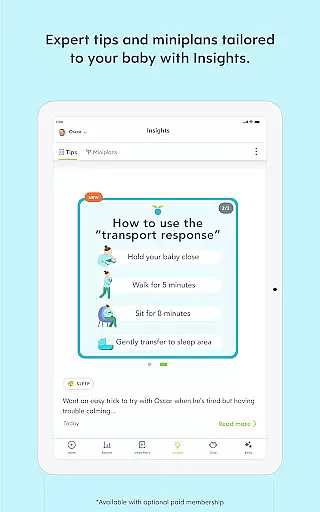
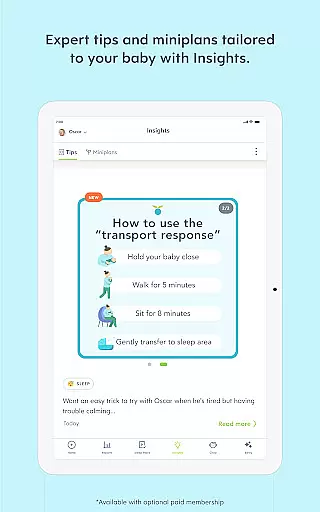
In addition to tracking capabilities, Huckleberry offers Insightsu2014data-driven tips and mini-plans for sleep, feedings, and milestones tailored to children aged 0-17 months. These insights help parents navigate common challenges such as sleep regressions with confidence. By combining advanced tracking technology with personalized guidance, Huckleberry empowers parents to foster healthy development and make informed decisions about their child's well-being.
User-friendly interface
Comprehensive tracking tools
AI-powered support system
Expert-vetted guidance
Multi-device synchronization
Premium features costly
Steep learning curve
Limited offline functionality
Subscription required
Occasional sync issues

Comprehensive Parental Control & Child Safety — Hear & Protect Your Child World
 4.30
4.30
Free symptom & med tracker with expert-reviewed tips.
4.30
Block apps, set screen time limits, and customize usage schedules
4.50
All-in-one pregnancy app, contraction timer, kick counter & due date calculator
4.40
Sleep better with white noise app! Discover rain sounds, fan noise and more.
4.70
Learn according to the age of your child and consult with other moms.
4.20
Live Location, Alerts & 2-Way Voice for Kids and Adults with Special Needs
4.60
Pinardin - Smart Parental Control, Online Safety & GPS Tracking!
4.80
The Most Trusted Co-Parenting App.
4.60
A simple way to track your baby’s breastfeeding, diaper changes, sleep patterns.
4.90
FamilyAlbum helps you share, save, and remember your child's special moments.
4.80
SENSORYSOOTHE and SENSORSAFE: Making car seats smarter and families safer.
4.70
All-In-One Pregnancy Tracker, Your Baby's Milestones, Growth Stages & Parenting
4.70
It is a screen time management tool for games and mobile applications
4.50
Babysitting video camera - Turn your two phones or tablets into a single nanny.
4.40
Pregnancy and baby formula tips for moms, plus Enfamil coupons & cash back
4.10
Save money on diapers. Get the Pampers Rewards app.
3.90
A Coloring for the Whole Family! Discover the Joy of Family Love Through Colors!
3.60
Happiest Baby App replaces the SNOO App (the mobile companion to SNOO & SNOObie)
3.20



















User Reviews