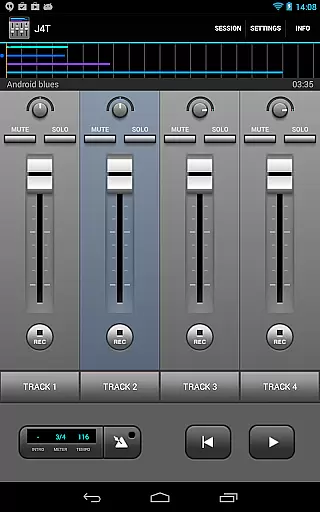
J4T Multitrack Recorder is a versatile 4-track recording application tailored for musicians and songwriters. It allows users to capture song ideas, create demos, and record sound sketches with ease. The app supports live monitoring on Android 10 or higher devices, making it ideal for both studio and on-the-go use.
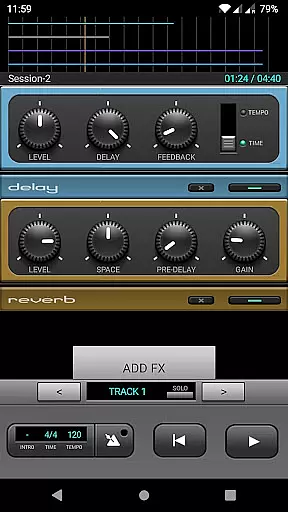
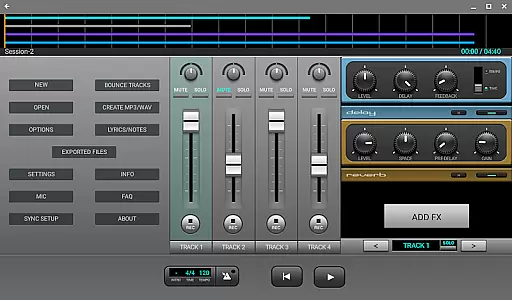
With its comprehensive set of audio effects including Fuzz, Chorus, Delay, Equalizer, Reverb, Phaser, and Compressor, J4T ensures professional-grade sound processing. Users can import and export their music in MP3/WAV formats, edit tracks, and utilize the loop function for seamless music production.
This application is particularly beneficial for creative individuals who need a reliable tool to quickly document musical inspirations. Its intuitive interface and robust feature set make it an essential companion for modern musicians.
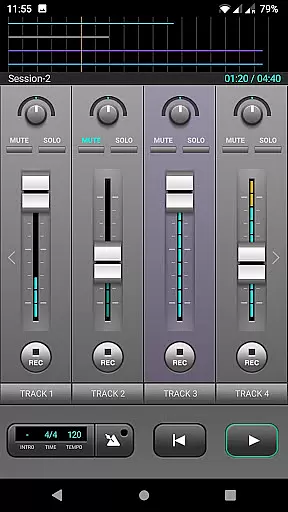
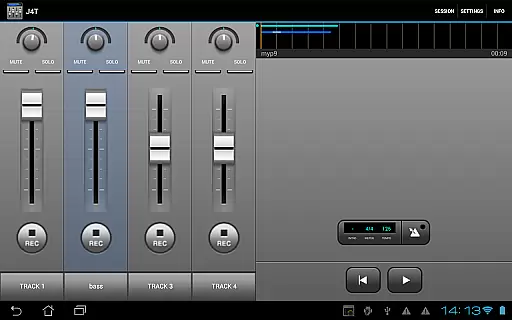
J4T Multitrack Recorder stands out with its powerful set of features designed for optimal music creation. The app provides four distinct tracks, each capable of handling individual recordings while allowing for complex compositions.
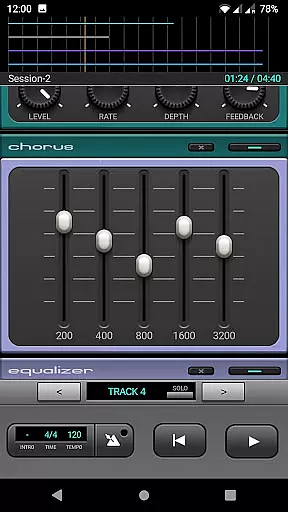
Audio effects such as Fuzz, Chorus, Delay, Equalizer, Reverb, Phaser, and Compressor offer users extensive control over sound design. The ability to import and export music files in MP3/WAV formats enhances workflow flexibility, enabling easy sharing and integration with other audio tools.
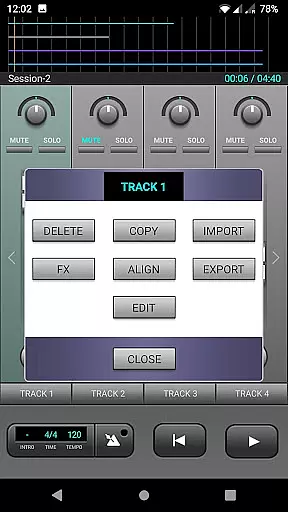
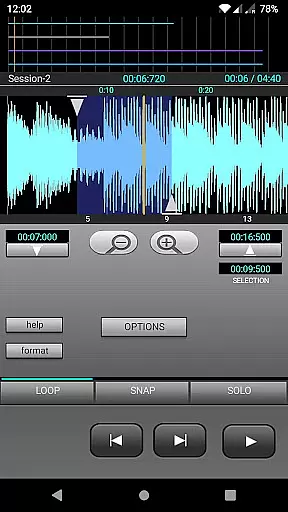
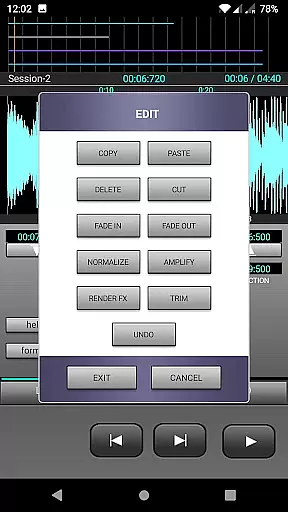
Additional functionalities like the loop function and track editing empower users to refine their work with precision. Live monitoring support on newer Android devices ensures real-time feedback, crucial for live performances and quick adjustments during recording sessions.
The J4T Multitrack Recorder offers a versatile platform for musicians to record and edit their music with ease. While the app itself does not come with a pre-loaded music library, it excels in allowing users to import and export their own audio files in both MP3 and WAV formats. This feature provides flexibility for musicians who want to work with their original compositions or existing tracks.
Regarding copyright authenticity, the app ensures that users maintain complete ownership and control over their imported content. By enabling the import of personal music files, J4T respects the intellectual property rights of its users, ensuring that they are not using unauthorized material. This approach empowers musicians to use their legally owned samples and recordings without concerns about copyright infringement.
Furthermore, the app's ability to export projects in standard audio formats allows artists to share their work while retaining the integrity of their creative rights. Whether exporting final mixes or individual tracks for further production, users can confidently distribute their music knowing they have full rights to their creations.
Audio quality is paramount when recording and producing music, and the J4T Multitrack Recorder delivers professional-grade options to ensure excellent sound reproduction. The app supports high-quality audio recording, capturing every nuance of your performance with clarity and precision. This makes it an ideal tool for songwriters and musicians who demand the best possible sound from their mobile recordings.
In addition to pristine recording capabilities, J4T offers a suite of built-in audio effects that enhance the quality of your tracks. These include essential processing tools such as Fuzz, Chorus, Delay, Equalizer, Reverb, Phaser, and Compressor. Each effect is designed to provide optimal sound shaping possibilities, allowing users to create polished, radio-ready mixes directly within the app.
For devices running Android 10 or higher, the app provides live monitoring functionality, ensuring zero-latency tracking during recording sessions. This real-time feedback enables performers to hear exactly how their input sounds with applied effects, resulting in more accurate performances and better overall audio quality. Combined with its robust track editing features, J4T delivers comprehensive audio quality options that rival desktop recording software.
User-friendly interface
Wide range of effects
Track editing capabilities
Live monitoring support
Flexible file format options
Limited to four tracks
No MIDI support
Occasional bugs reported
Interface may feel dated
Advanced features require learning

Tune in to the greatest hits on UK Radio | The home of Capital, Smooth & Heart.
 4.90
4.90
Performance-Synthesizer & Multi-Track-Sequencer, polyphonic + multi timbral!
4.70
Most Advanced AI Song Generator and Music Creator. Rap, Pop, Rock, Gospel & more
4.70
Turn your Android phone into a professional audio analyser with up to 120 bands.
4.00
Responsive piano with great sounds, graphics, and songs
4.80
Full featured mp3 and audio player with Chromecast and Android Auto support.
4.40
One-tap booster for max volume - enjoy powerful sound with this audio booster
4.50
Get alarms that fit your lifestyle and wake up to the sounds you love.
4.80
Customize Your Favorite Songs and Videos with booster.
4.70
Music, News & Sports Radio Tuner App. Tune in Live FM & AM Radio Stations.
4.80
Brian Eno and Peter Chilvers’ acclaimed music app Bloom, radically reinvented.
4.80
Unleash your creativity! Turn simple prompts into full fledged songs.
4.70
Pay Once, no monthly payment
4.60
The alternative folder based music player.
4.20
A sleek, no-frills player designed for true music lovers.
4.20
No wifi music app. Mp3 offline. Tuner radio, young radio music. Music downloader
4.20
Offline and always ad-free - stream in the highest quality available.
4.10
Permanently backup Now Playing. Maps, filters & listening stats.
4.00
Simple mp3 and mp4 player with advanced features.
3.40



User Reviews