
Musical Chord is a comprehensive music theory app designed to support musicians from beginner to advanced levels. The app provides an extensive suite of tools and exercises covering various aspects of music theory, including chords, intervals, cadences, and more.
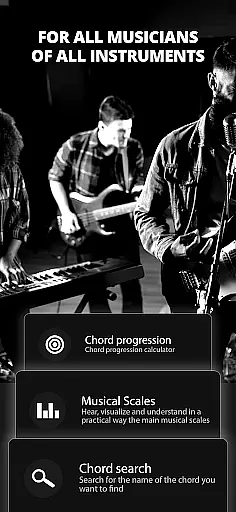
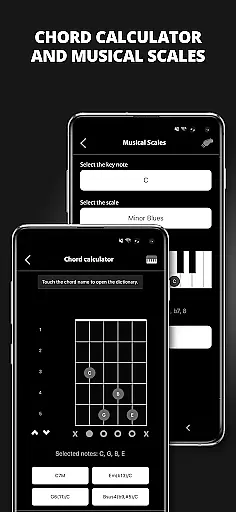
With features like a tuner, metronome, chord calculator, and virtual instruments, Musical Chord serves as an all-in-one solution for learning and practicing music theory across multiple instruments such as acoustic guitar, electric guitar, and piano. Its detailed exercises and tools are invaluable for anyone looking to deepen their understanding of music theory and improve their musical skills.
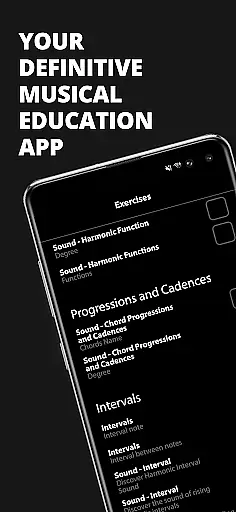
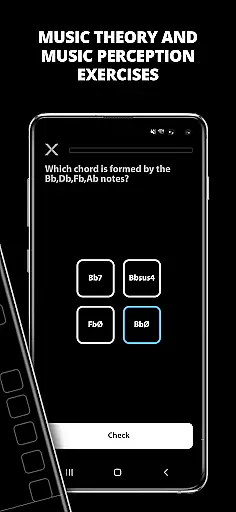
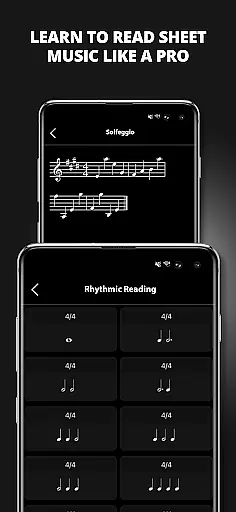
Musical Chord offers a rich set of features tailored for musicians. It includes thousands of exercises on music theory, perception, sheet music, and rhythm reading, which cater to learners at different stages. The app also contains specialized tools such as a chord dictionary, interval perception training, and harmonic function explanations.
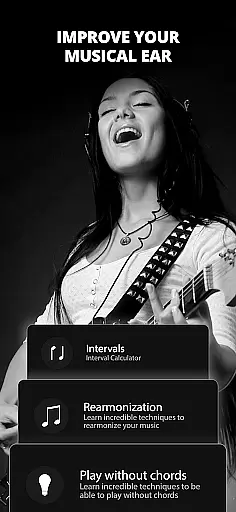
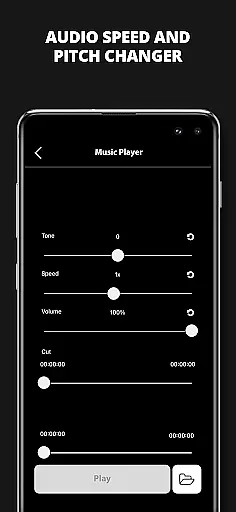
Additionally, users can benefit from practical utilities like a tuner, metronome, and virtual piano. Advanced features include reharmonization tools, audio controls with pitch and speed adjustments, and a circle of fifths. These functionalities not only aid in practice but also inspire creativity and exploration in music composition and performance.
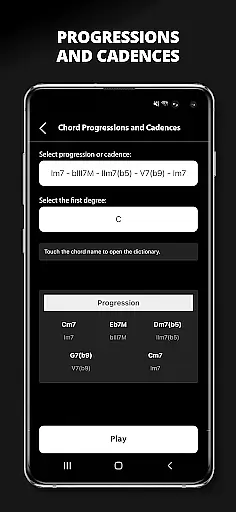
When evaluating a music education app like Musical Chord, the size and authenticity of its music library are crucial factors. This application provides an extensive collection of exercises covering music theory, perception, sheet music, chords, progressions, intervals, and cadences.
The vast library ensures that users from beginner to advanced levels can find relevant content for their studies. With thousands of exercises available, learners have plenty of material to practice and evolve their skills on various musical instruments such as acoustic guitar, electric guitar, and piano.
Moreover, Musical Chord emphasizes copyright authenticity by offering tools like a chord dictionary, reharmonization theory resources, and virtual instruments which are all presumably licensed or original content created for educational purposes. This dedication to legal compliance gives users peace of mind while they engage with the learning materials.
Audio quality is paramount when it comes to music education applications. Musical Chord offers audio controls with pitch change and speed change features, allowing musicians to learn at their own pace without compromising sound integrity.
In addition to adjustable playback settings, the app includes a virtual piano and drum set, ensuring that the audio output from these simulated instruments meets high-quality standards expected by its users. These features enable learners to experience realistic soundscapes during their practice sessions.
Furthermore, the inclusion of a recorder and pitch graph within Musical Chord allows users to analyze their performances critically. By providing these comprehensive audio tools, the app supports an immersive learning environment where students can refine their auditory skills effectively.
Comprehensive music theory coverage
User-friendly interface
Versatile toolset for various instruments
Thousands of practice exercises
Innovative reharmonization tools
May overwhelm beginners
Some features require in-app purchases
Interface can be complex
Limited offline functionality
Occasional bugs reported

SqueezePlayer turns your Android phone or tablet into a SqueezeBox on its own!
 4.60
4.60
A synth that really lets you shape your sounds!
4.50
Gorgeous UI, Powerful music Search and Equalizer, the great choice for you!
4.70
Record, Mix & Master with all n-Track effects, 64-bit audio and Stem Separation.
4.70
The alternative folder based music player.
4.20
Help you quickly get started with Shokz headphones
4.40
A complete sound package for the sound engineer or enthusiast
4.60
Versatile MP3 recorder with auto-backup to Dropbox and Google Drive
4.10
Uninterrupted Tunes, Unmatched Vibes
3.90
Voice recorder - Audio recorder. Best recorder for recording
4.90
Full-featured, High-Quality Groovebox Workstation, perfect for Live Performance!
4.80
Music, News & Sports Radio Tuner App. Tune in Live FM & AM Radio Stations.
4.80
Performance-Synthesizer & Multi-Track-Sequencer, polyphonic + multi timbral!
4.70
Reverse your voice & songs instantly! Fun singing challenge with cool effects.
4.60
Fun & Easy Voice Changer – Record, Edit & Add Hilarious Effects!
4.50
Enhance the sound quality of your devices, listen to what you want
4.50
Your HD audio recorder on the go for music, meetings, ambience, animal sounds…
4.30
Simply convert wav to mp3. Clear. Reliable. Safe.
4.0
Remove ads permanently from Music Visualizer
4.1




User Reviews